Describes a practical scenario for configuring RBAC node rules to control user access to specific tenants and leaf nodes. Provides step-by-step guidance and highlights access behaviors for different users.
The use case demonstrates how RBAC node rules and security domains are configured to restrict user access to specific tenants and leaf nodes in a Cisco ACI fabric.
-
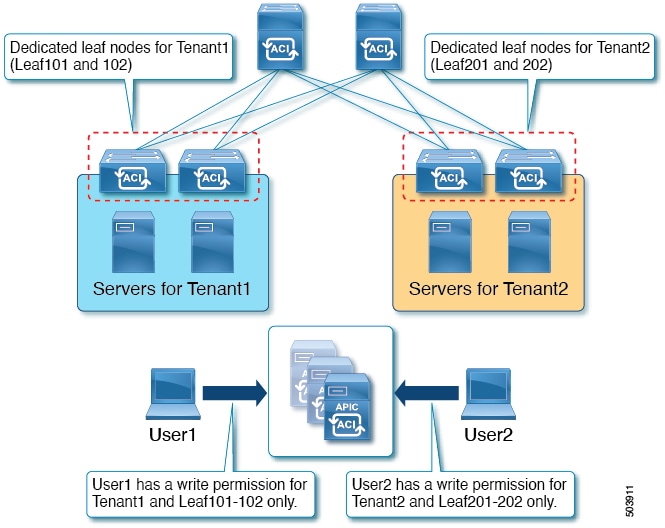
Multiple tenants and leaf nodes are managed within the Cisco ACI fabric.
-
Security domains and RBAC node rules are used to assign users to specific tenants and leaf nodes.
-
Each user receives access privileges based on their assigned security domains and roles.
Configuration Overview and Access Behavior
This section provides an overview of the configuration steps and access behaviors for users in the RBAC node rule scenario.
-
User1 can manage only Tenant1, leaf node 101 and 102.
-
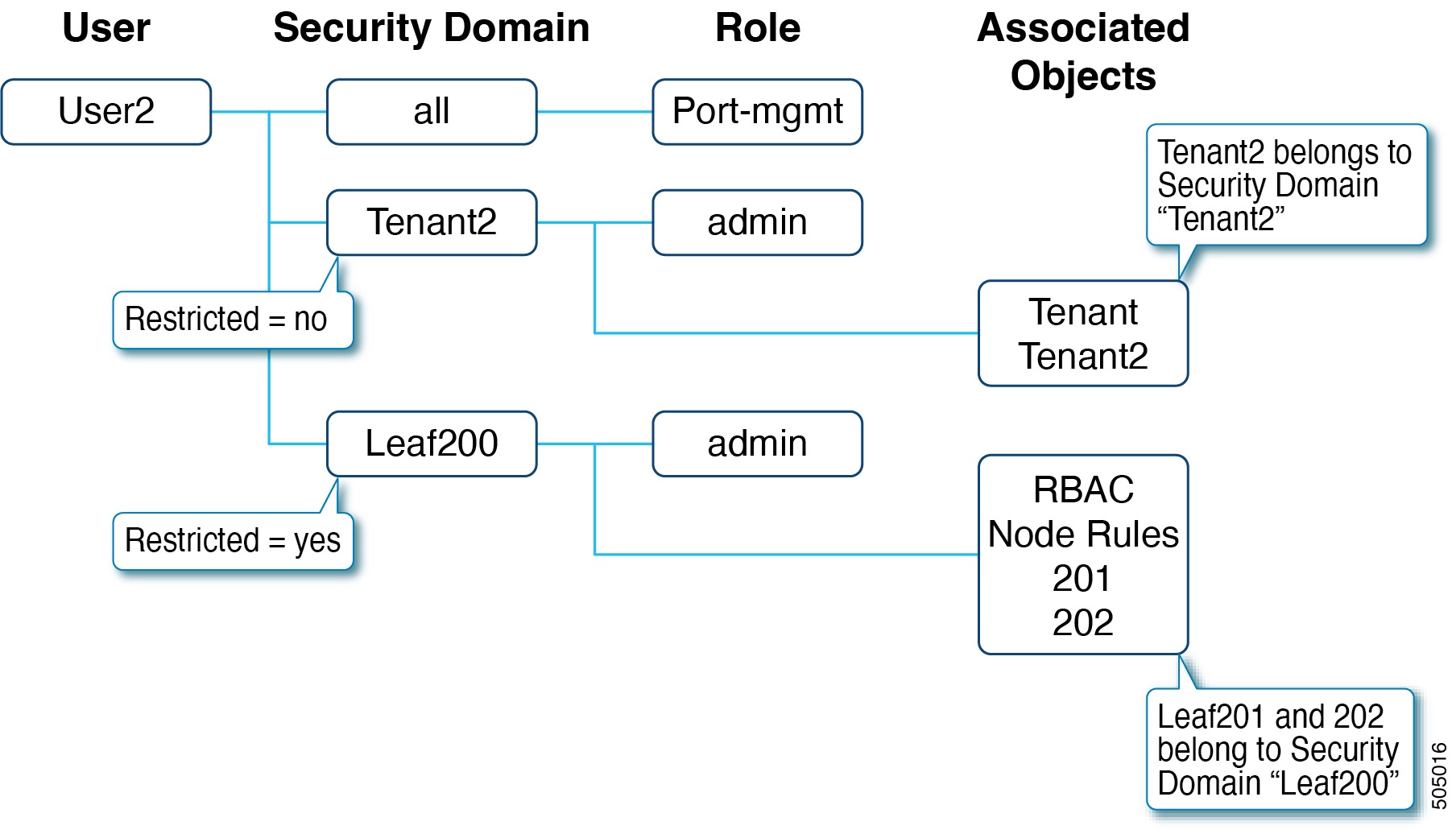
User2 can manage only Tenant2, leaf node 201 and 202.
Follow these steps to configure RBAC node rules and security domains:
-
Create security domains for tenants and leaf nodes.
-
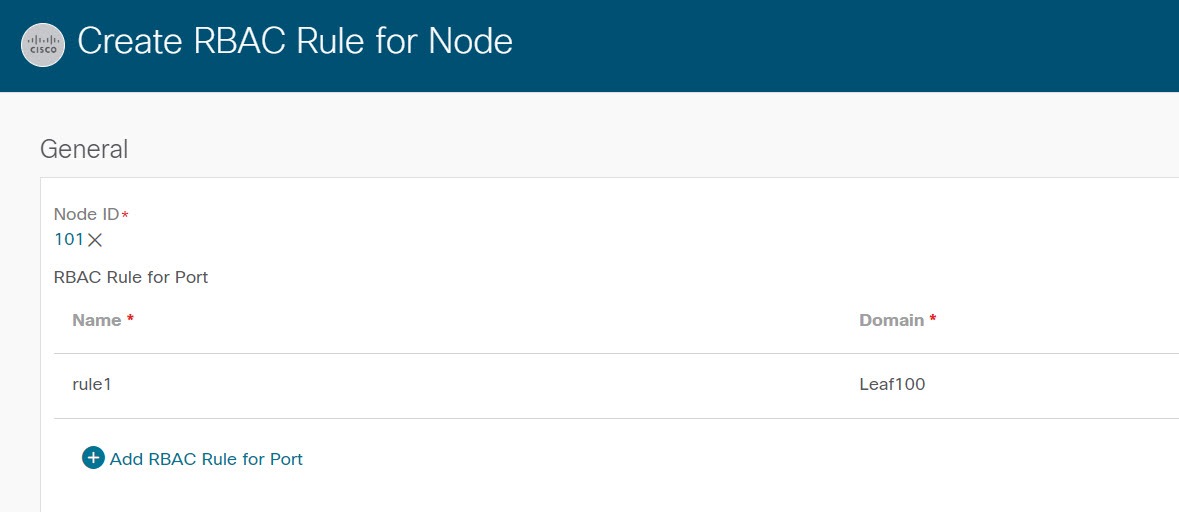
Create RBAC node rules to assign leaf nodes to security domains.
-
Create users and assign security domains and roles.
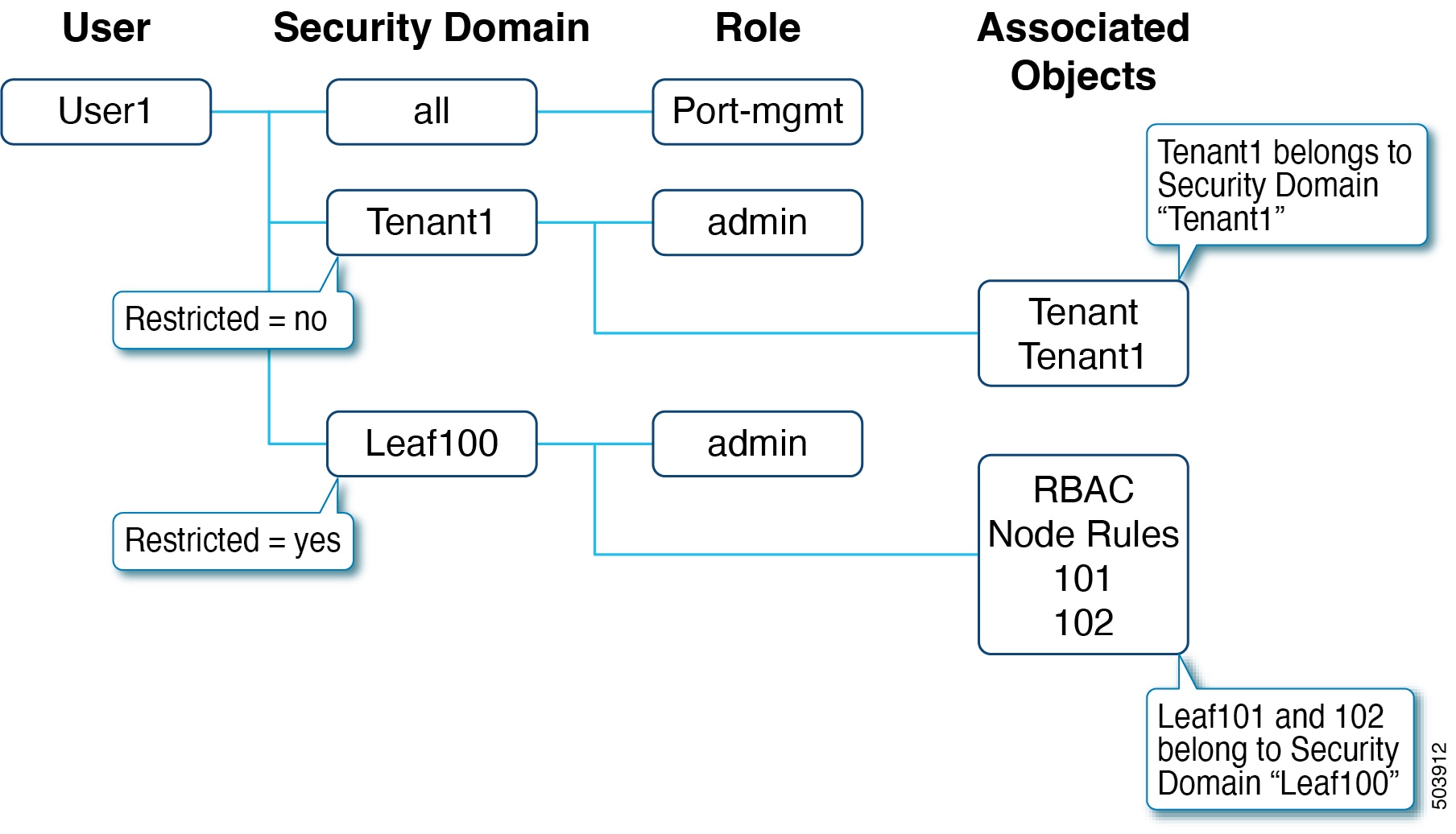
Security domains and roles assigned to users:
-
all: Role port-mgmt with the Write privilege
-
Leaf100: Role admin with the Write privilege
-
Tenant1: Role admin with the Write privilege
Comparison of access privileges for User1 and User2:
|
Attributes |
User1 |
User2 |
|---|---|---|
|
Tenant Access |
Tenant1 |
Tenant2 |
|
Leaf Node Access |
Leaf101, Leaf102 |
Leaf201, Leaf202 |
|
Role |
admin, port-mgmt |
admin, port-mgmt |
Enabling Restricted RBAC Domain for a leaf security domain prevents users from seeing access policies created by other users in different domains. Default interface policies remain visible but cannot be modified if restriction is enabled.
The following figures illustrate the relationships and configuration steps for User1 and User2:
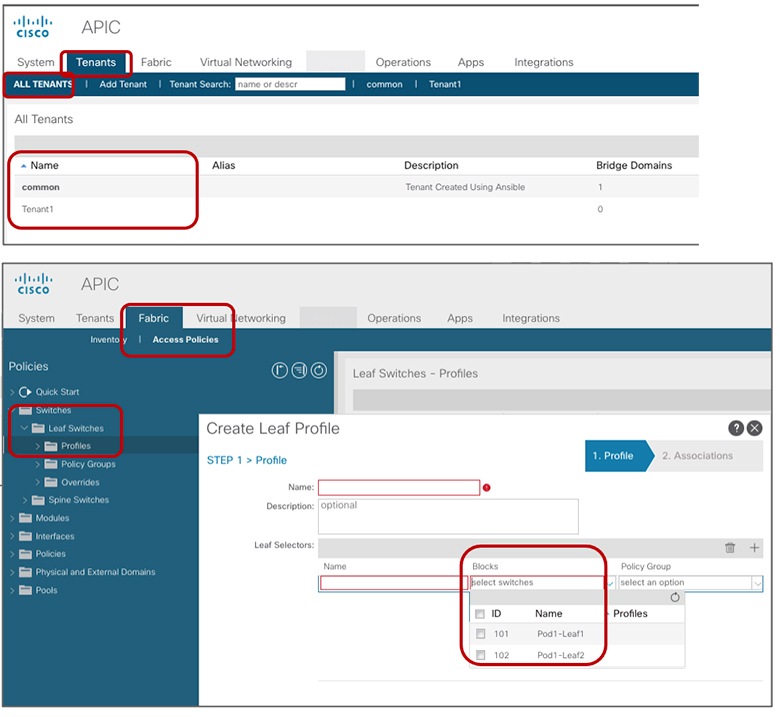
Example Configuration for User1
This example shows User1 assigned to Tenant1 and Leaf101/102 with admin and port-mgmt roles. User1 cannot access other tenants or leaf nodes, and only sees policies created within the same security domain.