System and application health monitoring
Crosswork Network Controller monitoring provides information and tasks that help you monitor system and application health, inspect cluster and application details, review alarms and events, generate traps, and collect audit information.
-
System and application health depends on the operational status of Crosswork Network Controller microservices.
-
The Crosswork Summary and Crosswork Health windows provide different views of system, cluster, platform infrastructure, and application health.
-
Alarms, events, SNMP traps, and audit logs provide operational records that help you diagnose and review Crosswork Network Controller activity.
System and application health statuses
The health of the Crosswork Network Controller system and applications is determined by the operational status of its microservices.
-
The system is considered healthy if all services are up and running.
-
The health is considered degraded if one or more services are down.
-
The health status is down if all services are down.
Monitoring system and application health in Crosswork Network Controller
Crosswork Network Controller is built on an architecture consisting of microservices. These microservices, create dependencies across various services within the Crosswork Network Controller system.
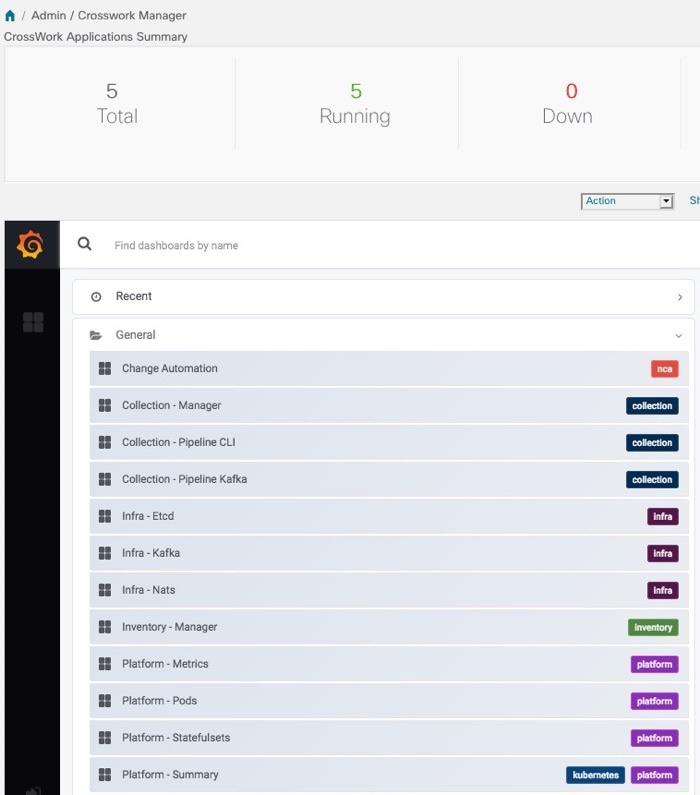
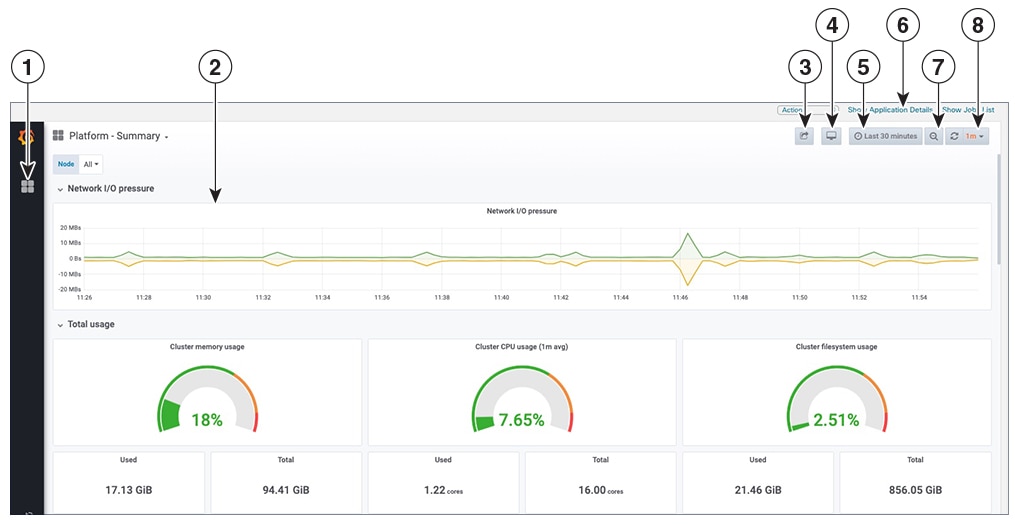
To monitor system and application health, from the main menu, choose Crosswork Manager to access the Crosswork Summary and Crosswork Health windows. Each window provides different views to help you monitor system and application health. You can use the tools and information provided in this window, along with support and guidance from your Cisco Customer Experience account team. Also, you can use the tools to identify, diagnose, and fix issues with the Crosswork Network Controller cluster, Platform Infrastructure, and installed applications.
While both windows can give you access to the same type of information, the purpose of each summary and view is different.
Crosswork Network Controller cluster health
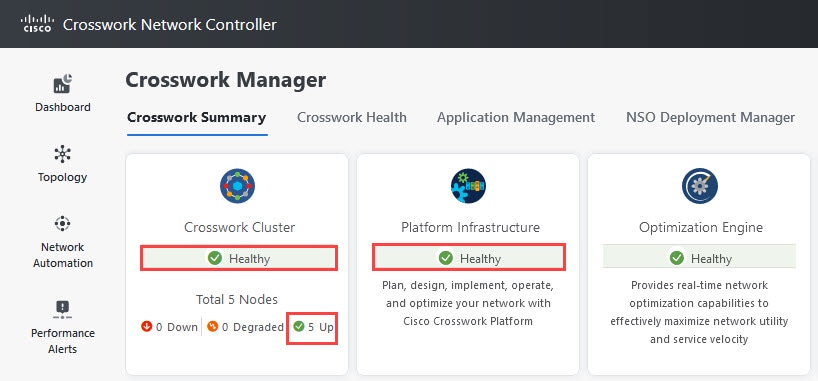
The Monitor Cluster Health feature provides a summary of the overall system health, focusing on hardware resources and virtual machines (VMs).
-
Displays system health at a glance in the Crosswork Summary window.
-
Allows users to check hardware resource status and VM performance before installing or upgrading applications.
-
Enables users to view resource utilization, drill down on VMs, and perform VM or cluster-related activities.
Accessing and using cluster health information
The Crosswork Summary window, accessible via , provides a summary of system health. Users can click the System Summary tile to view resource utilization and manage VMs or cluster-related activities. If hardware resources are overutilized or services are degrading, users may need to add more VMs to scale the system. Additional details, such as microservices and alarms, can be accessed by clicking on the Cisco Crosswork Platform Infrastructure and application tiles.
Crosswork Network Controller health views
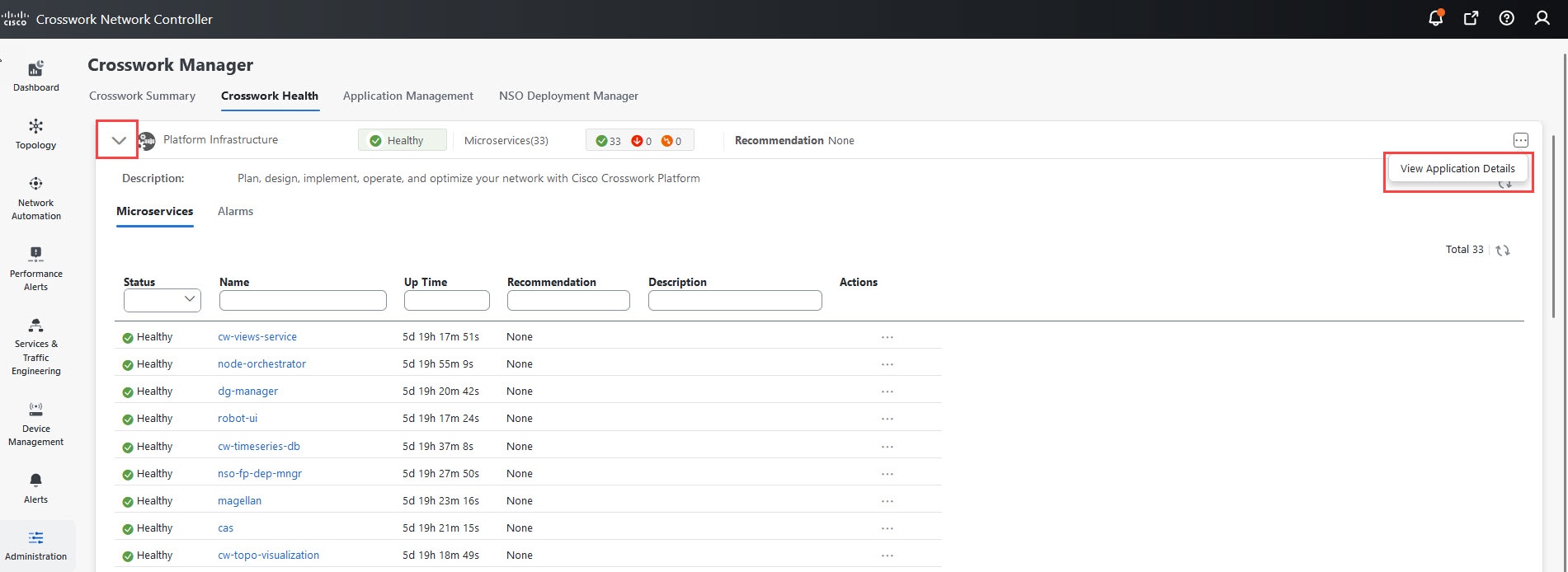
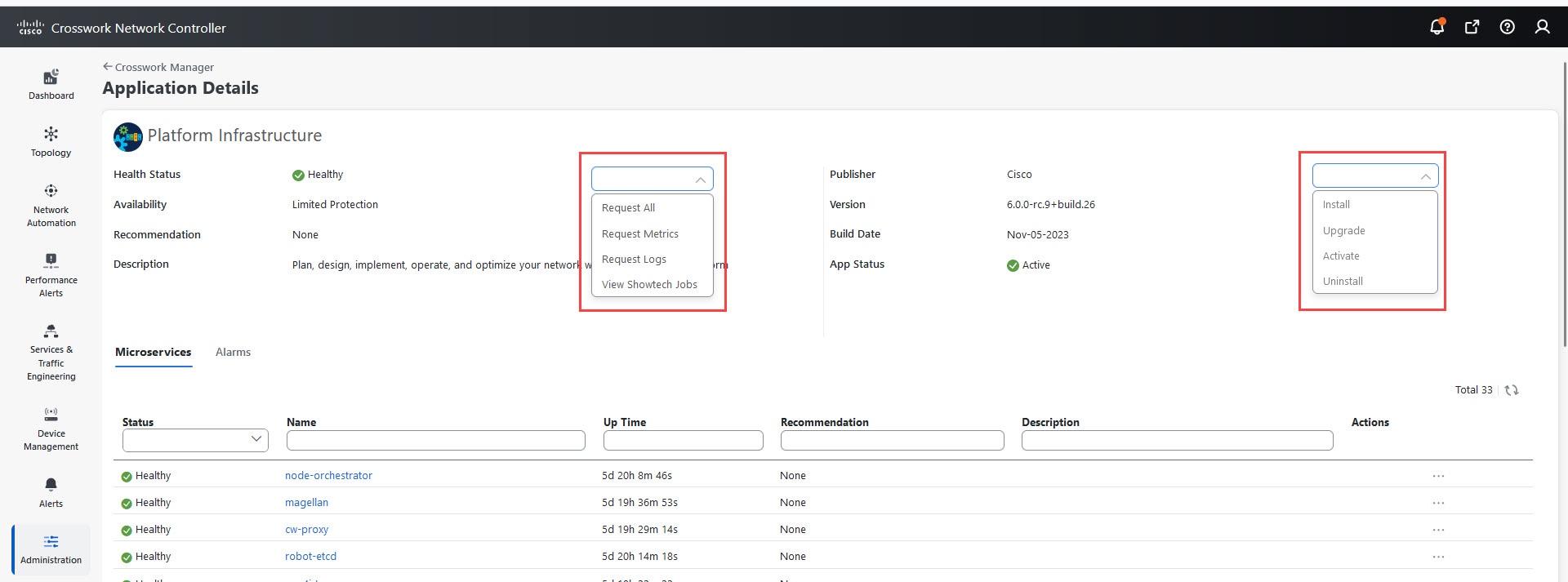
The Crosswork health window ( tab) displays summaries for the Crosswork Network Controller platform infrastructure health and installed applications status, with details of microservice status.
Within the Crosswork health tab, you can perform these actions:
-
Click the
 icon on the application row to view application details.
-
Expand an application row to view information on microservices, alarms, and events for the selected Crosswork Network Controller product.
From the Microservices tab, you can:
-
View the list of microservices and, if applicable, associated microservices by clicking on the microservice name.
-
Click
to restart or obtain Showtech data and logs for each microservice.

Note
Showtech logs must be collected separately for each application.
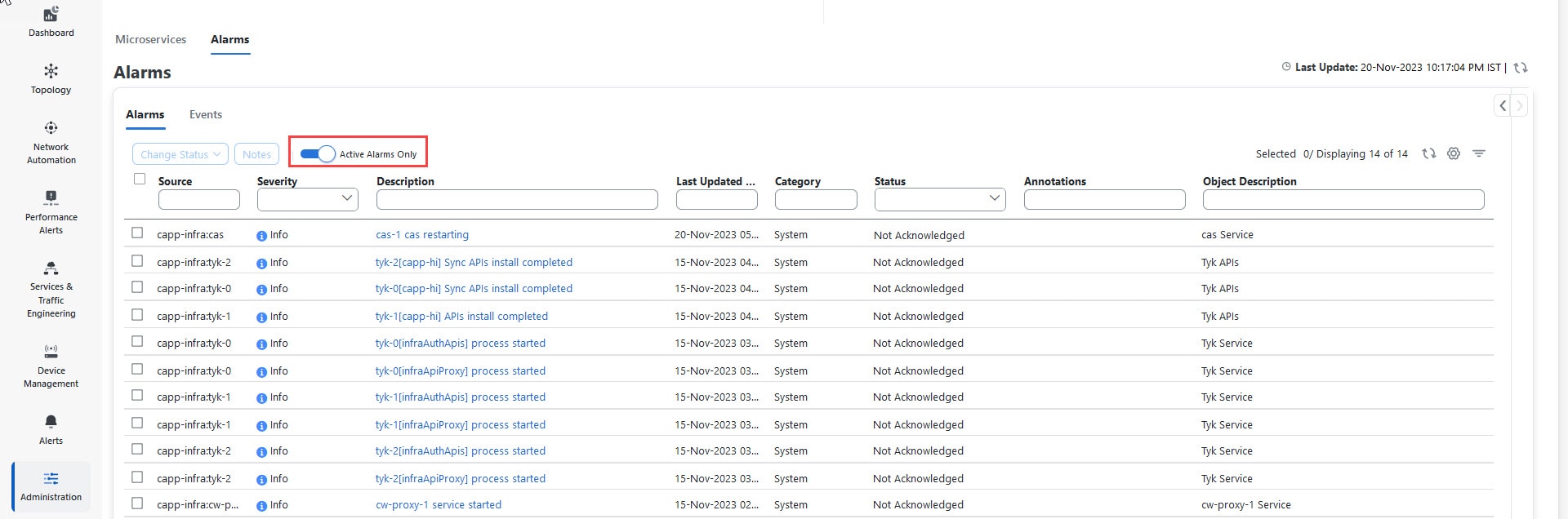
From the Alarms tab, you can:
-
Filter the active alarms.
-
Click the alarm description to drill down on alarm details.
-
Change the status of the alarms (Acknowledge, Unacknowledge, Clear).
-
Add notes to alarms.
-
View list of events in the product.
-
View the correlated alarm for each event.
 .
.
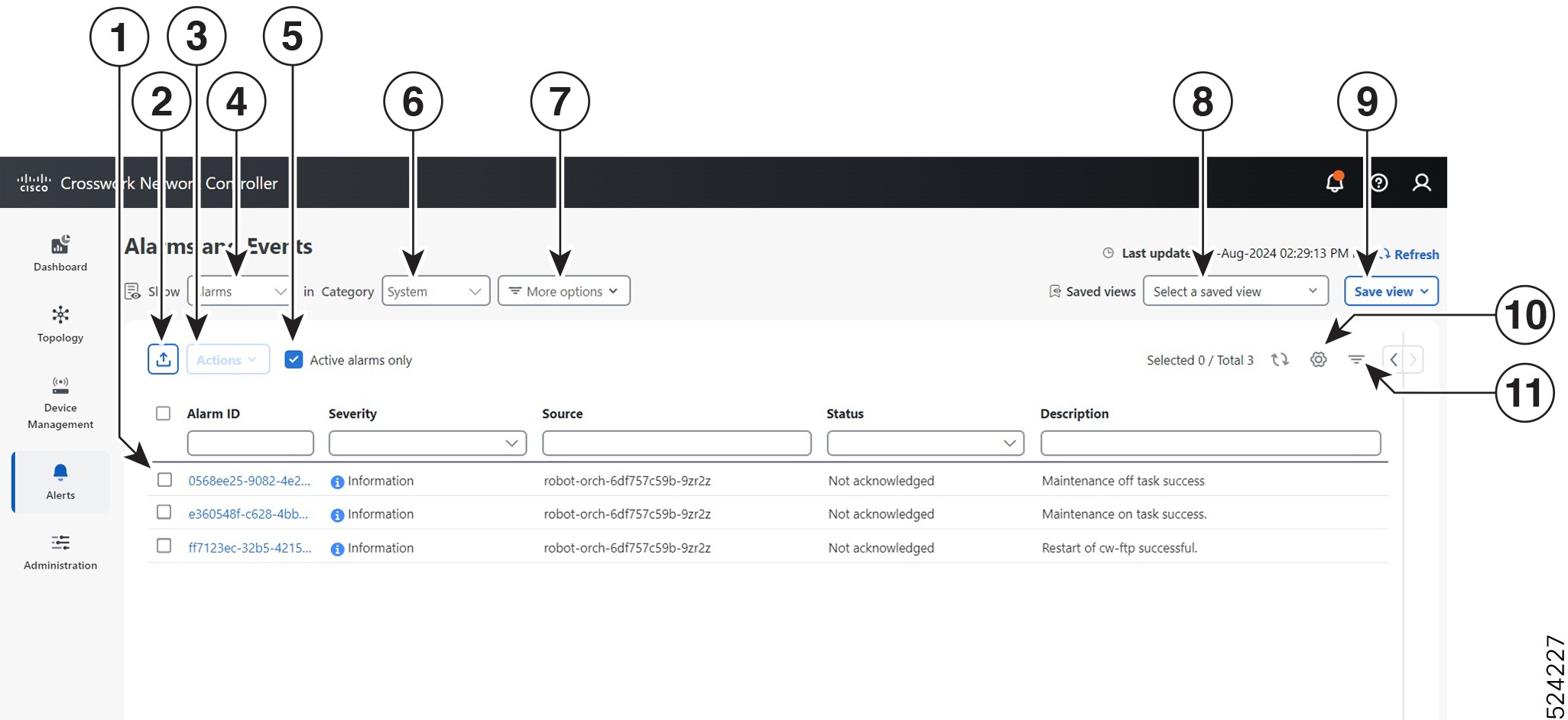
 icon to export a PDF or CSV file listing full information for all the alerts shown in the window. If you select one or more
alerts when you click the icon, the file contains information only for the selected alerts.
icon to export a PDF or CSV file listing full information for all the alerts shown in the window. If you select one or more
alerts when you click the icon, the file contains information only for the selected alerts.
 to select which columns to display in the alerts list.
 to toggle display of the floating filter fields at the top of the alerts list. You can use these fields to set filter criteria
on one or more columns in the list. Click the
to toggle display of the floating filter fields at the top of the alerts list. You can use these fields to set filter criteria
on one or more columns in the list. Click the 
 to filter the results by query.
 Feedback