Users and access
Users and access
Users and access is a feature in SD-WAN Manager that
-
controls and manages the authorization permissions for users on Cisco IOS XE Catalyst SD-WAN devices
-
involves defining users who are allowed to log in
-
enables grouping these users into user groups, and
-
associating privileges with each group to specify the commands users are authorized to execute.
Users and user groups
Users are entities that represent individuals or processes authorized to access and operate Cisco IOS XE Catalyst SD-WAN devices.
User groups are collections of users based on common roles or privileges to control authorization permissions on Cisco IOS XE Catalyst SD-WAN.
Users and user groups
All users who are permitted to perform operations on a Cisco IOS XE Catalyst SD-WAN device device must have a login account. For the login account, you configure a username and a password on the device itself. These allow the user to log in to that device. A username and password must be configured on each device that a user is allowed to access.
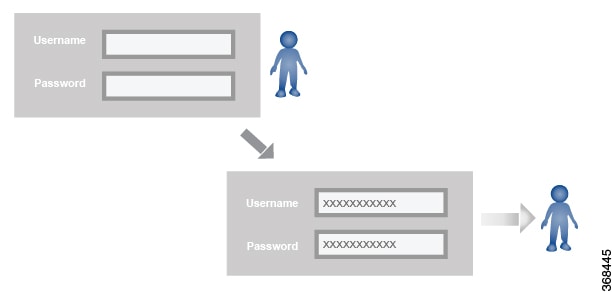
The Cisco Catalyst SD-WAN software provides one standard username, admin, which is a user who has full administrative privileges, similar to a UNIX superuser. By default, the admin username password is admin. You cannot delete or modify this username, but you can and should change the default password.
User groups pool together users who have common roles, or privileges, on the Cisco IOS XE Catalyst SD-WAN device. As part of configuring the login account information, you specify which user group or groups that user is a member of. You do not need to specify a group for the admin user, because this user is automatically in the user group netadmin and is permitted to perform all operations on the SD-WAN device.
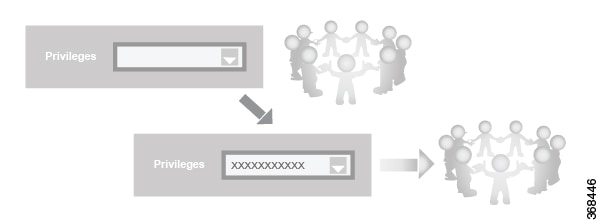
The user group itself is where you configure the privileges associated with that group. These privileges correspond to the specific commands that the user is permitted to execute, effectively defining the role-based access to the Cisco Catalyst SD-WAN software elements.
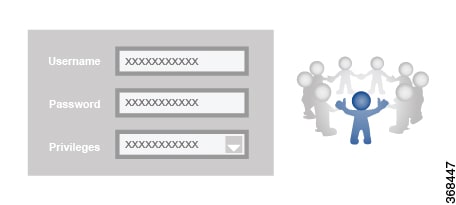
Standard user groups
Cisco Catalyst SD-WAN software provides standard user groups and allows creation of custom user groups as needed.
-
basic: The basic group is a configurable group and can be used for any users and privilege levels. This group is designed to include users who have permission to both view and modify information on the device.
-
operator: The operator group is also a configurable group and can be used for any users and privilege levels. This group is designed to include users who have permission only to view information.
-
netadmin: The netadmin group is a non-configurable group. By default, this group includes the admin user. You can add other users to this group. Users in this group are permitted to perform all operations on the device.
-
network_operations: From Cisco vManage Release 20.9.1, network_operations user group is supported. The network_operations group is a non-configurable group. Users in this group can perform all non-security-policy operations on the device and only view security policy information. For example, users can create or modify template configurations, manage disaster recovery, and create non-security policies such as application aware routing policy or CFlowD policy.
-
security_operations: From Cisco vManage Release 20.9.1, security_operations user group is supported. The security_operations group is a non-configurable group. Users in this group can perform all security operations on the device and only view non-security-policy information. For example, users can manage umbrella keys, licensing, IPS signatures auto update, TLS/SSL proxy settings, and so on.
Users of the network_operations group are authorized to apply policies to a device, revoke applied policies, and edit device templates. Users of the security_operations group require network_operations users to intervene on day-0 to deploy security policy on a device and on day-N to remove a deployed security policy. However, after a security policy is deployed on a device, security_operations users can modify the security policy without needing the network_operations users to intervene.
 Note |
All user groups, regardless of the read or write permissions selected, can view the information displayed on the Cisco SD-WAN Manager Dashboard screen. Only admin users can view running and local configuration. Users associated with predefined operator user group do not have access to the running and local configurations. The predefined user group operator has only read access for the template configuration. If you need only a subset of admin user privileges, then you need to create a new user group with the selected features from the features list with both read and write access and associate the group with the custom user. |
Note |
Previously, users with roles other than netadmin, such as basic, network_operations, security_operations, and operator, could execute arbitrary commands on the host system, which posed a significant security risk. To resolve this issue, only specific users (root, vmanage-admin, ciscotacro, ciscotacrw) were given permission to execute the commands. Now, only ciscotacro and ciscotacrw users have access to the request execute function, while netadmin group members are permitted access only when Cisco SD-WAN Manager is enabled. This change blocks unauthorized users from alternative shell or command execution methods, enforces proper restrictions, and mitigates the security risk. |
User group permissions
You can add, edit, view, or delete users and user groups based on the permissions listed here.
-
Only an admin or a user who has Manage Users write permission can add, edit, or delete users and user groups from SD-WAN Manager.
-
Each user group can have read or write permission. Write permission includes read permission.
-
All user groups, regardless of the read or write permissions selected, can view the information displayed in the SD-WAN Manager dashboard.
|
Permissions |
Sections |
|---|---|
|
User group permissions related to Cisco IOS XE Catalyst SD-WAN device configuration. |
User group permissions for Cisco IOS XE Catalyst SD-WAN devices |
|
User group permissions related to Cisco Catalyst Wireless Gateway device configuration. |
User group permissions for Cisco Catalyst Wireless Gateway devices |
Configure users using CLI commands
You can use the CLI to configure user credentials on each device. This way, you can create additional users and give them access to specific devices.
The credentials you create for a user through the CLI can be different from SD-WAN Manager credentials. You can create different credentials for a user on each device. All Cisco IOS XE Catalyst SD-WAN device users with the netadmin privilege can create a new user.
To create a user account, configure the username and password, and place the user in a group.
This example shows the addition of user, Bob, to an existing group:
Device(config)# system aaa user bob group basicSimilarly this example shows the addition of user, Alice, to a new group test-group:
Device(config)# system aaa user test-group
Device(config)# system aaa user alice group test-group|
username |
The username can be 1 to 128 characters long, and must start with a letter. The name can contain only lowercase letters, the digits 0 through 9, hyphens (-), underscores (_), and periods (.). The name cannot contain any uppercase letters. Some usernames are reserved, you cannot configure them. For a list of reserved usernames, see the aaa configuration command in the Cisco Catalyst SD-WAN Command Reference Guide. |
|
password |
Each username must have a password, and users are allowed to change their own password. The CLI immediately encrypts the string and does not display a readable version of the password. When a user logs in to a Cisco IOS XE Catalyst SD-WAN device, they have five chances to enter the correct password. After the fifth incorrect attempt, the user is locked out of the device, and must wait for 15 minutes before attempting to log in again. |
|
group name |
Group name is the name of a standard SD-WAN group (basic, netadmin, or operator) or of a group configured with the usergroup command (discussed below). If an admin user changes the permission of a user by changing their group, and if that user is currently logged in to the device, the user is logged out and must log back in again. |
Note |
Enclose any user passwords that contain the special character ! in double quotation marks (“ “). If a double quotation is not included for the entire password, the config database (?) treats the special character as a space and ignores the rest of the password. For example, if the password is C!sc0, use “C!sc0”. |
Configure password for admin users using CLI commands
The factory-default password for the admin username is admin and we recommend to modify this password the first time you configure a Cisco IOS XE Catalyst SD-WAN device.
Procedure
|
Step 1 |
Modify the factory-default password for admin the first time you configure a Cisco IOS XE Catalyst SD-WAN device: Example: |
|
Step 2 |
Configure the password as an ASCII string. The CLI immediately encrypts the string and does not display a readable version of the password. Example: |
|
Step 3 |
If you are using RADIUS to perform AAA authentication, you can configure a specific RADIUS server to verify the password: The tag is a string that you defined with the radius server tag command, as described in the Cisco Catalyst SD-WAN Command Reference Guide. |
Create user groups
Procedure
|
Step 1 |
From the Cisco SD-WAN Manager menu, choose . |
|
Step 2 |
Click User Groups. |
|
Step 3 |
Click Add User Group. |
|
Step 4 |
Enter User Group Name. |
|
Step 5 |
Select the Read or Write check box against feature that you want to assign to a user group. |
|
Step 6 |
Click Add. |
|
Step 7 |
You can view the new user group in the left navigation path. Click Edit to edit the existing read or write rules. |
|
Step 8 |
Click Save. |
Create user groups using CLI commands
Create additional custom groups and configure privilege roles that the group members have.
The Cisco Catalyst SD-WAN software provides default user groups: basic, netadmin, operator, network_operations, and security_operations. The username admin is automatically placed in the netadmin user group.
Procedure
|
Step 1 |
To create a custom group with specific authorization, configure the group name and privileges: Example:Group name can be 1 to 128 characters long, and it must start with a letter. The name can contain only lowercase letters, the digits 0 through 9, hyphens (-), underscores (_), and periods (.). The name cannot contain any uppercase letters. Some group names are reserved, so you cannot configure them. For a list of them, see the aaa configuration command. If a remote RADIUS or TACACS+ server validates authentication but does not specify a user group, the user is placed into the basic user group. If a remote server validates authentication and specifies a user group (say, X) using VSA Cisco SD-WAN-Group-Name, the user is placed into that user group only. However, if that user is also configured locally and belongs to a user group (say, Y), the user is placed into both the groups (X and Y). |
|
Step 2 |
Under task, list the roles that the group members have. The role can be one or more of the following: interface, policy, routing, security, and system. |
Delete a user group
You can delete a user group when it is no longer needed. For example, you might delete a user group that you created for a specific project when that project ends.
Procedure
|
Step 1 |
From the Cisco SD-WAN Manager menu, choose . |
||
|
Step 2 |
Click User Groups. |
||
|
Step 3 |
Click the name of the user group you wish to delete.
|
||
|
Step 4 |
Click Trash icon. |
||
|
Step 5 |
To confirm the deletion of the user group, click OK. |
Edit user group privileges
You can edit group privileges for an existing user group.
Procedure
|
Step 1 |
From the Cisco SD-WAN Manager menu, choose . |
||
|
Step 2 |
Click User Groups. |
||
|
Step 3 |
Select the name of the user group whose privileges you wish to edit.
|
||
|
Step 4 |
Click Edit, and edit privileges as needed. |
||
|
Step 5 |
Click Save. If an admin user changes the privileges of a user by changing their group, and if that user is currently logged in to the device, the user is logged out and must log back in again. |
 Feedback