Overview
Information about the considerations when managing your disaster recovery system.
This section describes things to be aware of when managing your disaster recovery system.
Cisco Catalyst Center Administrator Guide, Release 3.2.x
Information about the considerations when managing your disaster recovery system.
This section describes things to be aware of when managing your disaster recovery system.
A backup can only be scheduled from your system's active site.
You cannot restore a backup file when disaster recovery is enabled. You must first pause your system temporarily. For more information, see Place your system on pause.
You should only restore a backup file on the site that was the active site prior to pausing your system. After you restore the backup file, you then need to rejoin your system's sites. Doing so will reinstate disaster recovery and initiate the replication of the active site's data to the standby site. For more information, see Rejoin your system.
You can only restore a backup file on cluster nodes that have the same Catalyst Center version installed as the other nodes in your system.
After a failover takes place, your deployment's backup and restore settings and schedule are not replicated to the new active site. You will need to configure them again.
If applicable to your deployment, we recommend that you upgrade the TLS version for incoming TLS connections to Catalyst Center. In the Catalyst Center Security Best Practices Guide, see the "Change the Minimum TLS Version and Enable RC4-SHA (Not Secure)" topic. If you have already upgraded your main site, we recommend that you also upgrade your recovery site (ideally before you activate your disaster recovery system or after a failover occurs).
You cannot do either of these replacements without breaking your disaster recovery system's configuration:
Replace one of the nodes in a 1+1+1 setup.
Replace all of one site's nodes in a 3+3+1 setup.
If you need to do so, ensure that you then complete the steps described in Deregister your system to get your system up and running again.
Any data present on the appliances that reside at the recovery site will be deleted in these scenarios:
When setting up your disaster recovery system for the first time and you activate the system.
When the recovery site is the current active site, you pause your system, deregister it, and then reregister it as the recovery site.
When you reconfigure an existing disaster recovery system, make sure you know which site is the current active site and register it as your system's main site. Alternatively, you can make a backup of the recovery site's data (if it's currently active) and restore this data on your system's main site prior to the system's reconfiguration.
These changes cannot be made without reconfiguring your system:
Changing the IP addresses and static/default routes configured for your disaster recovery system's Enterprise and Management interfaces.
Changing the witness site's IP address.
Updating a site's cluster_hostname setting.
Changing your system's BGP settings.
Complete the steps described in Deregister your system to configure new IP addresses and routes. If you updated the cluster_hostname value, complete these same steps after doing so.
You cannot convert the main and recovery sites from single-node clusters to HA clusters without breaking your disaster recovery system's configuration. If you need to do so:
Convert both sites to HA clusters.
Reregister and reactivate disaster recovery (see Set up disaster recovery).
By default, the disaster recovery system waits seven minutes before recognizing that a site has failed and taking one of these actions:
When the active site goes down, it starts the failover process.
When either the standby or witness site goes down, the system marks that site as down and disables the ability to start any tasks from the Action area.
If you try to initiate a task before the seven minutes have passed, the Details area will display a message that indicates why it cannot be completed.
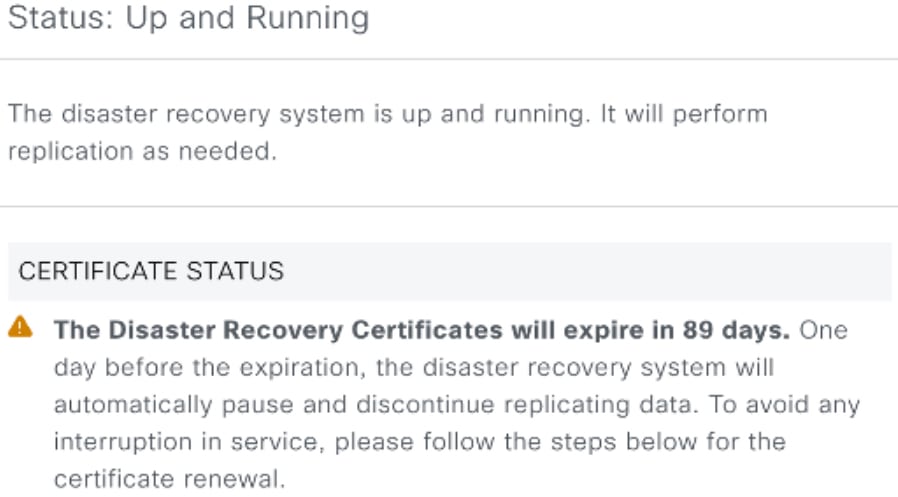
The Status area indicates when the certificate configured for your disaster recovery system is set to expire. If the certificate will expire within 90 days, a warning message is displayed:
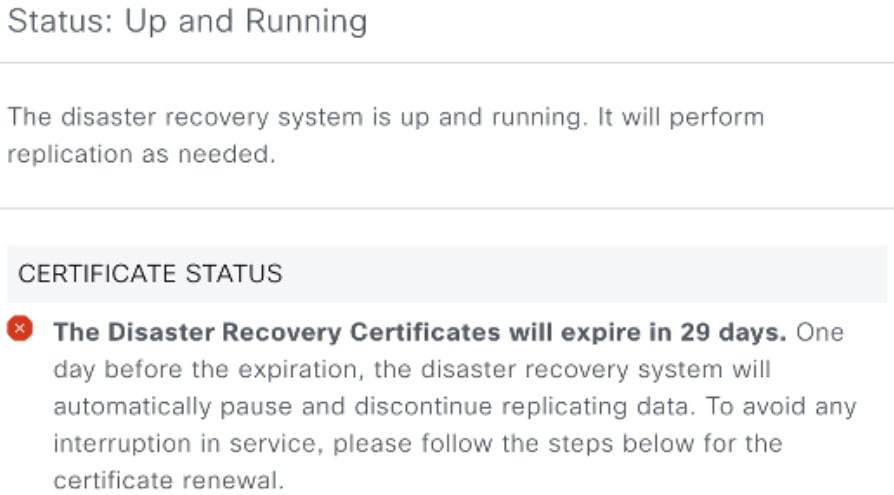
If the certificate will expire in 30 days or less, an error message is displayed instead:
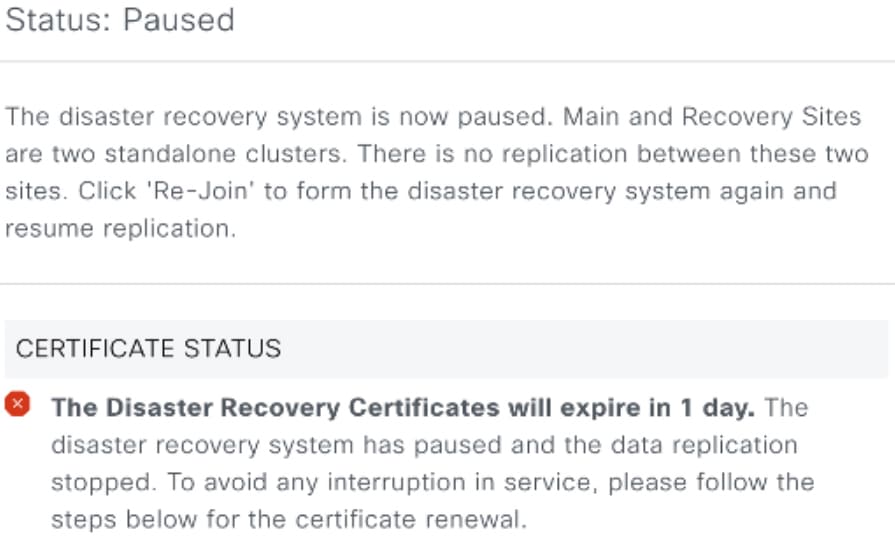
If the certificate is set to expire in a day, and the disaster recovery system is operational, Catalyst Center automatically pauses your system:
To configure a new certificate and restore the operation of your system, you'll need to do these tasks:
Place your disaster recovery system on pause (unless Catalyst Center has already done so).
Replace your system's certificate by completing the steps described in the Add the disaster recovery certificate topic.
Rejoin your system to restart it.
For a description of VLAN mode, see Steps 7 and 8 in the Cisco Catalyst Center Installation Guide's "Configure the Primary Node Using the Maglev Wizard" topic.
VLAN mode:
Can only be enabled when you configure a Catalyst Center appliance using the Maglev Configuration wizard.
Can't be enabled using any of the browser-based configuration wizards.
Can't be disabled without reimaging the appliance.
These items are not supported by Catalyst Center deployments that have VLAN mode enabled:
Catalyst Center in an ACI fabric
Disaster recovery