Overview
Describes how to configure backups for automation and Assurance data.
Catalyst Center allows you to configure backups for automation and Assurance data.
Use this procedure to configure the storage location for backup files.
Before you begin
Make sure that the following requirements are met:
-
Only a user with SUPER-ADMIN-ROLE permissions can perform this procedure.
-
The data backup server must meet the requirements described in Backup server requirements.
Procedure
| 1. | From the main menu, choose . You can view this window: 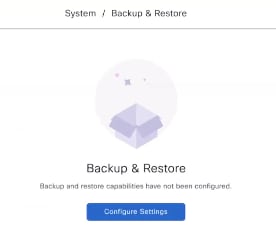
|
|||||||||
| 2. | Click Configure Settings. Alternatively, choose . |
|||||||||
| 3. | Choose the Physical Disk or NFS server option. 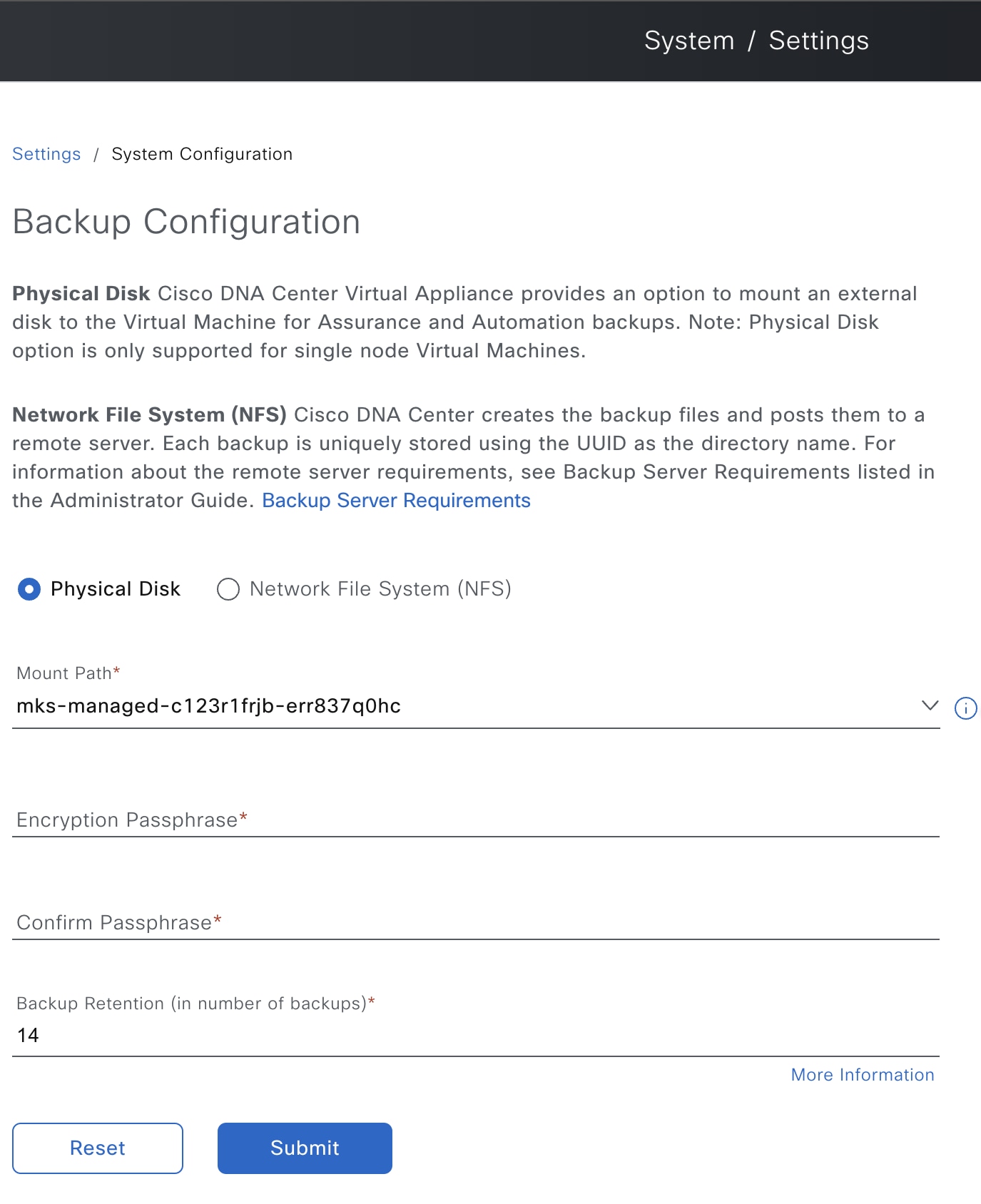
|
|||||||||
| 4. | Physical Disk: Catalyst Center provides an option to mount an external disk to the virtual machine, to store a backup copy of Assurance and automation data. To configure a physical disk, click the Physical Disk radio button and define these settings:
|
|||||||||
| 5. | NFS: Catalyst Center creates the backup files and posts them to a remote NFS server. For information about the remote server requirements, see Backup server requirements. To configure an NFS backup server, click the NFS radio button and define these settings:
|
|||||||||
| 6. | Click Submit. After the request is submitted, you can view the configured physical disk or NFS server under . |