Upgrade the device using GUI
Procedure
|
Step 1 |
Launch the computer's web browser and enter the URL to open the URWB configurator login page. |
|
Step 2 |
Enter the username and password in their respective fields. |
|
Step 3 |
Click Login . After successfully logging into the GUI, the URWB configurator page is displayed. |
|
Step 4 |
In the MANAGEMENT SETTINGS , click the firmware upgrade link to open the FIRMWARE UPGRADE window. |
|
Step 5 |
Click the Browse button to locate and select the firmware upgrade file. |
|
Step 6 |
Click the Upgrade button to initiate the upgrade process. |
|
Step 7 |
Click OK to confirm uploading the firmware file to the device. Once the firmware is successfully uploaded to the device, the AP verifies the image and then reboots. 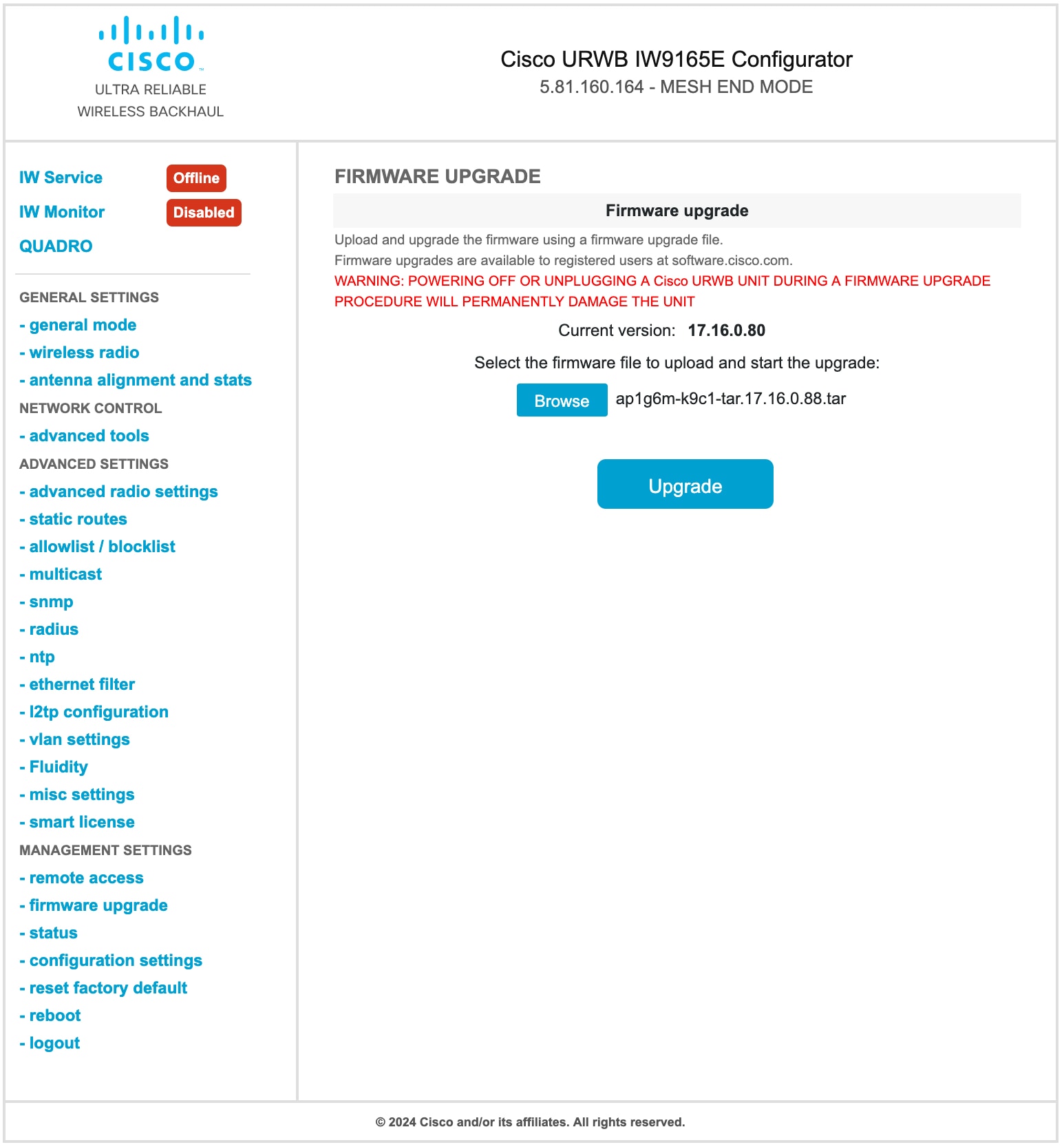
|
 Feedback