-
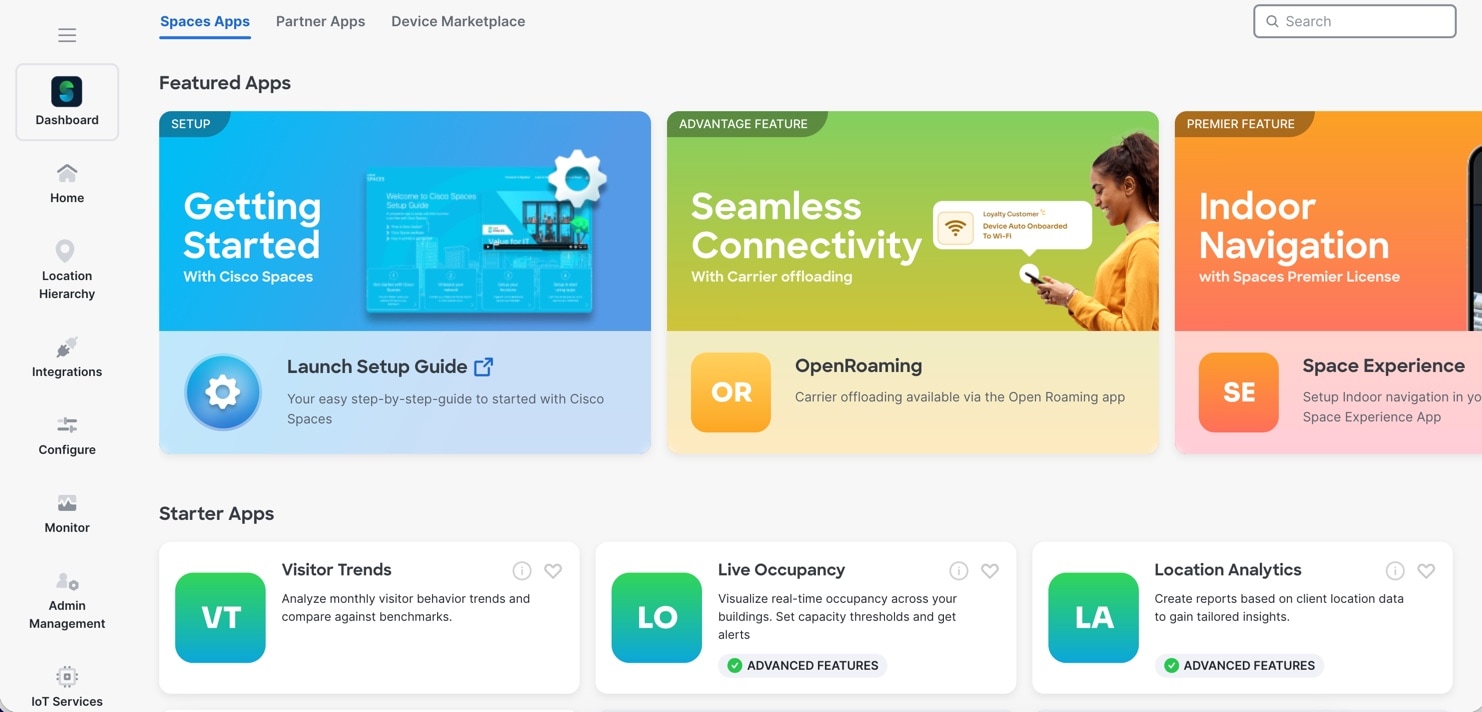
Visitor Trends: The Visitor Trends app enables you to view various reports that provide insights about the performance of your business. You can compare your
business performance with the industry performance. By default, the report includes the data from the date of installation
of Cisco Spaces. The report is displayed for all the locations for which you have access. You can filter to view the report for a particular
location, month, or tag.
-
Live Occupancy: The Live Occupancy app provides you the Right Now report that shows the details of visitors currently present at your locations. Using the Live Occupancy app, you can also create Density Rules. Use these Density Rules to sent notifications to the business users such as employees based on the visitor density or device count in the business
locations.
-
Location Analytics: The Location Analytics app enables you to view reports of visits in your locations.
-
Detect and Locate: Cisco Spaces: Detect and Locate app enables you to view the current and historic location of Wi-Fi devices in your deployment. The tracked devices count
is displayed on the Detect and Locate app tile. For more information on the Detect and Locate app, refer to Cisco Spaces Detect and Locate Configuration Guide.
-
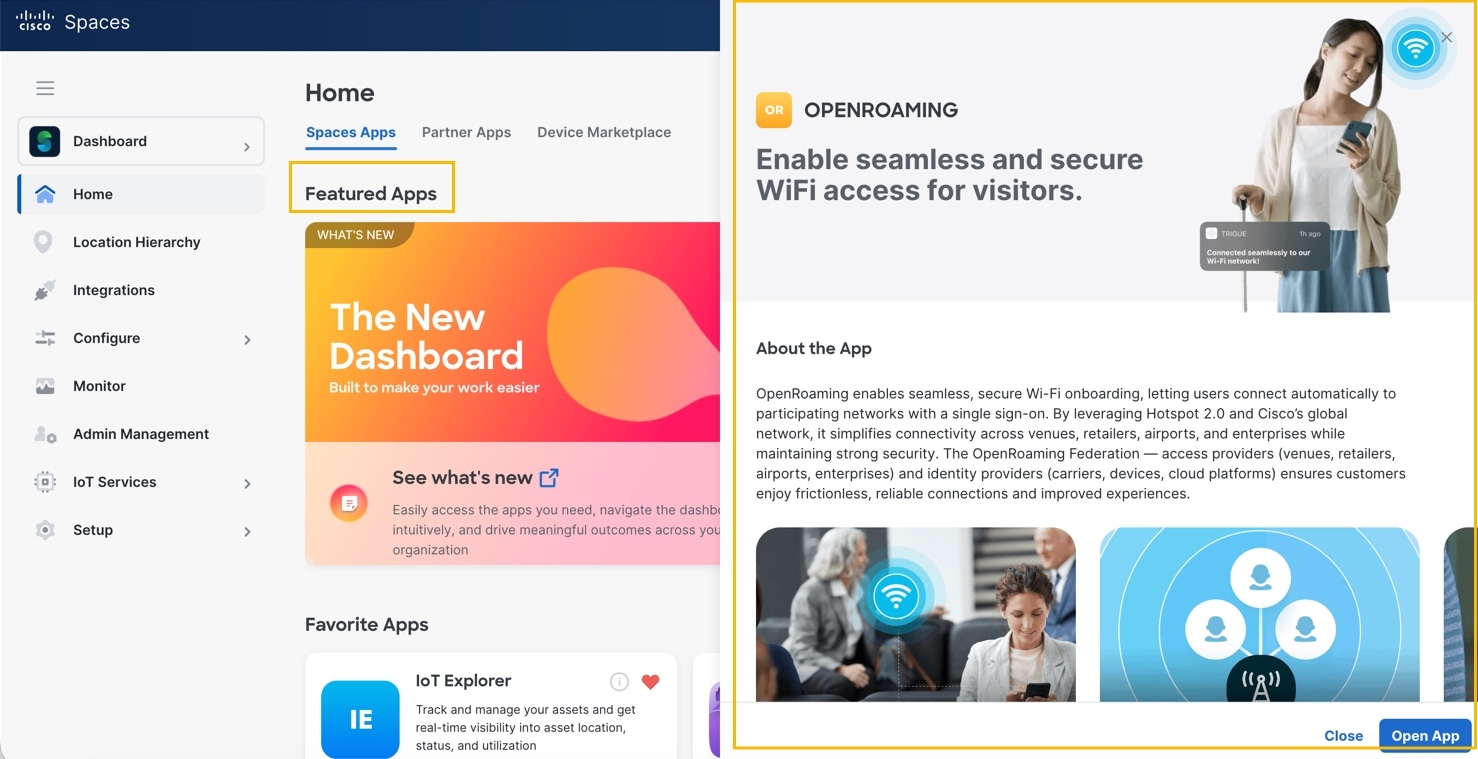
OpenRoaming: The OpenRoaming app enables secure, seamless, and automatic network connectivity by eliminating tedious Wi-Fi guest onboarding processes
and the risk of connecting to rogue SSIDs.
-
Captive Portals: The Captive Portal app enables you to create captive portals, and display them to your customers based on Captive Portals rules.
-
Engagements: The Engagements app enables you to reach out to your customers individually.
-
Location Personas: Cisco Spaces enables you to create tags by grouping the customers. You can create the tags using the Location Personas app. You can also use the Location Personas app to add another customers to an existing tag, or remove certain customers
from an existing tag.
For more information on creating tags, refer to Create or Modify Tags.
-
IoT Explorer: Cisco Spaces: IoT Services is a platform service within Cisco Spaces that enables you to claim, manage, and monitor IoT devices using Cisco's wireless infrastructure. IoT Services is designed
to enable management of IoT devices across vendors, form factors, and technology protocols. Bluetooth Low Energy (BLE) is
the first technology available for management using IoT services. For more information on IoT Services, refer to Cisco Spaces IoT Services Configuration Guide.
-
Space Manager: The Space Manager app allows you to configure various devices, sensors, and workspaces and to provide access to real-time occupancy data and
environment telemetry (heat map, indoor air quality, temperature, humidity, and noise levels) rendered on rich maps for a
specific building, floor, or meeting room.
-
Space Experience: The app Space Experience enables you to create and manage signage for Cisco Smart Workspaces, onboard new signage for a Cisco Webex device or a non-Webex device and configure the telemetry parameters and publish the
signage.
-
Space Utilization: The Space Utilization app offers historical insights into the usage of your physical spaces, helping in their effective optimization. These insights
are derived from data collected through sensors integrated into your networking and Wi-Fi infrastructure.
For more information, refer to Cisco Spaces: Space Utilization App Guide.
-
Camera Metrics: The Camera Metrics app enables you to view a metrics report based on the data captured using Meraki Camera. The report is displayed for a particular
month.
-
Impact Analysis: The Impact Analysis app is a way of measuring the effect of any action that you made based on before and after analytics.
-
Proximity Reporting: The Proximity Reporting app enables you to generate Proximity Reports. The Proximity Reporting app helps the workplace administrators to create a safe environment for employees who are returning to work during the COVID-19
pandemic. The wireless devices of the reporting users (people to be monitored) must be associated with the wireless networks
and mapped to physical locations. The Proximity Reporting app enables you to trace the movement of a person tested positive
for COVID-19. The count of proximity reports created is displayed on the Proximity Reporting app tile. For more information on the Proximity Reporting app, refer to Cisco Spaces Proximity Reporting Configuration Guide.
-
Asset Locator: The Asset Locator app enables you to monitor assets and optimize the performance of your assets, sensors, alerting system, and operational
work flows. The app provides a range of tags and sensors to continually integrate, monitor, and manage your connected operations.
Using its cloud-based interface, you can define the profile, category, and ownership of each assets. You can establish business
rules to define work flows, and the expected operating range of your assets and sensors. For more information on the Asset Locator app, refer to Cisco Spaces Asset Locator Configuration Guide.

 Feedback