Outlines the chassis views of the Cisco 8600 Series Secure Routers, illustrating major hardware components and physical interfaces.
This section contains front and back panel views of the Cisco 8600 Series Secure Routers.
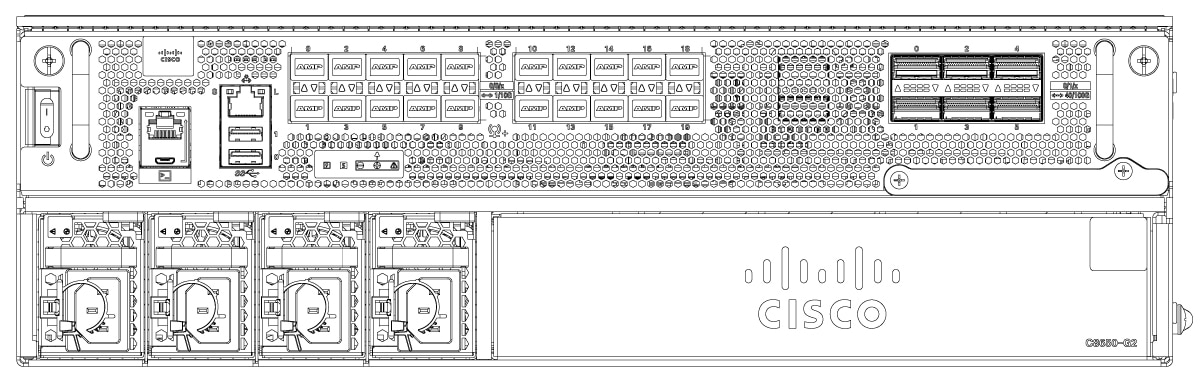
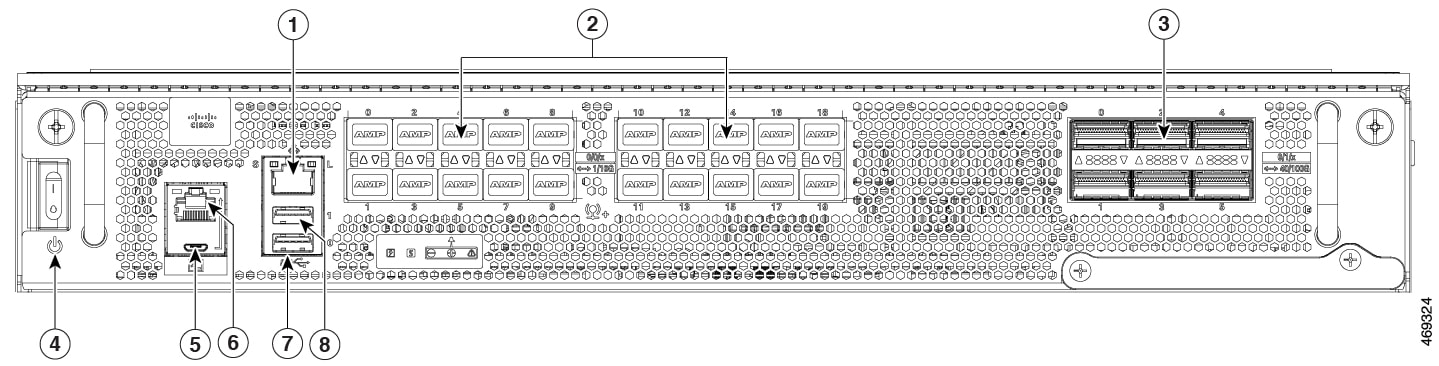
The different views of Cisco C8650-G2 chassis:
|
1 |
Management Interface RJ-45 |
5 |
Micro-USB Console |
|
2 |
Bay 0 |
6 |
Console RJ-45 |
|
3 |
Bay 1 |
7 |
USB 0 |
|
4 |
Power switch |
8 |
USB 1 |
|
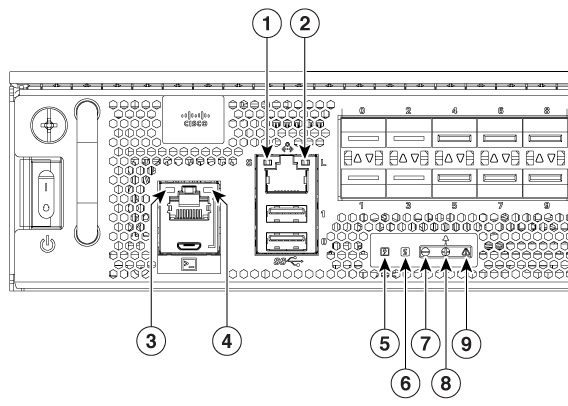
1 |
Management interface LED Flashing green : Link activity indicator Off : No Link Solid Green : Link with no activity |
5 |
Power LED Off : No power to chassis. Yellow : Power On, one power supply has failed or is not plugged in. Green : All power is within specifications |
|
2 |
Management interface LED - Link Link LED : Off - no link, Link LED : On - Link is up |
6 |
Status LED Off : System not booted Red : System Failure Yellow : System is booted to ROMmon Green : System is booted to IOS |
|
3 |
Micro-USB LED Left LED On indicates that USB console is active |
7,8, and 9 |
Alarm LED : Minor, Major, Critical |
|
4 |
Console RJ-45 LED Right LED On indicates that RJ-45 console is active |
— |


|
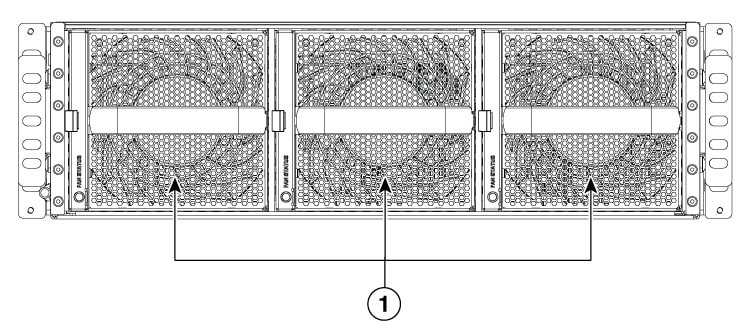
1 |
Fans |