Overview
Discover devices and assign to site.
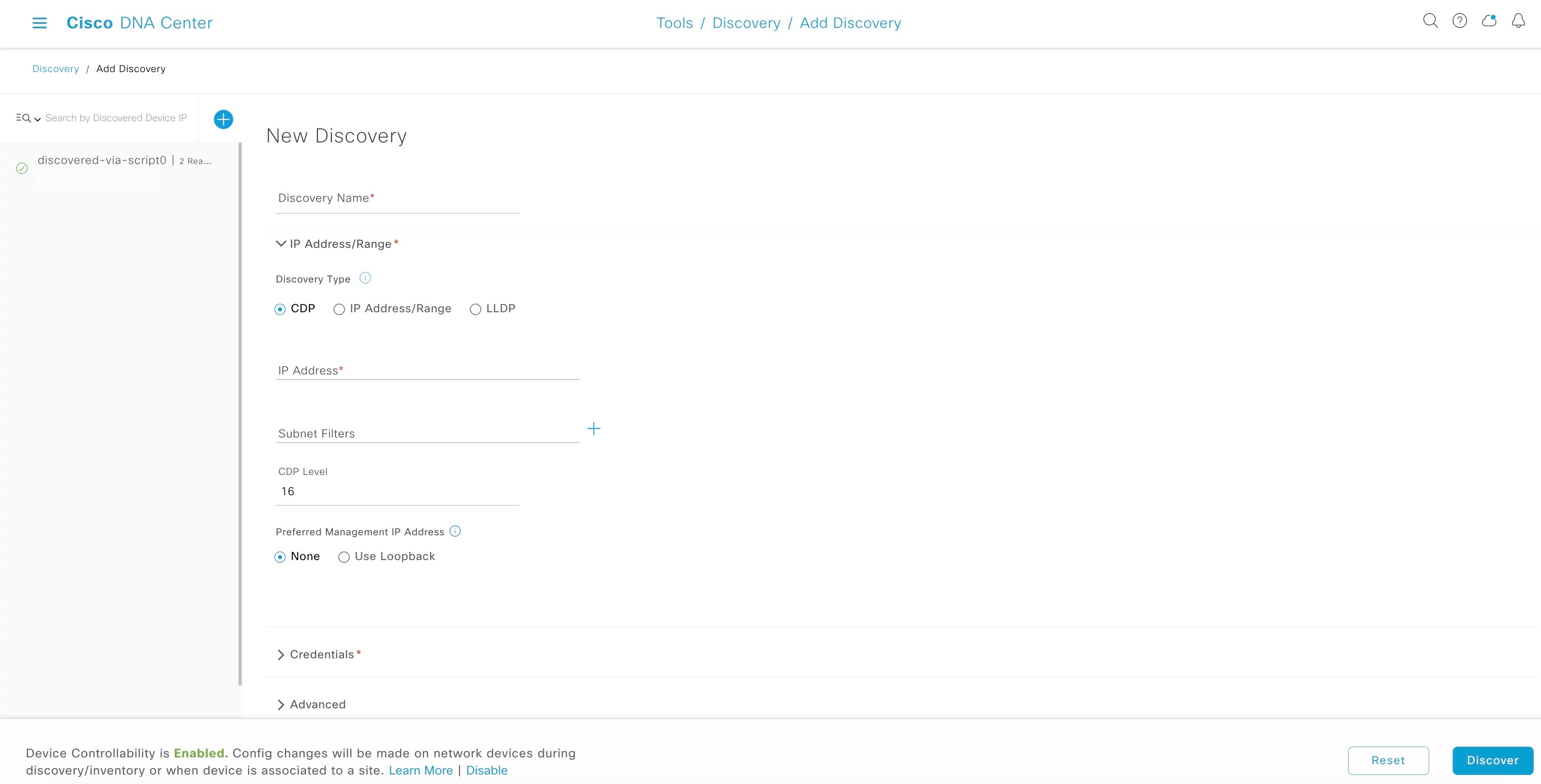
This section explains how to create a discovery profile.
Procedure
| 1. | From the Catalyst Center home page, click the menu icon and choose . |
|
| 2. | In the Discovery window, click Add Discovery. |
|
| 3. | Configure the required details in the workflow:
|
|
| 4. | Choose a discovery schedule and start the discovery. In the Schedule Job window, click Assign devices to an existing site to assign devices to a site.
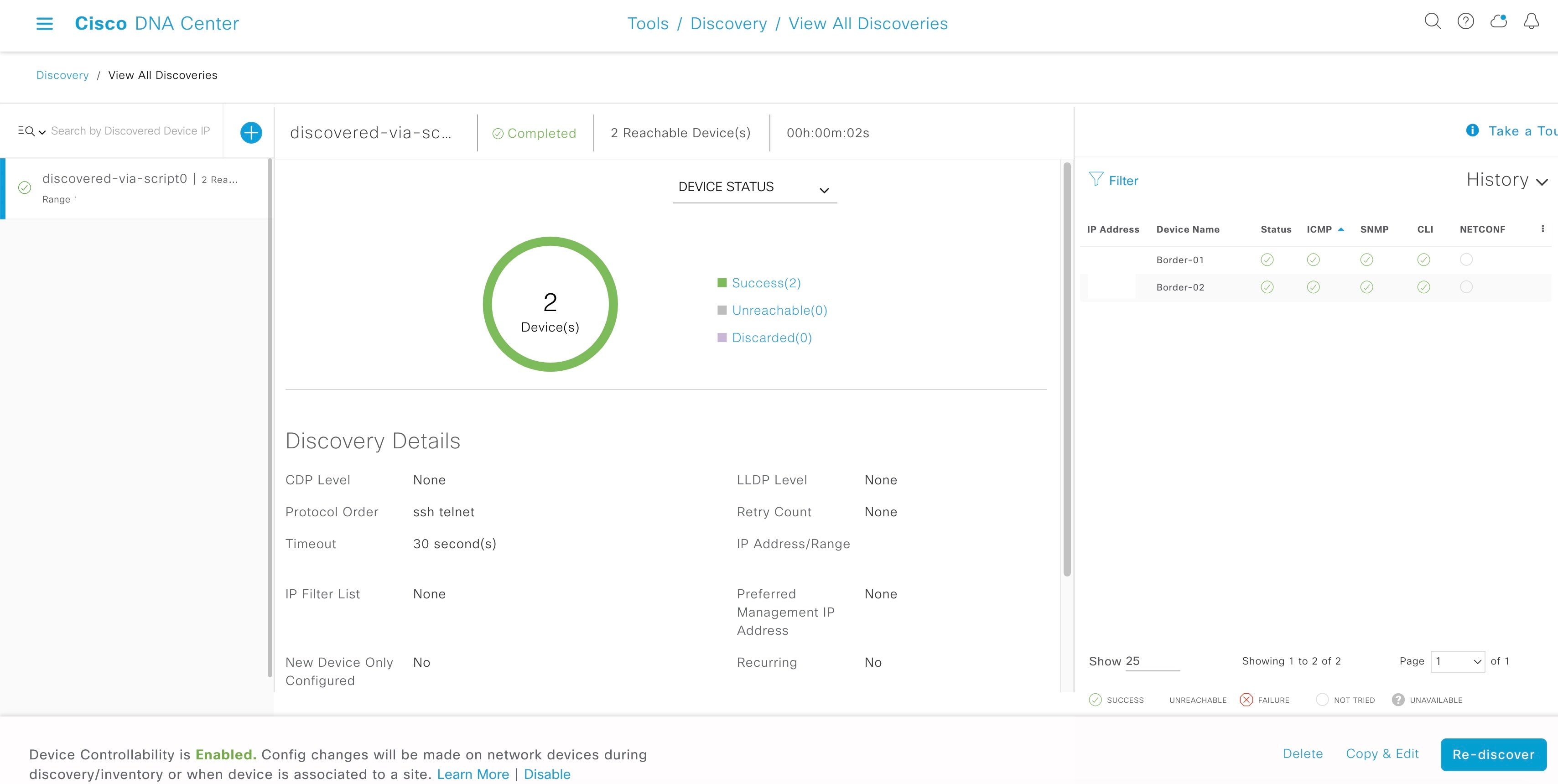
You can view the status and results of the scan in the
Discoveries window.
|
|
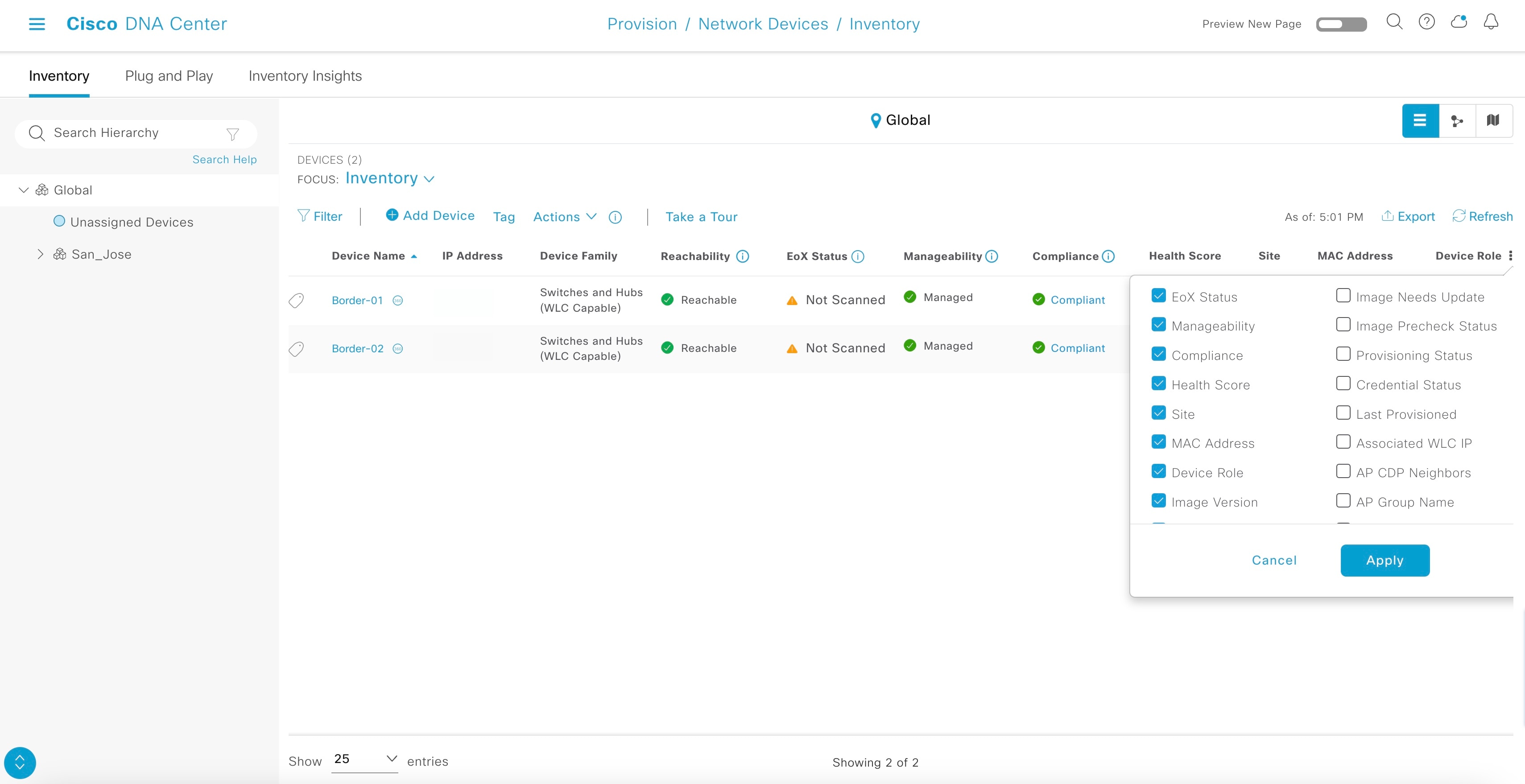
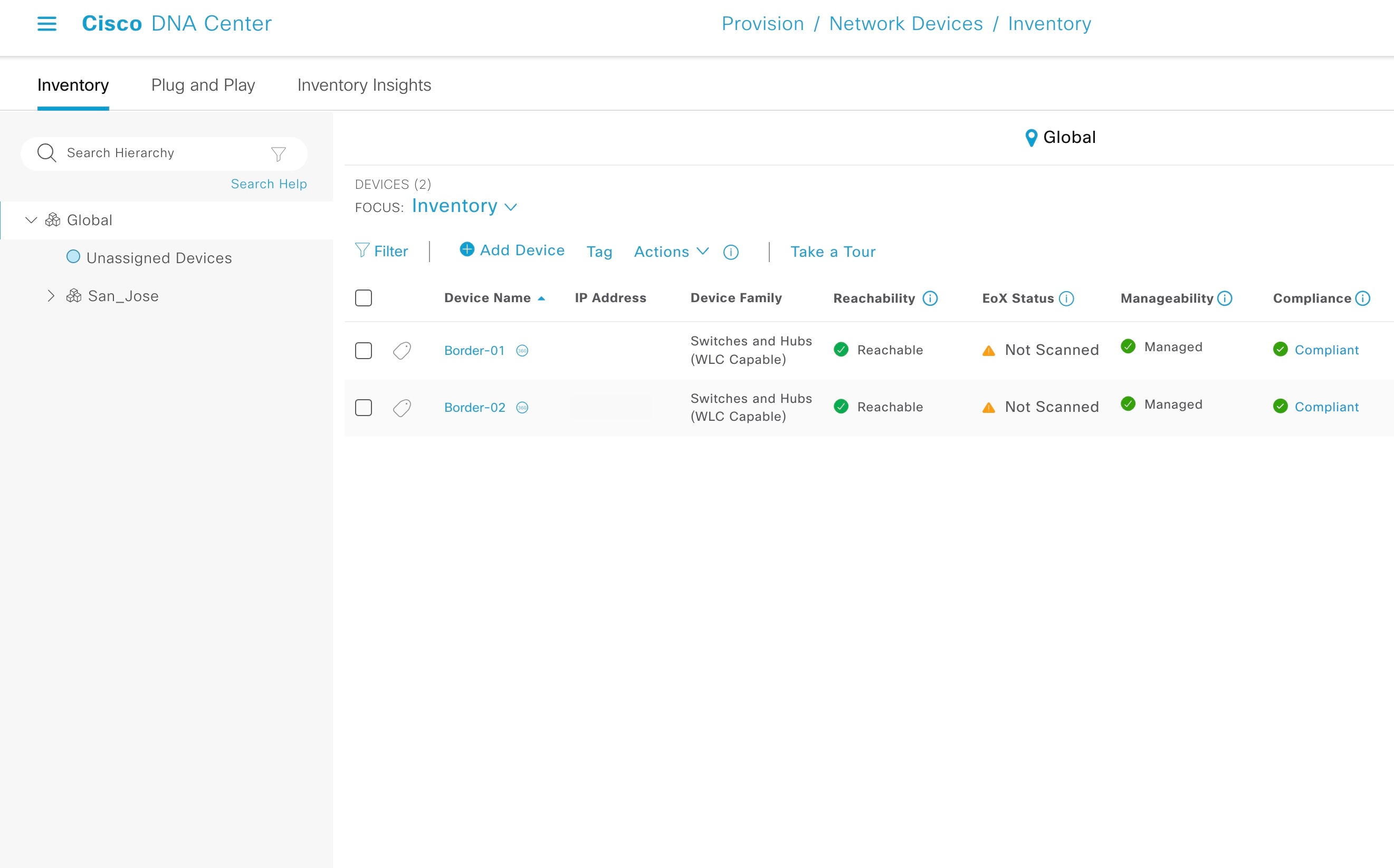
| 5. | Verify that the discovered device is added to the inventory.
|
|
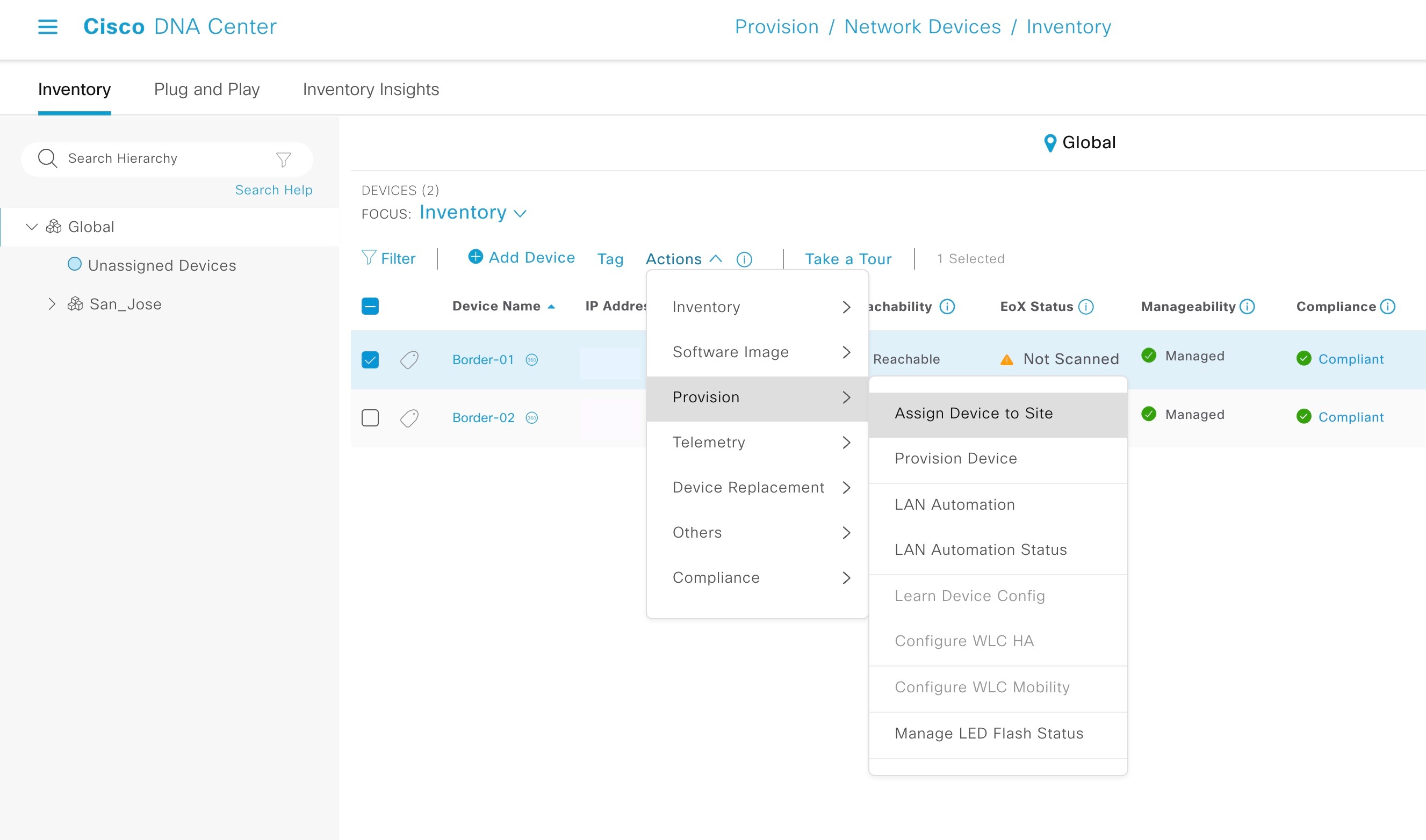
| 6. | (Optional: If you've not assigned the device during discovery) Assign devices to a site.
|