View device-specific logs and configurations.
Access and review the LAN automation session logs, device-specific logs, and device configurations.
Procedure
| 1. | In the LAN Automation window, click the History tab in the Sessions area and click the hyperlinked date to view the session details. 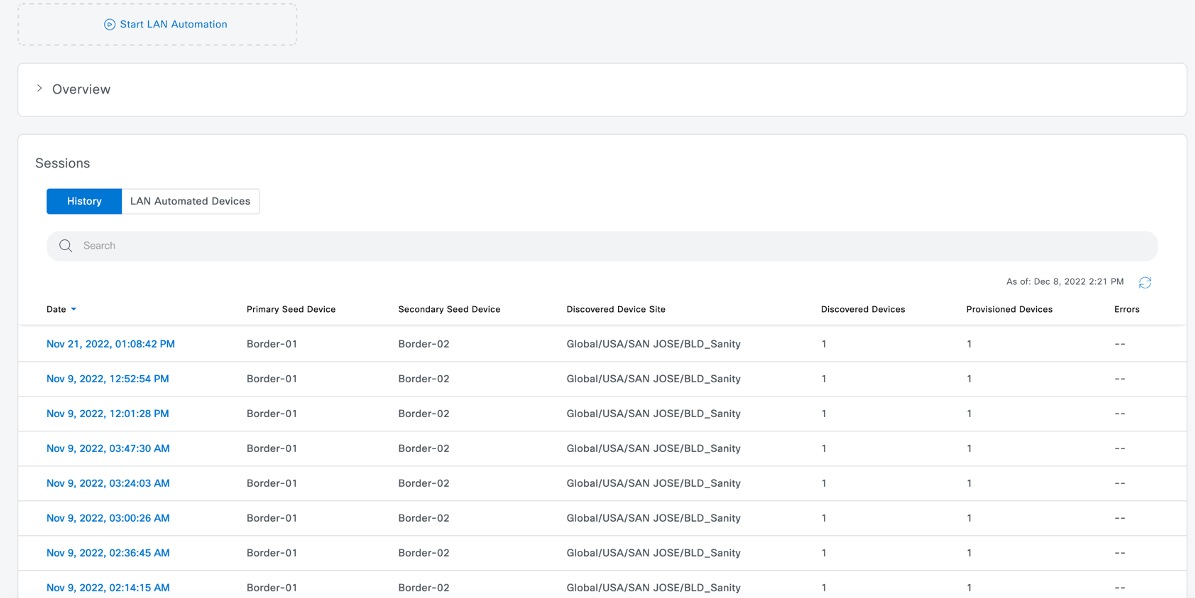
|
|
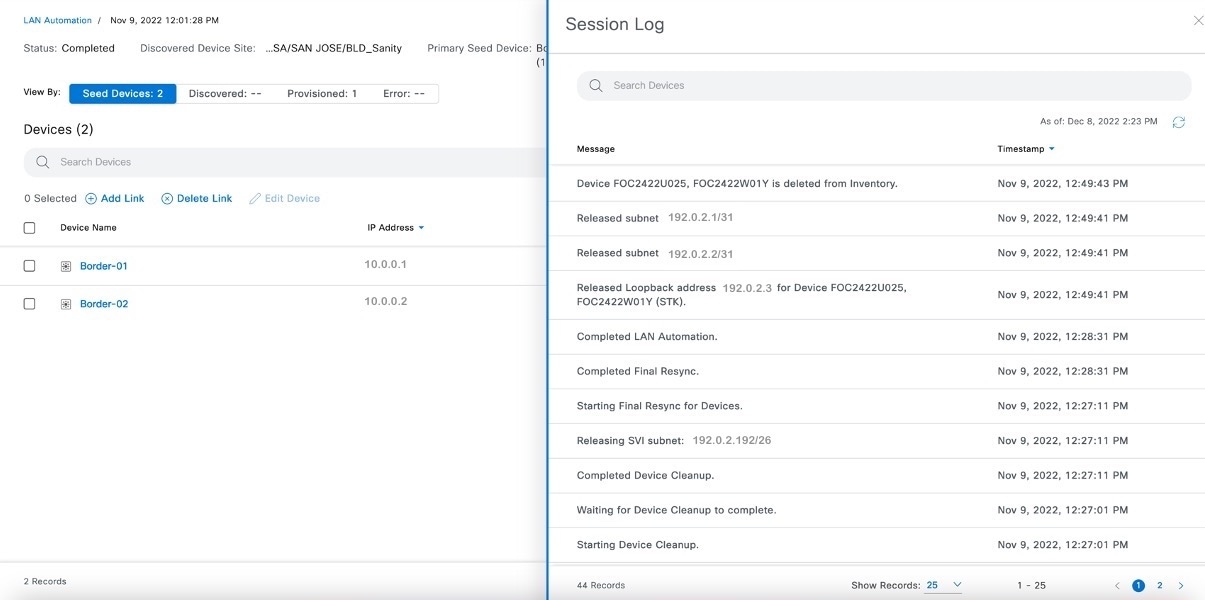
| 2. | In the session details window, click View Session Logs. 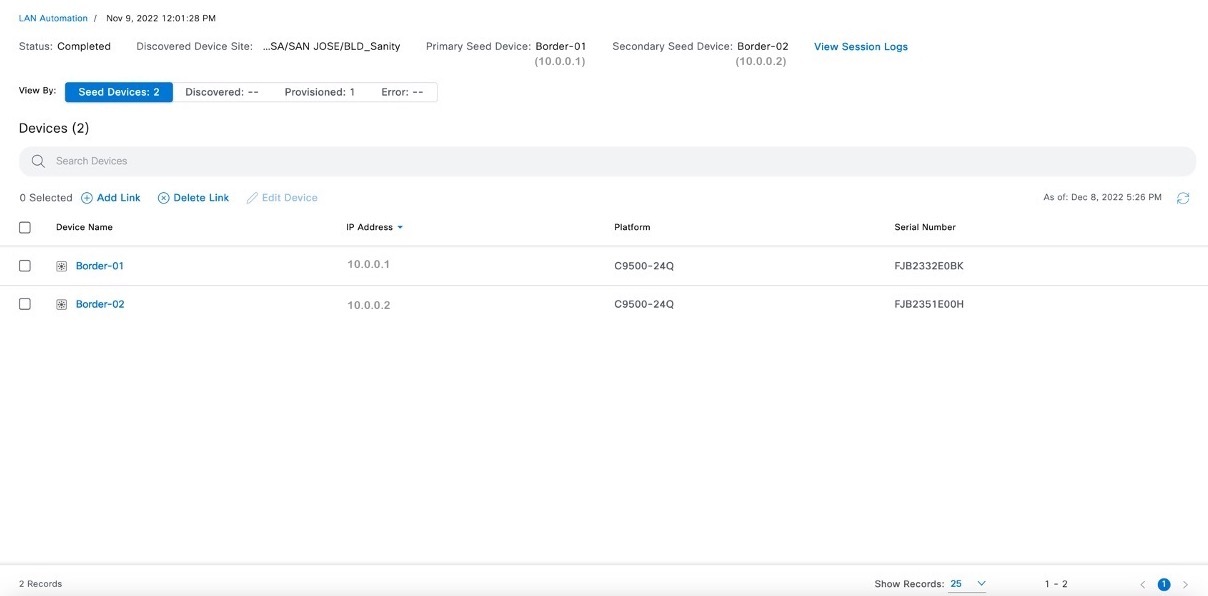
|
|
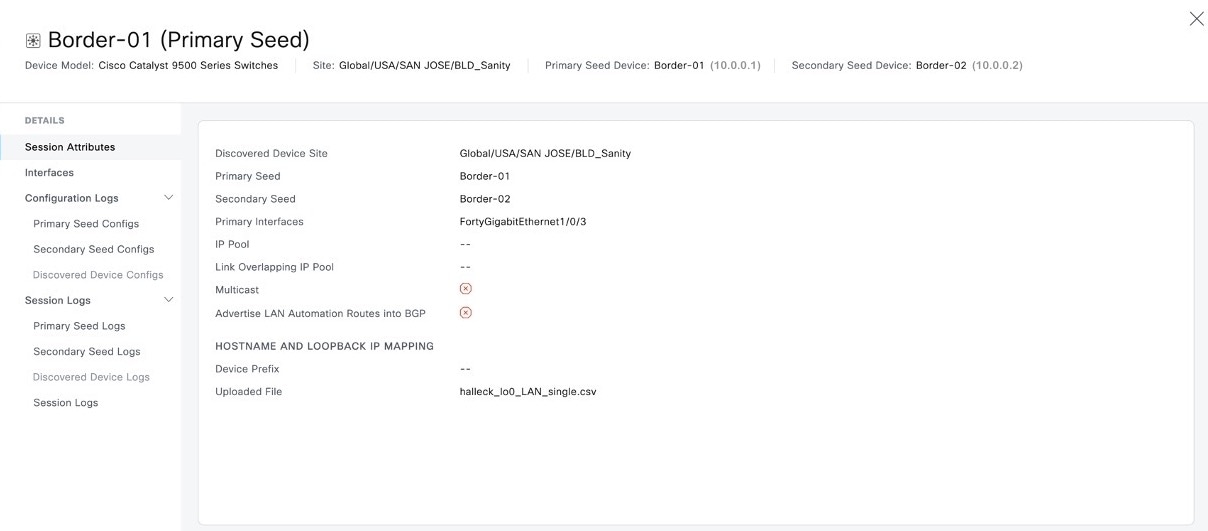
| 3. | Click the device name to view device-specific logs and configurations. Use the toggle button to filter the devices.
|
|
| 4. | In the left pane of the device details window, expand Configuration Logs to view the device configurations. 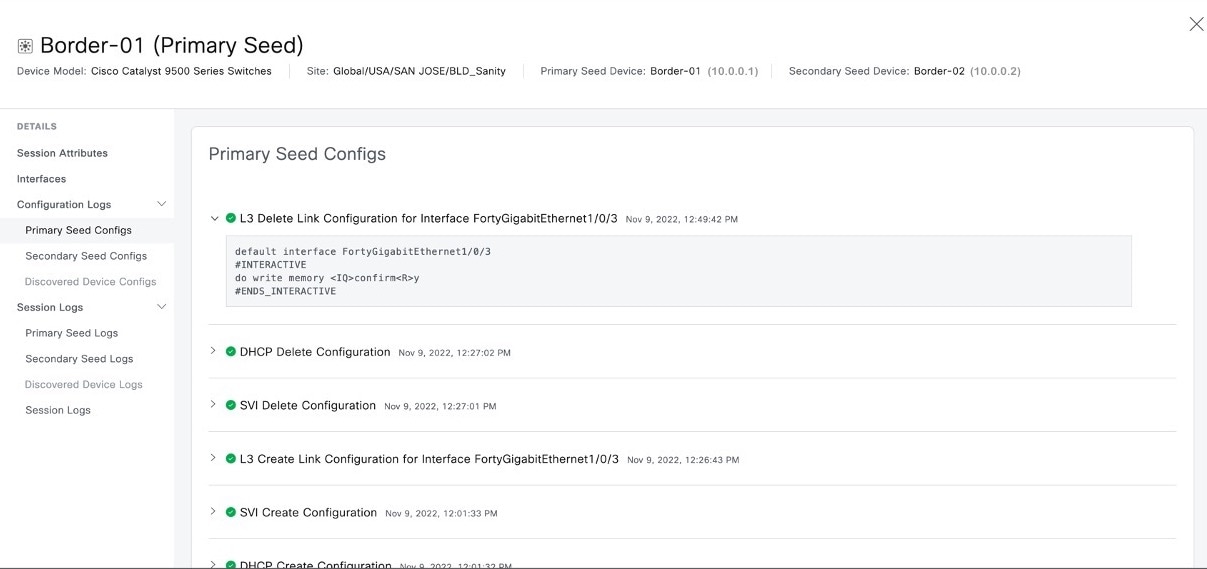
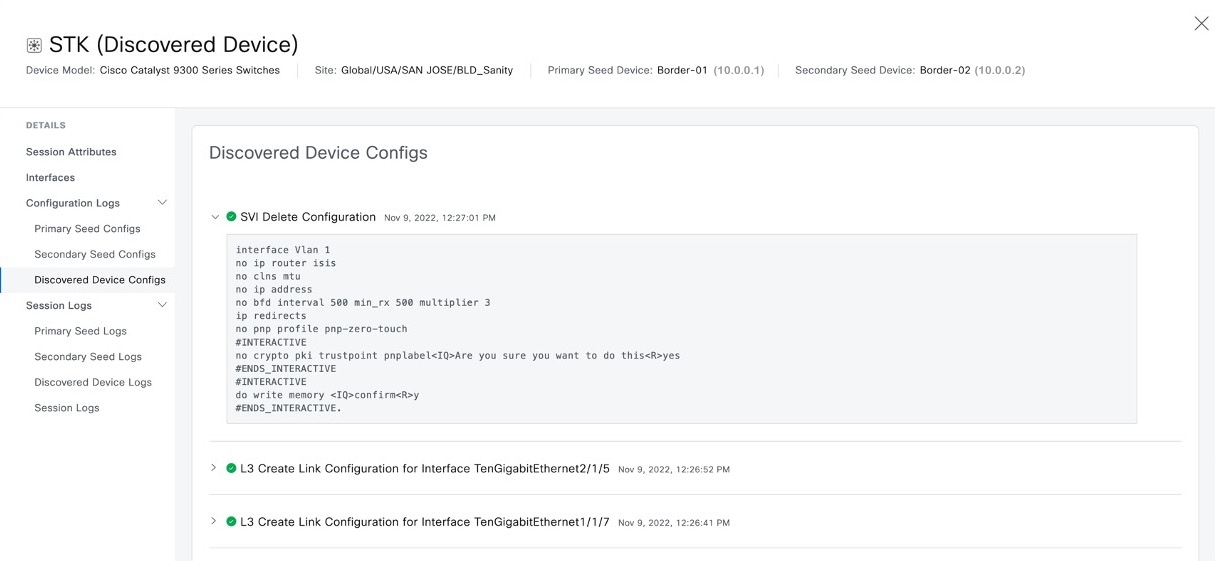
|
|
| 5. | Expand Session Logs to view the device-specific logs. 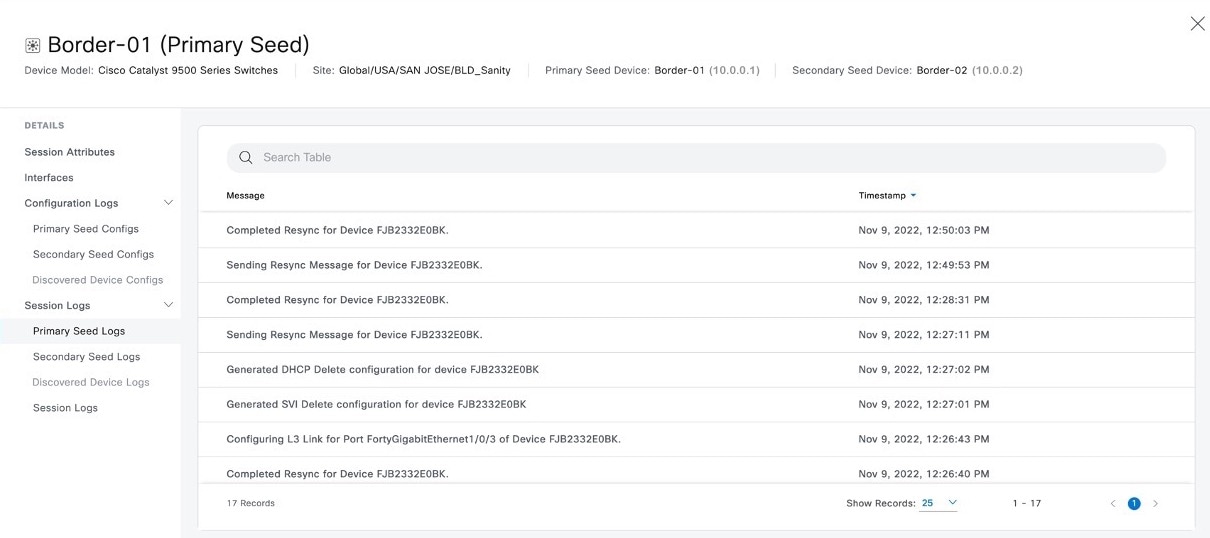
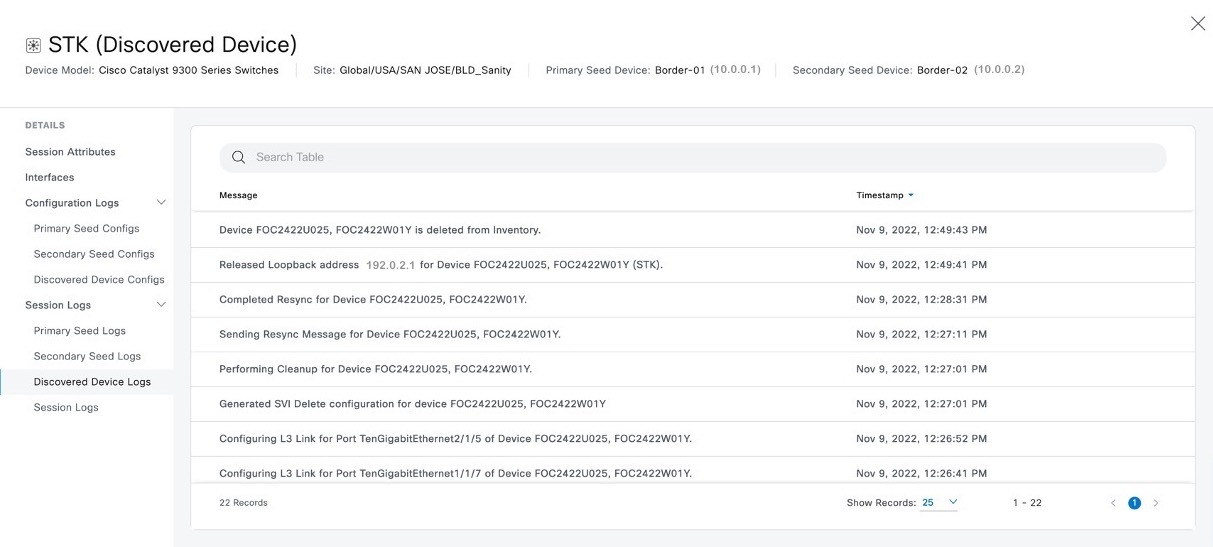
|