Global Inbound Account Settings and Recommendations (ORG)
Available Languages
Table Of Contents
Global Inbound Account Settings and Recommendations (ORG)
Global Inbound Account Settings and Recommendations (ORG)
The instructions here show how to amend global account settings for all users with this account. The setting made here apply to all sub orgs created. Sub org settings can be amended upon creation. The settings that are amended only apply to that sub org created.
These setting can be adjusted according to your business security policy.

Spam Filtering

Message Limits

Virus Blocking

Sender Lists

Attachment Manager

Industry Heuristics

Content Manager
The steps below show how to define these options:
Step 1
In the Orgs and Users menu, click Orgs to display the organizations page.
Step 2
Step 3
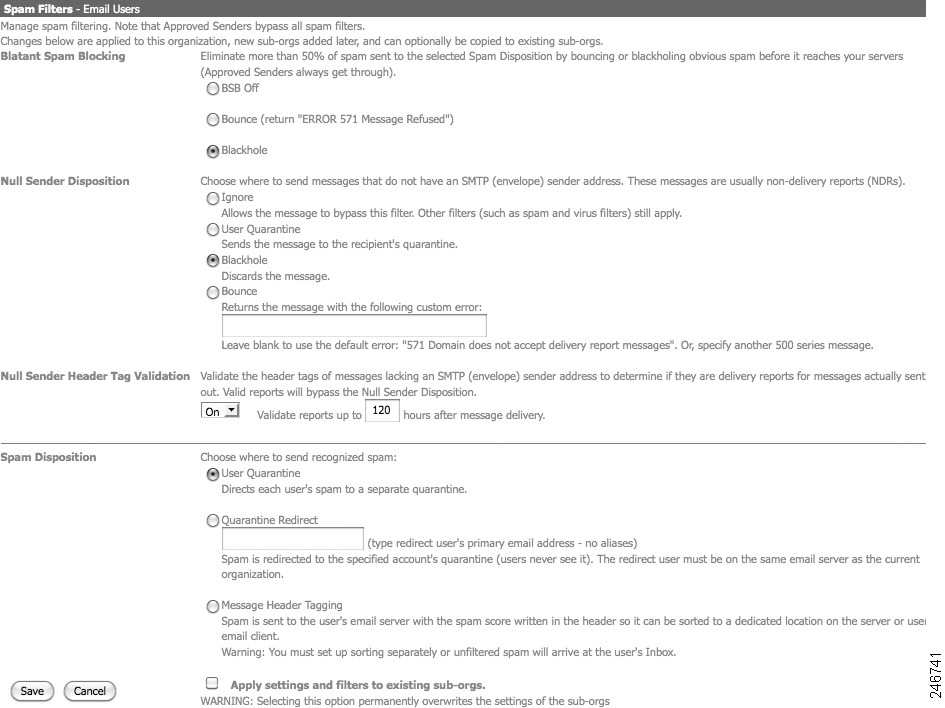
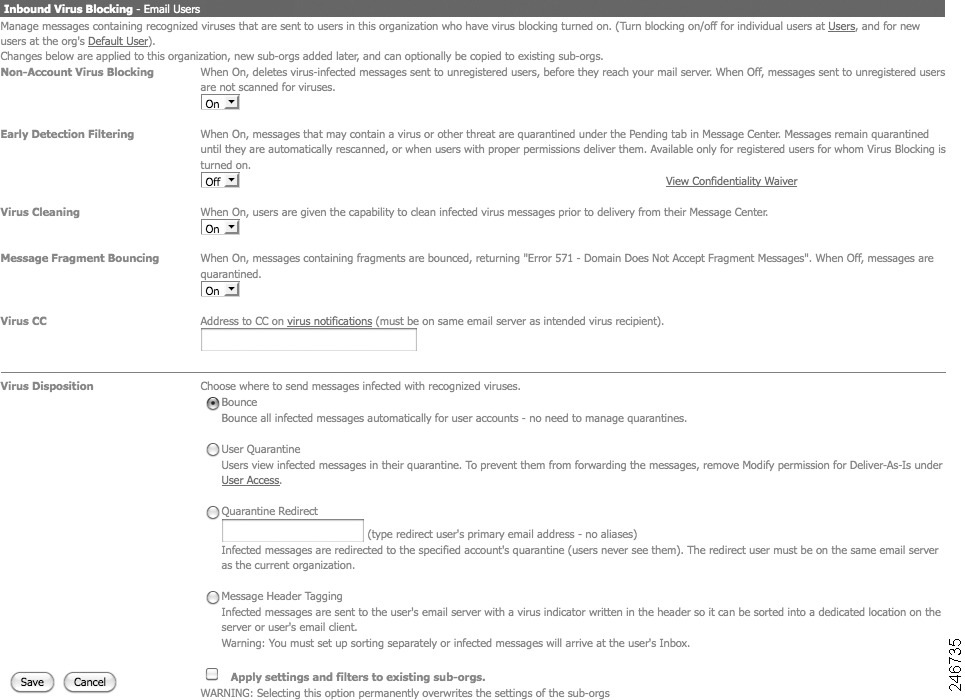
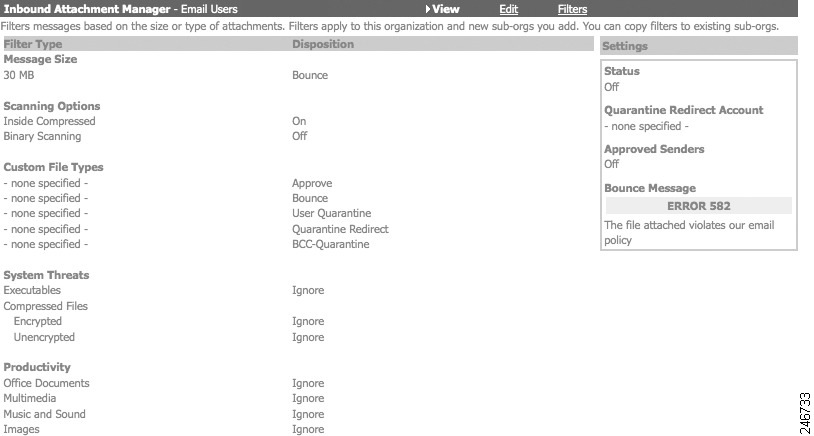
The categories and the settings that apply to each section are displayed. The recommed settings for each section are as follows.
Spam Filters
Inbound Virus Blocking
Inbound Attachment Manager
 Feedback
Contact Cisco
- Open a Support Case

- (Requires a Cisco Service Contract)
This Document Applies to These Products
- Collaboration Endpoints - Retired Products
- Conferencing - Retired Products
- Contact Center - Retired Products
- Optical Networking - Retired Products
- Routers - Retired Products
- Security - Retired Products
- Servers - Unified Computing (UCS) Retired Products
- Storage Networking Retired Products
- Switches - Retired Products
- Video - Retired Products
- Wireless - Retired Products