The passive identity agent identity source
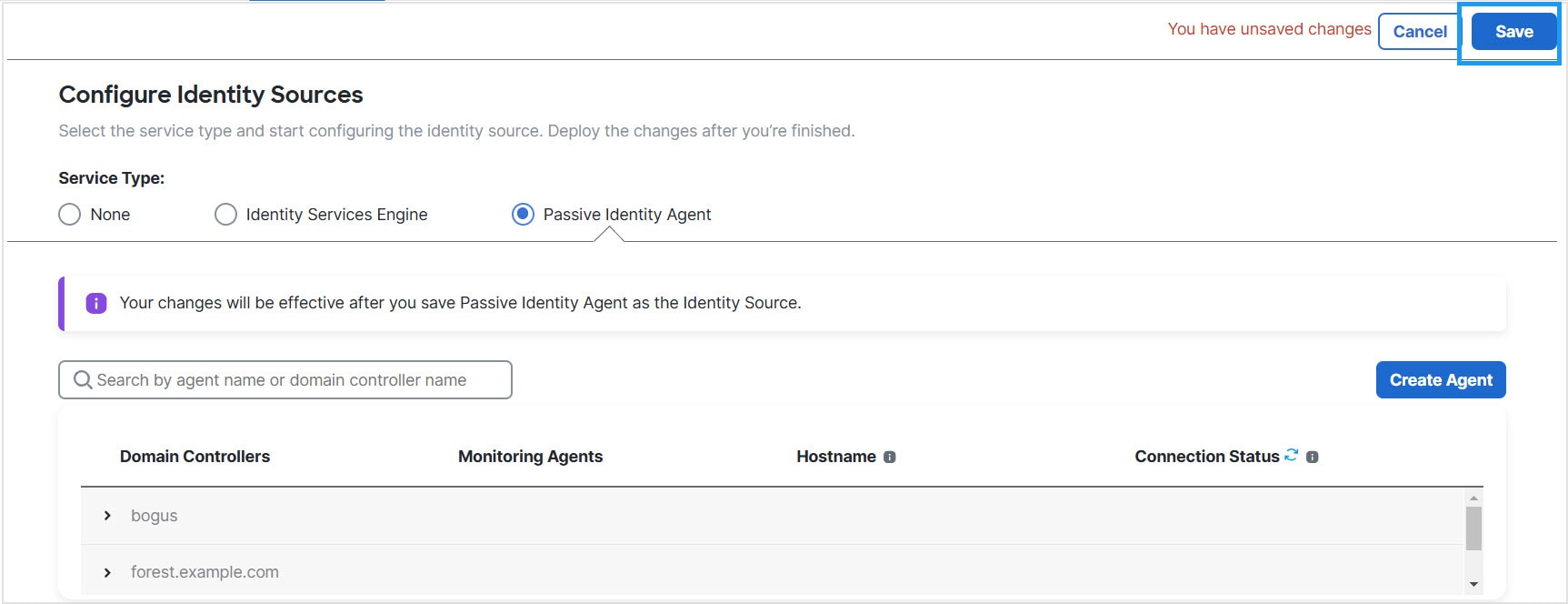
The passive identity agent identity source sends session data from Microsoft Active Directory (AD) to the Cloud-Delivered Firewall Management Center. All you need is a supported Microsoft AD setup as described in Realms and realm sequences.
Passive identity agent roles
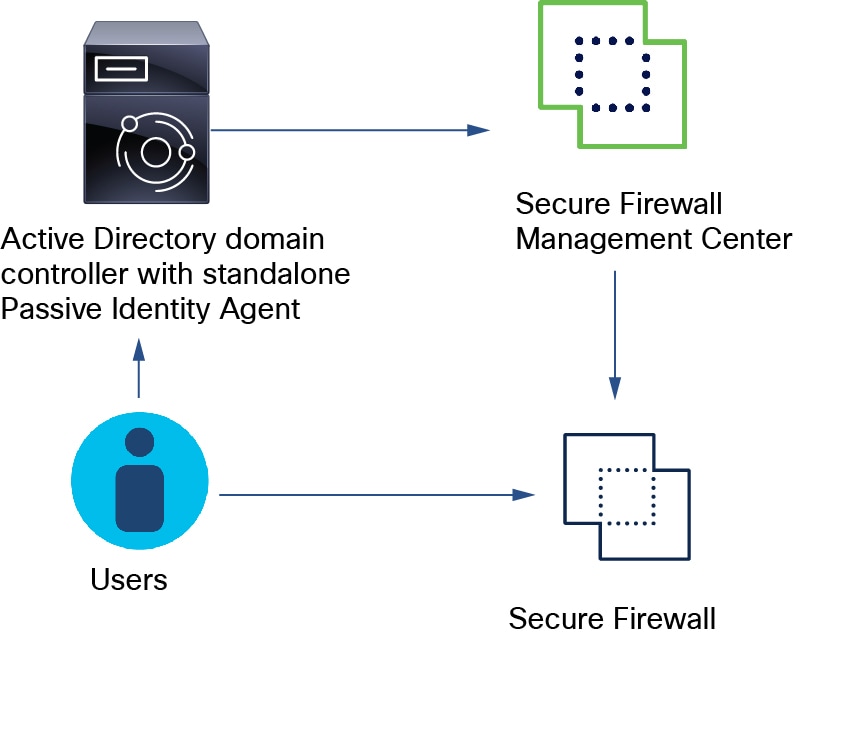
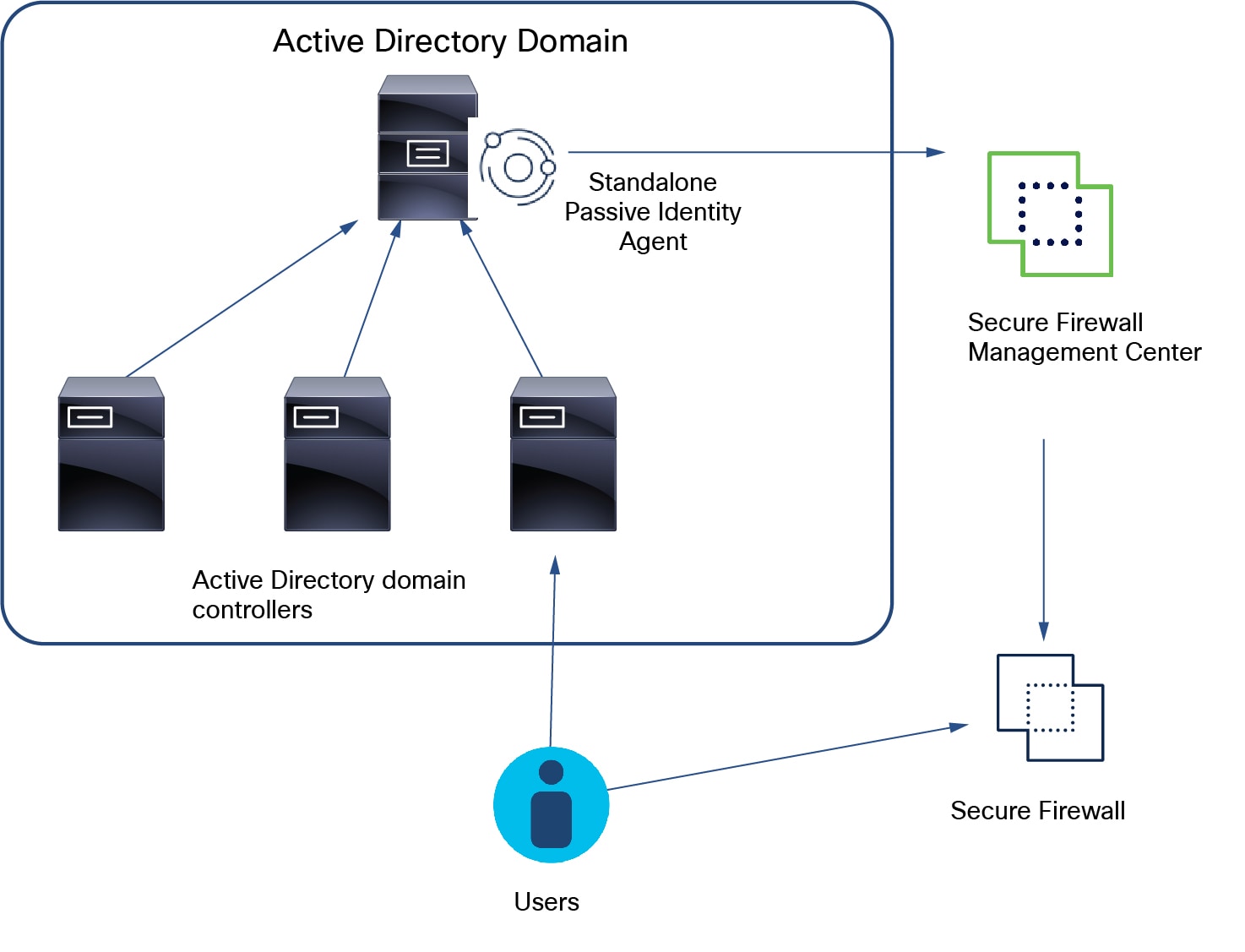
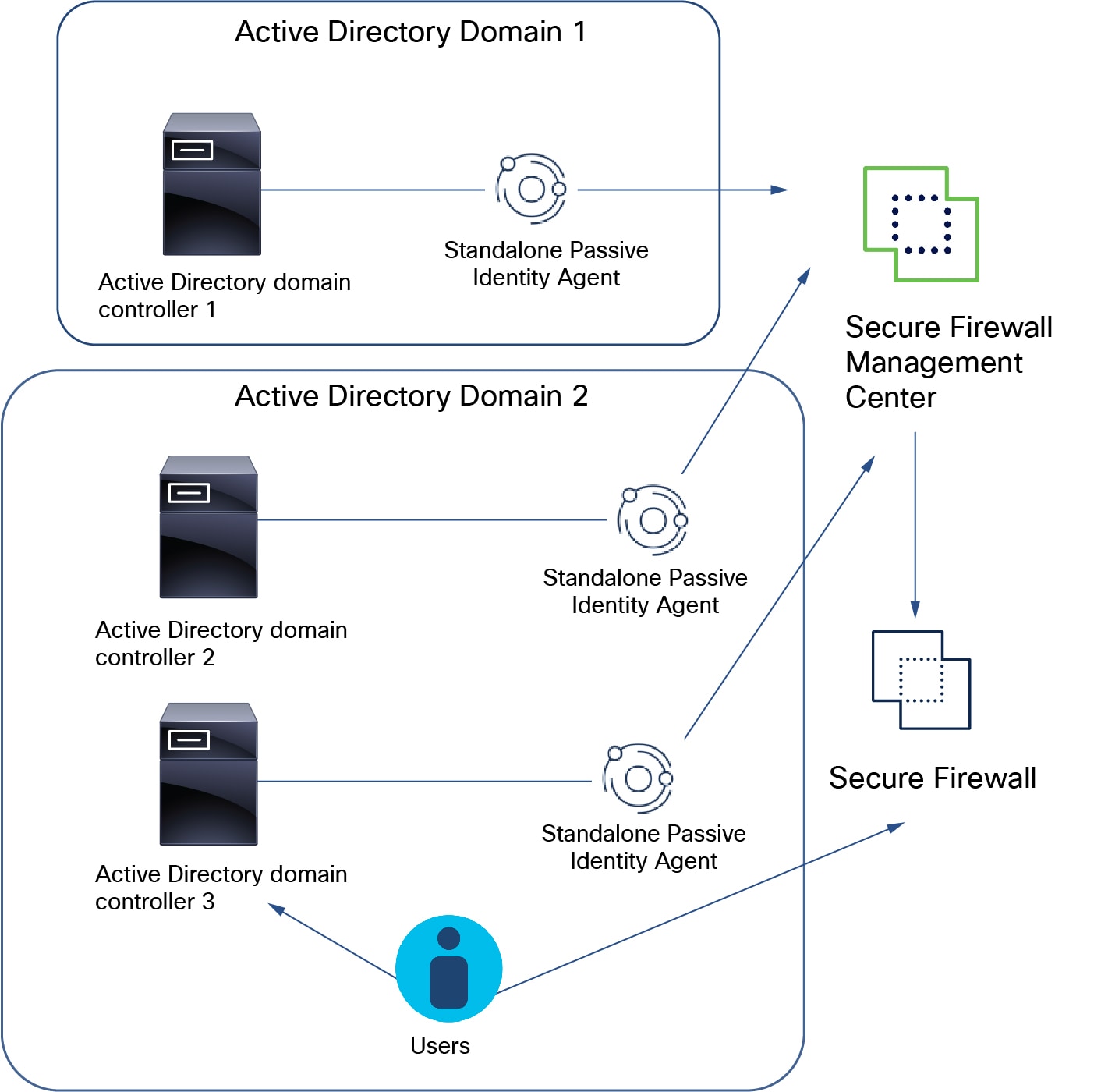
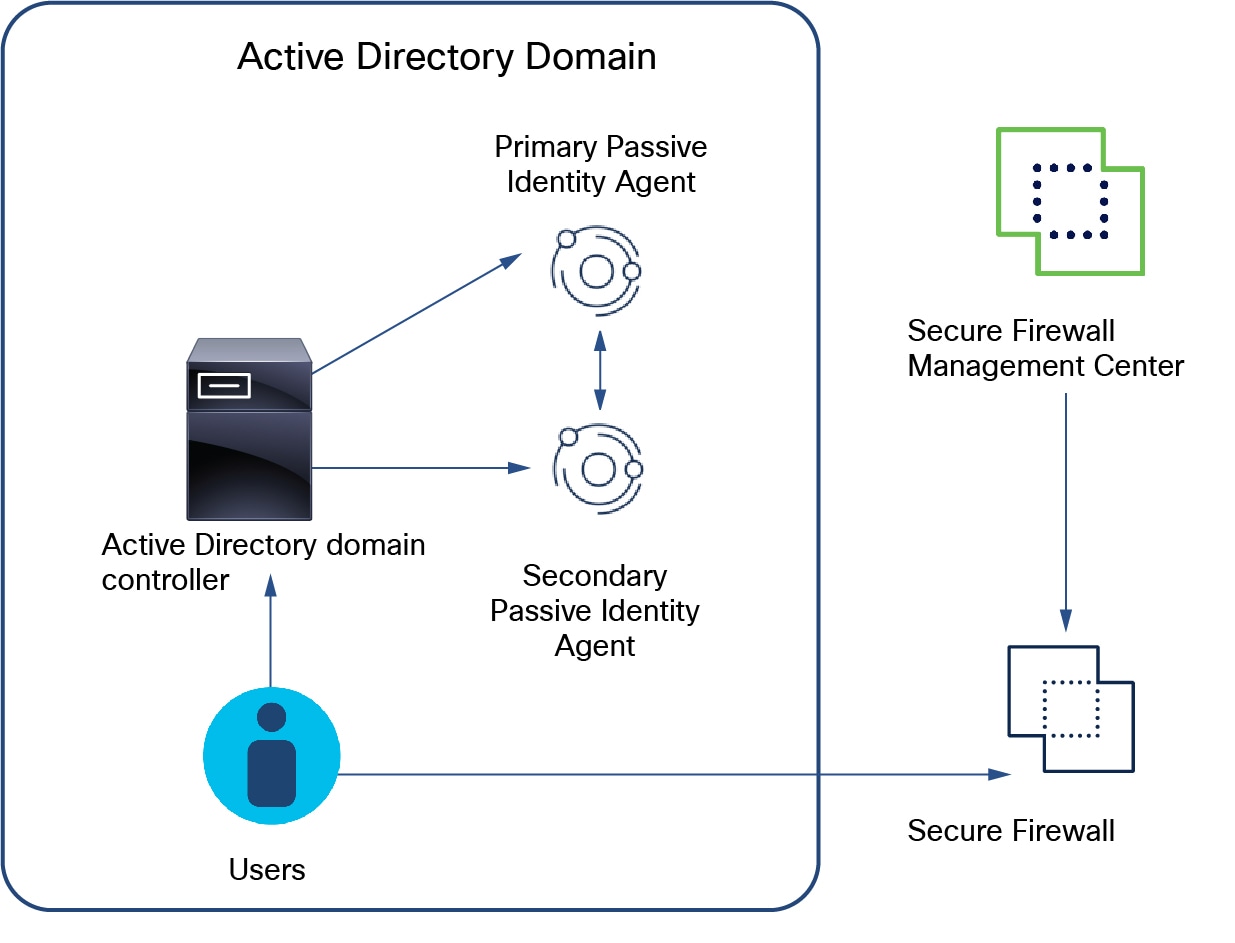
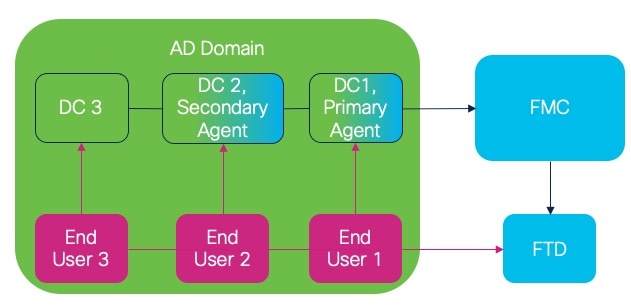
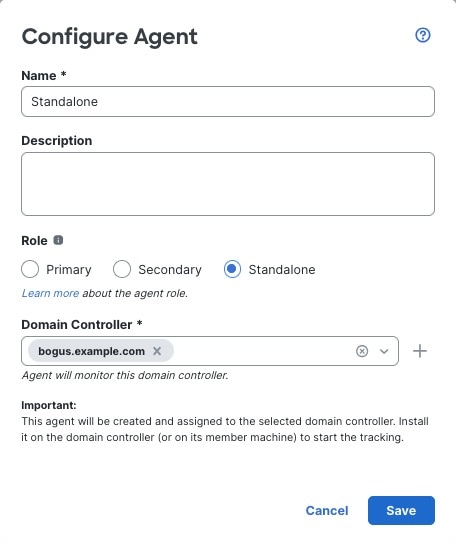
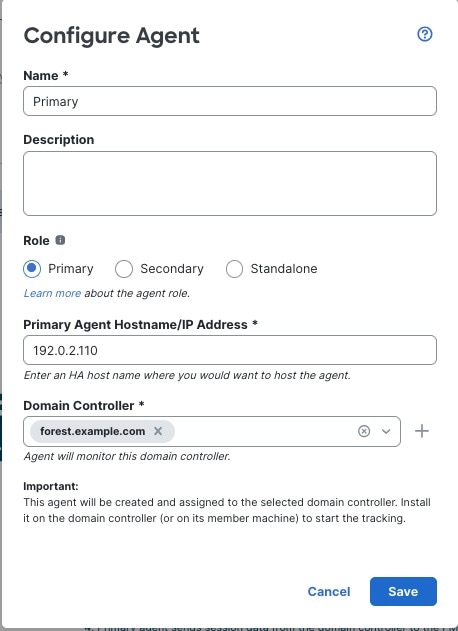
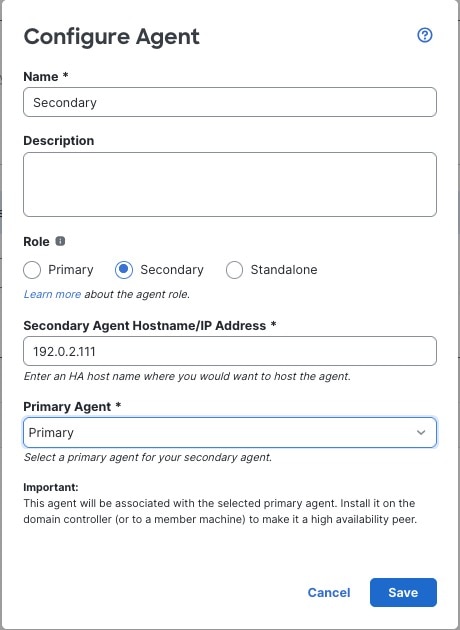
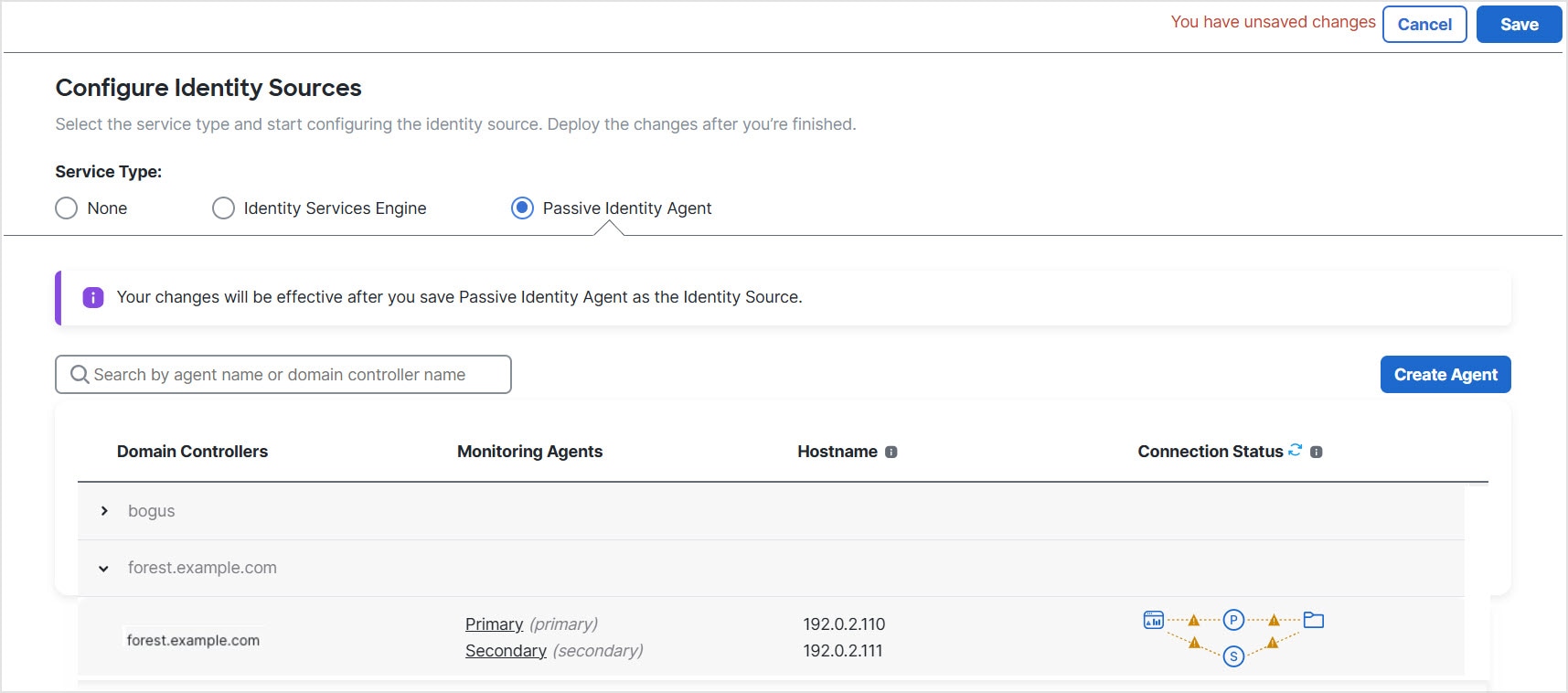
The passive identity agent supports these roles: Standalone, Primary, and Secondary.
 Note |
You do not need to configure the Cisco Identity Services Engine (ISE) to use this identity source. |
For more information on these roles, refer to About passive identity agent roles.
Passive identity agent system requirements
The passive identity agent supports Windows Server 2016, 2019, 2022, and 2025 on Active Directory servers, and Windows 11 or later on domain-joined Windows clients. The system time must be synchronized across the Cloud-Delivered Firewall Management Center, domain controllers, and the agent host.
Refer to Passive identity agent system requirements for more information.
Passive identity agent guidelines
Consider these guidelines before you configure the passive identity agent.
-
Up to 10 passive identity agents can simultaneously connect to a Cloud-Delivered Firewall Management Center. Each passive identity agent monitors one Active Directory domain controller.
The Cloud-Delivered Firewall Management Center accepts up to 100 user session requests per second.
-
A single passive identity agent identity source monitors up to 50 AD directories
-
The maximum number of concurrent user sessions depends on your managed device model.
-
Passive identity agent version 1.0 does not support IPv6 addresses.
-
Passive identity agent versions 1.1 and later support IPv6 addresses.
-
Cloud-Delivered Firewall Management Center receives user login information from the passive identity agent but does not track or process user logoff events. As a result, Cloud-Delivered Firewall Management Center does not detect user session termination and continues to show user information until either the realm times out or the administrator deletes the user session.
Deploy the passive identity agent
For information about deployment options, see Deploy the passive identity agent.
Note |
We recommend you use the latest version of the passive identity agent. To see the available versions, go to software.cisco.com. To upgrade the passive identity agent, see Upgrade the passive identity agent software. |





 Feedback