Describes how to register Cisco Crosswork Planning with CSSM using a registration token.
To enable the licensed features, you must register the Cisco Crosswork Planning application with CSSM using a registration token. Once registered, an Identity Certificate is saved securely in your Smart Account and used for all ongoing communications. The certificate is valid for one year and is renewed automatically after six months to ensure continuous operation.
Before you begin
-
Confirm that you have a Smart Account. If not, go to Smart Account Request and follow the instructions to create one.
-
Ensure you have a valid product instance registration token. For guidance on generating the token, see the support resources in Cisco Software Central.
Procedure
-
From the main menu, choose Licensing.
The registration status and license authorization status display as Unregistered and Evaluation mode, respectively.
Figure 1. Smart software licensing unregistered example 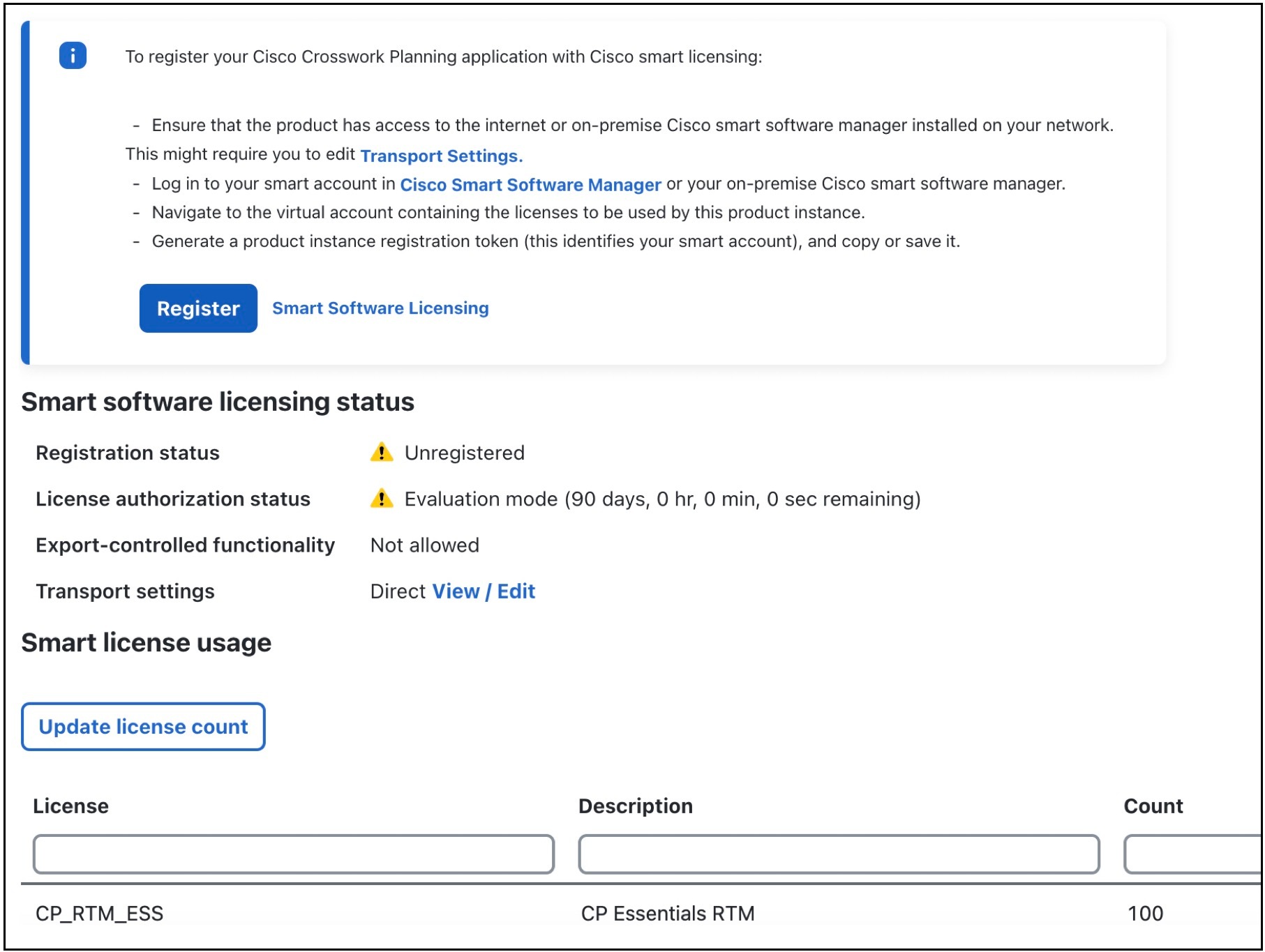
-
In the Smart Software Licensing area at the top, click Register.
The Smart Software Licensing Product Registration page opens.
Figure 2. Smart software licensing product registration page 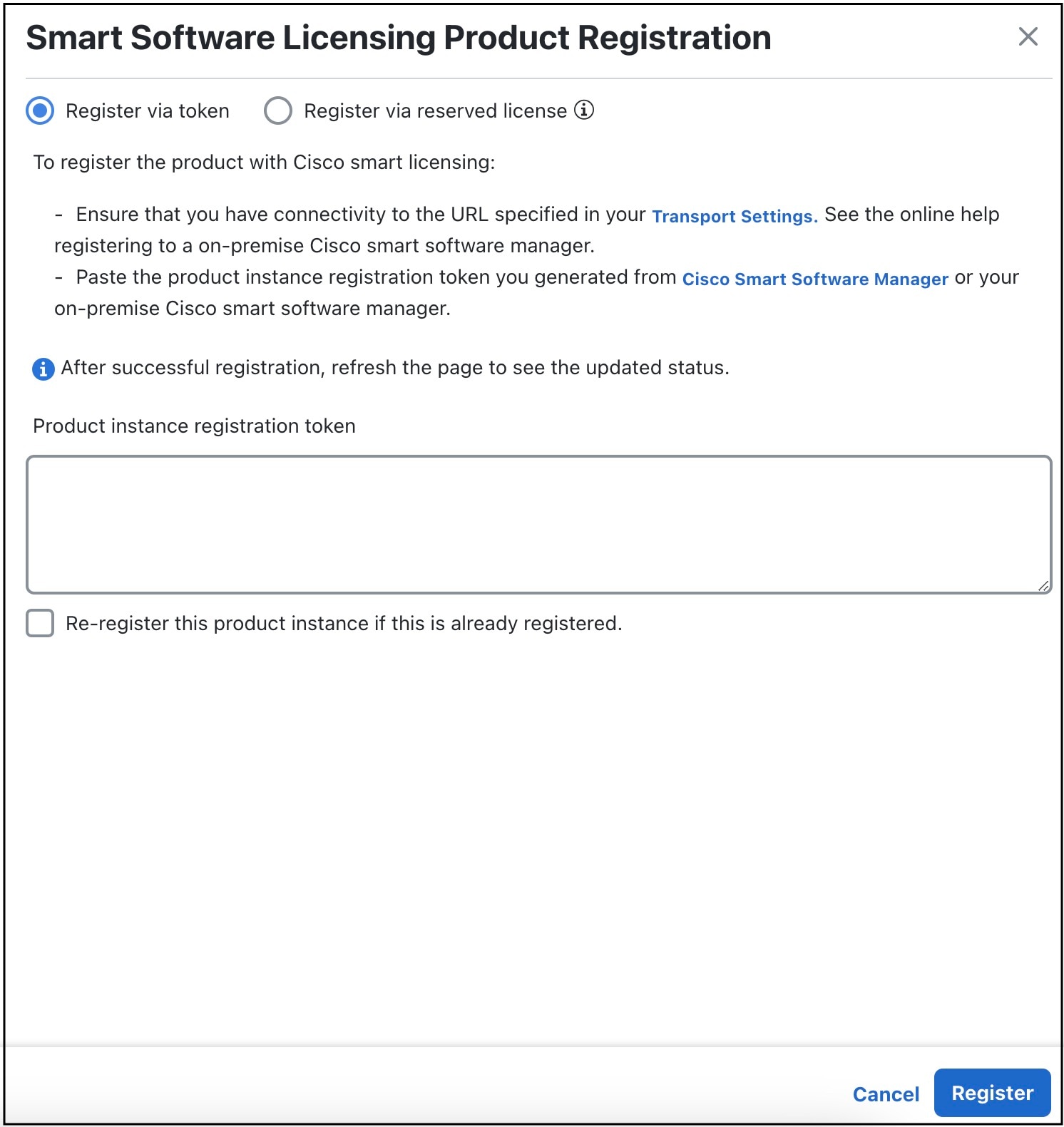
Cisco Crosswork Planning is now registered with CSSM using a registration token. The registration and license authorization statuses are change to Registered and Authorized, respectively.