Outlines the dashboard page’s role in Cisco Crosswork Planning, detailing its overview and customization options.
A Dashboard is a UI page that
-
provides a quick operational summary of Cisco Crosswork Planning
-
allows you to navigate directly to relevant pages and functions, and
-
consists of multiple dashlets that vary according to the installed application.
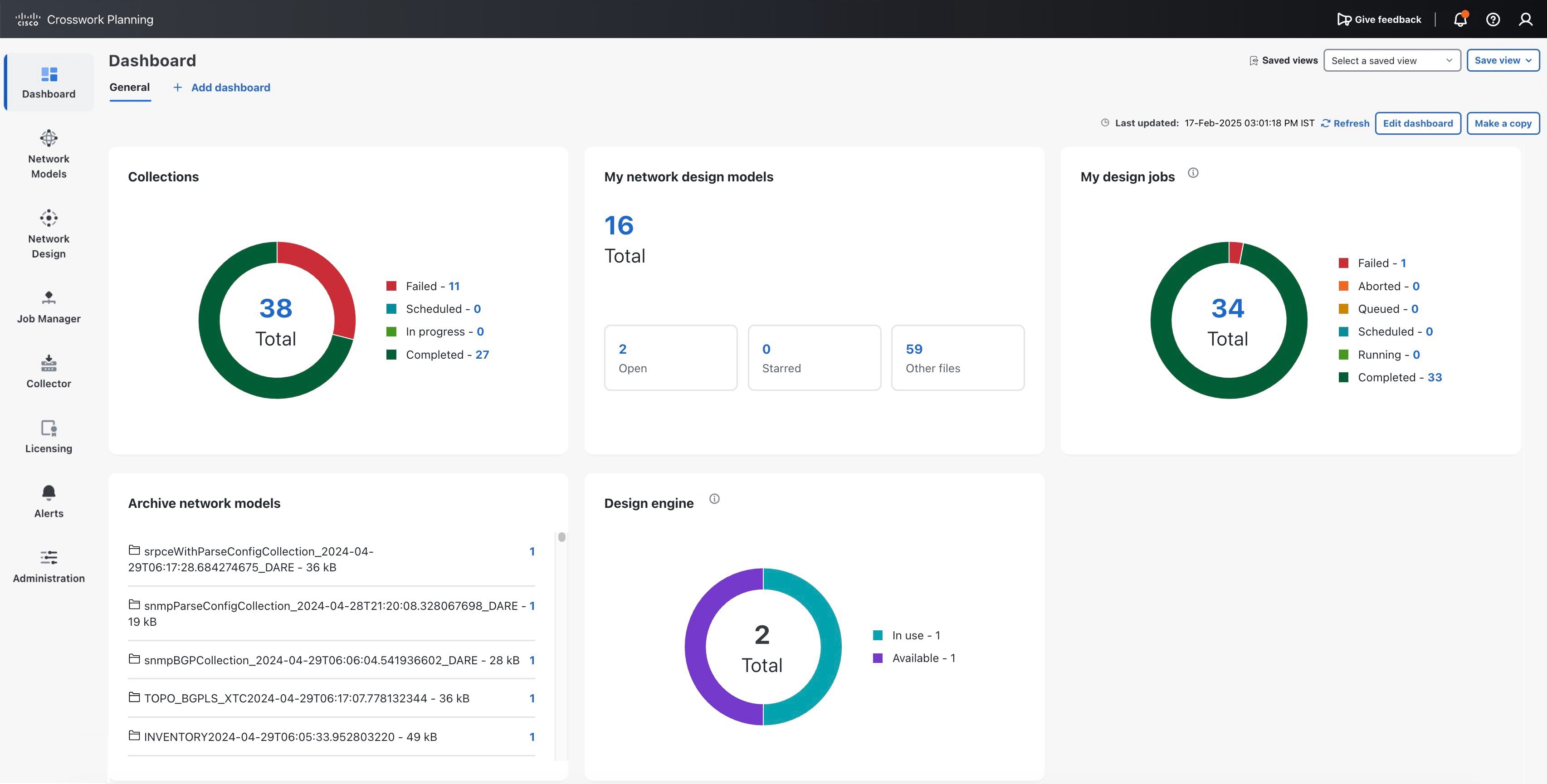
The Collections and Archive network models dashlets appear only if you have installed the Cisco Crosswork Planning Collector application. Similarly, the My network design models, My design jobs, and Design engine dashlets appear only if you have installed the Cisco Crosswork Planning Design application.
Dashlet navigation
Links in each dashlet allow you to navigate to the desired pages easily. For example, in Figure 1, link 27 in the Collections dashlet indicates that there are 27 successfully completed collections in the Collections page. If you click this number, the list of successfully completed collections is displayed.
Dashlet customization
Use the Edit dashboard button at the top right corner to customize how the dashlets appear.