Catalyst Center Virtual Appliance Ordering Guide
Available Languages
Bias-Free Language
The documentation set for this product strives to use bias-free language. For the purposes of this documentation set, bias-free is defined as language that does not imply discrimination based on age, disability, gender, racial identity, ethnic identity, sexual orientation, socioeconomic status, and intersectionality. Exceptions may be present in the documentation due to language that is hardcoded in the user interfaces of the product software, language used based on RFP documentation, or language that is used by a referenced third-party product. Learn more about how Cisco is using Inclusive Language.
Cisco Catalyst Center: simplified IT experience
Powered by AI
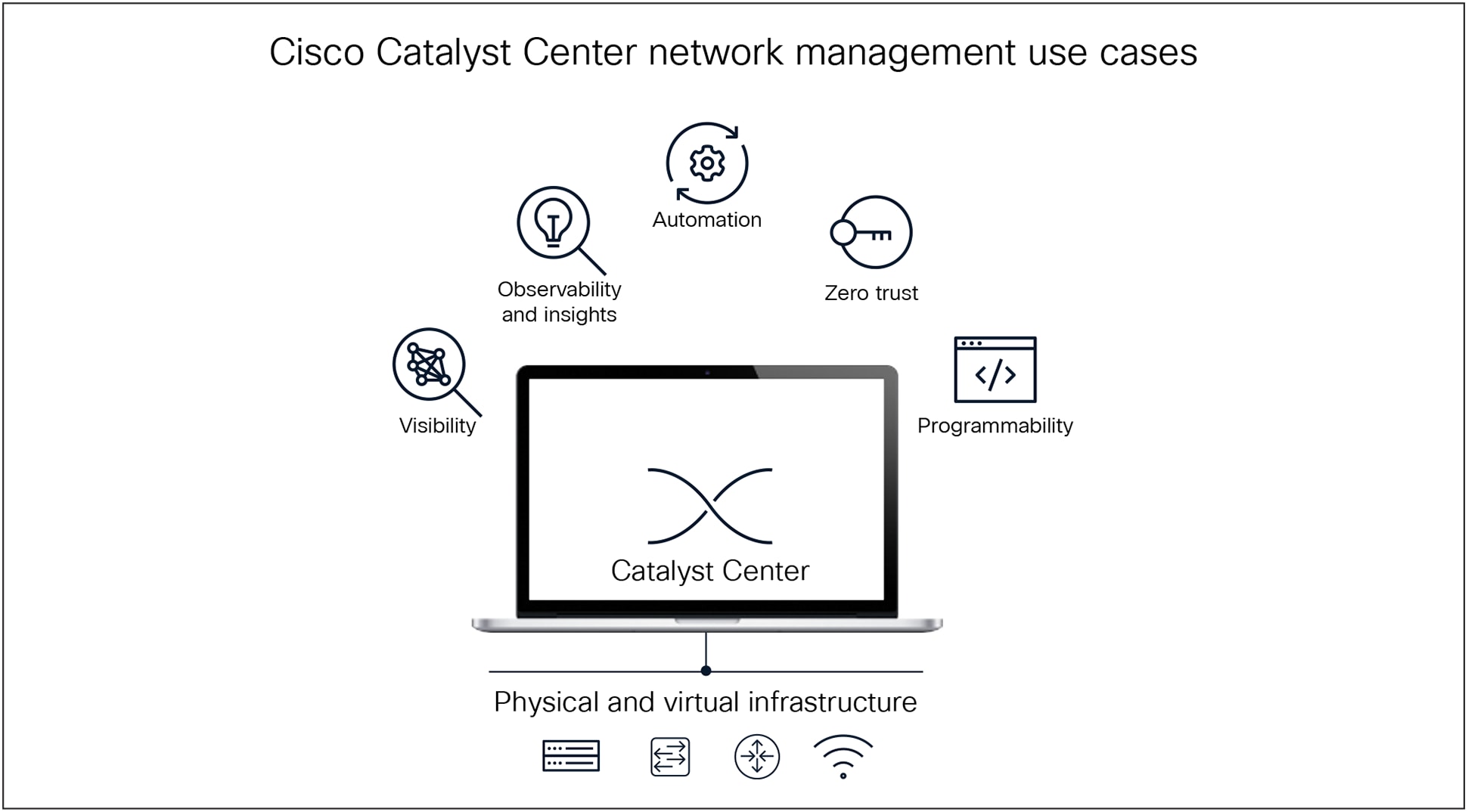
Cisco Catalyst Center use cases
Cisco Catalyst® Center (Catalyst Center) is a comprehensive network management solution designed to simplify and automate the management of enterprise networks. It provides a unified platform for deploying, monitoring, and troubleshooting both wired and wireless infrastructure. With advanced features such as policy-based automation, AI-driven analytics, and seamless integration with Cisco® security solutions, Catalyst Center helps organizations enhance network performance, ensure compliance, and optimize operational efficiency. Flexible deployment options—including physical and virtual appliances for on-premises, cloud, or hybrid environments—make it an adaptable choice for organizations of all sizes.
Catalyst Center Virtual Appliance: form factors
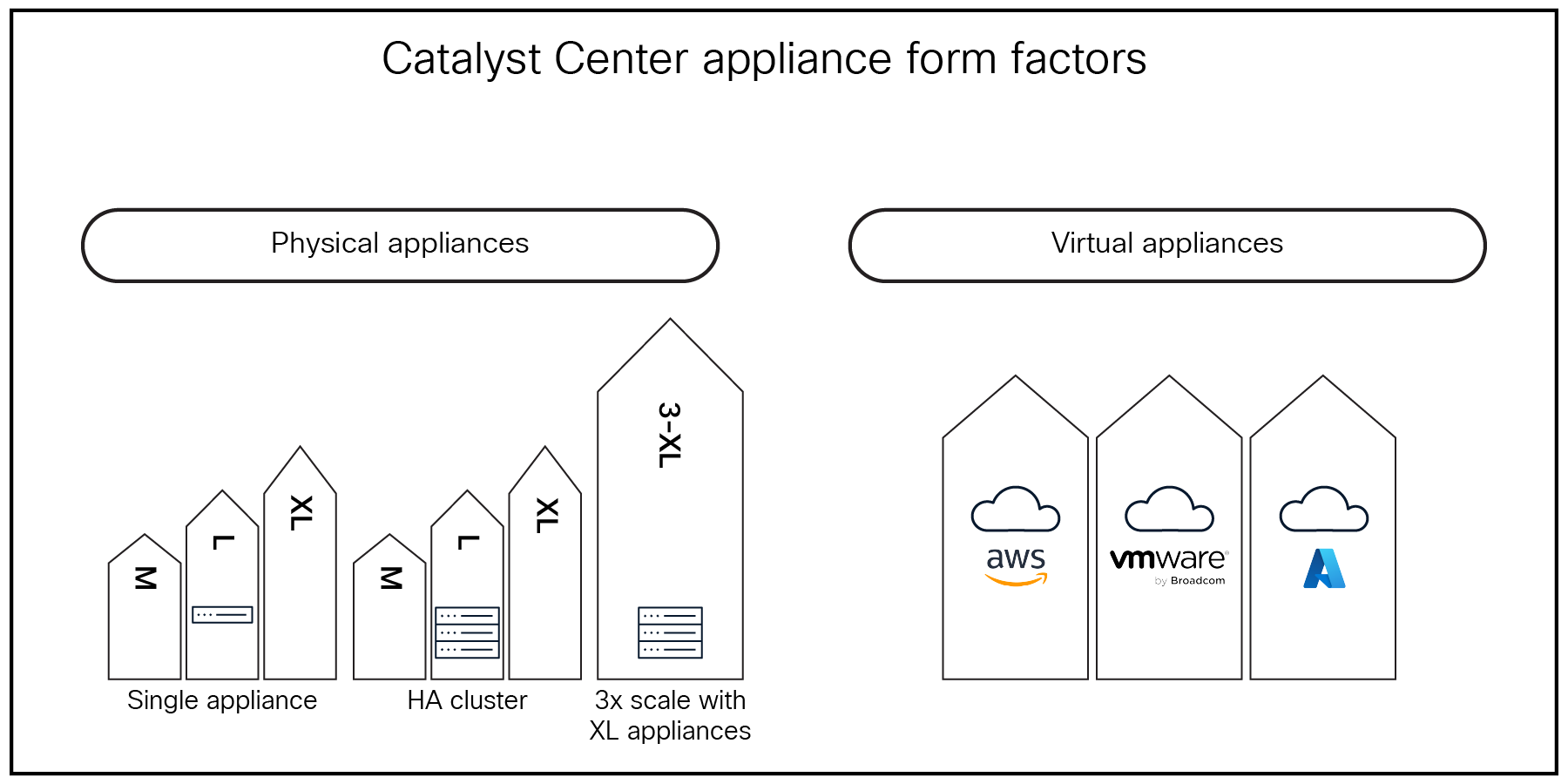
Catalyst Center appliances lineup
Catalyst Center provides operational flexibility and multiple deployment options. The physical appliance is built for enterprise-scale networks and is available for on-premises management. The Catalyst Center Virtual Appliance can be deployed in public cloud environments, with support for AWS and Azure. Additionally, a VMware ESXi virtual environment can be supported on premises, within a private cloud, or at a colocation facility.
Table 1. Scale specifications for Catalyst Center Virtual Appliance
| Scale for Catalyst Center DN-SW-APL |
|
● 5000 total network devices
|
|
● 1000 switches and routers
|
|
● 4000 access points
|
|
● 25,000 endpoints (concurrent)
|
Ordering a new Catalyst Center Virtual Appliance
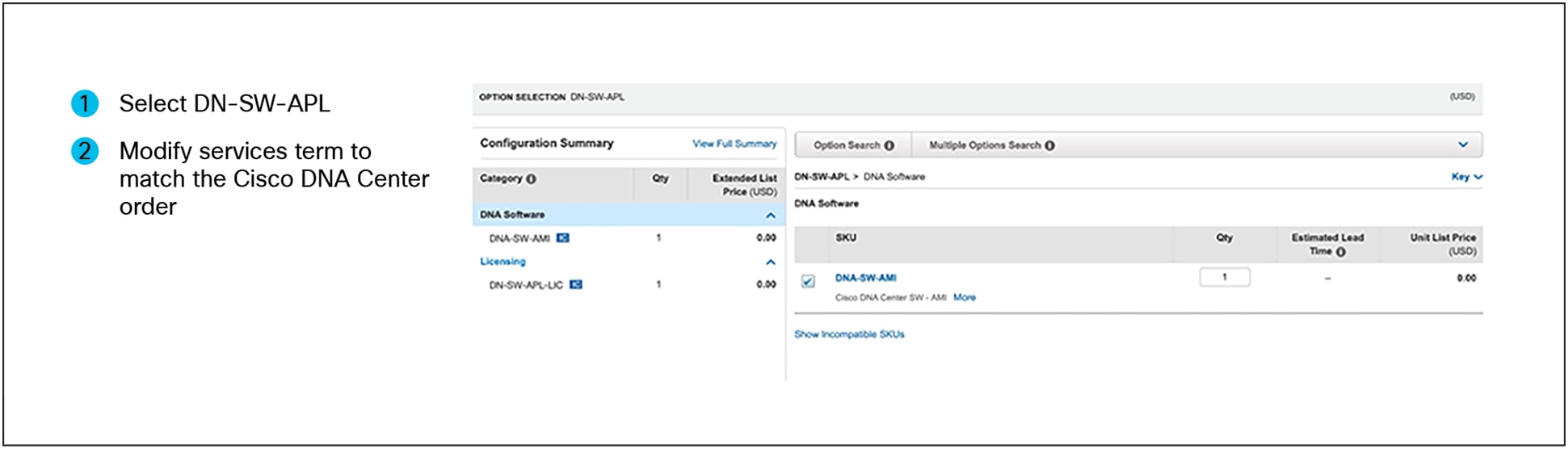
Ordering the DN-SW-APL license
The DN-SW-APL-LIC license will be deposited into the customer’s Cisco Smart Account when purchasing a new Catalyst Center Virtual Appliance.
● The Catalyst Center Virtual Appliance needs to be registered with the respective Smart Account or Virtual Account to consume this Cisco DNA virtual appliance license. Refer to the appropriate Catalyst Center Administrator Guide for more information.
Table 2. Catalyst Center Virtual Appliance license
| License SKU |
Description |
| DN-SW-APL-LIC |
Catalyst Center Virtual Appliance |
Steps to Order Catalyst Center Virtual Appliance
● Search for “DN-SW-APL”
● Click Edit and select DN-SW-APL-LIC
Options:
1. For the Catalyst Center Virtual Appliance on AWS, choose DNA-SW-AMI
2. For the Virtual Appliance on ESXi, choose DNA-SW-OVA
3. For the Virtual Appliance on Azure, choose DNA-SW-VHD
● Proceed to Checkout
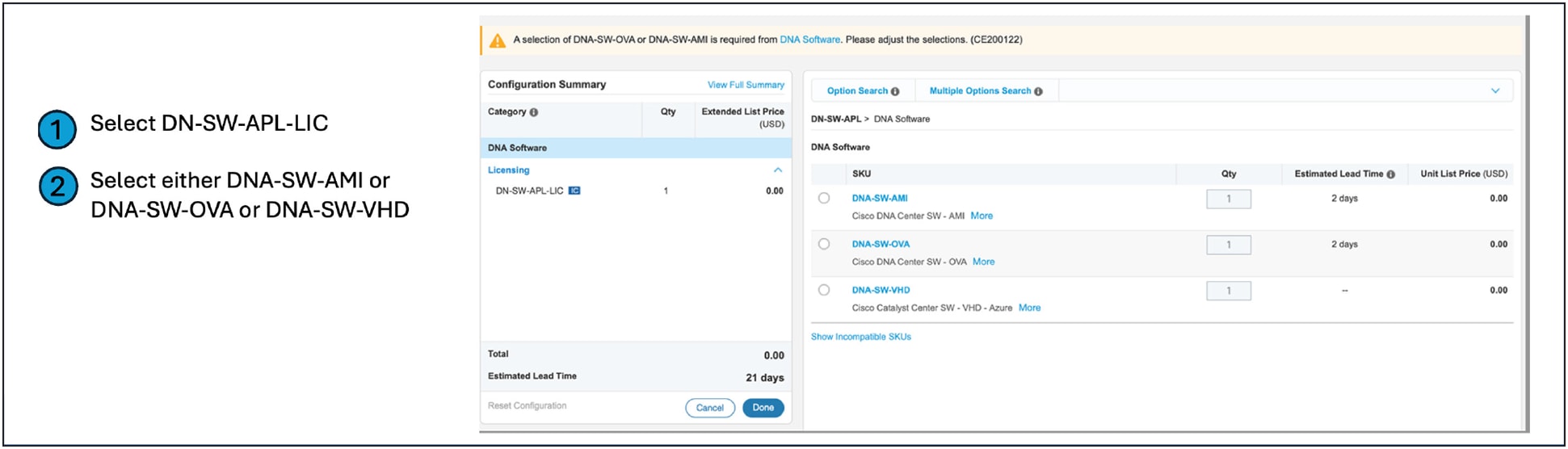
Ordering Catalyst Center Virtual Appliance license in Cisco Commerce
Customers should follow the steps in the next section to deposit the Catalyst Center Virtual Appliance license in the respective Smart Account or Virtual Account automatically.
Catalyst Center Virtual Appliance registration
1. In Catalyst Center, go to System > Settings > Smart Account. Add the Smart Account user and account name.
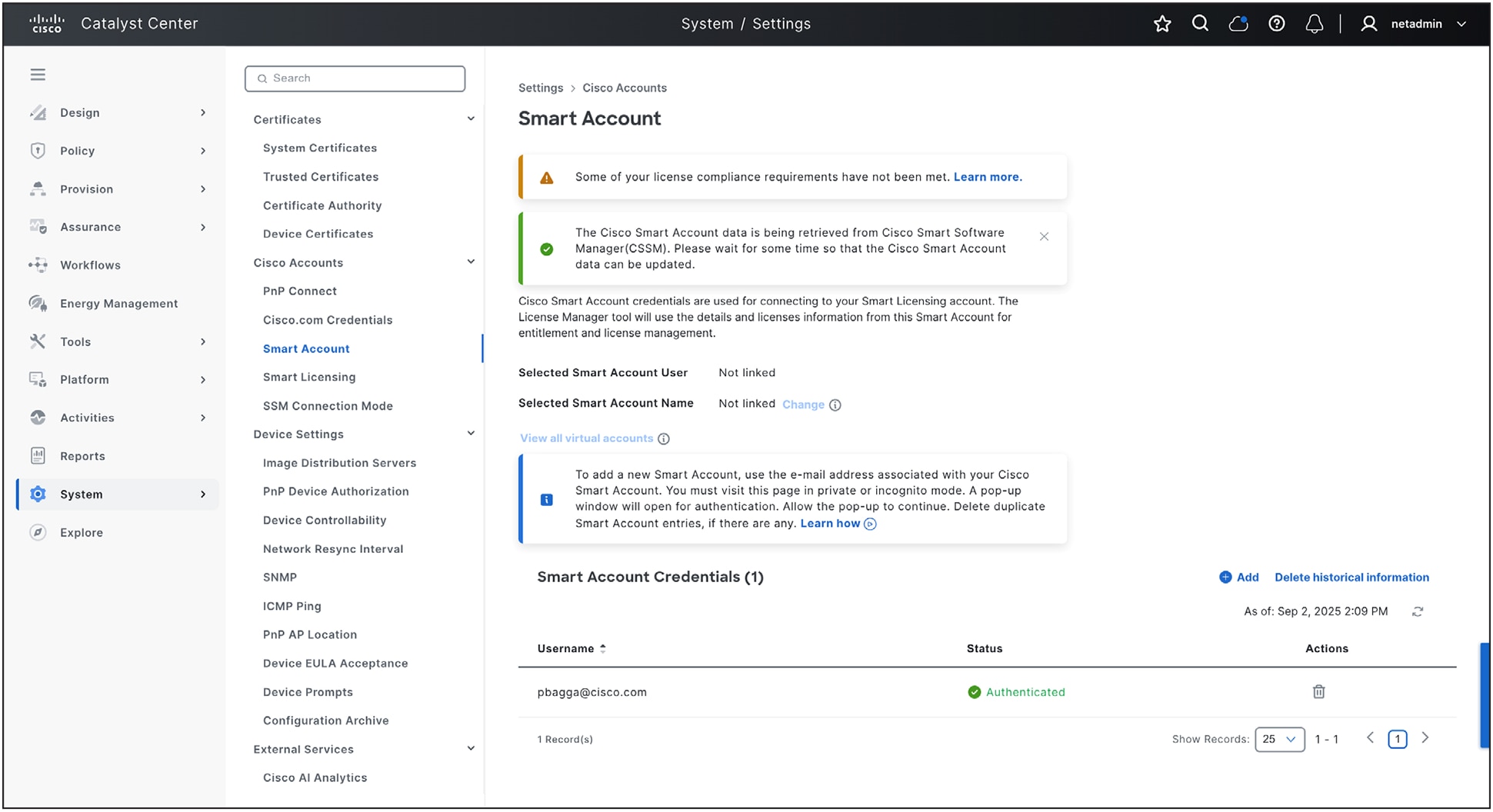
Connecting Smart Account on Catalyst Center
2. Go to System > Settings > Smart Licensing. Choose the appropriate Virtual Account and click Register.
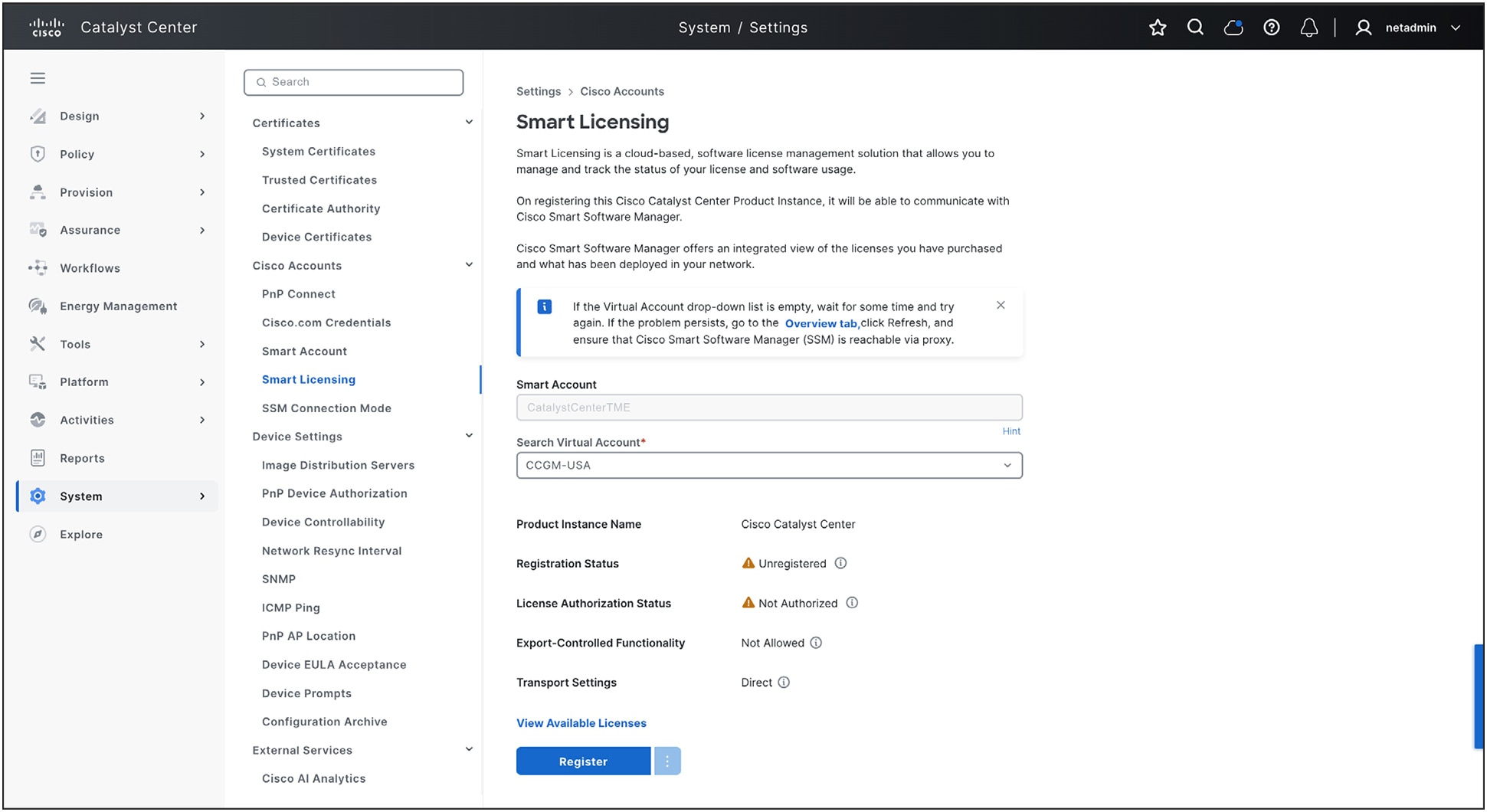
Registering Cisco Catalyst Center
● Documentation: AWS | ESXi | Azure
● Catalyst Center Virtual Appliance Release Notes
● Catalyst Center Physical Appliance Ordering Guide
● Cisco Switching Licensing Feature Matrix
● Cisco Wireless Licensing Feature Matrix
● Cisco WAN and Routing Feature Matrix
This document can be accessed by partners from Cisco SalesConnect:
● Networking offers and promotions: Click here