Secure Firewall 6100 Threat Defense Getting Started: Cloud-Delivered Firewall Management Center

PDF

Configure the DHCP server

Want to summarize with AI?

Log in

Overview

How to enable the DHCP server on a Secure Firewall 6100 interface so internal clients can automatically receive IP addresses and related network settings.

Enable the DHCP server if you want clients to use DHCP to obtain IP addresses from the firewall.

Procedure

1.

Choose Devices > Device Management, and click Edit (edit icon) for the device.

2.

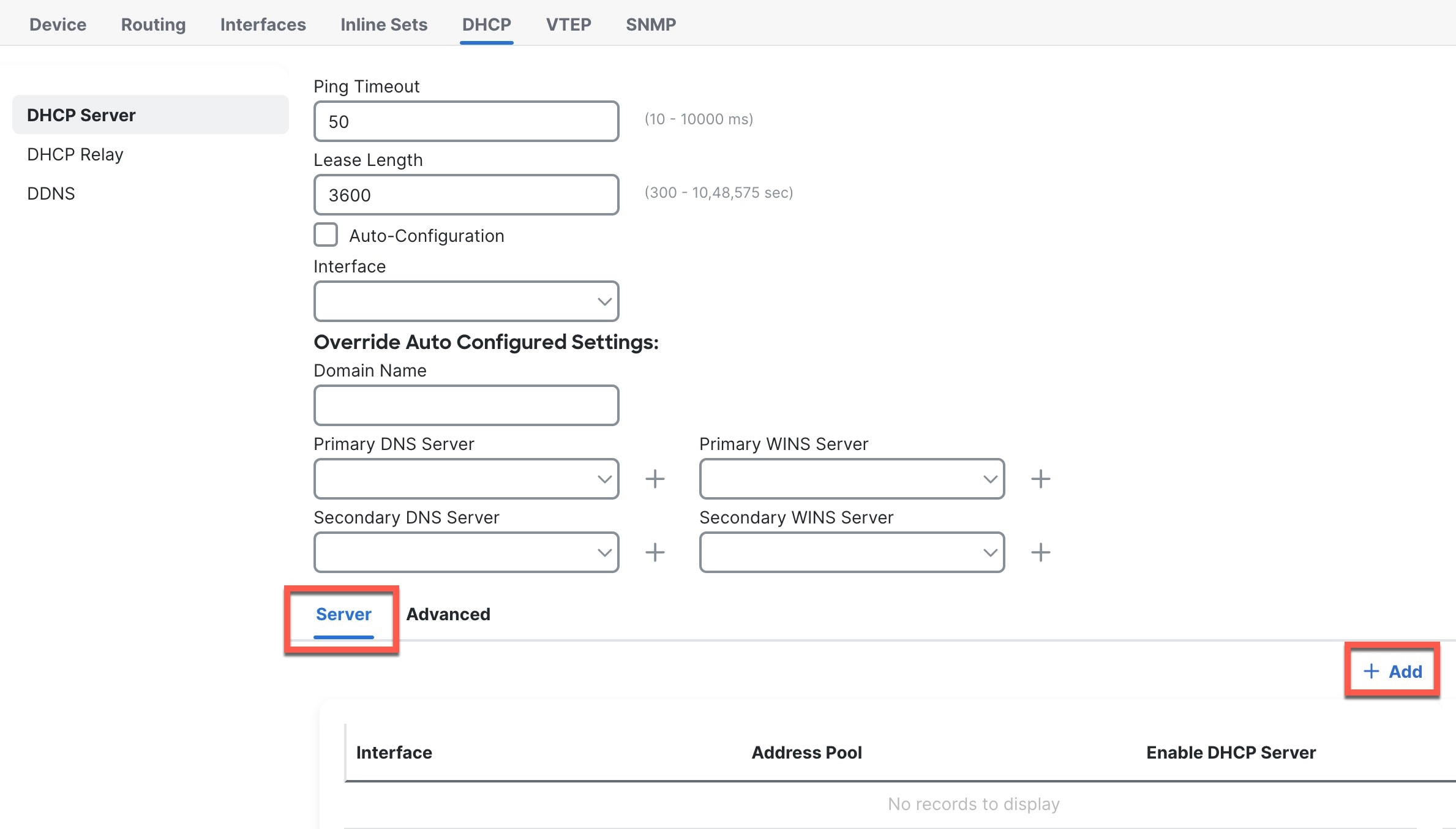
Choose DHCP > DHCP Server.

Figure 1. DHCP Server
DHCP Server
3.

In the Server area, click Add and configure the following options.
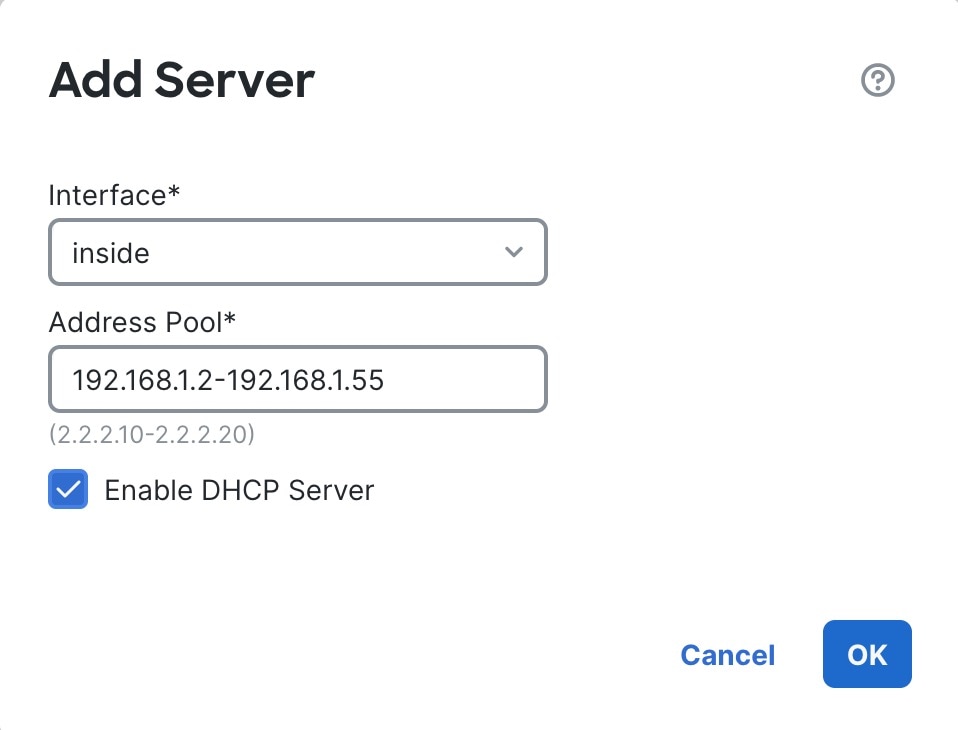
Figure 2. Add Server
Add Server
  • Interface—Choose the interface name from the drop-down list.

  • Address Pool—Set the range of IP addresses. The IP addresses must be on the same subnet as the selected interface and cannot include the IP address of the interface itself.

  • Enable DHCP Server—Enable the DHCP server on the selected interface.

4.

Click OK.

5.

Click Save.