Overview
Learn how to configure Firepower 1100 interfaces, including assigning inside and outside zones and setting IP addressing for routed deployments.
When you use the Firewall Device Manager for initial setup, the following interfaces are preconfigured:
-
Ethernet 1/1—outside, IP address from DHCP, IPv6 autoconfiguration
-
Ethernet 1/2— inside, 192.168.95.1/24
-
Default route—Obtained through DHCP on the outside interface
If you performed additional interface-specific configuration within Firewall Device Manager before registering with the Firewall Management Center, then that configuration is preserved.
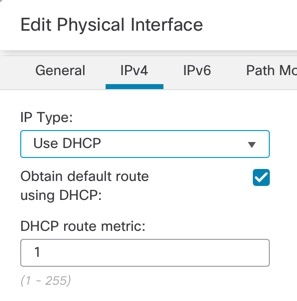
The following example configures a routed-mode inside interface with a static address and a routed-mode outside interface using DHCP. It also adds a DMZ interface for an internal web server.
Procedure
| 1. | Choose , and click Edit ( |
|
| 2. | Click Interfaces. 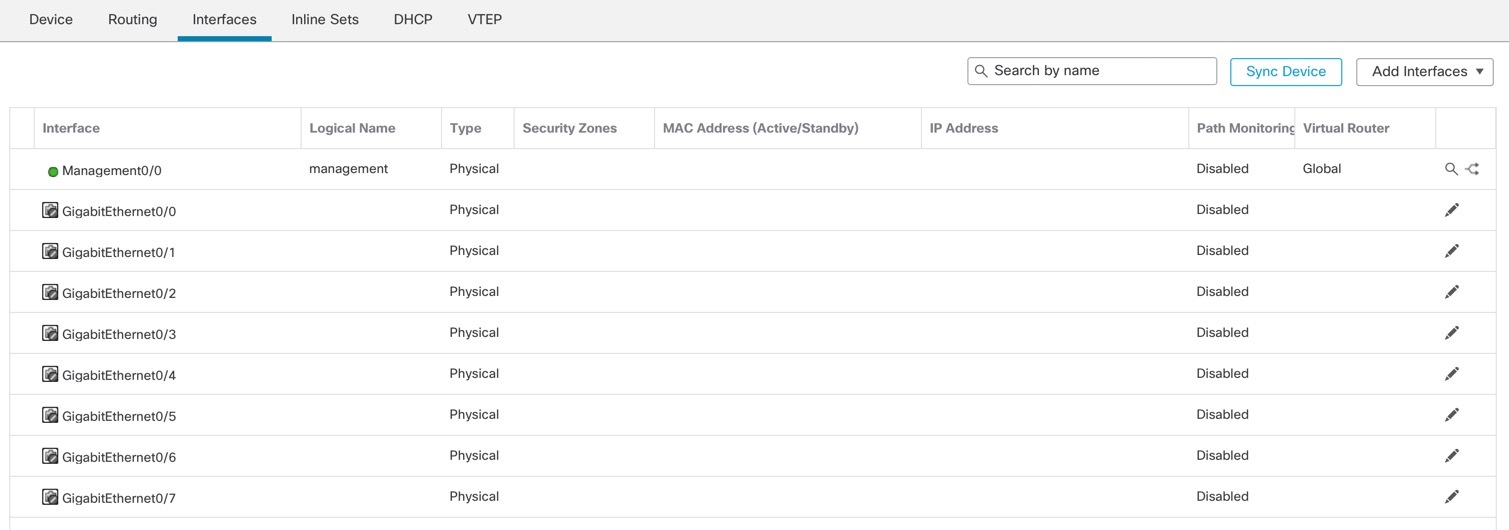
|
|
| 3. | Click Edit ( 
|
|
| 4. | Click Edit ( 
|
|
| 5. | Configure a DMZ interface to host a web server, for example.
|
|
| 6. | Click Save. |