You can delete Catalyst SD-WAN security objects in Security Cloud Control Firewall Management if they are not referenced by any policies, objects, or configurations. Before deleting an object, you must manually remove all references to it in security policies. The system logs deleted objects for traceability and compliance.
You can delete one or multiple Catalyst SD-WAN security objects.
-
If the security object was synchronized with Catalyst SD-WAN Manager, deleting it updates both Security Cloud Control Firewall Management and Catalyst SD-WAN Manager for consistency.
-
Security policies or configurations that reference the deleted object do not get deleted automatically. You must remove the references manually from the security policies before deleting the object.
-
Delete actions are logged for auditing and traceability.
Before you begin
Verify that the Catalyst SD-WAN security objects you want to delete are not used or referenced in other objects, policies, or configurations.
Procedure
| 1. | Choose . |
|
| 2. | Choose Objects. |
|
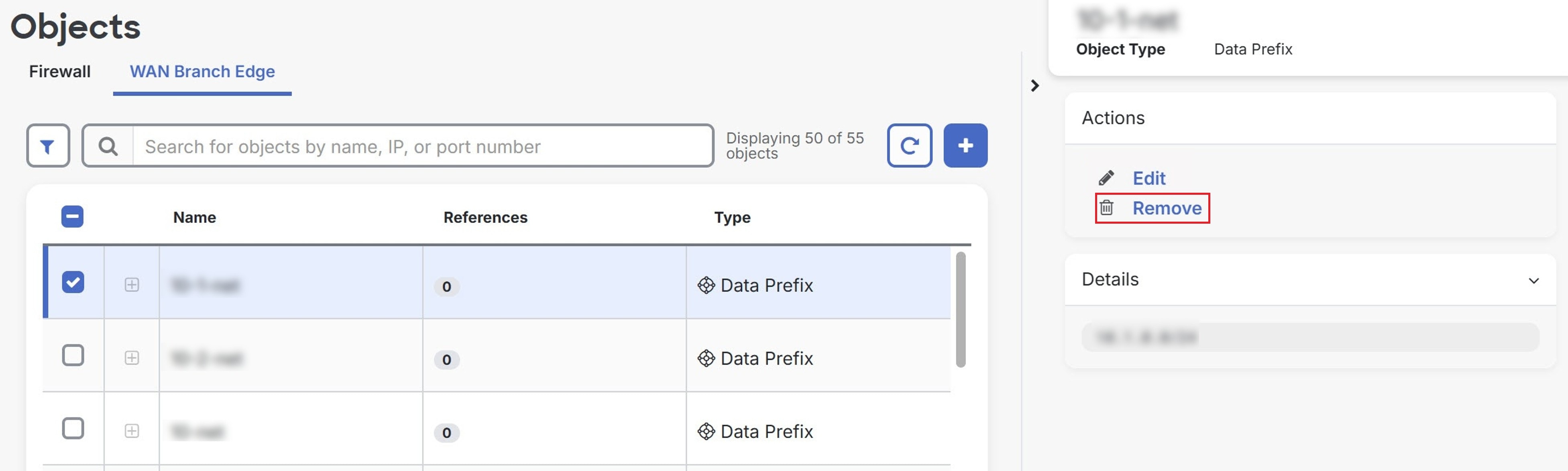
| 3. | Click the WAN Branch Edge tab. |
|
| 4. | Check one or multiple security objects you want to delete. |
|
| 5. | In the Actions pane, click Remove.
|
|
| 6. | Click OK to confirm. |
Selected Catalyst SD-WAN security objects are deleted. Delete actions are logged for audit purposes, ensuring traceability of changes.
To view the logs:
-
In the Security Cloud Control application, choose .
-
In the Catalyst SD-WAN Manager application, choose .