Learn how to manage Catalyst SD-WAN devices in Security Cloud Control Firewall Management, including viewing onboarded devices and templates, reviewing device configurations, launching policy groups, and removing devices.
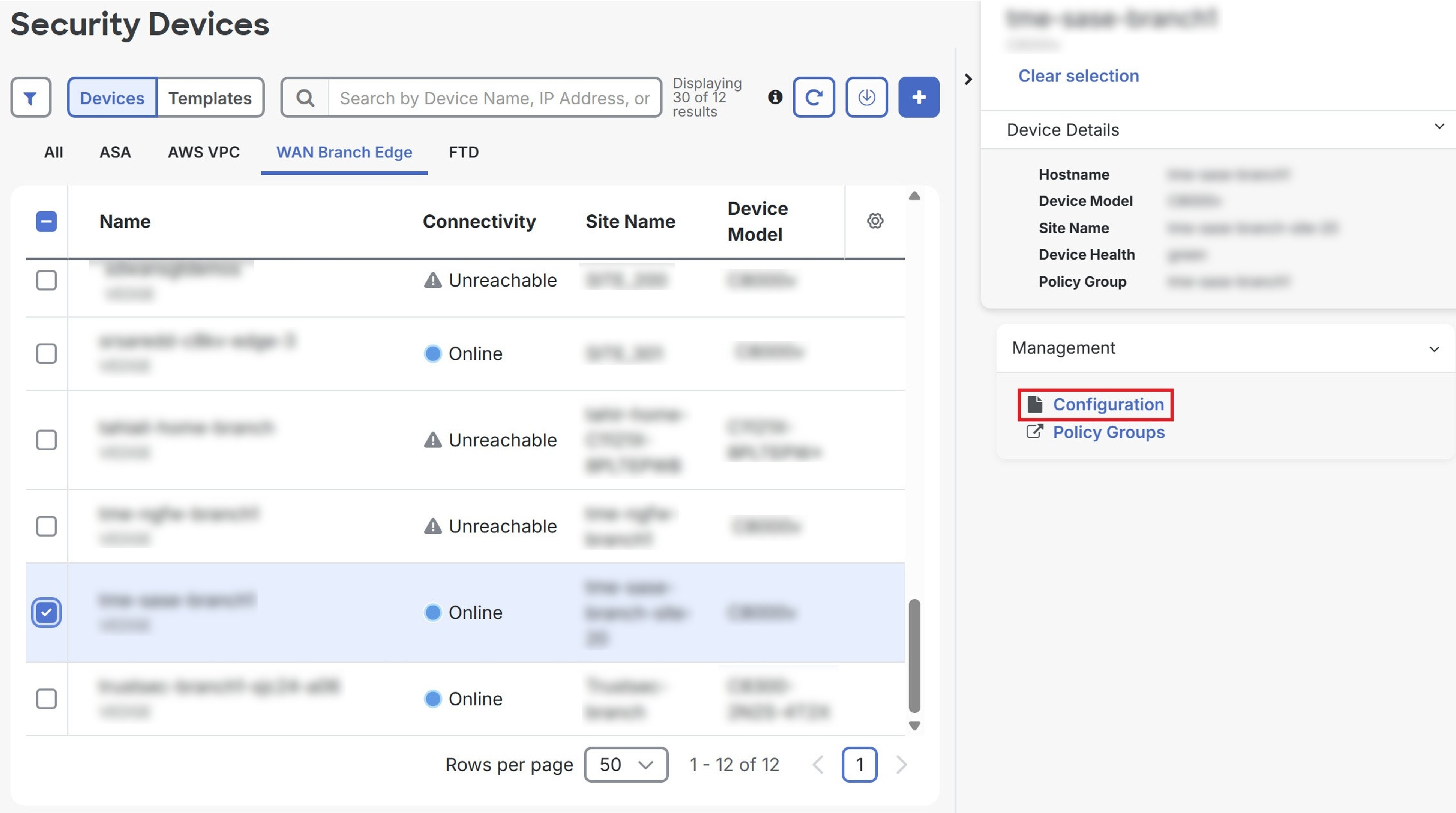
Security Cloud Control Firewall Management provides the ability to view the device configuration of your onboarded devices on the Security Devices page.
Procedure
SUMMARY STEPS
- Choose .
- Click the WAN Branch Edge tab.
- Select a device and click Configuration under Management.
- To export the list of devices as a CSV file, click the export icon (
 ).
).
DETAILED STEPS
| 1. | Choose . |
|
| 2. | Click the WAN Branch Edge tab. |
|
| 3. | Select a device and click Configuration under Management.
|
|
| 4. | To export the list of devices as a CSV file, click the export icon ( |