Unpack and verify shipped contents
Procedure
|
Step 1 |
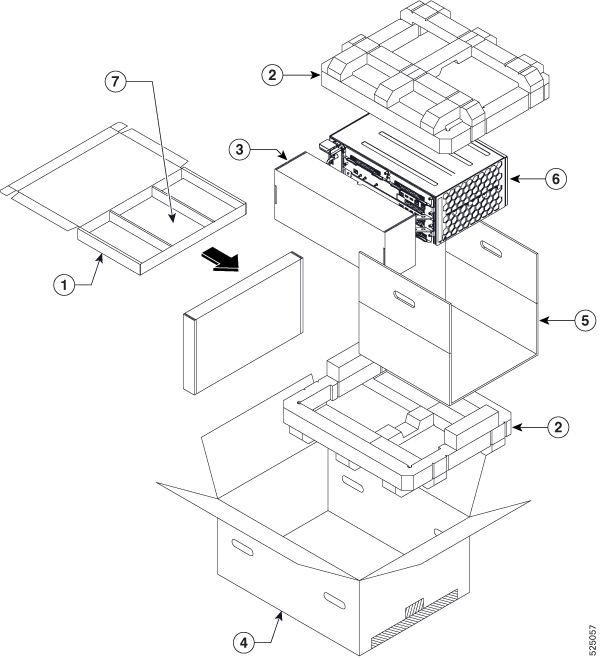
Inspect the shipping container for any shipping damage. If there is obvious physical damage, contact your Cisco service representative, else continue with the remaining steps. 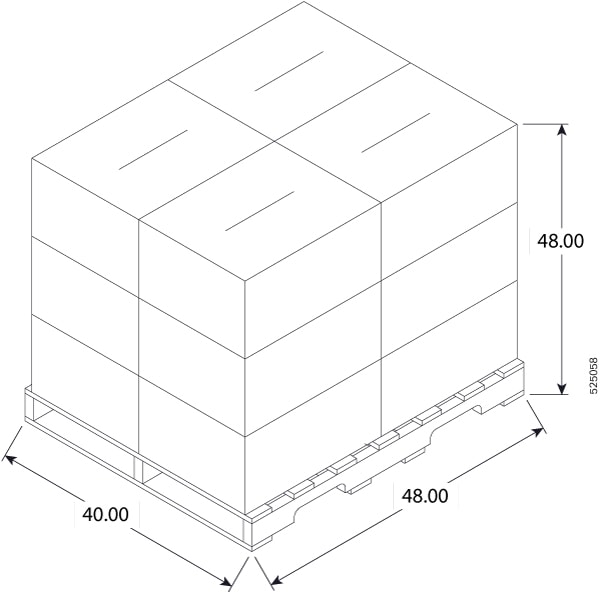
|
||||||||||||||||
|
Step 2 |
Unpack the router. |
||||||||||||||||
|
Step 3 |
Inspect the router. |
||||||||||||||||
|
Step 4 |
Use the following table to verify the contents of the container. Do not discard the shipping container. You will need the container in the future if you move or ship the router. |
What to do next
|
Component |
Description |
Quantity |
|---|---|---|
|
Chassis |
Chassis cabinet (8404-SYS-D) |
1 |
|
Route Switch Processor (8404-RSP1-48-EM) |
1 |
|
| Fan Trays |
1 |
|
|
PEM |
2 |
|
|
Accessories kit |
Rack mount adapter screws (for 23-inch and ETSI adaptors) |
|
|
Four cable-management brackets (one per bracket) |
4 |
|
|
Earth lug with two 10-32 screws. |
1 |
|
|
1 RJ45 to RJ45 crossover cable 1 RJ45 to DB-9 (female) adapter |
1 |
|
|
19-inch rack mount brackets |
- |
|
|
ETSI Bracket (To be used when the router is used as a reverse flow system) |
BRCKT |
- |
|
ESD, wrist strap (disposable) |
One disposable wrist strap (optional) |
1 |
|
Documentation |
Regulatory Compliance and Safety Information for the Cisco 8404 Router |
- |
 Note |
Most Cisco documentation is available online. The chassis pointer card that is shipped with your Cisco 8404-SYS-D router contains links and information to other online documentation. |
Note |
If the product is not in use, store the device in the initial packaged condition or in an ESD PE sealed bag with silica gel. |
 Feedback