Use this workflow when the upgrade domain contains a mixture of Cisco NCS 1010, Cisco NCS 1014, Cisco NCS 1004, or Cisco NCS 1001 platforms.
Upgrade mixed-device networks in phases so that Cisco Optical Site Manager hosts and managed devices can use the correct platform images.
Upgrade the network in two phases:
-
Upgrade the Cisco Optical Site Manager hosts.
-
Upgrade the devices managed by those hosts.
Keeping host and managed-device activation separate provides better control over image selection and platform-specific recovery.
For Cisco NCS 1010 and Cisco NCS 1014, use the same Golden ISO (GISO), including the Cisco Optical Site Manager RPM, for both host and managed devices when possible. A common image simplifies distribution and activation and prevents one image from replacing another on the Cisco Optical Site Manager host.
Before you begin
Complete the optical network upgrade preparation items before you start this workflow.
Procedure
-
Distribute the host images.
Use the external SFTP server to distribute the appropriate target image to each host group.
Select Copy to only COSM.
This figure shows the image distribution option used to copy the image only to Cisco Optical Site Manager.
Figure 1. Image distribution for Cisco Optical Site Manager hosts 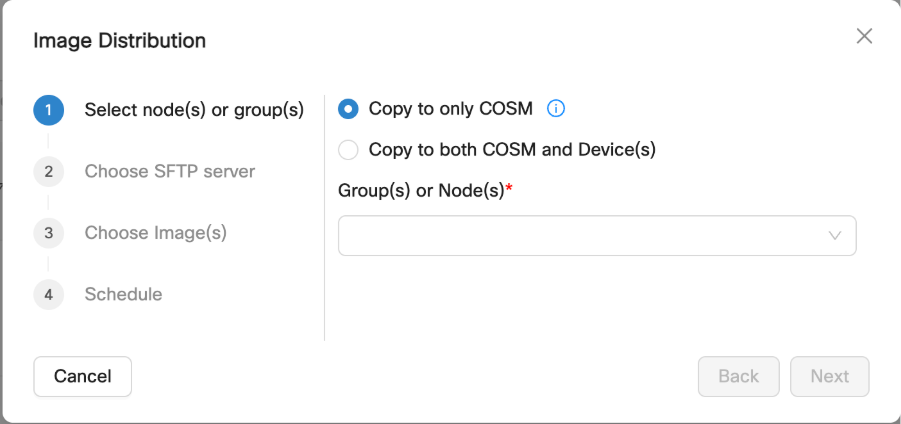
Distribute managed-device images only after the Cisco Optical Site Manager hosts are upgraded.
-
Verify host image distribution.
Confirm that every host has received the correct image for its platform and that all distribution jobs have completed successfully.
This figure shows the image distribution jobs page where distribution status is monitored.
Figure 2. Image distribution jobs 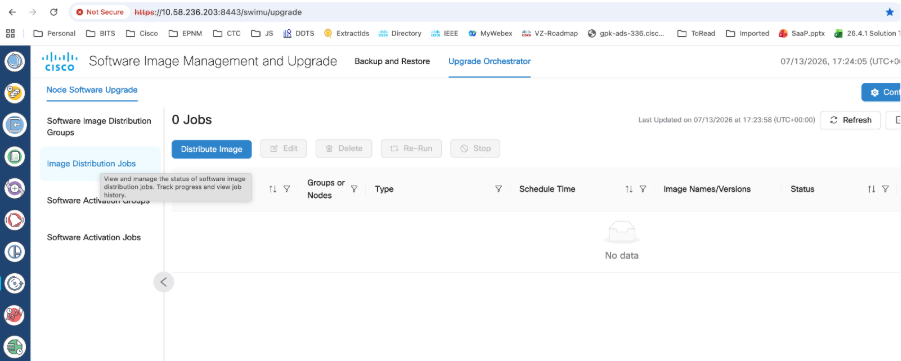
Optional: In the Cisco Optical Site Manager web UI, verify that the package is downloaded.
This figure shows the package download status in Cisco Optical Site Manager.
Figure 3. Cisco Optical Site Manager package download status 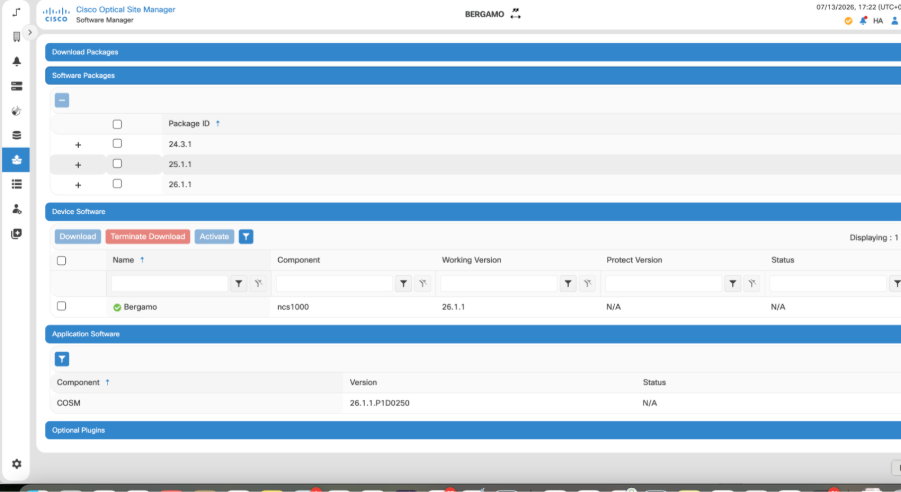
-
Verify the host upgrade.
Confirm that the activation job completes successfully and that Cisco Optical Site Manager hosts are upgraded to the target image version.
This figure shows the software activation jobs page where activation status is monitored.
Figure 4. Software activation jobs 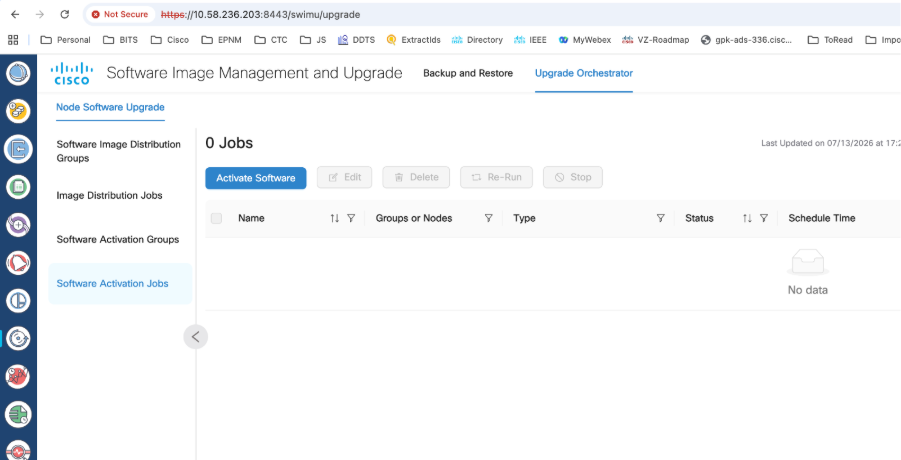
Optional: Confirm these items directly on each host:
-
IOS XR is running the target release by using the show version command.
-
The install operation has completed by using the show install request command.
-
The devices successfully completed synchronization in Cisco Optical Site Manager.
Example:
RP/0/RP0/CPU0:COSM-212# show install request Mon Jul 13 16:35:44.821 IST User request: install replace /misc/disk1/data/software/26.1.1/ncs1010-golden-x86_64-26.1.1-2511_2611_FCS_CSCwn69606_COSM_SMU_validation_2.iso commit Operation ID: 96 State: Success since 2026-07-13 10:00:03 UTC Replace to /misc/disk1/data/software/26.1.1/ncs1010-golden-x86_64-26.1.1-2511_2611_FCS_CSCwn69606_COSM_SMU_validation_2.iso via reimage successful Current activity: No install operation in progress -
-
Distribute the managed-device images.
For each device group, distribute the corresponding image to Cisco Optical Site Manager and the managed devices by using the external FTP server. Create a separate image distribution job for each managed-device type.
This figure shows the image distribution option used to copy the image to Cisco Optical Site Manager and managed devices.
Figure 5. Image distribution for Cisco Optical Site Manager and devices 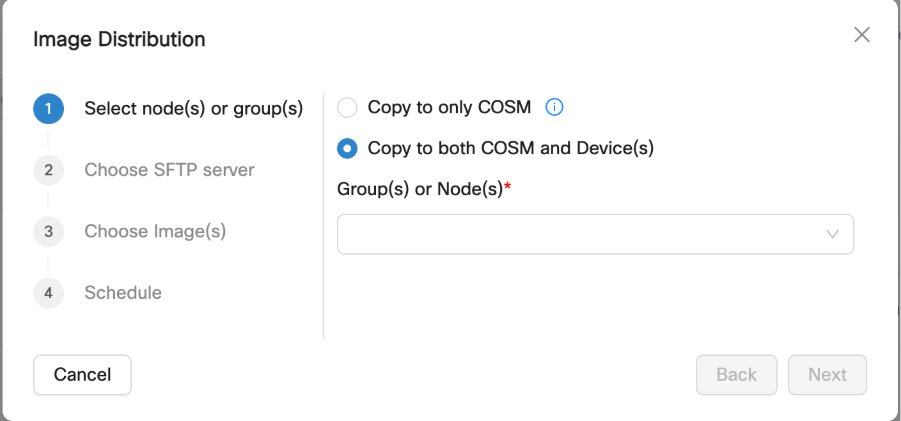
-
Verify managed-device image distribution.
Confirm that the distribution job completes successfully and that the correct target image is available on every device before proceeding to activation.
This figure shows the image distribution jobs page where distribution status is monitored.
Figure 6. Image distribution jobs
Optional: In the Cisco Optical Site Manager web UI, verify that the package is downloaded.
This figure shows the package download status in Cisco Optical Site Manager.
Figure 7. Cisco Optical Site Manager package download status
-
Verify each managed-device upgrade.
Confirm that the activation job completes successfully and that the managed devices are upgraded to the target image version.
This figure shows the software activation jobs page where activation status is monitored.
Figure 8. Software activation jobs
Optional: Confirm these items directly on each host:
-
IOS XR is running the target release by using the show version command.
-
The install operation has completed by using the show install request command.
-
The devices successfully completed synchronization in Cisco Optical Site Manager.
Example:
RP/0/RP0/CPU0:COSM-212# show install request Mon Jul 13 16:35:44.821 IST User request: install replace /misc/disk1/data/software/26.1.1/ncs1010-golden-x86_64-26.1.1-2511_2611_FCS_CSCwn69606_COSM_SMU_validation_2.iso commit Operation ID: 96 State: Success since 2026-07-13 10:00:03 UTC Replace to /misc/disk1/data/software/26.1.1/ncs1010-golden-x86_64-26.1.1-2511_2611_FCS_CSCwn69606_COSM_SMU_validation_2.iso via reimage successful Current activity: No install operation in progress -
The Cisco Optical Site Manager hosts and their managed Cisco NCS 1010, Cisco NCS 1014, Cisco NCS 1004, and Cisco NCS 1001 devices are upgraded to the appropriate target images and synchronized with Cisco Optical Network Controller.