Describes live network import into Cisco Optical Network Planner by using Cisco Optical Network Controller, including import preparation, live network data transfer, and troubleshooting data collection.
Use the sample topology and Excel workbook as a reference when preparing the day-0 configuration. Update values that vary by topology or customer before applying the configuration.
Sample day-0 network configuration
This figure shows the sample topology used for the day-0 configuration.
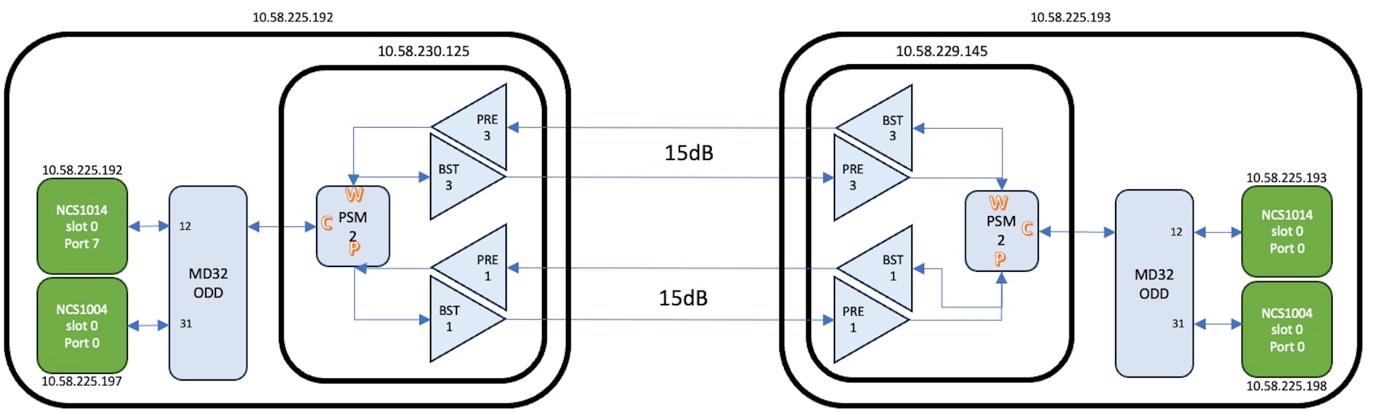
In the Excel workbook, values shown in black are common reference values. Replace values shown in purple with values specific to the customer site and network topology before using the workbook.
For the detailed day-0 configuration values, use the Sample day-0 configuration Excel.