Cisco Optical Network Controller Installation Guide, Releases 26.x.x

PDF

Cisco Optical Network Controller Installation Guide, Releases 26.x.x

Update time zone configuration in a geo-redundant deployment

Want to summarize with AI?

Log in

Use this procedure to update time zone configuration in a geo-redundant deployment. It helps you complete the related installation workflow and confirm the deployment state before continuing.


From R25.1.2, you can update the timezone configuration. Previously, only the UTC time zone was supported. You can now configure Cisco Optical Network Controller in your preferred time zone.

For geo-redundant deployments, use the CLI command to update the timezone on each VM. Restart each VM using the steps described in this procedure to ensure a seamless change to the new timezone configuration. If the time zone configuration differs between VMs, a discrepancy can occur during failover or switchover.

Note

Change the timezone only when necessary. Each timezone change requires a reboot of the VMs and services and can cause inconsistencies.

Apply the same time zone on all three VMs. Be sure to review these limitations before making changes.

Before you begin

  • Verify status of every pod is Running by using the kubectl get pods -A | grep onc command. This example shows a sample output where all pods are running.

    root@vm1-cluster1-node1:~# kubectl get pods -A | grep onc
    onc                  monitoring-0        2/2     Running   0              21m 
    onc                  onc-alarm-service-0 2/2     Running   3 (51m ago)    3h6m 
    onc                  onc-apps-ui-service-6f95dfbc7c-60w87ne          2/2     Running   3 (51m ago)    3h6m 
    onc                  onc-circuit-service-0                           2/2     Running   3 (51m ago)    3h6m 
    onc                  onc-collector-service-0                         2/2     Running   3 (51m ago)    3h6m 
    onc                  onc-config-service-02/2     Running   3 (51m ago)    3h6m 
    onc                  onc-devicemanager-service-0                     2/2     Running   3 (51m ago)    3h6m 
    onc                  onc-inventory-service-0                         2/2     Running   3 (51m ago)    3h6m 
    onc                  onc-nbi-service-0   2/2     Running   3 (51m ago)    3h6m 
    onc                  onc-netconfcollector-service-85bd7c89bf-qc8pf   2/2     Running   0              21m
     
  • Verify that any previous switchover or failover has finished. Confirm that data replication across the active and standby nodes is complete. Use the sedo supercluster status to see the supercluster status and confirm that the DB replication status is streaming and DB Lag is 0.

    sedo supercluster status 
    ┌───────────────────────────────────────────────────────────────────────────────────────┐ 
    │ Supercluster Status           │ 
    ├──────────────────┬────────────────────────────────────────────────────────────────────┤ 
    │ Cluster ID       │ QCTdDdt_rlRd9lgzRM15vSeb0r1tkLMkfCK4DoAy1aw                        │ 
    │ Cluster Name     │ cluster1   │ 
    │ Cluster Role     │ worker     │ 
    │ Peers            │ cluster2 (worker, rabSbdhIWtq1qzhW1lZTm0Hu5_tIxOFZgDyWr5pac90)     │ 
    │                  │ cluster3 (arbitrator, XxHjr5wMmDyiYW6jbvaCcGZW8VIasb4sBv8x0B15DYk) │ 
    │ Mode             │ Running    │ 
    │ Current Active   │ cluster1   │ 
    │ Previous Active  │ cluster2   │ 
    │ Standby Clusters │ cluster2   │ 
    │ Last Switchover  │ 2025-06-09 00:34:46.826 -0500 CDT      │ 
    │ Last Failover    │            │ 
    │ Last Seen        │ controller-0.cluster3: 2025-06-09 00:58:23.636 -0500 CDT           │ 
    │                  │ controller-0.cluster2: 2025-06-09 00:58:23.641 -0500 CDT           │ 
    │                  │ controller-0.cluster1: 2025-06-09 00:58:23.641 -0500 CDT           │ 
    │ Last Peer Error  │            │ 
    │ Server Error     │            │ 
    │ DB Replication   │ streaming  │ 
    │ DB Lag           │ 0 bytes    │ 
    └──────────────────┴────────────────────────────────────────────────────────────────────┘ 

Follow these steps to configure time zone configuration in a geo-redundant deployment.

Procedure

SUMMARY STEPS

  1. Use SSH to access the three VMs and run this command.
  2. Reboot the standby cluster using the sudo reboot command.
  3. Verify the standby is up and running using these commands.
  4. Perform a manual switchover using the sedo supercluster switchover cluster command. Wait for the switchover and data replication to complete.
  5. Repeat steps 2 and 3 for the new standby VM and the arbitrator VM.
  6. If you want to make the original VM active, repeat Step 4.

DETAILED STEPS

1.

Use SSH to access the three VMs and run this command.

sudo timedatectl set-timezone timezone-name

Example:

In this example, the time zone is set to JST.

root@vm1-cluster1-node1:~# sudo timedatectl set-timezone Asia/Tokyo 

root@vm1-cluster1-node1:~# timedatectl 

               Local time: Mon 2025-06-09 15:01:26 JST 

           Universal time: Mon 2025-06-09 06:01:26 UTC 

                 RTC time: Mon 2025-06-09 06:01:26 

                Time zone: Japan (JST, +0900) 

System clock synchronized: yes 

              NTP service: active 

          RTC in local TZ: no

A few valid time zones are:

Asia/Kolkata
Asia/Dubai
Europe/Amsterdam
Africa/Bujumbura
2.

Reboot the standby cluster using the sudo reboot command.

3.

Verify the standby is up and running using these commands.

  • kubectl get pods -A | grep onc

  • sedo supercluster status

Verify the time zone in one of the pods using these commands. See the offset after the time.

root@vm1-cluster1-node1:~# kubectl exec -ti onc-torch-service-0 -n onc -- bash 

onc-torch-service-0:/$ date -R 

Mon, 09 Jun 2025 15:22:42 +0900 
4.

Perform a manual switchover using the sedo supercluster switchover cluster command. Wait for the switchover and data replication to complete.

Note
When you perform a dynamic switchover of the active cluster using the sedo supercluster switchover command, the Cisco Optical Network Controller UI may display an HTTP 500 Internal Server Error for up to four minutes while the system stabilizes again.
root@vm1-cluster1-node1:~# sedo supercluster switchover cluster2 

Are you sure you want to initiate supercluster switchover to cluster "cluster2"? [y/n] y 

Make sure DB replication status is streaming and DB Lag is 0.


root@vm1-cluster1-node1:~# sedo supercluster status 

┌───────────────────────────────────────────────────────────────────────────────────────┐ 
│ Supercluster Status           │ 
├──────────────────┬────────────────────────────────────────────────────────────────────┤ 
│ Cluster ID       │ QCTdDdt_rlRd9lgzRM15vSeb0r1tkLMkfCK4DoAy1aw                        │ 
│ Cluster Name     │ cluster1   │ 
│ Cluster Role     │ worker     │ 
│ Peers            │ cluster2 (worker, rabSbdhIWtq1qzhW1lZTm0Hu5_tIxOFZgDyWr5pac90)     │ 
│                  │ cluster3 (arbitrator, XxHjr5wMmDyiYW6jbvaCcGZW8VIasb4sBv8x0B15DYk) │ 
│ Mode             │ Running    │ 
│ Current Active   │ cluster2   │ 
│ Previous Active  │ cluster1   │ 
│ Standby Clusters │ cluster1   │ 
│ Last Switchover  │ 2025-06-09 15:23:29.686 +0900 JST      │ 
│ Last Failover    │            │ 
│ Last Seen        │ controller-0.cluster3: 2025-06-09 15:23:34.277 +0900 JST           │ 
│                  │ controller-0.cluster2: 2025-06-09 15:23:34.418 +0900 JST           │ 
│                  │ controller-0.cluster1: 2025-06-09 15:23:34.418 +0900 JST           │ 
│ Last Peer Error  │            │ 
│ Server Error     │            │ 
│ DB Replication   │ streaming  │ 
│ DB Lag           │ 0 bytes    │ 
└──────────────────┴────────────────────────────────────────────────────────────────────┘ 

root@vm109-cluster2-node1:~# kubectl get pods -A | grep onc 

onc                  monitoring-0        2/2     Running   0              50m 
onc                  onc-alarm-service-0 2/2     Running   16 (65m ago)   4h23m 
onc                  onc-apps-ui-service-6c474df87d-6aq3bqd          2/2     Running   15 (65m ago)   4h23m 
onc                  onc-circuit-service-0                           2/2     Running   15 (65m ago)   4h23m 
onc                  onc-collector-service-0                         2/2     Running   15 (65m ago)   4h23m 
onc                  onc-config-service-02/2     Running   15 (65m ago)   4h23m 
onc                  onc-devicemanager-service-0                     2/2     Running   17 (65m ago)   4h23m 
onc                  onc-inventory-service-0                         2/2     Running   15 (65m ago)   4h23m 
onc                  onc-nbi-service-0   2/2     Running   15 (65m ago)   4h23m 
onc                  onc-netconfcollector-service-59b855956b-hrbbb   2/2     Running   0              3m18s 
onc                  onc-osapi-gw-service-0                          2/2     Running   15 (65m ago)   4h23m 
onc                  onc-pce-service-0   2/2     Running   15 (65m ago)   4h23m 
onc                  onc-pm-service-0    2/2     Running   13 (65m ago)   3h34m 
onc                  onc-pmcollector-service-785669f8b7-7ndn4        2/2     Running   0              50m 
onc                  onc-topology-service-0                          2/2     Running   15 (65m ago)   4h23m 
onc                  onc-torch-service-0 2/2     Running   16 (65m ago)   4h23m 
 
5.

Repeat steps 2 and 3 for the new standby VM and the arbitrator VM.

6.

If you want to make the original VM active, repeat Step 4.

Time zone configuration has been updated and Cisco Optical Network Controller web UI now displays time in the newly configured time zone.

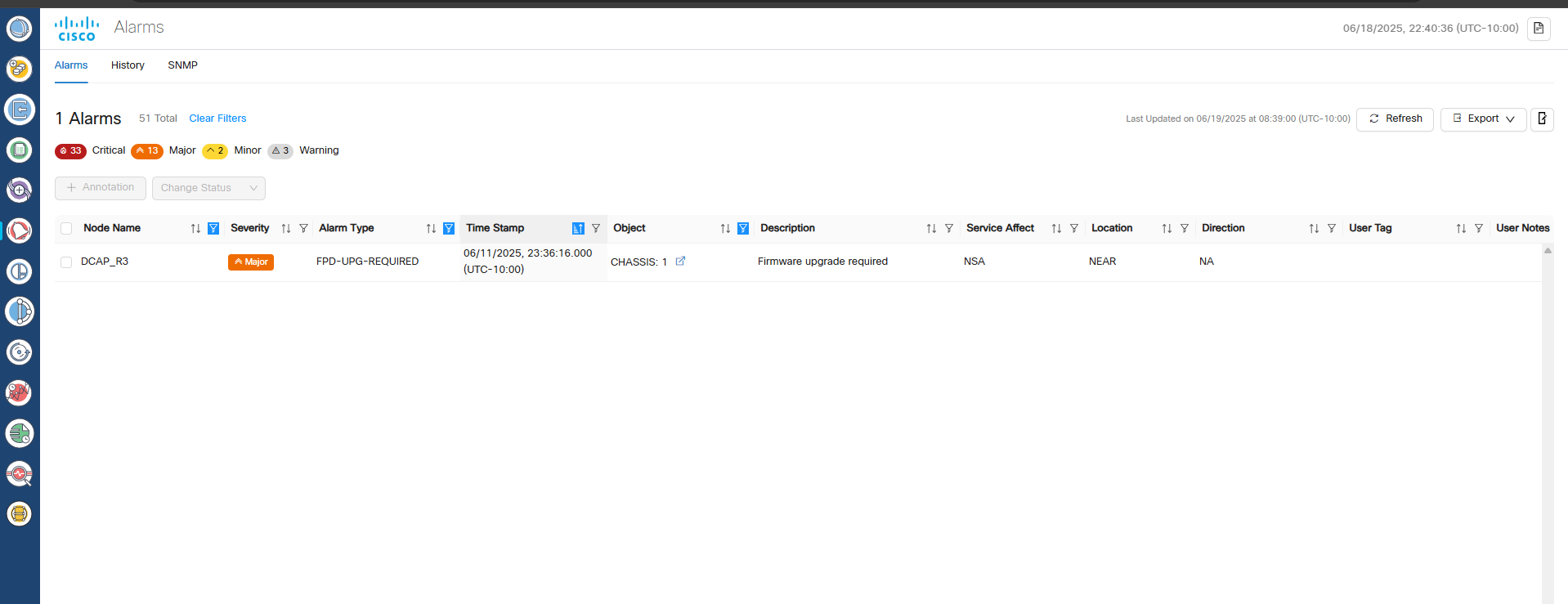
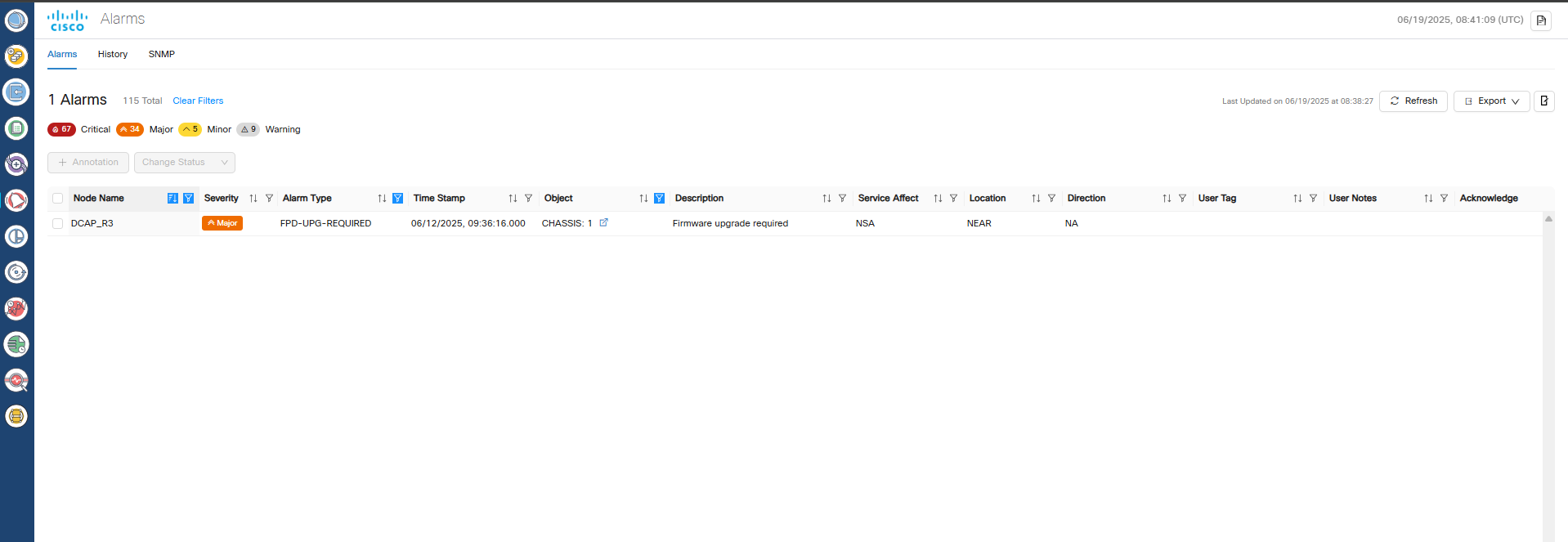
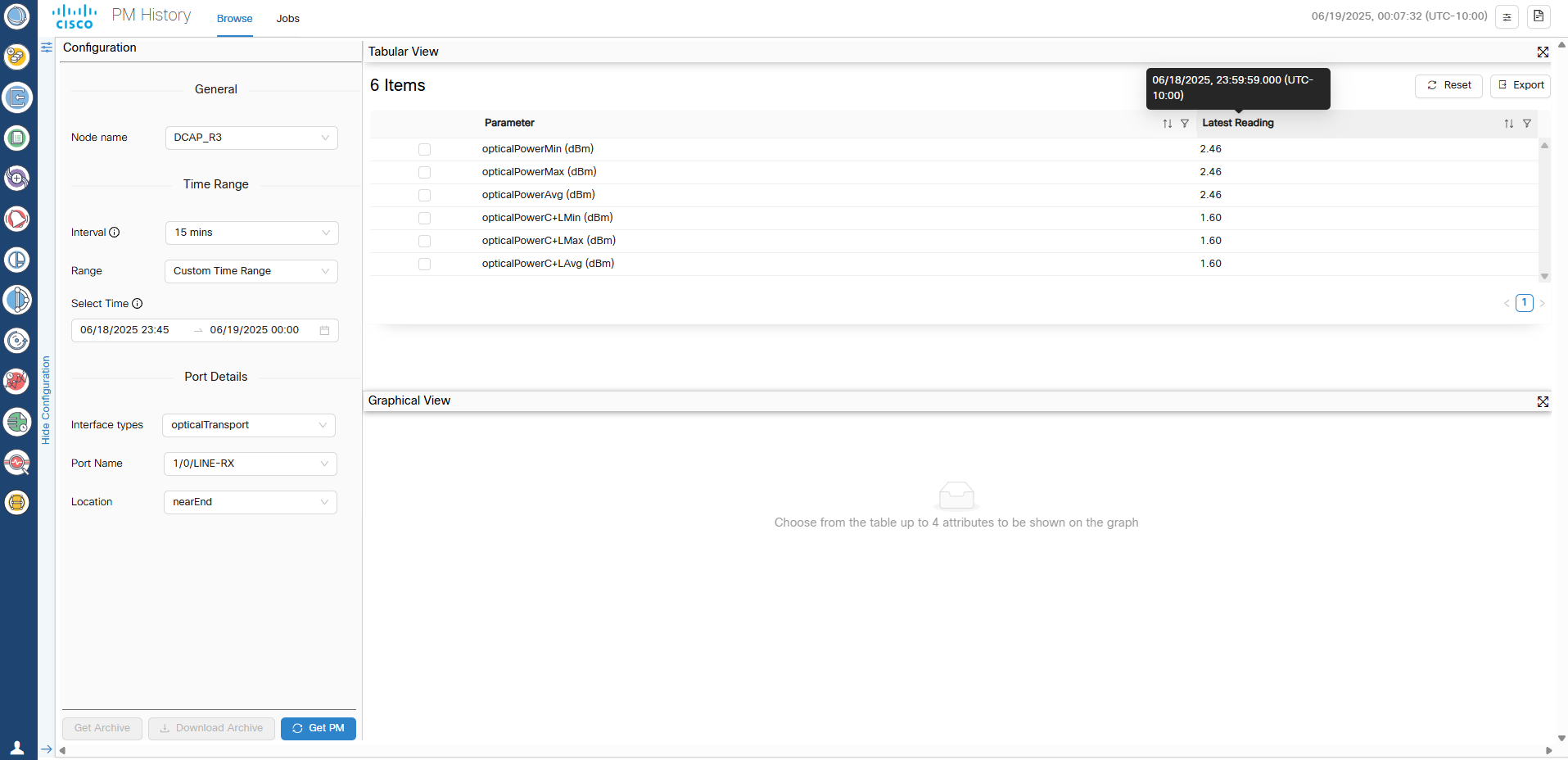
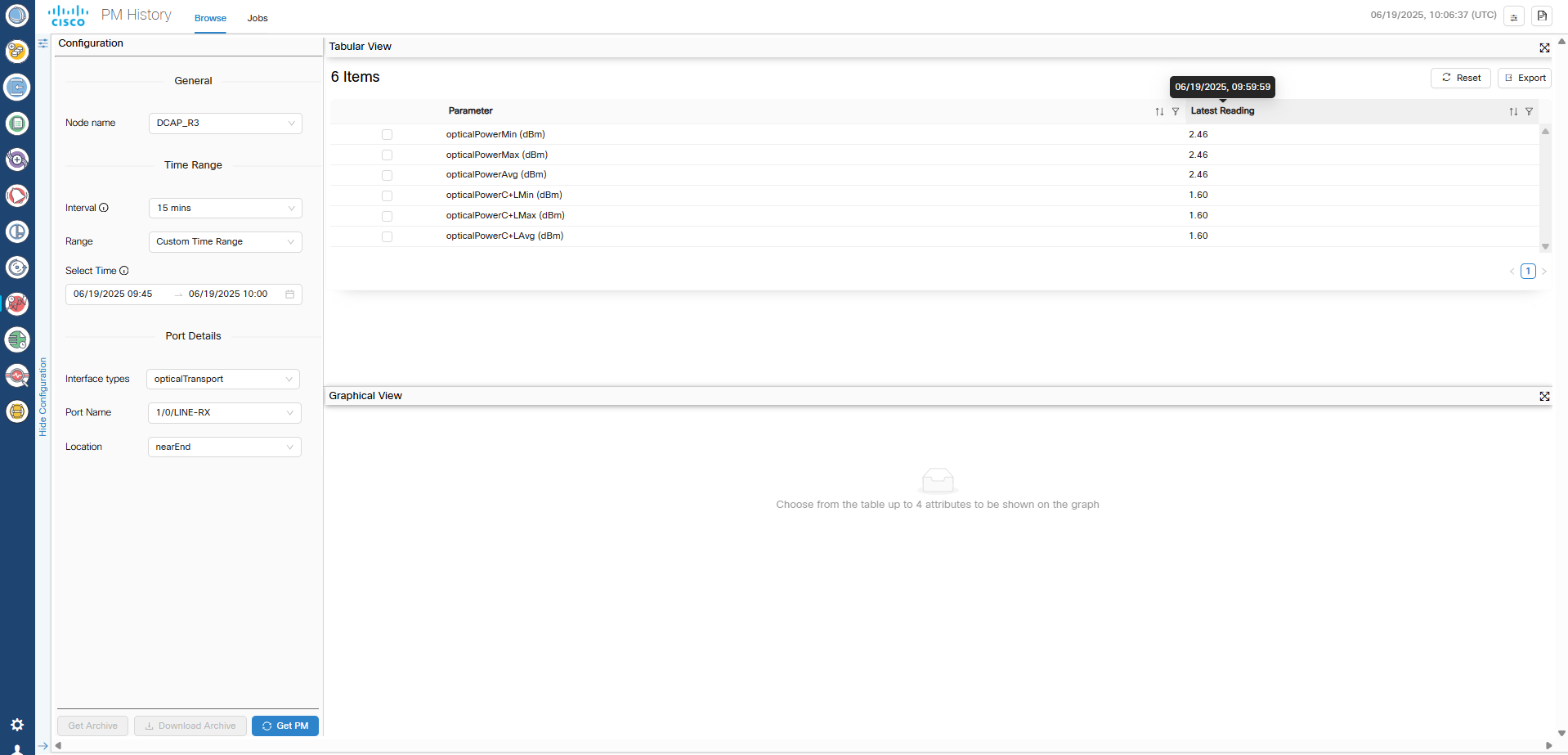
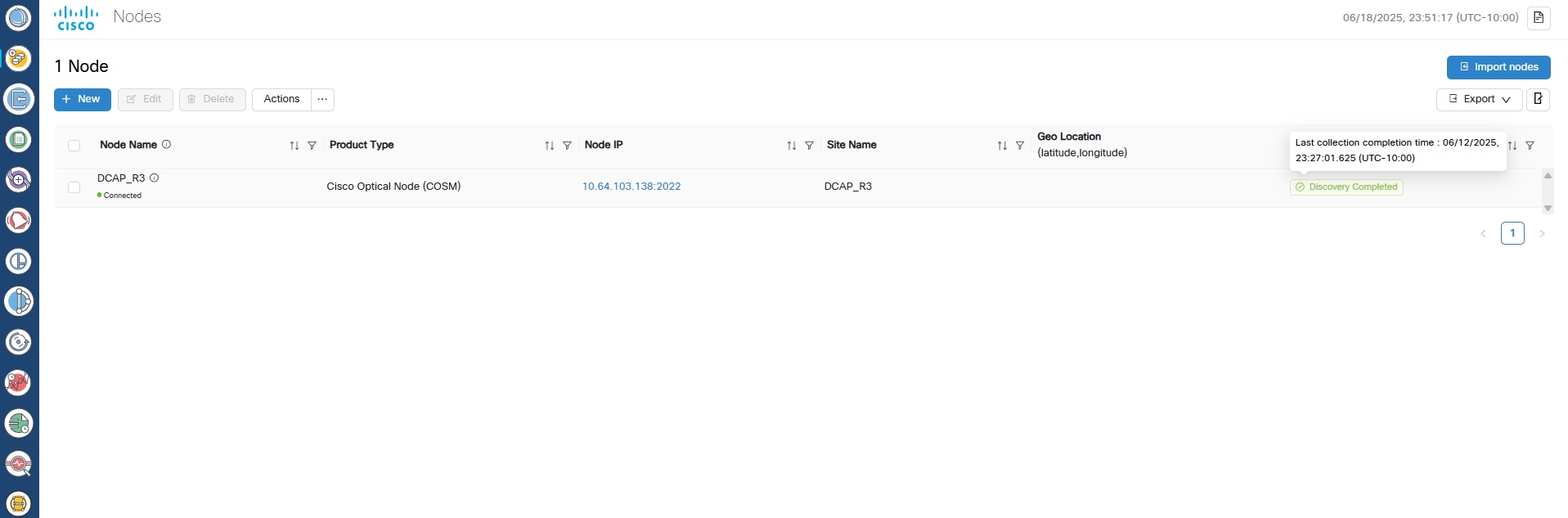
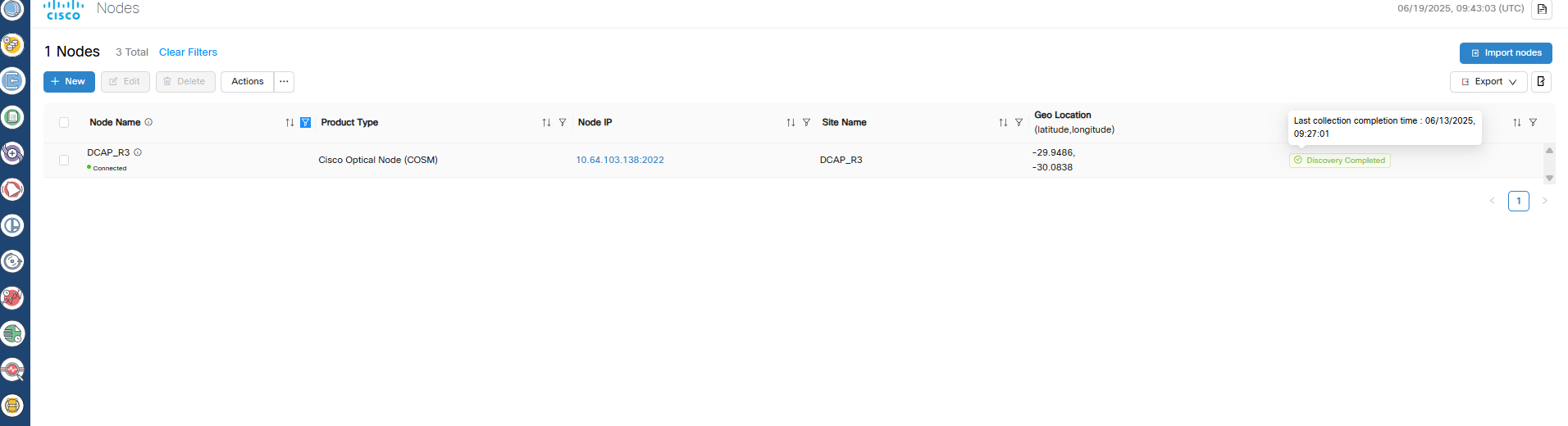
This table shows screenshots highlighting the behavioral differences between Releases 25.1.1 and 25.1.2. In Release 25.1.2, the timestamp includes the time zone name and offset.

Release 25.1.2

Release 25.1.1

Figure 1. Alarms
Screenshot
Figure 2. Alarms
Screenshot
Figure 3. PM History
Screenshot
Figure 4. PM History
Screenshot
Figure 5. Nodes
Screenshot
Figure 6. Nodes
Screenshot

This table summarizes how different system components handle time zones and describes related limitations.

Component Time Zone Behavior Notes
Database (Alarms & Logs) Stored in UTC During time zone transitions (for example, switchover), the UI might temporarily show alarms with different time zone stamps until the system converges.
Cross-launch from Cisco Optical Network Controller Offset preserved and IANA name may differ Multiple IANA names can map to the same offset (for example, Asia/Colombo and Asia/Kolkata are both UTC +05:30).
TAPI Data and Notifications UTC (+00:00) Always uses UTC regardless of system time zone.
SNMP Traps Epoch time Time zone offset is not applied to epoch timestamps.
Developer Logs and Techdump UTC No time zone conversion applied.