This manual is intended for customers, certified system installation technicians, test engineers, technical support technicians,
and other personnel responsible for installing the ONT.
The procedures in this manual require the user to understand and follow the safety practices at your site as well as those
identified in this manual. Before applying power and turning up any hardware, check the installation location for adequate
temperature, humidity and electrical requirements. This manual describes the electrical, physical and environmental specifications
for the ONT. Turn-up and test personnel should work closely with systems integration personnel to ensure a functional installation.
The exclamation point within an equilateral triangle is intended to alert the user to the presence of important operating
and maintenance (servicing) instructions in the literature accompanying the product. When installing, operating, or maintaining
this equipment, basic safety precautions should always be followed to reduce the risk of fire, electrical shock and injury
to persons:
-
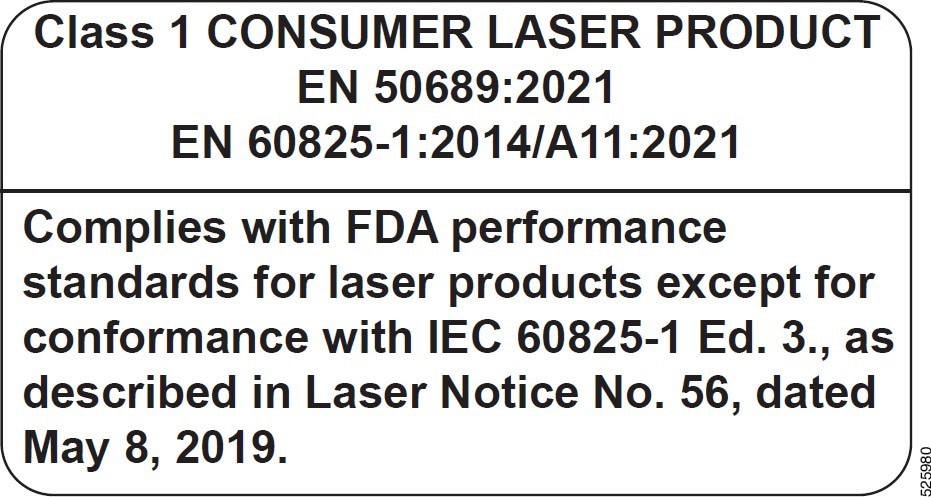
Use of controls or adjustments or performance of procedures other than those specified herein may result in hazardous laser
radiation exposure.
-
Read and understand all instructions before executing any activity.
-
Follow all warnings and instructions marked on this product.
-
Fori nformation on proper mounting instructions, read the appropriate section of this manual.
-
The metallic telecommunications interface should not leave the building premises unless connected to telecommunication devices
providing primary and secondary protection as applicable.
-
This product should only be operated from the type of power source indicated on the marking label.
-
Do not install telecommunications wiring during a lightning storm.
-
Do not touch un-insulated wiring or terminals carrying direct current or leavethis wiring exposed. Protect and tape wiring
and terminals to avoid risk of fire, electric shock, and injury to service personnel.
-
Do not touch un-insulated wires or terminals unless the line has been disconnected at the network interface.
-
Tor educe the risk of electrical shock, do not disassemble this product. Trained personnel should only perform service. Opening
or removing covers and/or circuit boards can expose dangerous voltages or other risks. Incorrect re-assembly can cause electric
shock or fire when the system is subsequently used.
-
Ensure that there is no exposed wire when the input power cables are connected to the system.
-
Do not stack anything on top of the system.
-
At the end of life of the system, it shall be disposed of according to local laws.

Caution
|
Use of controls or adjustments or performance of procedures other that those specified herein may result in hazardous radiation
exposure.
|
CE compliance
The CE mark on the ONT signifies that the system meets all relevant European directives and standards requirements.
FCC statement
This device complies with Part 15 of the FCC Rules.
Operationis subject to the following conditions:
-
This device may not cause harmful interference.
-
This device must accept any interference received, including interference that may cause undesired operation.
If this equipment does cause interference to radio or television reception, the user is encouraged to try to correct the interference
using the following measures:
-
Reorient the receiving antenna.
-
Relocate the equipment with respect to the receiver.
-
Move the equipment away from the receiver.
-
Plug the equipment into a different outlet so that equipment and receiver are on different branch circuits.
If necessary, the user should consult the dealer or an experienced radio/ television technician for additional suggestions.
Modifications to this product not authorized could void the FCC approval and negate your authority to operate the product.
Fiberbreak and damaged fiber precautions
Ifa fiber break occurs or a damaged fiber is seen, observe the following precautions:
-
Power off all laser sources to the fiber or disconnect the fiber end from the laser source.
-
Notify the facility manager or supervisor about the damaged or broken fiber.
-
Identify where the fiber is damaged or broken.
Be careful when handling damaged or broken optical fibers to avoid eye injuries caused by invisible fiber fragments.
General static electricity precautions
A damaging static electrical charge can be generated by the rubbing and sliding of materials against each other.
Different materials have different potentials of generating and holding a static electric charge. Plastic materials similar
to nylon and polyester are capable of generating and holding a potentially large damaging static electricity charge.
Materials similar to cotton do not typically have the potential to generate and hold a charge. The buildup of static electricity
can be of a sufficient potential to damage electronic circuitry. When working on equipment or any interconnecting electrical/optical
cabling, always wear an approved personnel ground device.
Industry experience has shown that all devices containing integrated circuits can be damaged by static electricity that builds
up on work surfaces and personnel. The effect of ESD damage may be immediate failure or it may manifest itself as a latent
failure affecting the reliability of the equipment.
The static charges and discharges are produced by various charging effects of movement and contact with other objects. Dry
air allows greater static charges to accumulate on a body.
Observe the following precautions to avoid static charges and discharges:
-
Assume that all modules contain solid state electronic components that can be damaged by ESD.
-
Handle all modules by the faceplate or latch and by the top and bottom outermostedges. Never touch the components, conductors,
or connector pins.
-
When handling modules (that is, storing, installing, removing, and so forth) orwhen working on the backplane, always wear
a grounded wrist strap or wear a heel strap and stand on a grounded, static-dissipating floor mat.
-
Observe all warning labels on bags and cartons.
-
If possible, do not remove modules from antistatic packaging until they are ready for use.
-
If possible, open all module packaging at a static-safe work station using properly grounded wrist straps and static-dissipating
table mats.
-
Always store and transport modules in static-safe packaging.
-
Keep all static-generating material, such as food wrappers, plastics, and styrofoam containers, away from all modules.
-
When removing modules from an enclosure, immediately place them in static-safe packages.
-
Whenever possible, maintain relative humidity above 20 percent.
Optical fiber handling precautions
When handling or connecting optical fibers, observe the following precautions:
-
Always wear safety glasses when handling fibers.
-
Avoid indirect eye or direct skin exposure to the ends of optical connectors and fibers, because laser energy may be present.
-
Install protective covers or caps on all fiber optical connectors when they are not in use.
Precautions for handling and storing the ONT
When handling, installing, or removing an ONT, observe the following precautions:
-
Wear wrist straps or other suitable ESD-grounding devices before touchingand/or removing a ONT from the equipment shelf or
ESD- protective packaging.
-
Ensure the protective covers or caps are installed on all optical connectors when the connectors are not in use.
-
Store all ONT in suitable ESD-protective packaging when they are not installed in an equipment shelf.
Voltage precaution
Personnel should exercise safety precautions when connecting, measuring, and disconnecting all voltage supply lines.
Observe the following precautions to avoid voltage shock:
-
Never use both hands when working on or near a voltage source.
-
Use the buddy system when working around voltage sources.
-
Ensure that rescue and first aid equipment is available and accessible.
-
Remove watches, rings, necklaces, and other conductive devices that might come in contact with live voltages or high energy
sources.
-
Before activating circuits, ensure that other personnel are not in contact with voltage sources.
-
Deactivate power whenever possible before performing maintenance on system components.

 Feedback