Create a new section
Procedure
|
Step 1 |
Click + ADD SECTION. 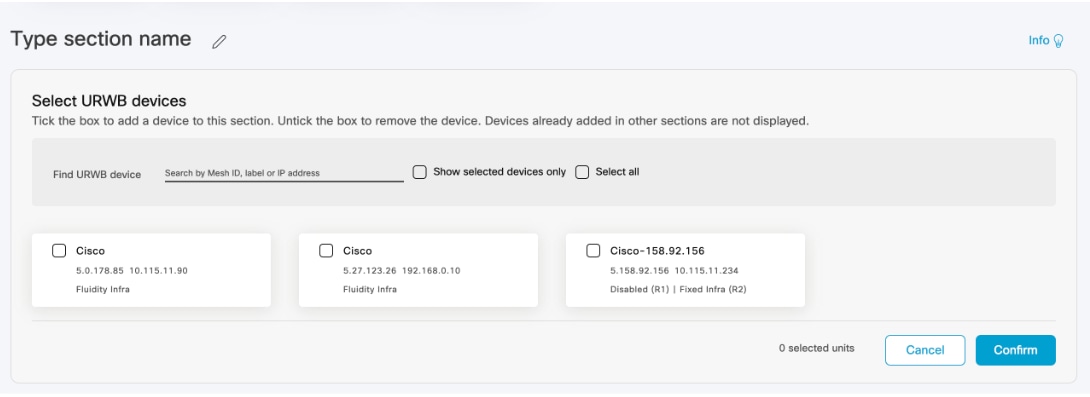
|
||
|
Step 2 |
Click |
||
|
Step 3 |
Use the search box to find the URWB devices by mesh ID, label (assigned device name), or the device IP address. |
||
|
Step 4 |
Select the Show selected devices only checkbox to view uncategorized devices. Uncategorized devices are not yet assigned to any section. They are displayed separately.

Select Select all checkbox to select every device in the list, or select devices individually. |
||
|
Step 5 |
Click Confirm to add the selected devices to the new section. |
 to enter a section name.
 of the section.
 Feedback