Site-to-site VPN
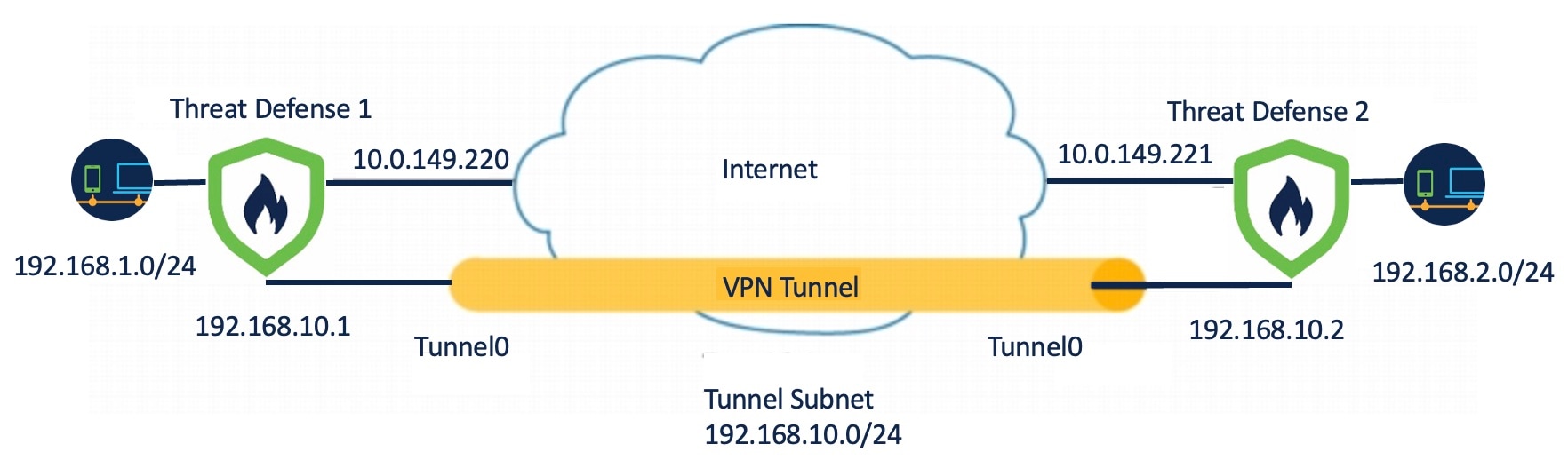
A site-to-site VPN is a secure, encrypted VPN tunnel between two networks in different geographic locations. After the VPN connection is established, the hosts behind the local gateway can connect to the hosts behind the remote gateway through the secure VPN tunnel. You can create site-to-site IPsec connections between managed devices, and between managed devices and other Cisco or third-party peers.
Site-to-site VPN features
Secure Firewall Threat Defense site-to-site VPN supports these features:
-
IPsec IKEv1 & IKEv2 protocols.
-
Certificates and automatic or manual preshared keys for authentication.
-
IPv4 & IPv6 addresses. All combinations of inside and outside are supported.
-
Static and dynamic interfaces.
-
HA environments for both Firewall Management Center and Firewall Threat Defense.
-
VPN alerts when the tunnel goes down and tunnel statistics.
-
IKEv1 and IKEv2 back-up peer configuration for point-to-point extranet and hub-and-spoke VPNs.
-
Extranet device as hub in 'Hub and Spokes' deployments.
-
Dynamic IP address for a managed endpoint pairing with extranet device in 'Point to Point' deployments and for extranet device as an endpoint.
VPN topologies
VPN topology configuration requires specifying a unique name, a topology type, IKE version selection, and authentication method. The Secure Firewall Management Center configures site-to-site VPNs on Firewall Threat Defense devices only.
You can select from three types of topologies, containing one or more VPN tunnels:
-
Point-to-point (PTP) deployments establish a VPN tunnel between two endpoints.
-
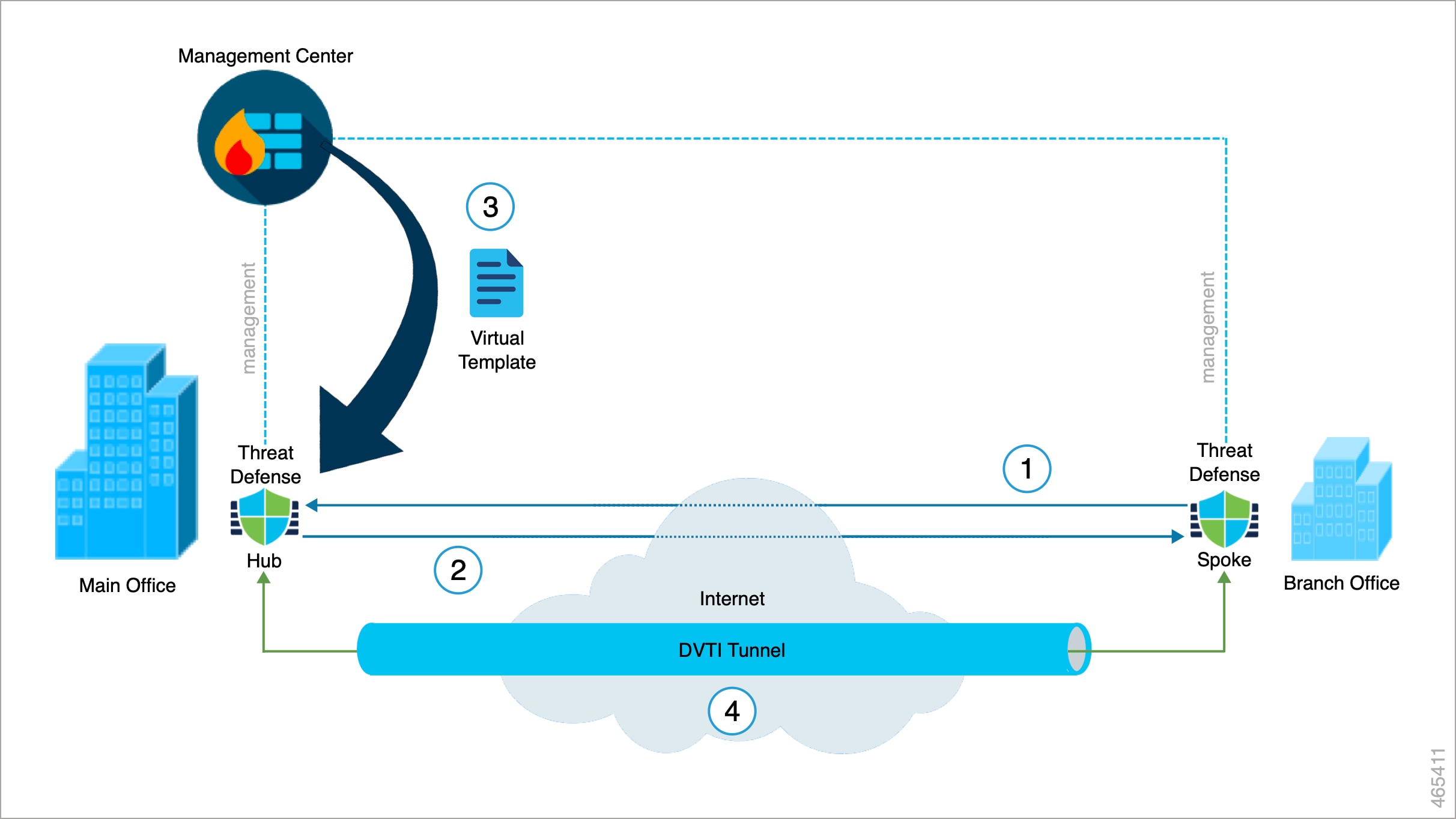
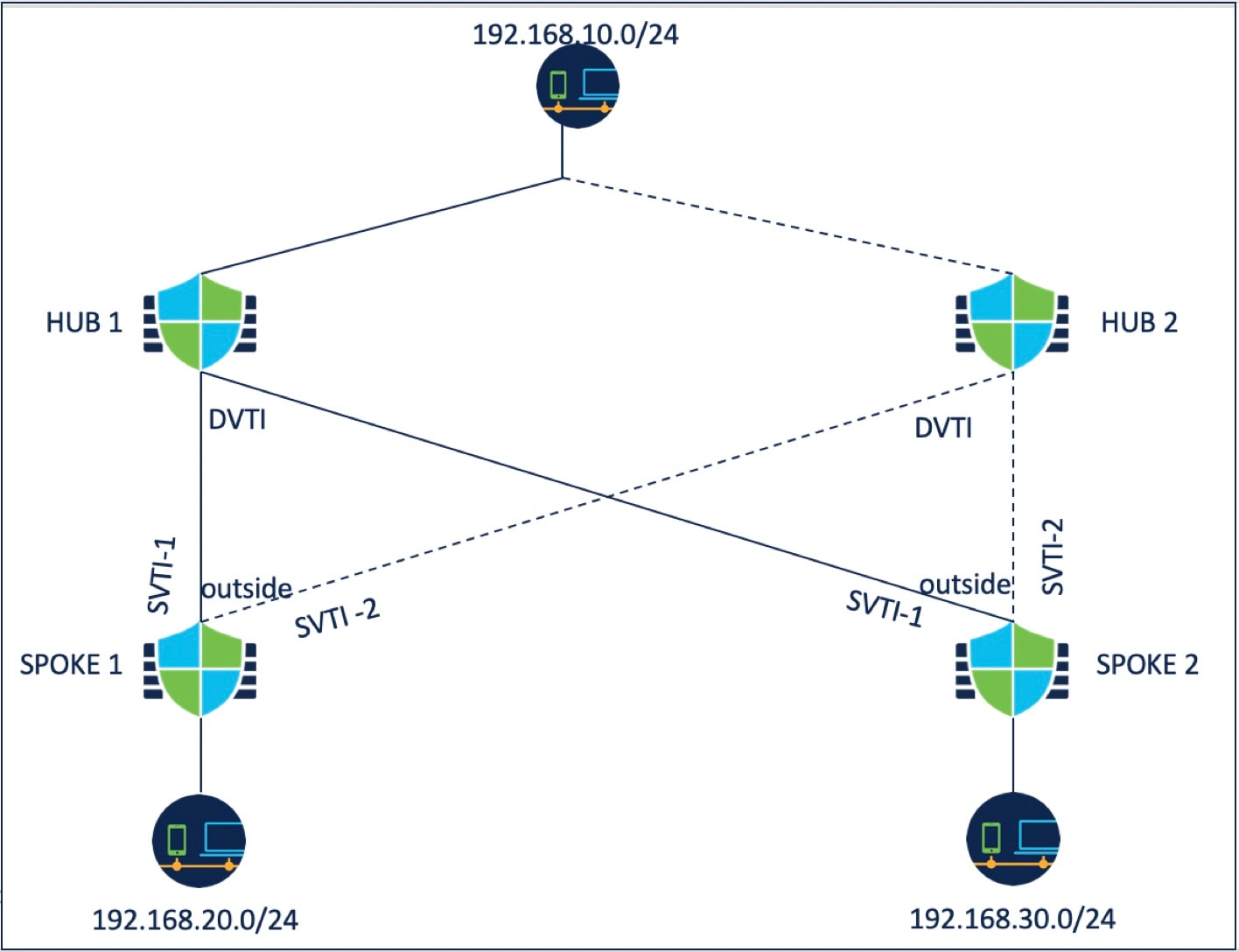
Hub and Spoke deployments establish a group of VPN tunnels connecting a hub endpoint to a group of spoke nodes.
-
Full Mesh deployments establish a group of VPN tunnels among a set of endpoints.
In the Secure Firewall Management Center, site-to-site VPNs are configured based on IKE policies and IPsec proposals that are assigned to VPN topologies. Policies and proposals are sets of parameters that define the characteristics of a site-to-site VPN, such as the security protocols and algorithms that are used to secure traffic in an IPsec tunnel. Several policy types may be required to define a full configuration image that can be assigned to a VPN topology.
For authentication of VPN connections, configure a preshared key in the topology, or a trustpoint on each device. Preshared keys allow for a secret key, used during the IKE authentication phase, to be shared between two peers. A trustpoint includes the identity of the CA, CA-specific parameters, and an association with a single enrolled identity certificate.
IPsec and IKE
In the Secure Firewall Management Center, site-to-site VPNs are configured based on IKE policies and IPsec proposals that are assigned to VPN topologies. Policies and proposals are sets of parameters that define the characteristics of a site-to-site VPN, such as the security protocols and algorithms that are used to secure traffic in an IPsec tunnel. Several policy types may be required to define a full configuration image that can be assigned to a VPN topology.
Authentication
For authentication of VPN connections, configure a preshared key in the topology, or a trustpoint on each device. Preshared keys allow for a secret key, used during the IKE authentication phase, to be shared between two peers. A trustpoint includes the identity of the CA, CA-specific parameters, and an association with a single enrolled identity certificate.
Extranet Devices
Each topology type can include extranet devices, devices that you don't manage in Firewall Management Center. These include:
-
Cisco devices that Secure Firewall Management Center supports, but for which your organization isn't responsible. Such as spokes in networks managed by other organizations within your company, or a connection to a service provider or partner's network.
-
Non-Cisco devices. You can't use Secure Firewall Management Center to create and deploy configurations to non-Cisco devices.
Add non-Cisco devices, or Cisco devices not managed by the Secure Firewall Management Center, to a VPN topology as "Extranet" devices. Also specify the IP address of each remote device.
Guidelines for configuring site-to-site VPN in Secure Firewall Threat Defense devices
General guidelines
-
Site-to-site VPN supports ECMP zone interfaces.
-
Configure all nodes in a topology with either crypto ACL or a protected network. You cannot configure a topology with crypto ACL on one node and protected network on another.
-
Configure a VPN connection across domains by using an extranet peer for the endpoint not in the current domain.
-
You can backup Firewall Threat Defense VPNs using the Firewall Management Center backup.
-
Configure unique local IKE identity for all tunnels across all your VPN topologies.
-
Ensure that IKE ports 500 and 4500 are not already in use and that no active PAT translations exist on those ports before configuring a site-to-site VPN. Configuring a site-to-site VPN on ports that are already in use will cause the service to fail to start.
-
When configuring a site-to-site VPN between two devices managed by the same Firewall Management Center, do not configure the devices as backup peers. Instead, configure one of the peer devices in the topology as an extranet device.
-
If a spoke is part of multiple topologies with the same hub, for the Local Tunnel (IKE) Identity, we recommend that you use Key ID instead of an IP address.
If the spoke uses an IP address as its local identity, the hub creates only one tunnel group. The spoke is then mapped to a specific virtual template interface, so the connection works with only one topology.
RBD with HA guidelines
In a remote branch deployment (RBD) with High Availability when you break a High Availability pair:
-
For hub and spoke VPN:
-
If the Firewall Threat Defense HA is a hub, VPN configurations will be available in the active device and will be removed in the standby device.
-
If the Firewall Threat Defense HA is a spoke, VPN configurations will be available in the active and standby devices.
-
-
For point-to-point VPN, if the endpoint has an RBD Firewall Threat Defense HA WAN interface, VPN configurations will be removed from the standby device.
Limitations for configuring site-to-site VPN in Threat Defense devices
General limitations
-
IKEv1 does not support CC/UCAPL-compliant devices. IKEv2 is recommended for these devices.
-
VPN does not support network objects with a 'range' option.
-
Firewall Threat Defense VPNs do not support PDF export and policy comparison.
-
Tunnel status is not updated realtime, but at an interval of five minutes in the Firewall Management Center.
-
You cannot use the double quote character (
") in pre-shared keys, replace it if already in use.
Crypto ACL limitations
-
Firewall Management Center supports only point-to-point VPN with crypto ACL and does not support tunnel health events.
-
Firewall Management Center does not verify the device interface address verification for transport mode when you select a crypto ACL.
-
There is no support for automatic mirror ACE generation. Mirror ACE generation for the peer is a manual process on either side.
Topology management limitations
-
You cannot move a VPN topology between domains.
-
There is no per-tunnel or per-device edit option for Firewall Threat Defense VPNs, you can edit only the whole topology.





 Feedback