Platform overview
The Platform Overview enables efficient access and configuration of the platform extensibility and monitoring capabilities in a unified location.
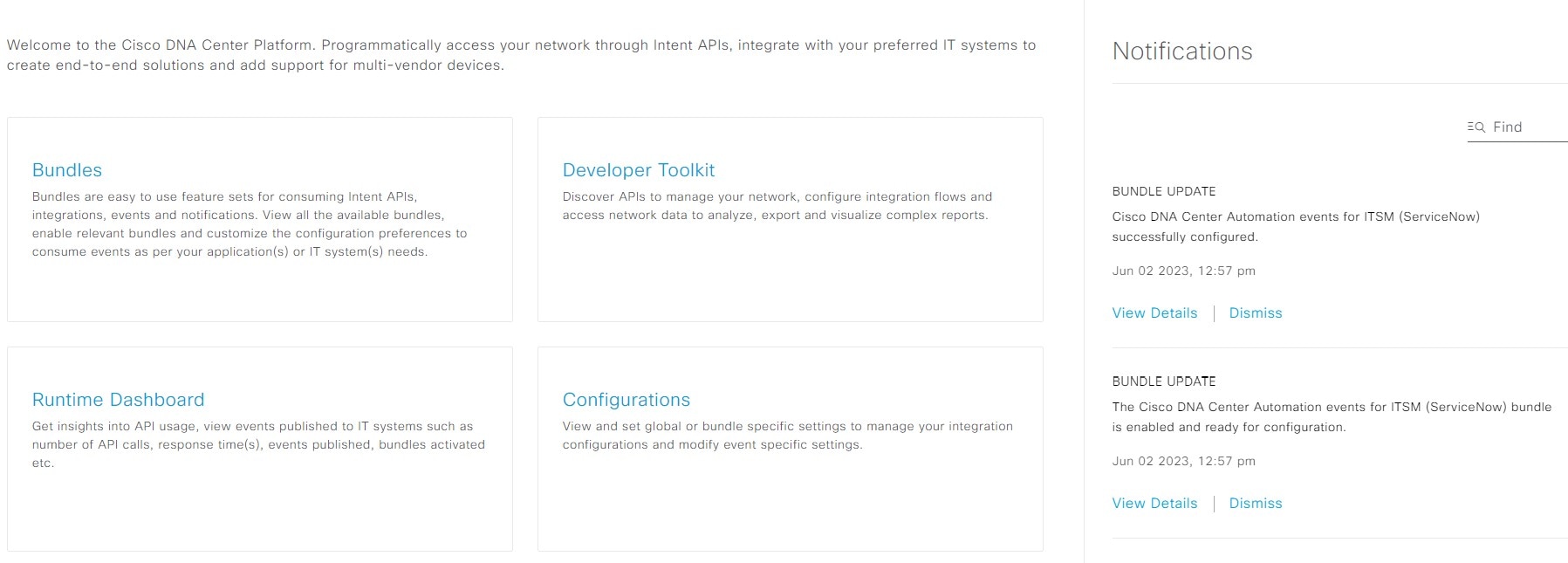
You can access the Overview page from the menu by selecting Platform and then choosing Overview. From this page, you can:
-
View summaries and access direct links to important GUI features, including:
-
Bundles: Provides access to bundles, which are groupings of APIs, events, integration flows, data services, or applications. The Bundles section also includes a link to Configurations, where you can configure general, event global settings, or settings for multiple bundles.
-
Developer Toolkit: Offers tools (such as APIs and integration flows) for extending platform capabilities or integrating with other applications.
-
Runtime Dashboard: Displays collected metrics and summaries for APIs, integration flows, and events.
-
Configurations: Allows you to configure event categories, security levels, and types, and to manage instances within bundles.
-
-
Access the Notifications slide-in pane to see current notifications about bundle updates and other platform events. Click View Details to view detailed data about the bundle under the Bundles tab. Click Dismiss to dismiss the bundle notification.
 Feedback