Monitoring policies
A monitoring policy is a configuration framework that
-
defines which network and device attributes are continuously observed,
-
defines the rate at which parameters are polled and the method for polling these parameters,
-
sets thresholds and alarm criteria to identify and report health issues without altering device configurations.
You can view and manage policies under Device management > Performance policies in Crosswork Network Contoller. Use this page to activate, deactivate, edit, or delete default and user-created monitoring policies.
Key tasks for managing monitoring policies
-
Selecting a policy type: Select the appropriate policy type based on specific monitoring requirements and identify the devices to be monitored.
-
Configuring polling frequencies: Specify the interval that the parameters are polled.
Set the Threshold Crossing Alarm (TCA): Define TCAs that trigger when monitored values exceed assigned limits.
-
Configuring Top N metrics: Classify critical health parameters, set data retention periods, and configure metric visualizations within the Top N dashboard.
-
Customizing the dashboard: Modify the metrics dashboard to track and display important health and performance metrics.
Parameters monitored by each policy
There are specific parameters monitored by each policy type. Each policy targets specific aspects of device health and functionality, providing focused monitoring solutions.
The table lists the different parameters a policy monitors for a particular policy type.
|
Policy type |
Parameters the policy monitors |
||
|---|---|---|---|
|
Device health |
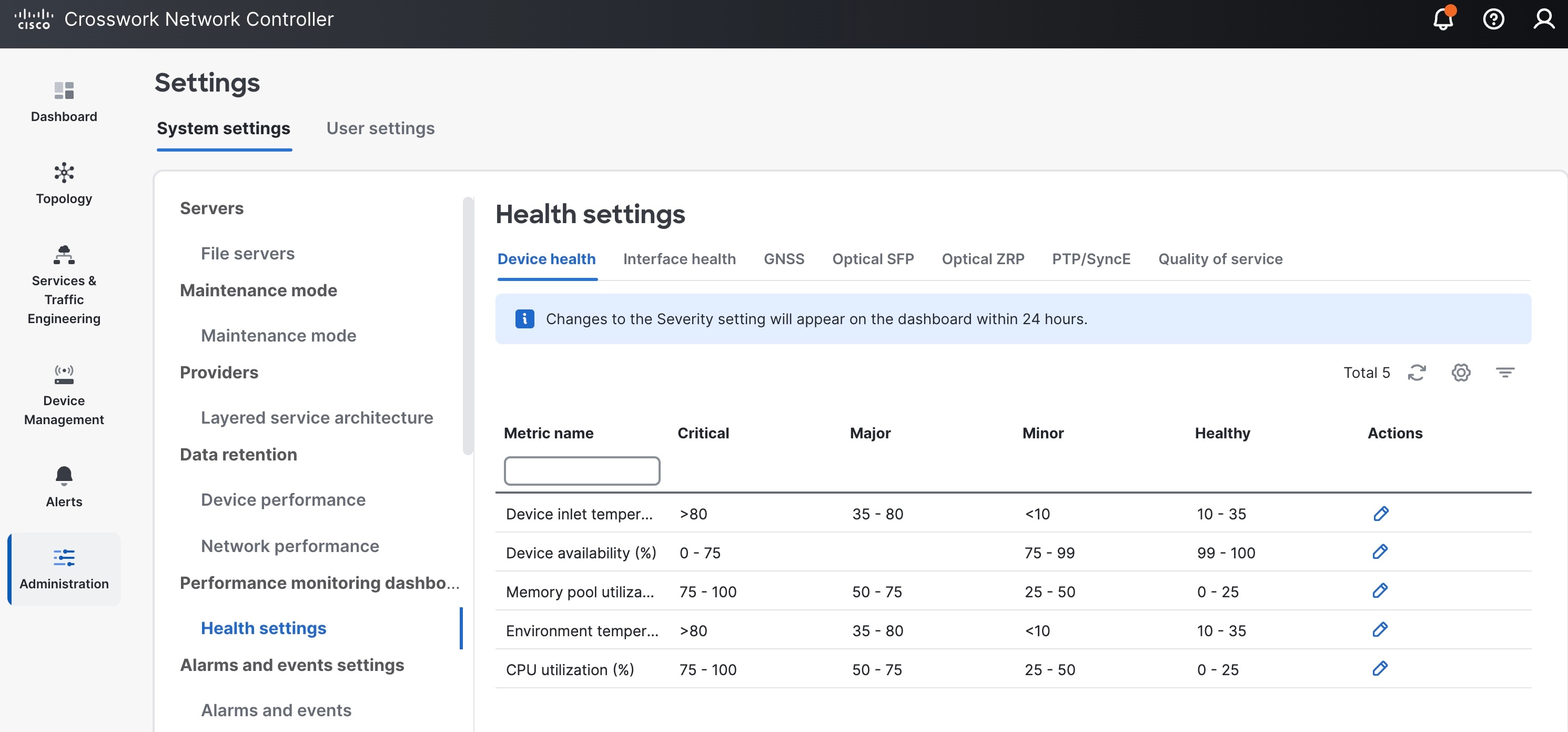
Monitors Cisco devices and third-party devices. For Cisco devices, the policy checks managed devices for CPU utilization,
memory pool utilization, environment temperature, and device availability. For third party devices, the policy checks devices
for device availability only. This policy also specifies thresholds for utilization and temperature which, if surpassed, trigger
alarms that are displayed in the UI.
Parameters: Memory pool utilization, CPU utilization, environmental temperature, device availability
|
||
| GNSS |
Monitors the performance and reliability of (Global Navigation Satellite System )GNSS receivers within a network. It polls status and signal quality of satellites. Parameters: Antenna open alarm, antenna short alarm, module lock, module presence, satellite lock count, module slot info, module slot state, module visibility status |
||
|
Interface health |
Monitors attributes to assess interface operational status and performance in a network.
Parameters: Statistics and CRC |
||
| LSP traffic |
Tacks traffic routed through an MPLS (Multiprotocol Label Switching) network and ensures that data packets are being efficiently routed. Parameters: Outgoing traffic rate and outgoing packets rate |
||
|
Optical SFP |
Polls health and performance information for optical SFP (Small Form-Factor Pluggable) interfaces. It is available for all
Cisco pluggable devices supporting DOM (Cisco Digital Optical Monitoring).
Parameters: Received optical power, temperature, transmitted bias current, current, transmitted optical power, voltage |
||
|
Optical ZRP |
Polls health and performance information for ZR optical transceivers within a network.
Parameters:
|
||
|
PTP/ SyncE |
Monitors the Precision Time Protocol (PTP) and Synchronous Ethernet (SyncE) within a network. The PTP/ SyncE policy monitors clock synchronization of primary clocks on devices and the quality of clock signals. Parameters:
|
||
|
Quality of service |
Monitors quality of service (QoS) on Cisco and third-party devices by collecting and analyzing traffic statistics per class-map. Parameters: Transmitted packets, transmitted bytes, dropped packets, dropped bytes, drop percent, drop packets percent, drop packets rate, queue discard bytes rate, queue discard packets rate, conformed packets rate, conformed bytes rate, exceeded packets rate, exceeded bytes rate, violated packets rate, and violated bytes rate. For QoS policies, TCAs can additionally be set for individual Class of Service (CoS) values. QoS-specific alarms and TCAs are not shown on Topology maps. |
||
|
SRv6 traffic accounting |
Collects and monitors data from Cisco IOS XR devices with gNMI protocol supported. Parameters: Interface name, IPV6 prefix, IPv6 prefix length, transmitted traffic rate, and sample's interval in milliseconds. |
For a list of pre-defined Key Performance Indicators (KPIs) available for monitoring network and device performance, see Pre-defined KPIs for performance metrics.
Default policy management considerations
-
Enabled by default: LSP traffic and Interface health policies are enabled by default in Crosswork Network Controller from version 7.1 onwards.
-
Viewing default policies: View and review default policies on the Performance policies page.
-
Upgrade considerations: During the upgrade from Crosswork Network Controller version 7.0 to version 7.1 or 7.2, if no LSP traffic or interface health policies were configured, these policies are created by default.
-
Customizing default policies: Default policies can be customized. Customization may impact Crosswork Optimization Engine (COE) operations if COE is installed.
-
Deactivation or deletion impact: Deactivating or deleting default policies may impact COE functionalities. It may also affect visualizations and data displays within the topology user interface. Carefully evaluate the impact before making changes.
gNMI based polling
SNMP is the default protocol used for data polling in Crosswork Network Controller. You can aslo enable gNMI based polling
for interface health and LSP traffic policies. To enable gNMI polling, the device must have the pm-openconfig tag assigned, and gNMI capability must be configured. Once you enable gNMI, the tagging and configuration changes take effect
in the next polling cycle.
If a device is tagged with pm-openconfig but lacks gNMI capability, polling will switch to SNMP to ensure data collection.
Configure gNMI based polling for interface health and LSP traffic policies
Enable and configure gNMI-based data collection for monitoring interface health and LSP traffic policies in Crosswork Network Controller.
Use this task to switch from default SNMP to gNMI polling for specific devices and monitoring policies. This allows for telemetry collection when your devices support gNMI. The polling protocol selection depends on both tagging the device and configuring its gNMI capability.
Follow these steps to enable gNMI-based polling for interface health and LSP traffic policies:
Before you begin
Verify that your devices support and can be configured for gNMI.
Procedure
|
Step 1 |
Create the |
||
|
Step 2 |
Assign the |
||
|
Step 3 |
Configure gNMI capability on the required devices. Refer to the Cisco Crosswork Network Controller 7.2 Administration Guide for details on configuring gNMI and assigning tags.
|

 Feedback