About the migration
This chapter discusses how to migrate your configuration and objects from the Cisco ACI Endpoint Update App to the Cisco APIC integration with ASA. Among the reasons to migrate:
-
The Cisco APIC integration uses the dynamic attributes connector, which retrieves dynamic objects (that is, network object groups, EPGs, and ESGs) from Cisco APIC and sends them to the Secure Firewall Management Center.
-
You can add more Cisco APIC-ASA integrations to the dynamic attributes connector at any time.
 Note |
As an alternative to this migration, you can use the Standalone ACI-Endpoint-Update-App. |
To migrate, perform the following tasks:
-
Install the dynamic attributes connector and make sure it, Cisco APIC, and Cisco APIC can communicate with each other over the network. The dynamic attributes connector retrieves network object groups from Cisco APIC and pushes them to Cisco APIC so all systems must be able to communicate.
See Migration step 1: Set up the dynamic attributes connector
-
On Cisco APIC, get the site prefix and update interval from the Cisco ACI Endpoint Update App, disable learning, and choose a user with the appropriate privilege level.
-
On the dynamic attributes connector, create an ASA adapter.
See Migration step 3: Configure the dynamic attributes connector
-
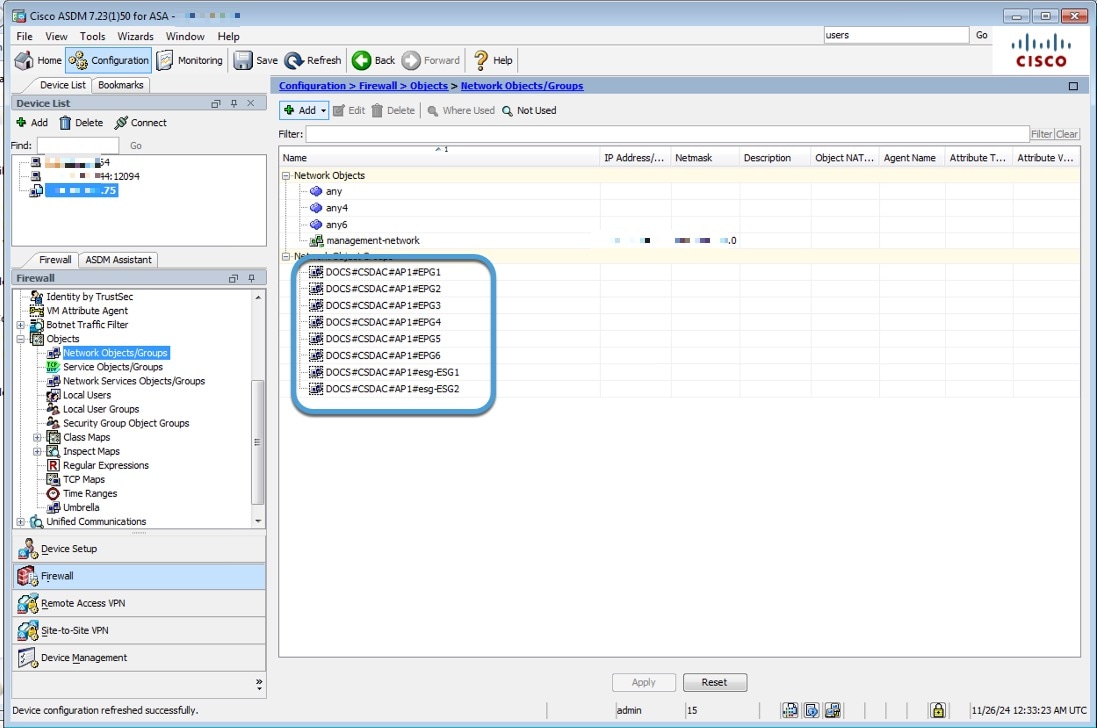
As a final verification step, make sure you see objects on the Cisco APIC.
See Migration final step: Verify network object groups in ASDM
 .
.
 Feedback