How Remote Management Works
To allow the Firewall Management Center to manage the Firewall Threat Defense over the internet, use the outside interface for Firewall Management Center manager access instead of the Management interface. Because most remote branch offices only have a single internet connection, outside manager access makes centralized management possible.
 Note |
The management connection is a secure, TLS-1.3-encrypted communication channel between itself and the device. You do not need to run this traffic over an additional encrypted tunnel such as Site-to-Site VPN for security purposes. If the VPN goes down, for example, you will lose your management connection, so we recommend a simple management path. |
Registration Methods
Use one of the following methods to provision your Firewall Threat Defense:
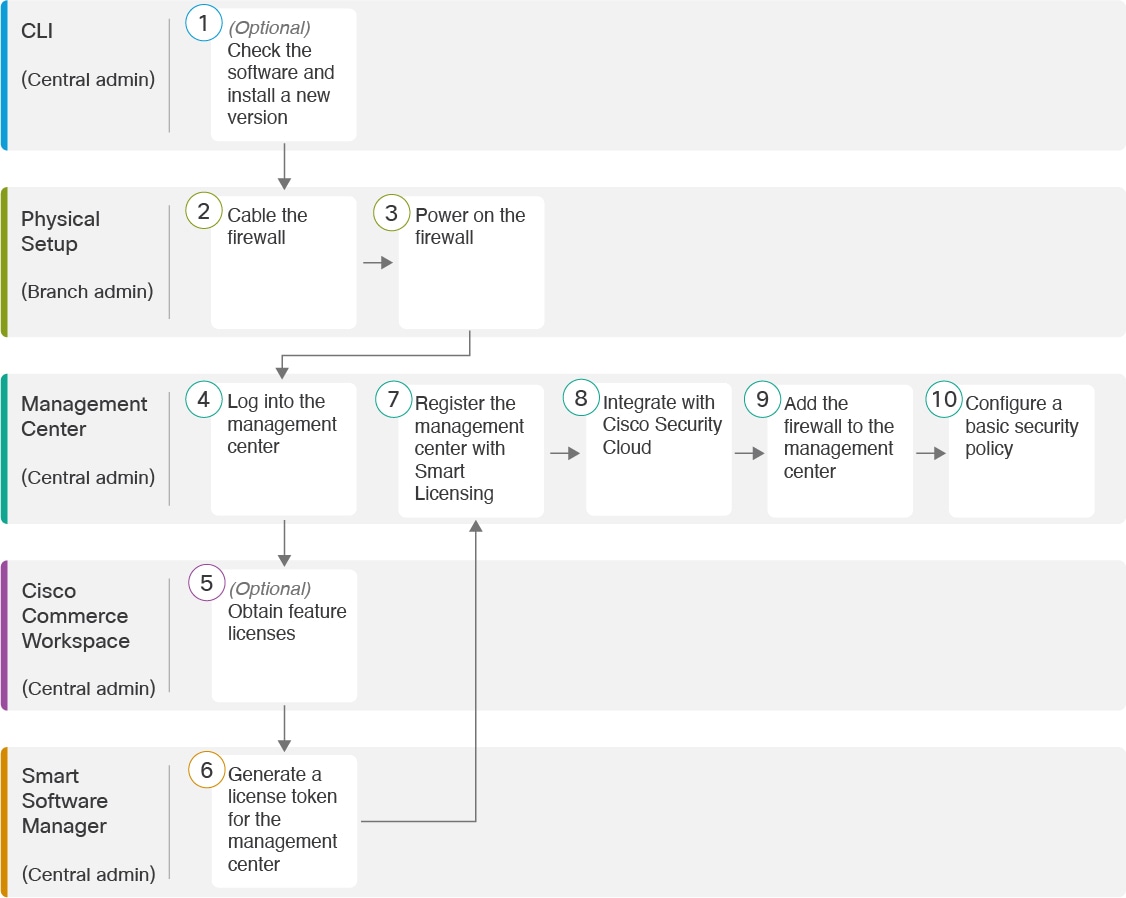
Zero-Touch Provisioning (Firewall Management Center 7.4 and later, Firewall Threat Defense 7.2 and later)
-
Send the Firewall Threat Defense to the remote branch office. Do not configure anything on the device, because zero-touch provisioning may not work with pre-configured devices.
Note
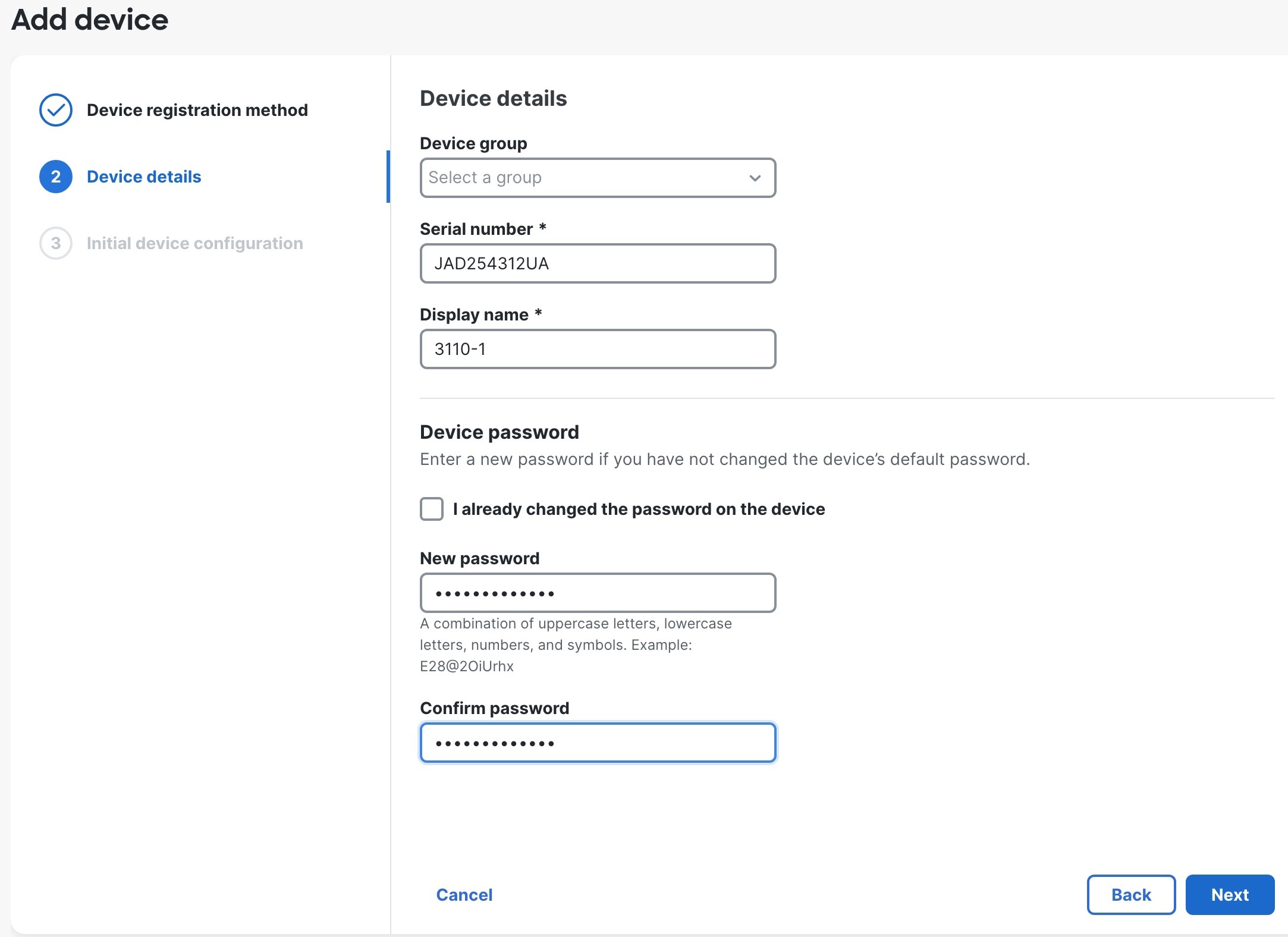
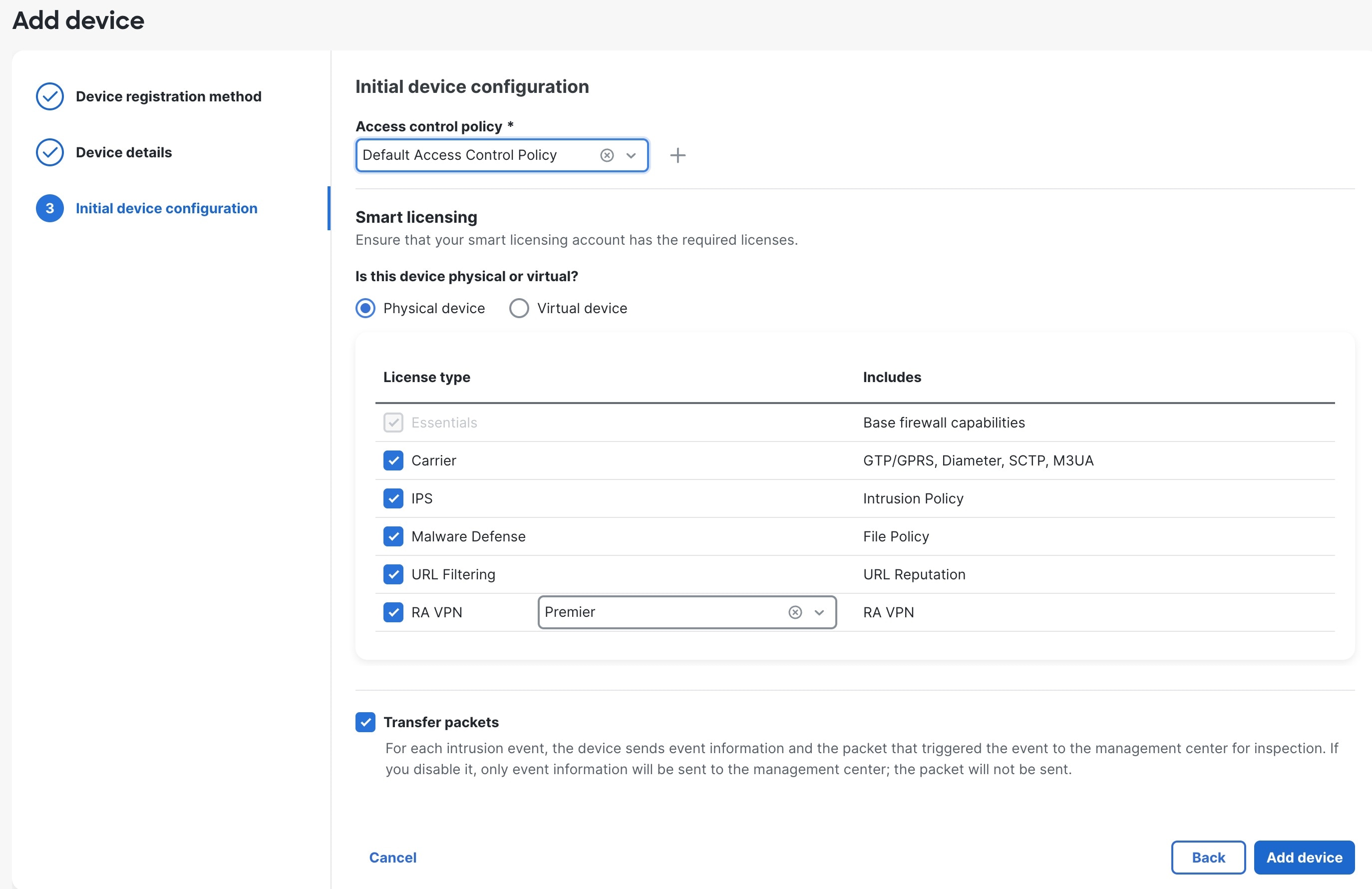
You can preregister the Firewall Threat Defense on the Firewall Management Center using the Firewall Threat Defense serial number before sending the device to the branch office. The Firewall Management Center integrates with the Cisco Security Cloud and Security Cloud Control for this functionality.
-
At the branch office, cable and power on the Firewall Threat Defense.
-
Finish registering the Firewall Threat Defense using the Firewall Management Center.
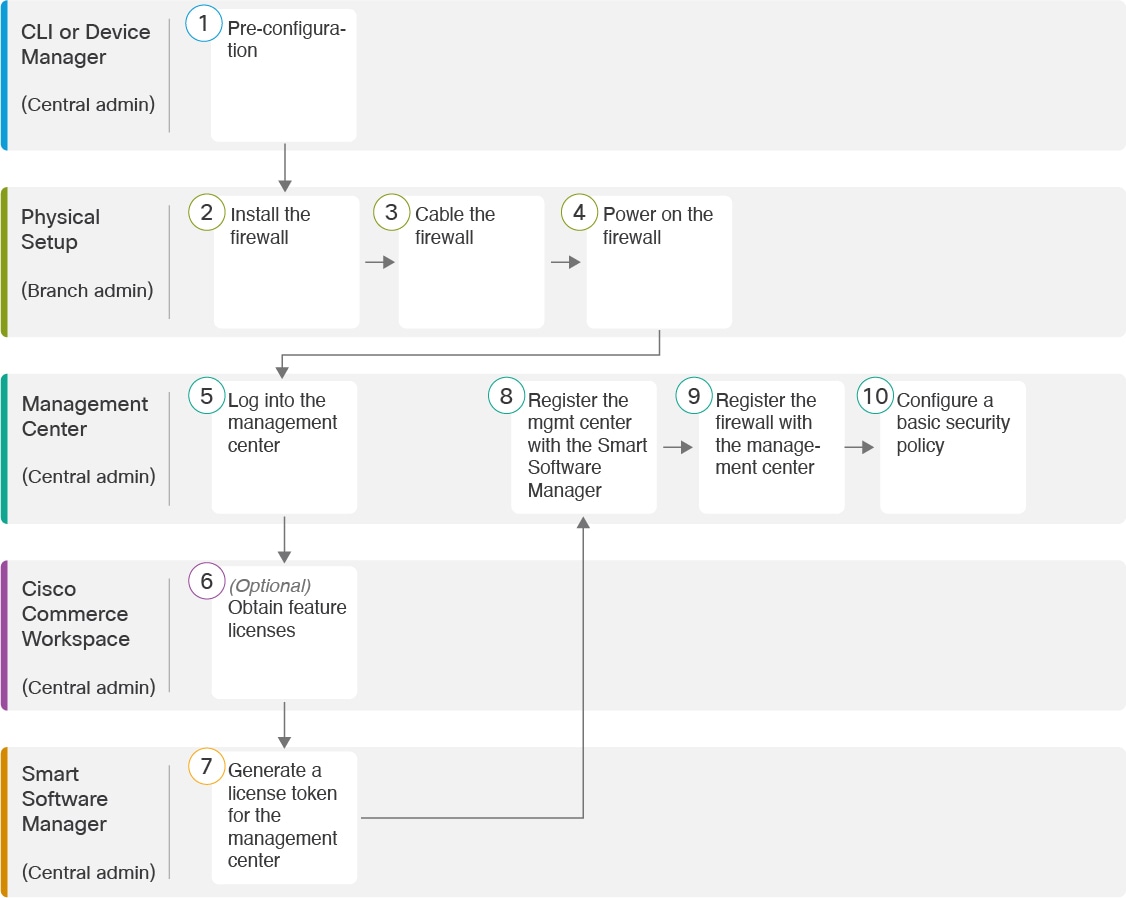
Manual Provisioning
-
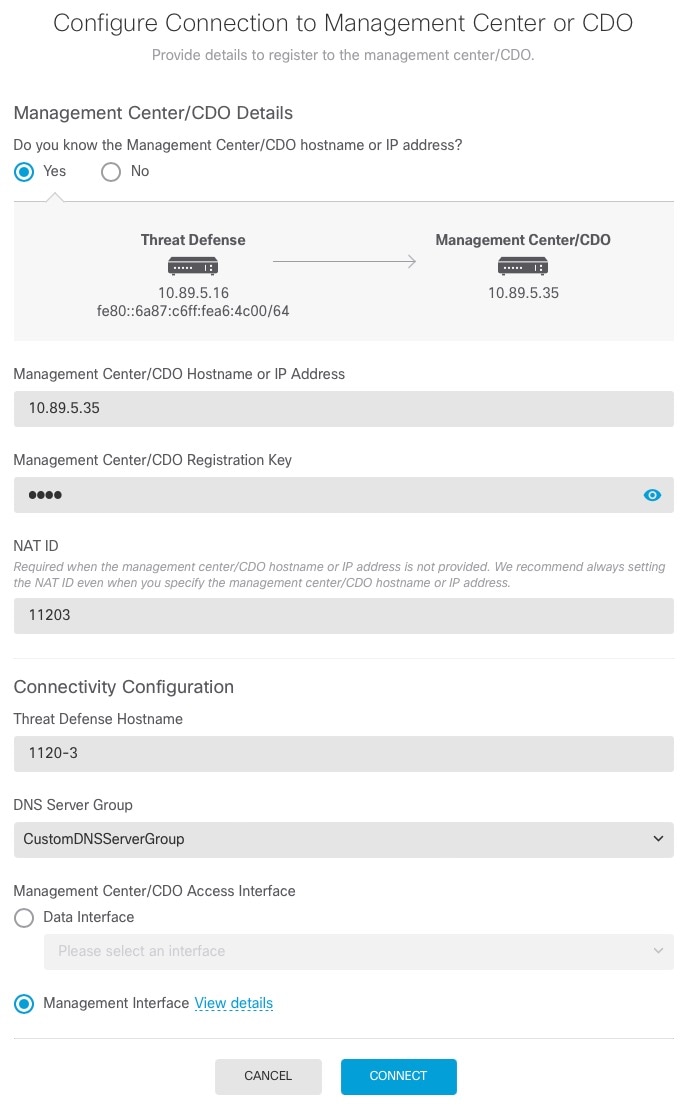
Pre-configure the Firewall Threat Defense at the CLI or using the Firewall Device Manager, and then send the Firewall Threat Defense to the remote branch office.
-
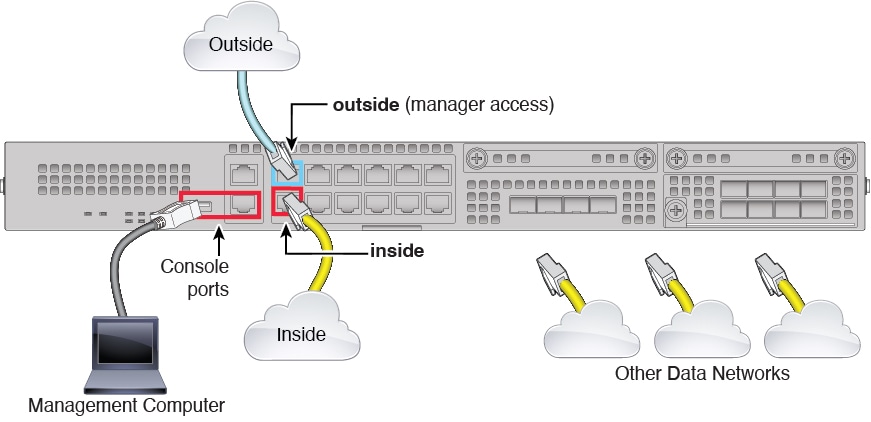
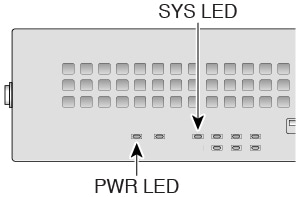
At the branch office, cable and power on the Firewall Threat Defense.
-
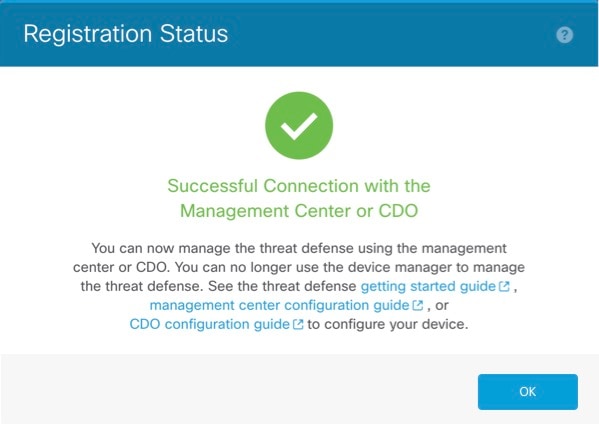
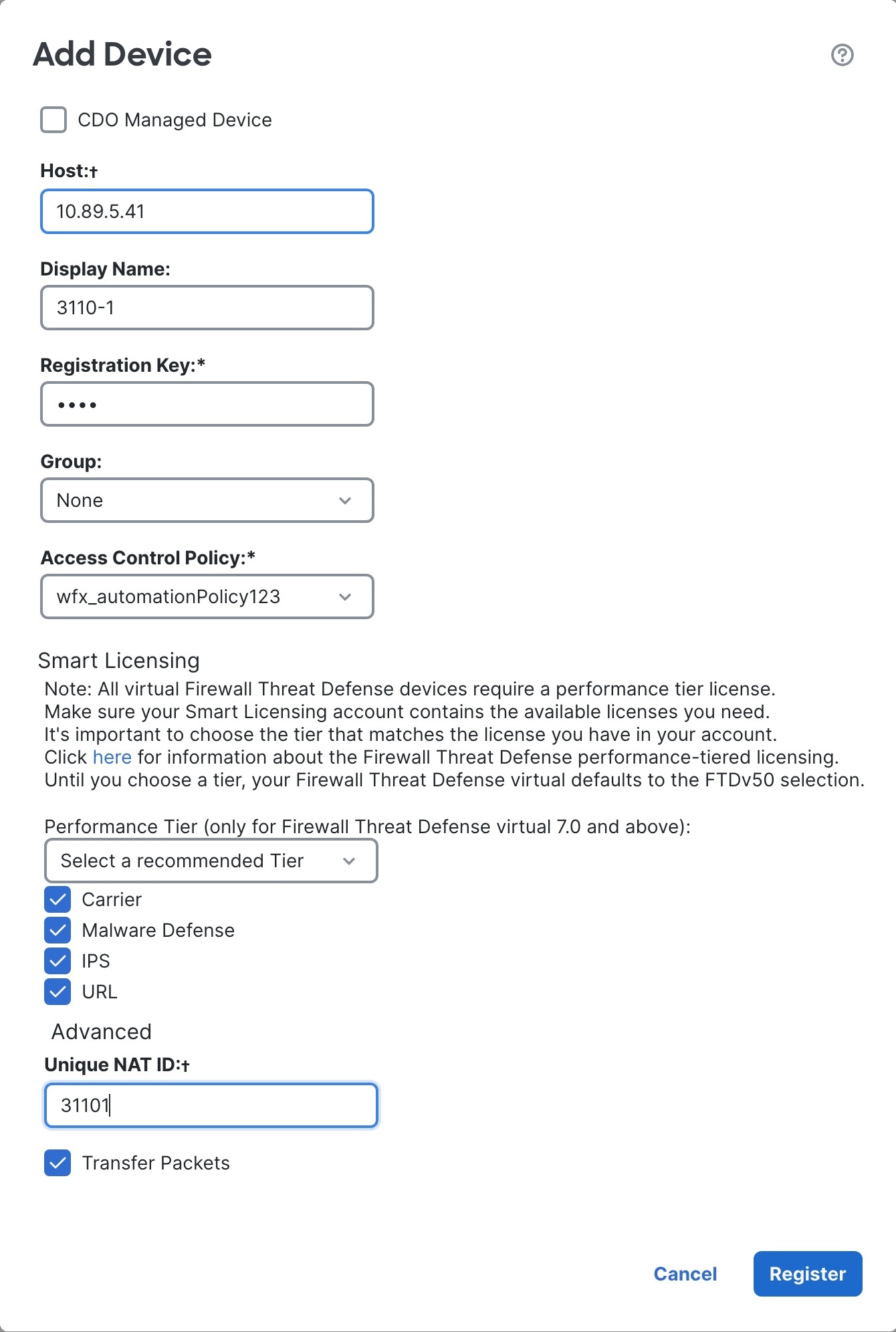
Finish registering the Firewall Threat Defense using the Firewall Management Center.
Firewall Threat Defense Manager Access Interface
This guide covers outside interface access because it is the most likely scenario for remote branch offices. Although manager access occurs on the outside interface, the dedicated Management interface is still relevant. The Management interface is a special interface configured separately from the Firewall Threat Defense data interfaces, and it has its own network settings.
-
The Management interface network settings are still used even though you are enabling manager access on a data interface.
-
All management traffic continues to be sourced from or destined to the Management interface.
-
When you enable manager access on a data interface, the Firewall Threat Defense forwards incoming management traffic over the backplane to the Management interface.
-
For outgoing management traffic, the Management interface forwards the traffic over the backplane to the data interface.
Manager Access Requirements
Manager access from a data interface has the following limitations:
-
You can only enable manager access on a physical, data interface. You cannot use a subinterface or EtherChannel, nor can you create a subinterface on the manager access interface. You can also use the Firewall Management Center to enable manager access on a single secondary interface for redundancy.
-
This interface cannot be management-only.
-
Routed firewall mode only, using a routed interface.
-
PPPoE is not supported. If your ISP requires PPPoE, you will have to put a router with PPPoE support between the Firewall Threat Defense and the WAN modem.
-
The interface must be in the global VRF only.
-
SSH is not enabled by default for data interfaces, so you will have to enable SSH later using the Firewall Management Center. Because the Management interface gateway will be changed to be the data interfaces, you also cannot SSH to the Management interface from a remote network unless you add a static route for the Management interface using the configure network static-routes command.
High Availability Requirements
When using a data interface with device high availability, see the following requirements.
-
Use the same data interface on both devices for manager access.
-
Redundant manager access data interface is not supported.
-
You cannot use DHCP; only a static IP address is supported. Features that rely on DHCP cannot be used, including DDNS and zero-touch provisioning.
Note
If you use zero-touch provisioning to register the device, when you use the outside interface for manager access, it uses DHCP by default. Before you can enable high availability, you need to change the IP address to a static address. Alternatively, you can use the Management interface instead; DHCP is supported on Management with high availability.
-
Have different static IP addresses in the same subnet.
-
Use the same manager configuration (configure manager add command) to ensure that the connectivity is the same.
-
You cannot use the data interface as the failover or state link.
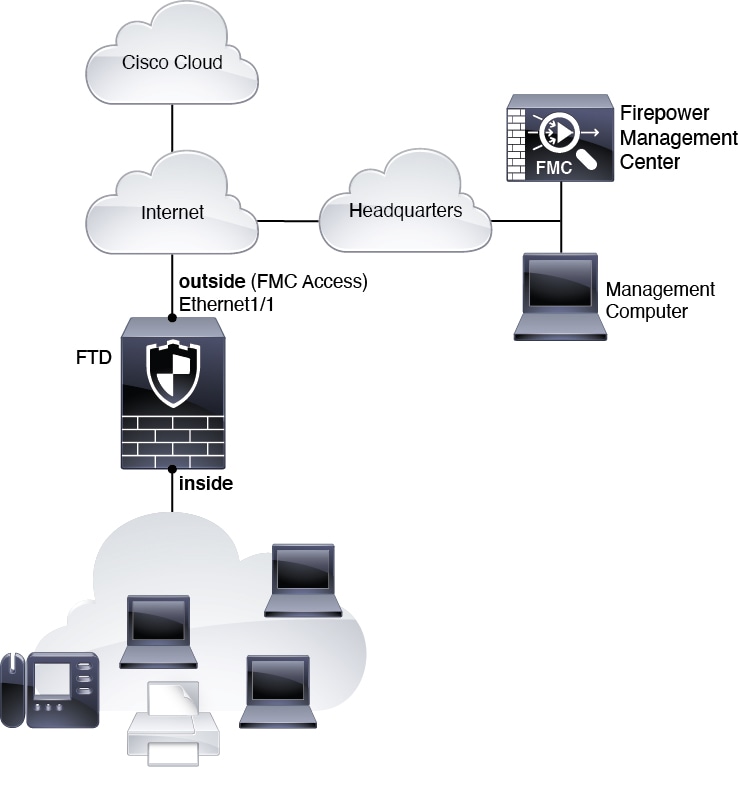
Zero-Touch Provisioning Network
The following figure shows a typical network deployment for the firewall where:
-
The Firewall Management Center is at central headquarters.
-
The Firewall Threat Defense uses the outside interface for manager access.
-
Either the Firewall Threat Defense or Firewall Management Center needs a public IP address or hostname to allow the inbound management connection, although you do not need to know the IP address for registration. For pre-7.2(4) and 7.3 Firewall Threat Defense versions, the Firewall Management Center needs to be publicly reachable.
-
Both the Firewall Management Center and Firewall Threat Defense initially communicate with the Cisco Security Cloud and Security Cloud Control to establish the management connection
-
After initial establishment, Security Cloud Control is used to reestablish the management connection if it is disrupted; for example, if the Firewall Threat Defense IP address changes due to a new DHCP assignment, Security Cloud Control will inform the Firewall Management Center of the change.
Manual Provisioning Network
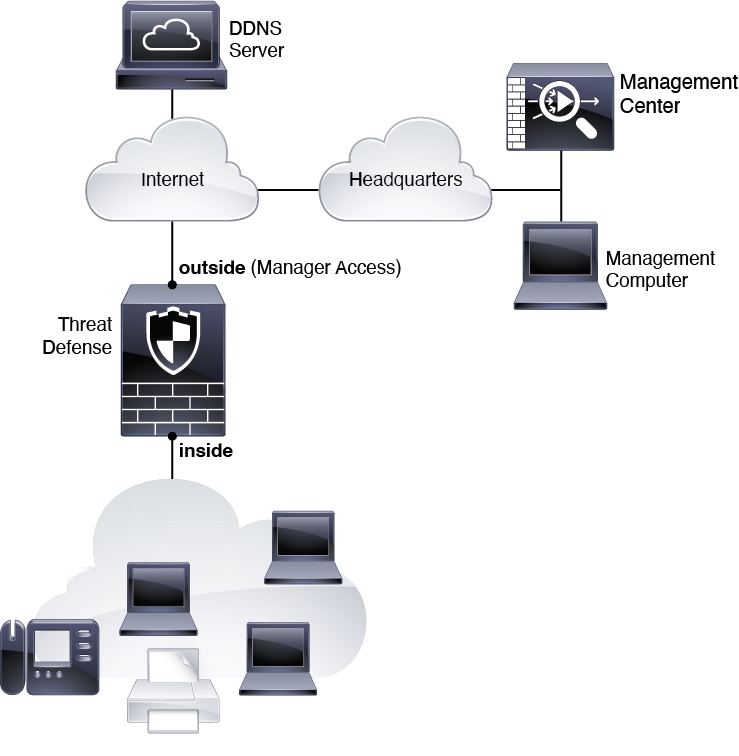
The following figure shows a typical network deployment for the firewall where:
-
The Firewall Management Center is at central headquarters.
-
The Firewall Threat Defense uses the outside interface for manager access.
-
Either the Firewall Threat Defense or Firewall Management Center needs a public IP address or hostname to allow to allow the inbound management connection; you need to know this IP address for initial setup. You can also optionally configure Dynamic DNS (DDNS) for the outside interface to accommodate changing DHCP IP assignments.















 Feedback