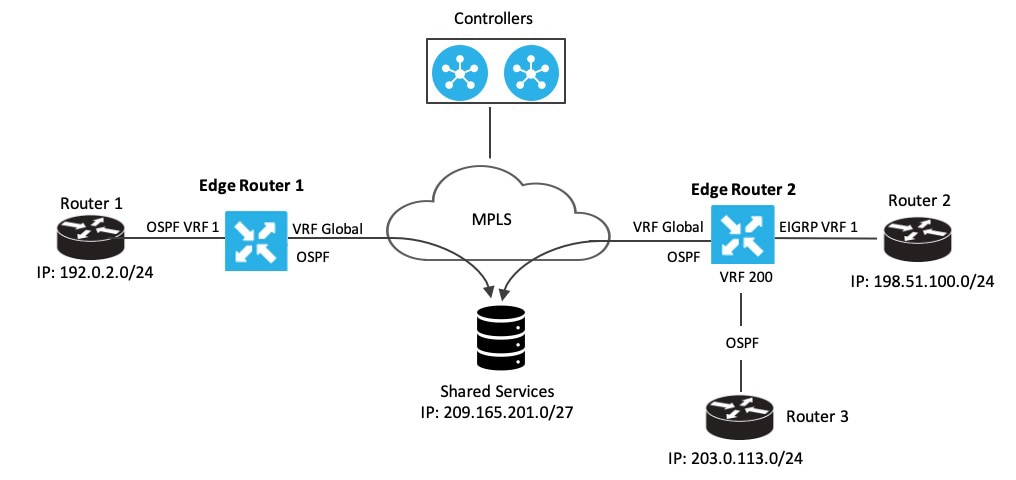
Enables route replication between logical segments to support service sharing and network migration. This task guides you through configuring localized policies and attaching VPN templates to ensure that specific routes are correctly leaked and reachable across the overlay.
Use this task to enable route leaking within your Cisco Catalyst SD-WAN. Route leaking allows for service sharing between different VPNs and facilitates network migration by providing direct access between migrated and non-migrated branches.
Before you begin
Before you begin, ensure you understand the concepts of route leaking and have reviewed the associated restrictions. For more information, see Route leaking and Restrictions for route leaking and redistribution.
Follow these steps to configure route leaking:
Procedure
-
Configure and enable a localized policy, then attach the route policy.
- Configure localized route policy. See Configure localized route policy.
- Add the route policy. See Add the route policy
- Attach the localized policy to the device template. See Attach the localized policy to the device template.
-
Configure and enable the route leaking feature between global and service VPNs.
- Configure and enable route leaking between global and service VPNs using a configuration group. See Configure and enable route leaking between global and service VPNs using a configuration group.
- Configure and enable route leaking between global and service VPNs using Cisco SD-WAN Manager. See Configure and enable route leaking between global and service VPNs using Cisco SD-WAN Manager.
- Configure and verify route leaking between global VRF and service VPNs using the CLI. See Configure and verify route leaking between global VRF and service VPNs using the CLI.
-
Configure and enable the route leaking feature between service VPNs.
- Configure route leaking between service VPNs using a configuration group. See Configure route leaking between service VPNs using a configuration group.
- Configure route leaking between service VPNs using Cisco SD-WAN Manager. See Configure route leaking between service VPNs using Cisco SD-WAN Manager.
- Configure route leaking between service VPNs using a CLI template. See Configure route leaking between service VPNs using a CLI template.
- Verify route-leaking configurations between service VPNs using the CLI. See Verify route-leaking configurations between service VPNs using the CLI.
- Configure VRRP tracker for tracking leaked service VPNs using the CLI. See Configure VRRP tracker for tracking leaked service VPNs using the CLI.
- Verify VRRP tracking. See Verify VRRP tracking.
-
Attach the service side VPN feature template to the device template.
You have successfully configured route leaking in your Cisco Catalyst SD-WAN, enabling service sharing and optimizing routing paths.