Install an LTE Pluggable Module


Warning

To reduce the risk of electric shock, the chassis of this equipment needs to be connected to permanent earth ground during normal use Statement 445

Warning

Blank faceplates and cover panels serve three important functions: they prevent exposure to hazardous voltages and currents inside the chassis; they contain electromagnetic interference (EMI) that might disrupt other equipment; and they direct the flow of cooling air through the chassis. Do not operate the system unless all cards, faceplates, front covers, and rear covers are in place. Statement 1029.

Warning

Only trained and qualified personnel should be allowed to install, replace, or service this equipment. Statement 1030

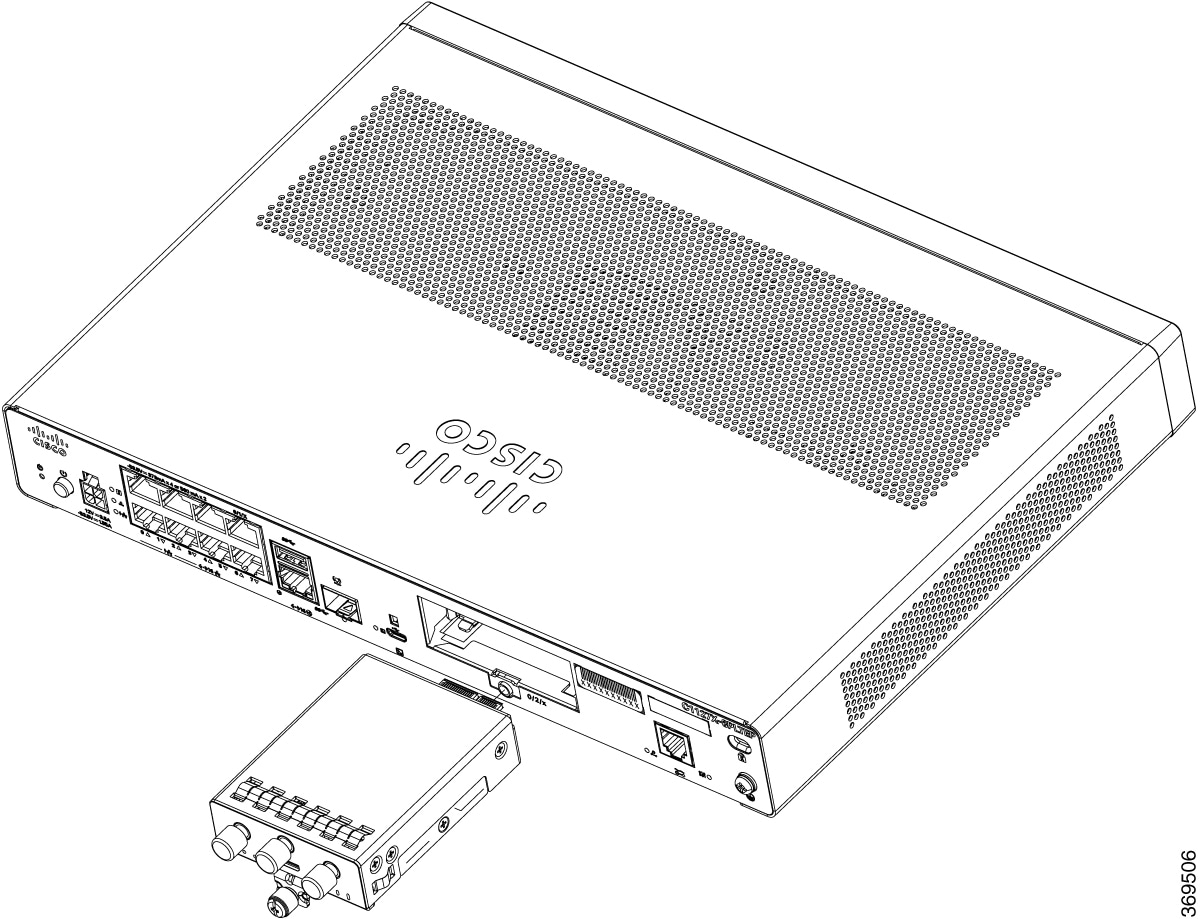
To install an LTE pluggable module on a Cisco1100 Series Integrated Services Routers, do these steps:

Procedure


Step 1

Insert and then gently push the LTE pluggable into the pluggable slot until firmly fixed.

Step 2

Tighten the screw, the recommended torque is 10-12 in-lb.


Figure 1. LTE Pluggable - C1101-4P

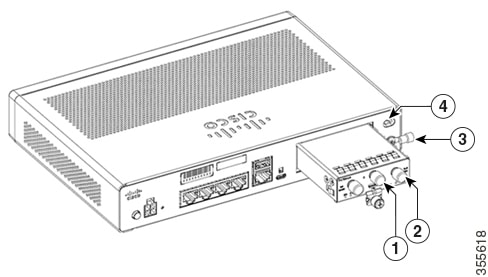
Figure 2. LTE Pluggable - C1127X-8PLTEP

Item

Description

1

GPS Antenna

2

LTE Antenna

3

Ground Lug

4

Kensingston Lock Slot

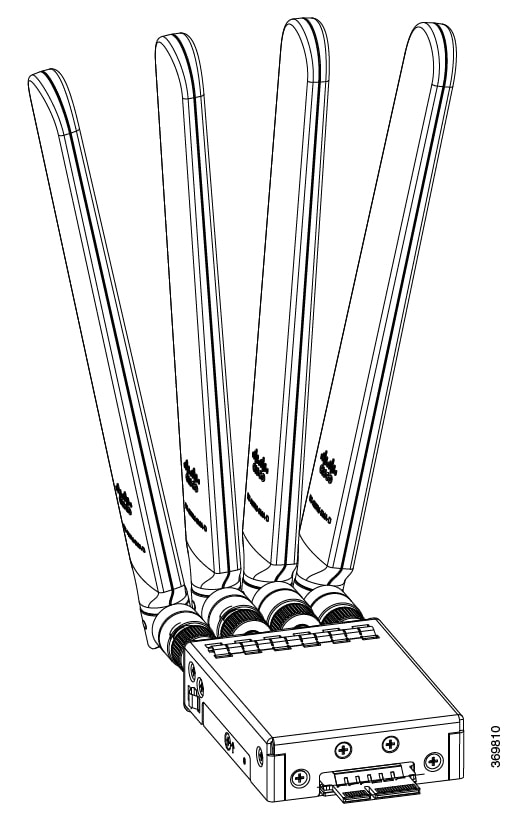
Figure 3. C1118-8PLTEP

Figure 4. C1118-8PLTEP with Micro SIM Slots

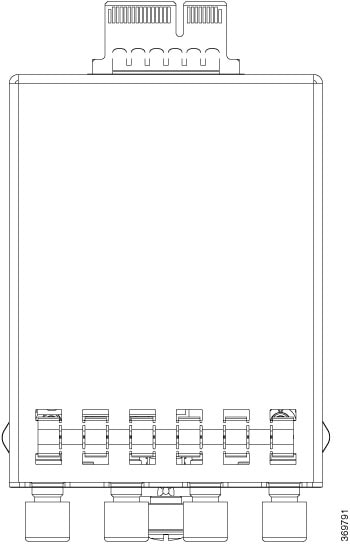
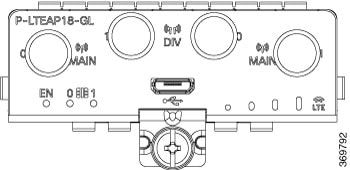
Figure 5. C1118-8PLTEP Back Panel

Figure 6. C1118-8PLTEP

Item

Description

1

Mini-PCIE

2

Common heat spreader + thermal interface

3

I/O

4

Enclosure base to support 4-antenna

5

4-1 SMA-MHF4 cable assembly

6

SMA Diversity Antenna for usability and Micro-USB port access

Insert a Micro-SIM Card

This section describes how to insert a Micro-SIM card into an LTE pluggable module.


Caution

Do not touch any part of the exposed PCB circuit area when the Micro-SIM cover is removed.


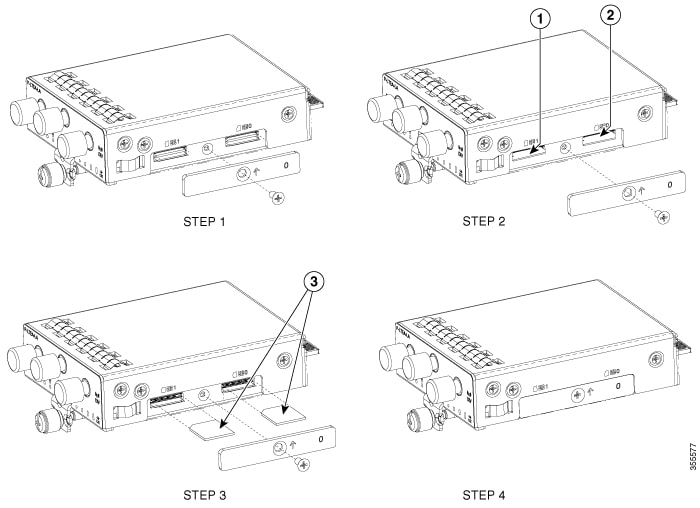
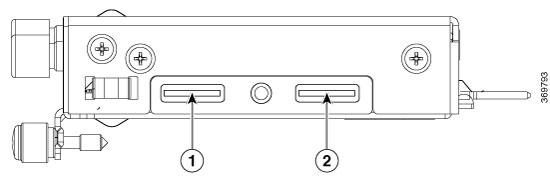
Figure 7. Insert the Micro-SIM cards

Item

Description

1

Micro-SIM 1 (Towards the device)

2

Micro-SIM 0 (Away from the device)

To insert the Micro-SIM cards into the LTE Pluggable module:

  1. Place the router on its bottom side, remove the screws and then the Micro-SIM cover from the pluggable module.

  2. Push in each Micro-SIM card into the slot until it clicks.

  3. Secure the Micro-SIM cover with a screw. The recommended torque is 2.8 - 3.8 inch LBF.

You have now successfully inserted the Micro-SIM cards into the LTE pluggable module.