Cisco Business Dashboard
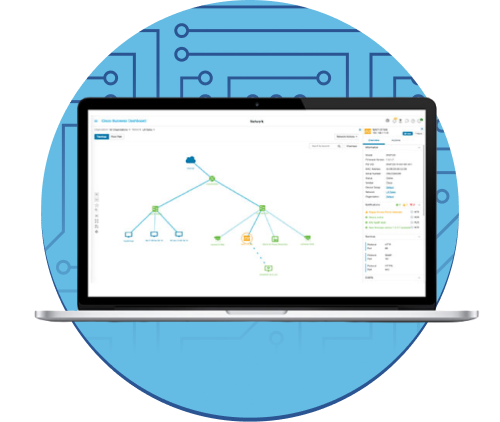
Cisco Business Dashboard is a network management tool for Cisco Business switches, routers, and wireless access points. It simplifies the job of managing a business network, by automating the deployment, monitoring and lifecycle management of the network.
-
Install and Upgrade
Configure
-
Save Time by Launching Your Next IT Project with Cisco Business Dashboard and Network Plug and Play
-
Using Let’s Encrypt Certificates with Cisco Business Dashboard
-
Using Let’s Encrypt Certificates with Cisco Business Dashboard and DNS Validation
-
Manage Floor Plans and Devices using Cisco Business Dashboard
-
Design
CBD vs. CBD Lite at Release – Version 2.8.0 | Key Differences & Features Explained
In this Cisco Tech Talk, learn about the key differences between Cisco Business Dashboard (CBD) and CBD Lite at the release of Version 2.8.0. We’ll break down the features, performance benefits, and usage scenarios for both versions, helping you decide which one best fits your network management needs.
Cisco Tech Talk: Cisco Business Dashboard - Monitoring Dashboard and Wireless Management
Cisco Business Dashboard allows you to manage all the wireless devices across your network from one singular location. Learn about the monitoring dashboard and wireless management on this edition of Cisco Tech Talk.
Cisco Tech Talk: Cisco Business Dashboard Network Monitoring
The Cisco Business Dashboard allows you to manage your Cisco Business devices. Learn how to monitor your networks using the Cisco Business Dashboard on this edition of Cisco Tech Talk.
Cisco Tech Talk: EOS and EOL Announcements for Beginners | Understand Product Lifecycle & Support
In this Cisco Tech Talk, we break down the basics of End of Sale (EOS) and End of Life (EOL) announcements for beginners. Learn how to interpret these important product lifecycle milestones and how they impact your network planning, upgrades, and support decisions.
Cisco Tech Talk: Intro to Cisco Business Dashboard Lite for Easy Networking
In this Cisco Tech Talk, we introduce Cisco Business Dashboard (CBD) Lite, a simplified version of the Cisco Business Dashboard designed to help small businesses manage their network and devices with ease.
Cisco Tech Talk: Overview of CBD CLI Templates
Consistency is the key to a reliable network, but manually configuring every device can be a repetitive and error-prone task.
Cisco Tech Talk: Tracking Cisco Business EOS/EOL Announcements Easily
In this Cisco Tech Talk, learn how to access and interpret Cisco’s End of Sale (EOS) and End of Life (EOL) announcements for business-class products.
Simplified Network Management with Cisco Business Dashboard at No-Cost
Managing a modern network, whether at a single site or across multiple locations, requires more than just basic monitoring—it requires a command center that provides clarity, control, and efficiency.
Install & Upgrade
Cisco Business Dashboard 2.8.1 Installation on VirtualBox – Part 1 | Setup & Configuration Guide
In Part 1 of this Cisco Tech Talk, learn how to install Cisco Business Dashboard 2.8.1 on VirtualBox. This video will guide you through the initial setup, configuration, and system requirements needed to run Cisco Business Dashboard in a virtualized environment, enabling easier network management for small businesses.
Cisco Business Dashboard Installation on VirtualBox – Part 2 | Advanced Configuration & Setup
In Part 2 of this Cisco Tech Talk, continue your installation of the Cisco Business Dashboard on VirtualBox. This video covers advanced configuration settings, device monitoring, and customization options for effectively managing your network in a virtualized environment.
Cisco Business Dashboard Installation on Hyper-V – Part 2 | Advanced Configuration & Setup
In Part 2 of this Cisco Tech Talk, continue with the installation of Cisco Business Dashboard on Hyper-V. This video walks you through advanced configuration steps, troubleshooting tips, and how to manage your Cisco Business devices efficiently.
Cisco Business Dashboard Installation on Hyper-V | Step-by-Step Guide – Part 1
"In Part 1 of this Cisco Tech Talk series, learn how to install the Cisco Business Dashboard on a Hyper-V virtual machine. This guide walks you through the system requirements, Hyper-V setup, and the first steps of installation for managing Cisco Business devices efficiently.
Cisco Business Dashboard on Ubuntu 22.04 – Configuration & Access | Install Guide Part 2
In Part 2 of this Cisco Tech Talk, continue the installation and configuration of Cisco Business Dashboard on Ubuntu Linux 22.04. This video walks you through final setup steps, accessing the dashboard through a web interface, and verifying connectivity to your Cisco Business devices.
Cisco Tech Talk: Configure CBD with VMWare Part 1
In this first, of a two-part edition of Cisco Tech Talk, I’ll show you how to set up Cisco Business Dashboard version 2.7 with VMware Workstation Player.
Cisco Tech Talk: Configure CBD with VMWare Part 2
In this second, of a two-part edition of Cisco Tech Talk, I’ll show you how to connect and use Cisco Business Dashboard version 2.7, with VMWare Workstation Player and a local probe.
Cisco Tech Talk: How to Install Cisco Business Dashboard Lite on Windows | Easy Setup Guide
In this Cisco Tech Talk, we walk you through the process of installing Cisco Business Dashboard (CBD) Lite on a Windows machine. Learn how to set up CBD Lite to efficiently monitor and manage your Cisco networking devices, ensuring better performance, security, and ease of use for small businesses.
How to Set Up the Cisco Business Dashboard Probe in VMware (ESXi) | Configuration Guide
In this video, we guide you through the process of setting up the Cisco Business Dashboard probe in VMware (ESXi). Learn how to configure the probe for efficient network monitoring and ensure optimal performance in your virtualized environment.
Install Cisco Business Dashboard on Ubuntu 22.04 | Step-by-Step Guide (Part 1)
In this Cisco Tech Talk, learn how to install Cisco Business Dashboard on Ubuntu Linux 22.04. This step-by-step walkthrough will help small business IT administrators deploy and configure the dashboard to manage Cisco Business devices across the network with ease, all from a Linux environment.
Setting Up Cisco Business Dashboard for Directly Managed Devices | Initial Setup Guide
In this Cisco Tech Talk, we walk you through the initial setup of Cisco Business Dashboard (CBD) for directly managed devices. Learn how to quickly configure and manage your network devices from the CBD interface, simplifying device monitoring, troubleshooting, and performance optimization.
Configuration
Cisco Business Dashboard for Beginners – Part 2 | Advanced Features & Configuration
In Part 2 of this Cisco Tech Talk series, continue your journey with Cisco Business Dashboard. Learn how to configure advanced features and monitor the performance of your network.
Cisco Tech Talk: CBD Basic Authentication on Supported Devices
In this edition of Cisco Tech Talk, I’ll explain the basic RADIUS authentication service on supported devices when using the latest Cisco Business Dashboard version, 2.5.
Cisco Tech Talk: Cisco Business Dashboard Enhanced Wireless Options
In this edition of Cisco Tech Talk, I’ll do a quick review of the Cisco Business Dashboard wireless configuration options, including the new firmware, version 2.5, enhanced wireless features available.
Cisco Tech Talk: Part 2 - Connect CBD Embedded Switch Probe in C1200 and C1300
In this second, of a two-part edition of Cisco Tech Talk, I'll complete the process of connecting the Cisco Business Dashboard (CBD) embedded switch probe on Cisco Catalyst 1200 and 1300 switches.
Cisco Tech Talk: How to Configure Wireless Authentication using Cisco Business Dashboard (CBD)
In this episode of Cisco Tech Talk, we walk you through the process of setting up secure wireless authentication for your business network. Learn how to leverage the Cisco Business Dashboard (CBD) to configure a RADIUS server, ensuring that only authorized users can access your network.
Cisco Tech Talk: How to Use Regular CLI Templates in Cisco Business Dashboard (CBD)
Manual device-by-device configuration is not only time-consuming but also introduces the risk of human error into your network. Cisco Business Dashboard (CBD) CLI templates offer a powerful way to standardize your network operations.
Cisco Tech Talk: Limit Discovery by IP on Cisco Business Dashboard
In this edition of Cisco Tech Talk, I will explain the Limit Discovery by IP feature implemented in Cisco Business Dashboard (CBD) version 2.5.0.
Cisco Tech Talk: Managing Platform settings on the Cisco Business Dashboard
In this edition of Tech Talk, we’ll show how to manage the platform settings on the Cisco Business Dashboard.
Cisco Tech Talk: Setting up Scheduled Actions with Cisco Business Dashboard 2.3.0
In this Cisco Tech Talk, we’ll demonstrate how to use the Scheduled Actions feature, new with Cisco Business Dashboard version 2.3.0.
Cisco Tech Talk: SNMPv3 via CLI on Cisco Catalyst 1200 and 1300 Switches
Looking to securely monitor and manage your Cisco switches? In this Cisco Tech Talk episode, learn how to configure SNMPv3—the most secure version of Simple Network Management Protocol—on Cisco Catalyst 1200 and 1300 series switches using the Command Line Interface (CLI).
Configure CBD Built-In RADIUS Server for Cisco Business Wireless Network
In this edition of Cisco Tech Talk, I’ll guide you through the process of configuring the built-in Cisco Business Dashboard (CBD) Radius server for use with a CBW wireless network.
Configuring Switch Ports with Cisco Business Dashboard | Step-by-Step Setup Guide
In this Cisco Tech Talk, learn how to configure switch ports efficiently using the Cisco Business Dashboard. This video guides you through the process of setting up and managing switch ports, ensuring seamless network connectivity and optimized performance for your Cisco devices.
Configuring VLAN on Cisco CBS250 via Cisco Business Dashboard | Step-by-Step Guide
In this Cisco Tech Talk, we’ll show you how to configure VLANs on the Cisco CBS250 switch using the Cisco Business Dashboard. This video provides a step-by-step guide on setting up virtual LANs (VLANs) for network segmentation and improved performance.
Connect Cisco Business Wireless to Cisco Business Dashboard with Self-Signed Certificate
In this Cisco Tech Talk, we explore how to connect Cisco Business Wireless (CBW) to Cisco Business Dashboard (CBD) for a directly managed network. Learn how to use a self-signed certificate for secure communication between the devices, ensuring a seamless, secure setup for your network infrastructure.
How to Configure Devices Using Cisco Business Dashboard | Simplify Network Management
In this Cisco Tech Talk, discover how to configure network devices easily using the Cisco Business Dashboard. Learn how this powerful cloud-managed platform enables IT teams to streamline device management, monitor performance, and optimize security.
How to Configure DNS Resolvers in Cisco Business Dashboard | Simplify Network Management
In this Cisco Tech Talk, we guide you through the process of configuring DNS resolvers in Cisco Business Dashboard, a powerful tool for managing your Cisco business networking solutions. Learn how to set up and manage DNS resolvers for improved network performance and easier device management.
How to Configure Port Authentication on Cisco Business Switches | Secure Your Network with CBD
In this Cisco Tech Talk, we’ll walk you through configuring port authentication on Cisco Business Switches using Cisco Business Dashboard (CBD). This feature provides an easy way to enhance your network’s security by ensuring that only authorized devices can connect to your network.
How to Set Up a CBW Guest Network with Captive Portal Using Cisco Business Dashboard
In this Cisco Tech Talk, we show you how to configure a guest wireless network with a captive portal using Cisco Business Dashboard (CBD) on Cisco Business Wireless (CBW) access points.
How to Use Cisco Business Dashboard as a Zero Touch PnP Server | Walkthrough
In this video, we demonstrate how to configure Cisco Business Dashboard as a Zero Touch Provisioning (PnP) server. Learn how this powerful solution simplifies device deployment by automatically provisioning Cisco devices without manual intervention.
Seamlessly Connect Cisco Business Mobile App 1.7 to CBD 2.7
In this Cisco Tech Talk, we demonstrate how to connect the Cisco Business Mobile App 1.7 to Cisco Business Dashboard (CBD) 2.7. Learn the step-by-step process to establish a seamless connection, allowing you to manage and monitor your network devices on the go.
Using Let’s Encrypt Certificates with Cisco Business Dashboard | Easy SSL/TLS Certificate Setup
In this edition of Cisco Tech Talk, we show you how to use Let’s Encrypt certificates with Cisco Business Dashboard (CBD). Learn how to automate SSL/TLS certificate installation to securely encrypt communication for your Cisco Business devices, ensuring your network is both trusted and efficient.
Maintain & Operate
Cisco Business Dashboard FAQs Part 1 | Simplify Device Management for Small Business
In this Cisco Tech Talk, we kick off Part 1 of our FAQ series for Cisco Business Dashboard (CBD), a powerful tool for managing Cisco Business switches, routers, and wireless devices. Learn how CBD helps small businesses discover, configure, and monitor their networks—all from a centralized, intuitive interface.
Cisco Business Dashboard FAQs Part 2 | Manage Cisco Business Devices with Ease
In this Cisco Tech Talk, we answer frequently asked questions about Cisco Business Dashboard (CBD) in Part 2 of our FAQ series.
Cisco Business Dashboard for Beginners | Getting Started with Network Management – Part 1
In Part 1 of this Cisco Tech Talk, dive into the basics of Cisco Business Dashboard. Learn how to set up and use this powerful tool to monitor, configure, and troubleshoot your network from one centralized platform.
Cisco Tech Talk: CBD Connection & Key LED Indicators on Cisco Catalyst C1200 and C1300 Switches
Did you know the tiny LED lights on your Cisco switch can give you instant insight into your network’s health? In this episode of Cisco Tech Talk, learn how to interpret the system LED and other key indicators on Cisco Catalyst 1200 and 1300 switches—especially when managed with Cisco Business Dashboard (CBD).
Cisco Tech Talk: Cisco Business Dashboard Lifecycle Management
Cisco Business Dashboard features in-depth reporting features that detail the maintenance status and any end-of-life bulletins associated with your network. Learn more about lifecycle management on this edition of Tech Talk.
Cisco Tech Talk: Cisco Business Dashboard Usage Example with Cisco Business Wireless
In this Cisco Tech Talk, we’ll show you how to use your CBD with your Cisco Business Wireless.
Cisco Tech Talk: Toggle PoE Power in Cisco Business Dashboard (CBD)
Experiencing slow network performance or device glitches? In this Cisco Tech Talk episode, discover how to quickly and remotely reboot your Power over Ethernet (PoE) devices using the Cisco Business Dashboard (CBD).
Cisco Tech Talk: Verify Device Integrity in Cisco Business Dashboard (CBD)
Keep your business network secure and reliable with the Device Integrity feature in Cisco Business Dashboard (CBD). In this Cisco Tech Talk episode, we guide you through verifying the authenticity and health of your Cisco Catalyst 1200 and 1300 series switches.
How to Back Up and Restore a Cisco Network Using Cisco Business Dashboard | Step-by-Step Guide
In this Cisco Tech Talk, we demonstrate how to use Cisco Business Dashboard to back up and restore an existing Cisco network. Learn how to perform routine network backups, ensure that your configurations are safely stored, and quickly restore network settings in the event of a failure.
Troubleshooting
Cisco Tech Talk: Cisco Business Dashboard Troubleshooting
The Cisco Business Dashboard troubleshooting features can gather diagnostic information that technical support can use to troubleshoot network issues.
 Feedback