AI Assistant in Cisco Business Dashboard and Cisco Business Dashboard Lite
Available Languages
Objective
The objective of this article is to provide an overview of the new AI Assistant on the Cisco Business Dashboard (CBD) and Cisco Business Dashboard Lite (CBD Lite).
Applicable Devices | Software Version
- Cisco Business Dashboard | 2.11.1
- Cisco Business Dashboard Lite | 2.11.1
Introduction
CBD and CBD Lite are designed to simplify network management for small and medium-sized businesses. An AI Assistant has been added to CBD and CBD Lite that is set to transform how you find information and manage your Cisco Business network.
The AI Assistant acts as your go-to resource for quick, accurate answers to your questions about Cisco Business products and CBD using Cisco’s Circuit AI.
Key Capabilities and Benefits of AI Assistant
- Instant Access to Information: No more sifting through manuals or searching online. The AI Assistant can quickly retrieve information from official Cisco documentation.
- Comprehensive Knowledge Base: The AI Assistant is trained on a vast library of Cisco Business documentation, including:
- Admin Guides
- Quick Start Guides (QSG)
- Data Sheets
- Installation Guides
- CLI Guides
- Release Notes
- Tech Notes
- Frequently Asked Questions (FAQs)
- Even videos from Cisco Tech Talks!
- Wide Product Coverage: It supports queries across popular Cisco Business product lines, such as:
- Catalyst 1200/1300 Series Switches
- CBS 250/350 Series Switches
- CBS 220 Series Switches
- Cisco Business Wireless (CBW) Access Points
- Cisco Business Dashboard (CBD) itself
- Cisco Business Mobile App
Pre-requisites
- Both the CBD system and the client’s management system must have internet access and can reach the Amazon Web Services url (https://smb-ai.cbd-aws.com/ai/app/index.html)
- Additionally, a Cisco.com (CCO) account, Google or Apple account is required for authentication
Launching AI Assistant
In this article, CBD will be used to demonstrate launch of the AI assistant.
Step 1
To launch the AI Assistant, log in to your CBD.
Step 2
Select the new AI Assistant icon in the upper righthand corner of the CBD window.

Step 3
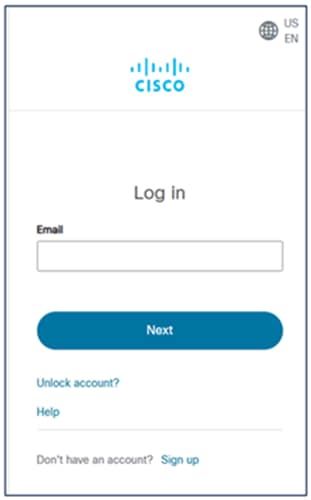
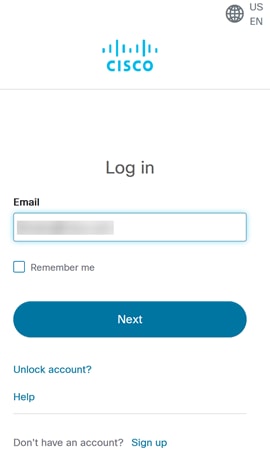
You will be prompted to login to the Cisco AI Assistant using Cisco Single Sign On (Cisco SSO), Google Accounts, or Apple Accounts.
Step 4
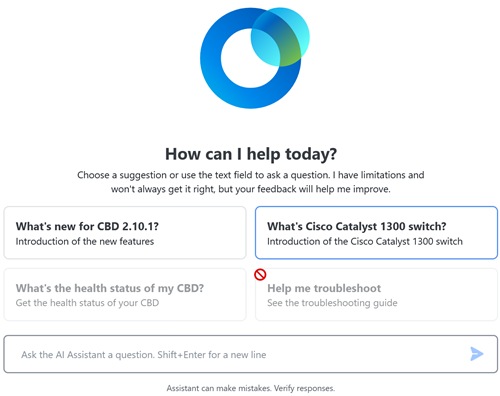
Once you have entered your credentials, it will either run the Welcome to the AI Assistant page (the first time you sign into that dashboard’s AI assistant) or it will navigate directly to the AI Assistant.
Step 5
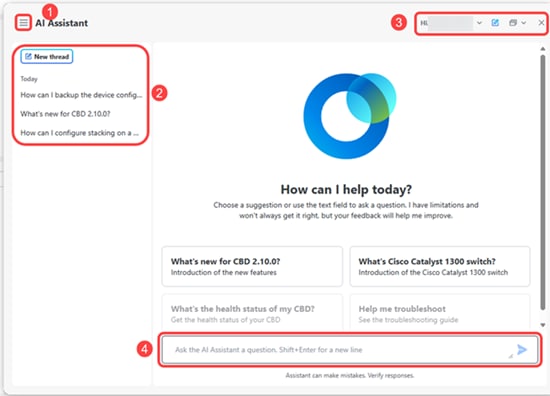
By default, the AI Assistant will appear as a popup over the CBD browser window.
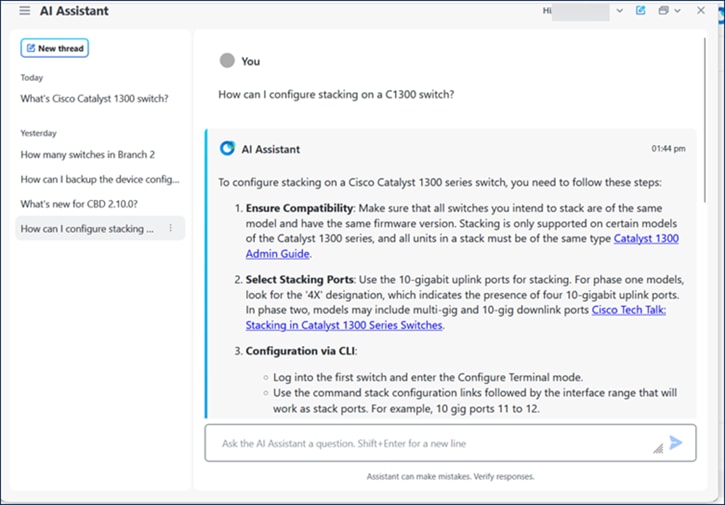
- In the upper lefthand corner of the screen is the collapse thread history option.
- Immediately below is the new thread button and the thread history. The new thread starts a new query string, and the thread history shows the queries that this user has issued against the AI.
- In the upper righthand corner is the control bar.
- At the bottom of the screen is the query field to input questions or refine questions in the same thread.
Step 6
The prompt for the AI Assistant includes four categories of questions:
- What’s New?
- Network and Device Insights
- Product Information and Guidance
- Troubleshooting (only in CBD)
Upon selecting a category, a default list of questions will appear for you to select.

Step 7
The control bar in the upper right-hand corner of the screen has several controls:
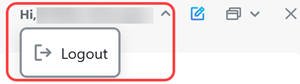
- It will display the username and there is a dropdown to log out of the AI instance.
- A shortcut to open a new query thread.

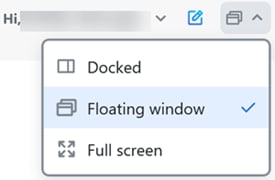
- There is a window control that allows you to switch the AI window to a docked view on the right side of the screen, the default floating window, or open as a full screen.
- A close window option.

AI Assistant Query Example
An example of a query using the AI Assistant is shown here. It provides links to the sources that the AI used to find the data.
Conclusion
The AI Assistant in CBD and CBD Lite is a significant step towards making network management even more intuitive and efficient. Explore this new feature and experience the power of AI-driven support!
Revision History
| Revision | Publish Date | Comments |
|---|---|---|
1.0 |
02-Sep-2025
|
Initial Release |
 Feedback
Contact Cisco
- Open a Support Case

- (Requires a Cisco Service Contract)