Set Password for Redis service in Splunk User Behavior Analytics (UBA)
Available Languages
Applicability
UBA 5.x.xDescription
In Splunk UBA, the environment consists of multiple open source software, and the Redis service is one of them.
During a security scan on the UBA servers, a vulnerability was identified stating "Redis Server Unprotected by Password Authentication."
This vulnerability is detected on UBA servers where the Redis service is running.
For example, in a 7-node deployment, the Redis service typically runs on Node 4 and Node 5. These nodes will be identified with the vulnerability "Redis Server Unprotected by Password Authentication."
Investigation
During the investigation, it was identified that the Redis server running on the remote host is not protected by password authentication. A remote attacker could exploit this vulnerability to gain unauthorized access to the server. The Redis service runs on TCP port 6379 without password authentication.
If accessed remotely, it may allow an attacker to retrieve information or potentially stop the Redis service or affect the server.
The Redis CLI can be accessed using the following command:
redis-cli -h <IP of node where redis service is running> -p 6379
Once connected, the INFO command can be used to retrieve server information: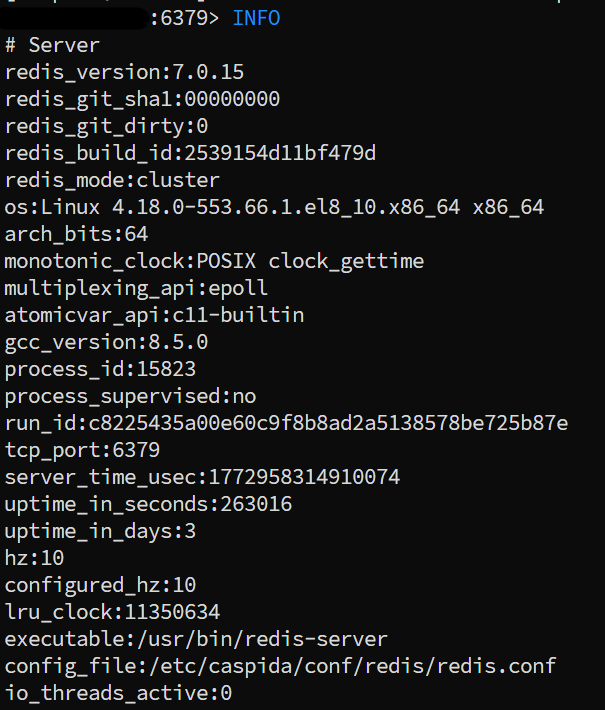
This command displays details such as:
- Redis version
- Uptime
- Connected clients
- Server statistics
Resolution
Perform The Following Commands On UBA Management Node To Set Redis Password
To resolve the "Redis Server Unprotected by Password Authentication" vulnerability, a password must be configured for the Redis service. Follow the below steps in the management node of cluster environment as caspida user:
/opt/caspida/bin/postinstall/redis-connection-passwd.pyThe script will prompt to enter and confirm a password and automatically performs the following actions:
- Stops all services
- Synchronizes the cluster
- Restarts the Redis service
- Starts all services
To verify whether the Redis password has been applied, run the following command:
redis-cli -h <IP_of_node_where_redis_is_running> -p 6379After connecting to the Redis service, run:
INFOIf password authentication is enabled, the INFO command will require authentication to display details.
Perform The Following Commands On UBA Management Node To Disabling Redis Password (If Required)
Step 1: Stop all UBA services
/opt/caspida/bin/Caspida stop-allStep 2: Open the below file and comment out the line requirepass redis
/etc/caspida/local/conf/custom/splunkuba-redis.conf 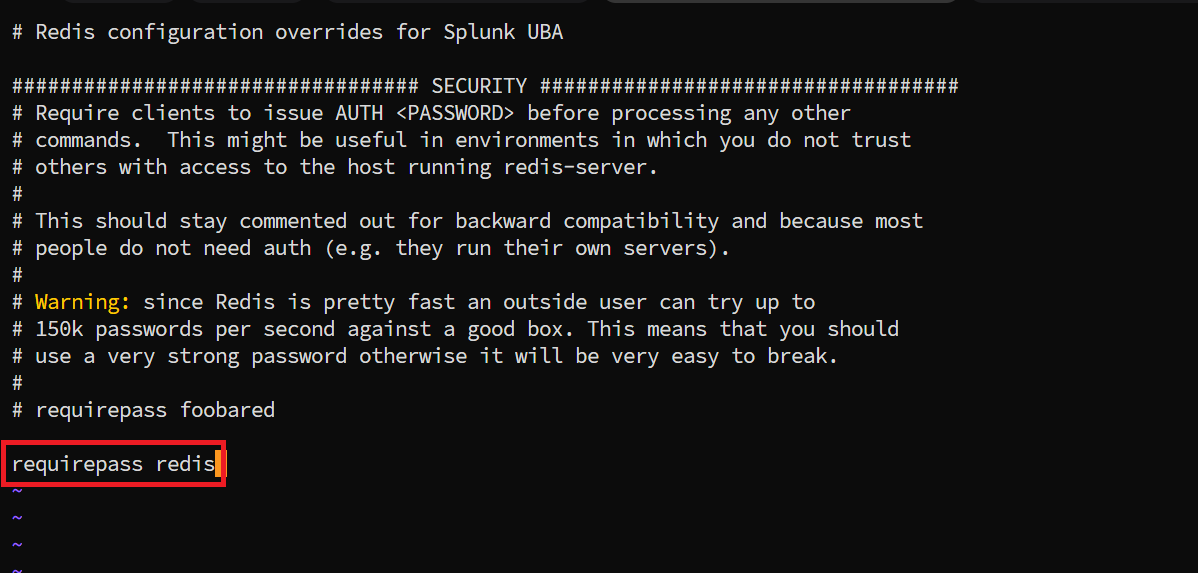
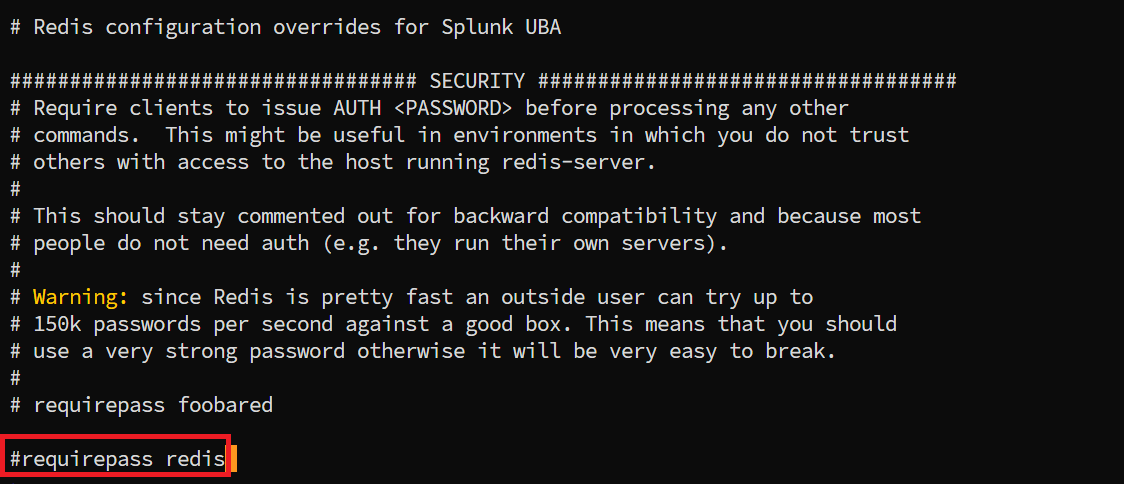
Step 3: Sync the file across cluster
/opt/caspida/bin/Caspida sync-cluster /etc/caspida/localStep 4: Reboot all the servers
sudo rebootStep 5: Verify all servers are up using SSH from management node
ssh <hostname>; exitStep 6: Start all UBA services
/opt/caspida/bin/Caspida start-all
After following the above steps the Redis password will be disabled.
Related Links
Change the password for Splunk UBA services
Revision History
| Revision | Publish Date | Comments |
|---|---|---|
1.0 |
01-Oct-2026
|
Initial Release |
 Feedback
