Splunk User Behavior Analytics (UBA) License Expired or Invalid
Available Languages
Applicability
UBADescription
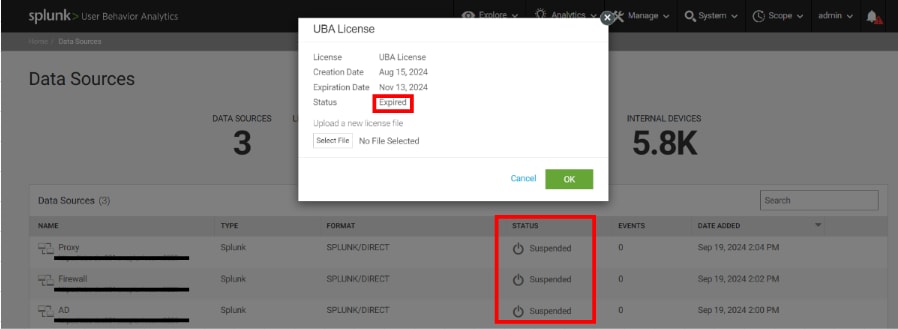
Without a valid license, users will be unable to add new data sources or output connectors until a valid license file is uploaded. This restriction will impact Splunk UBA, preventing data ingestion. As a result, data will not be queued, and the Data Sources page will show a suspended status.
Investigation
When the license for Splunk UBA expires or becomes invalid, the following issues may occur:
- New data sources cannot be added.
- Output connectors cannot be configured or used.
- Data will not be ingested or queued for processing.
- The Data Sources page will display a suspended status.
These issues are triggered when the license has expired or if there is a problem with the license key. A new valid license must be uploaded to restore full functionality to Splunk UBA.
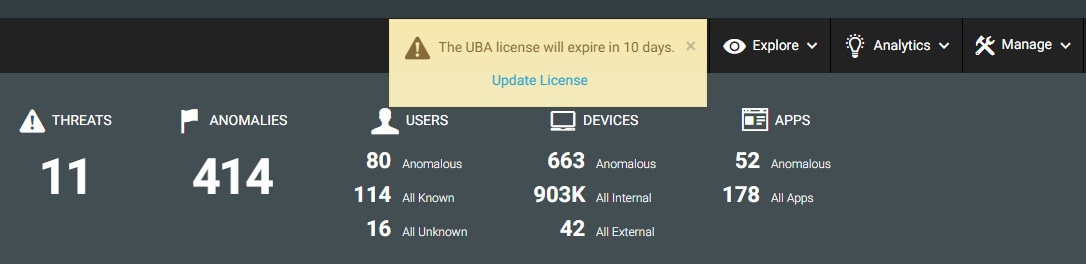
Note : Administrators will receive notifications in Splunk UBA when the license file is within 30 days of expiration, as shown below.
Resolution
To upload a new license file in Splunk UBA:
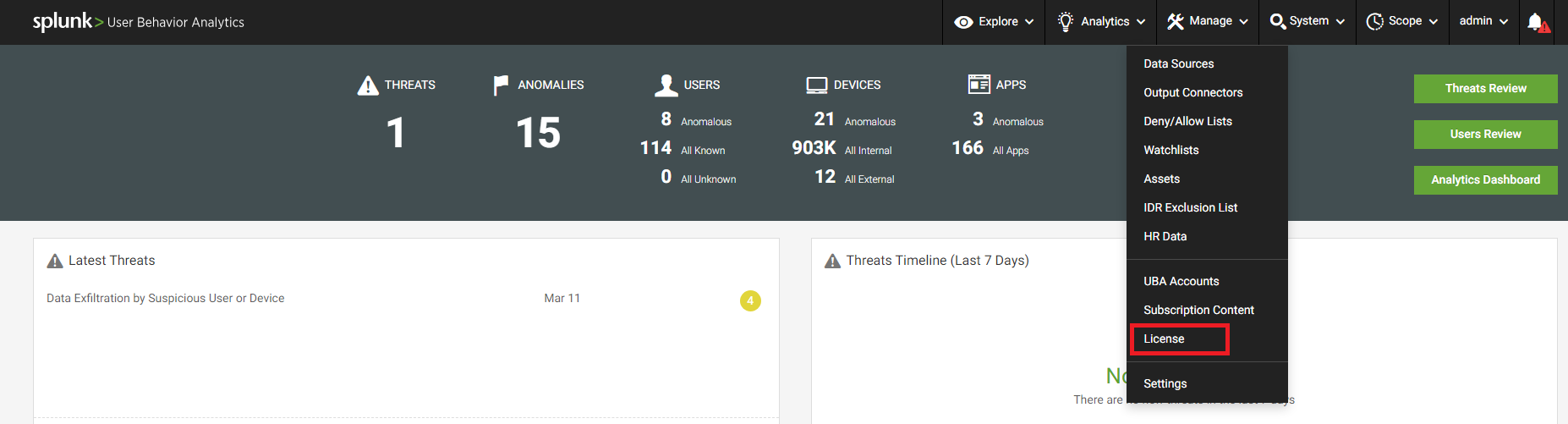
Log into the Splunk UBA UI as an administrator
- Under Management Section select License.
-
Upload the New License:
- Click on Choose File.
- Select the new license file (typically a .lic file) from the local system.
- Click Open to upload the file.
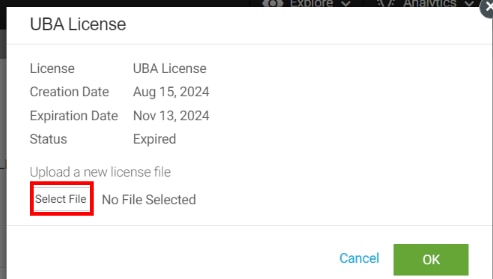
- Click on Choose File.
-
Verify the License Upload:
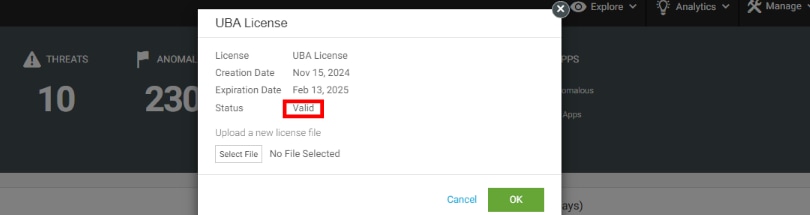
- Once the license is successfully uploaded, the expiration date of the new license will be displayed.
- Confirm that the license is now active and valid.
Related Links
Reference : Splunk Documentation
Revision History
| Revision | Publish Date | Comments |
|---|---|---|
1.0 |
29-Sep-2026
|
Initial Release |
 Feedback
