Custom Threat Creation in Splunk User Behavior Analytics (UBA).
Available Languages
Applicability
UBA All Versions.Description
Splunk User Behavior Analytics (UBA) enables organizations to detect, investigate, and respond to advanced threats by correlating user and entity behaviors. In addition to built-in threat rules, UBA provides the flexibility to define custom threats tailored to your organization’s specific security requirements and risk scenarios.
Resolution
1. Navigate to Threats
-
Go to Explore → Threats

2. Open Custom Threats
-
Click on Custom Threats.
3. Create a New Threat Rule
-
Select New Threat Rule.
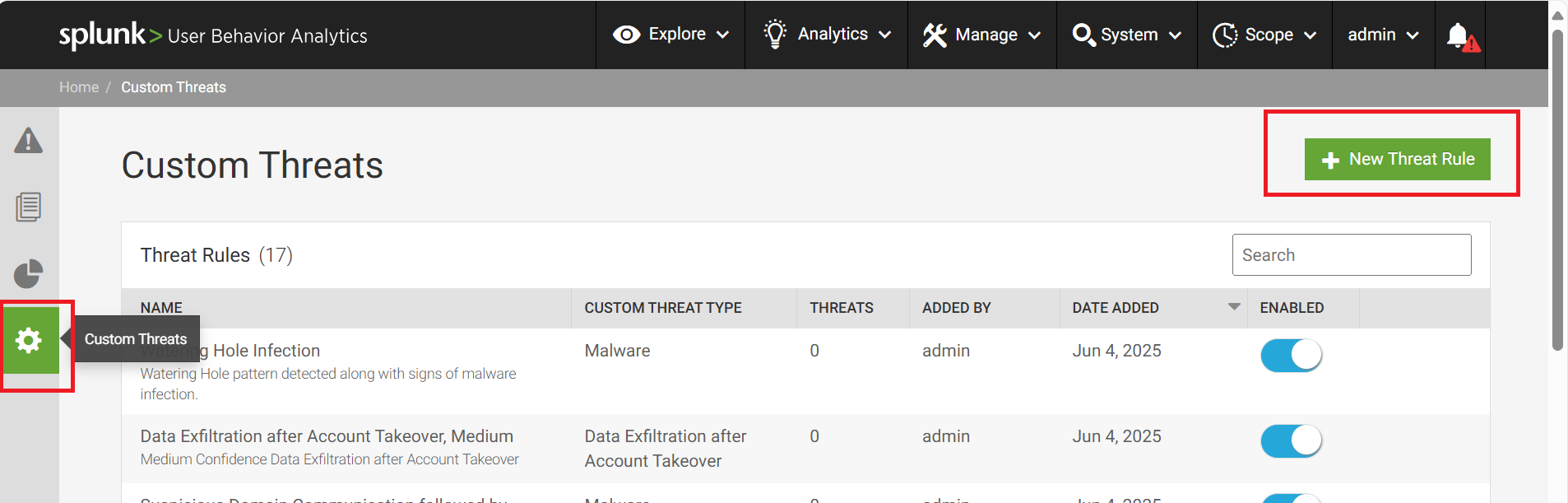
4. Configure Threat Rule Details
a. Choose Entity
- Choose User and click Next.
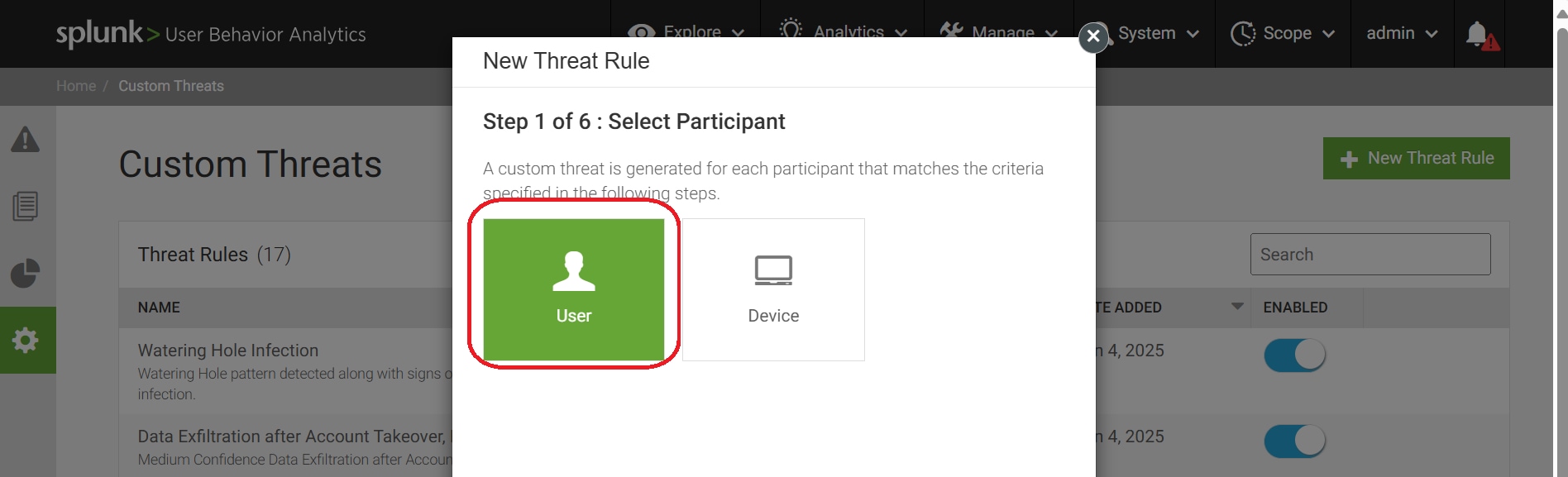
b. Set Conditions
- In the Conditions section:
-
Select Anomalies Count with a value ≥ 2.
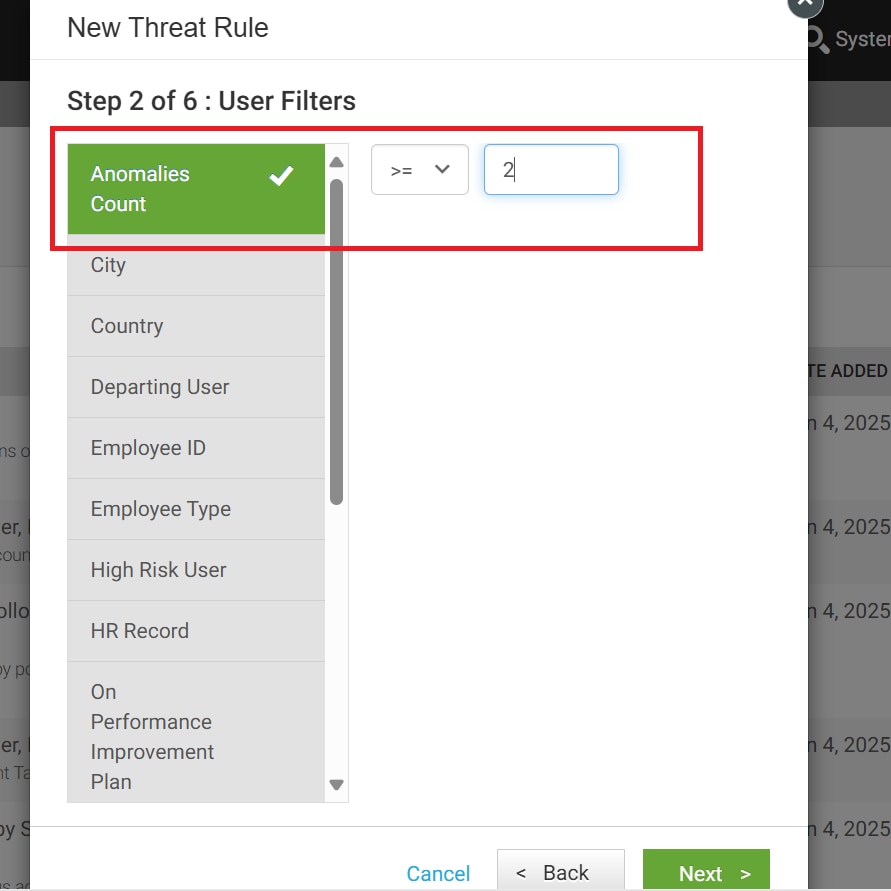
-
Choose Unusual Network Application, set Count to 2, Anomaly Interval to 2 days, and Max Threat Duration to 30 days.
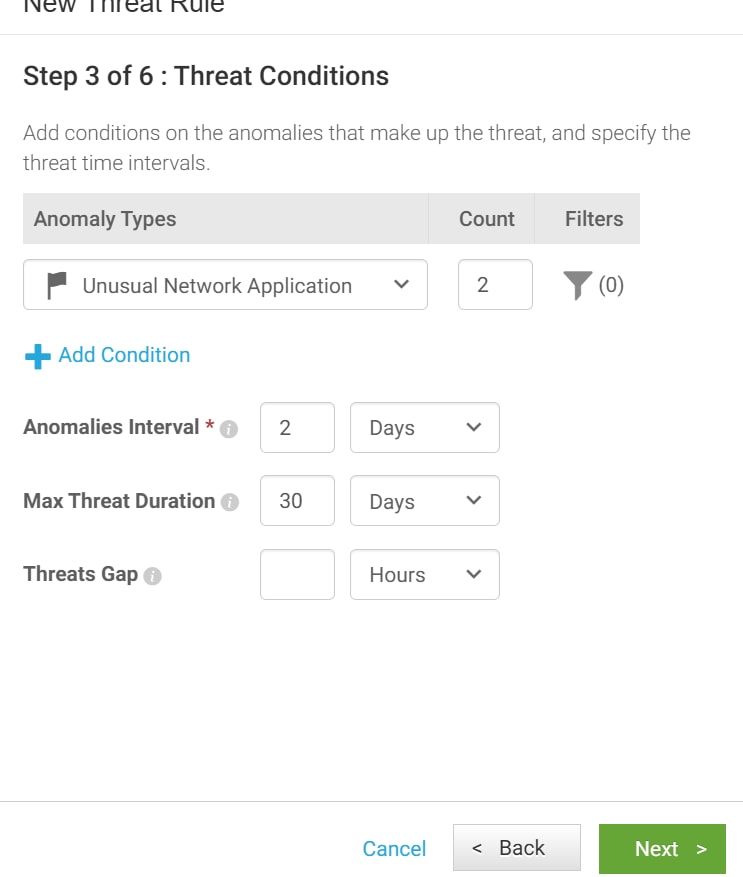
-
c. Set Time Window
-
In Step 3, select Process anomalies in the past and choose the appropriate date range.
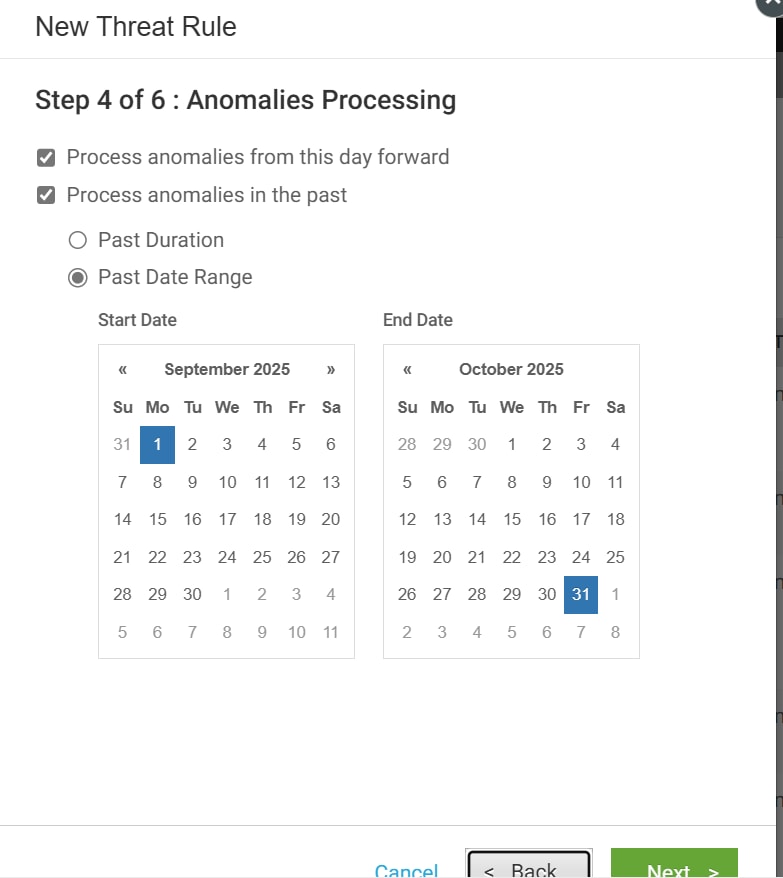
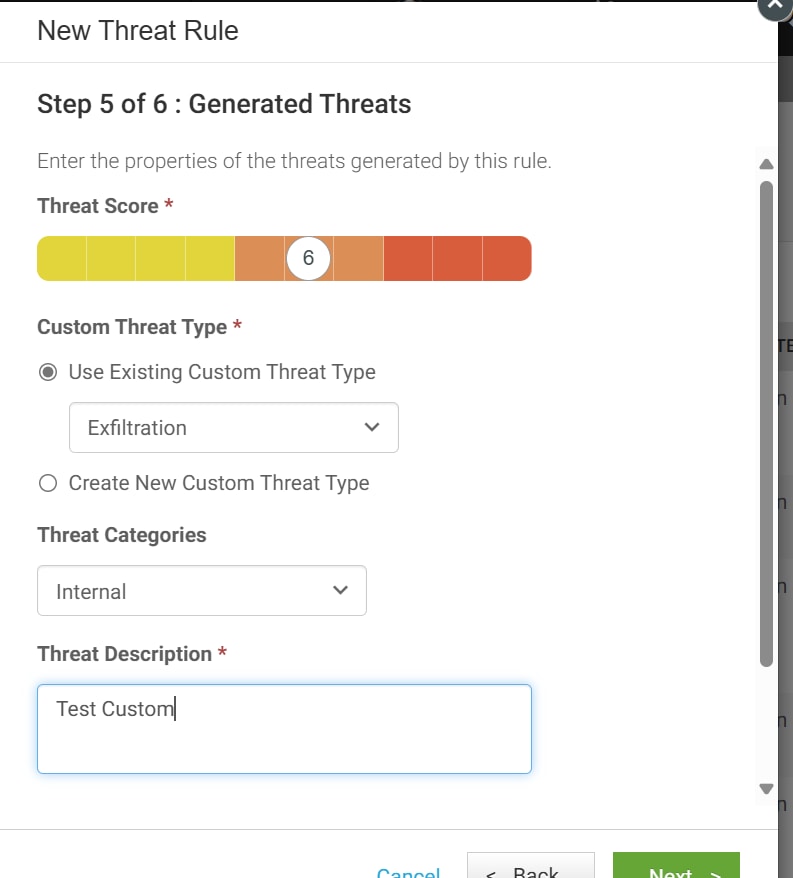
d. Define Threat Properties
- In Step 4, set the following:
-
Threat Score of your choice
-
Threat Type: Exfiltration
-
Threat Categories: Internal
-
Threat Description: Add as appropriate
-
e. Save the Rule
- In Step 5, provide a Rule Name of your choice and click OK.
5. Review and Monitor
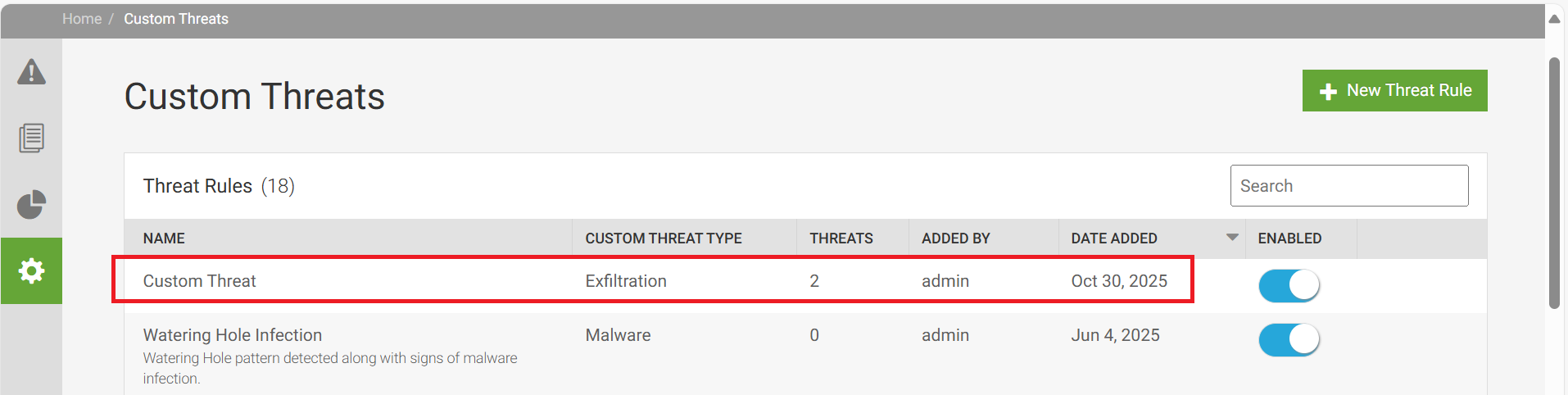
- Once the rule is created, wait a few moments for the threats to be generated and appear in the list.
Revision History
| Revision | Publish Date | Comments |
|---|---|---|
1.0 |
01-Oct-2026
|
Initial Release |
 Feedback
