Datasources not starting in Splunk User Behavior Analytics (UBA)
Available Languages
Applicability
UBA 5.4.1Description
UBA datasources are responsible for collecting events from Splunk Enterprise and forwarding them to UBA’s ingestion and analytics pipeline. If critical UBA components are unavailable or not operational, datasources may fail to start and ingestion will not occur.
In the reported scenario, datasources remained stopped and displayed the following message:
Error Message:
Stopped by Caspida stop script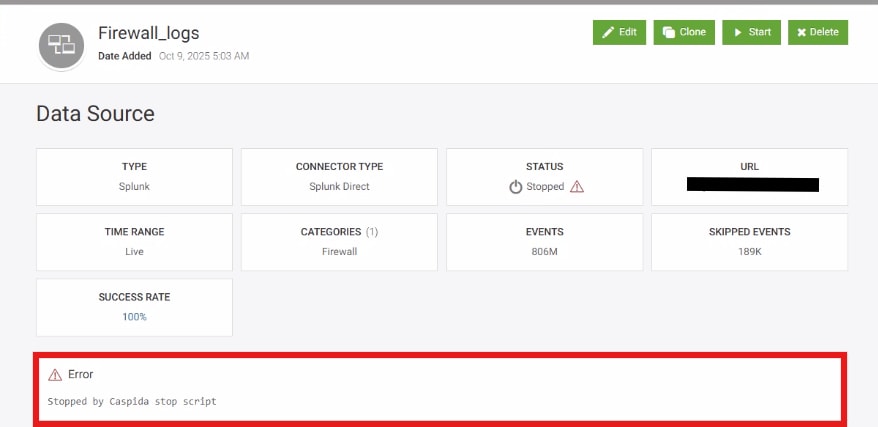
Investigation
During the investigation, it was observed that the required UBA container services were not running successfully. Since datasources depend on these containerized services and their associated Kubernetes pods, datasource startup failed and ingestion from Splunk Enterprise did not occur.

Resolution
To resolve the issue of datasources not starting, follow the steps below to ensure that all required UBA containers, services, and datasources are running correctly.
Step 1: Start the UBA containers manually
Run the following command to start the UBA containers:
/opt/caspida/bin/Caspida start-containersStep 2: Verify the status of all UBA services
Confirm that all required UBA services are running:
/opt/caspida/bin/Caspida status-allStep 3: Verify Kubernetes pod status
Ensure all required pods are present and running:
/opt/caspida/bin/status/pods.sh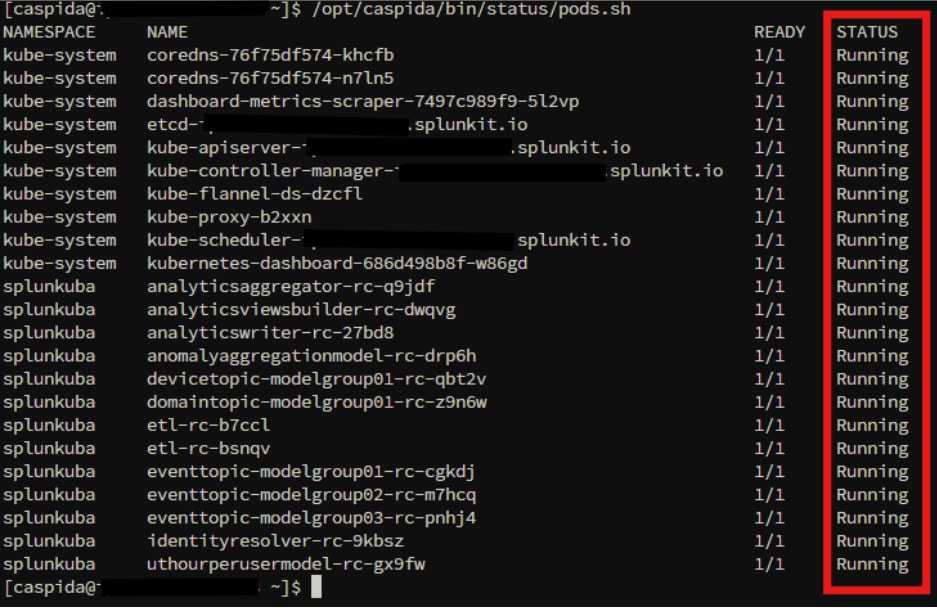
Step 4: Start all datasources
Once containers and services are running, start the datasources:
/opt/caspida/bin/Caspida start-datasources
Validation
- Datasources should transition to Processing state.
- Events should begin ingesting from Splunk Enterprise.
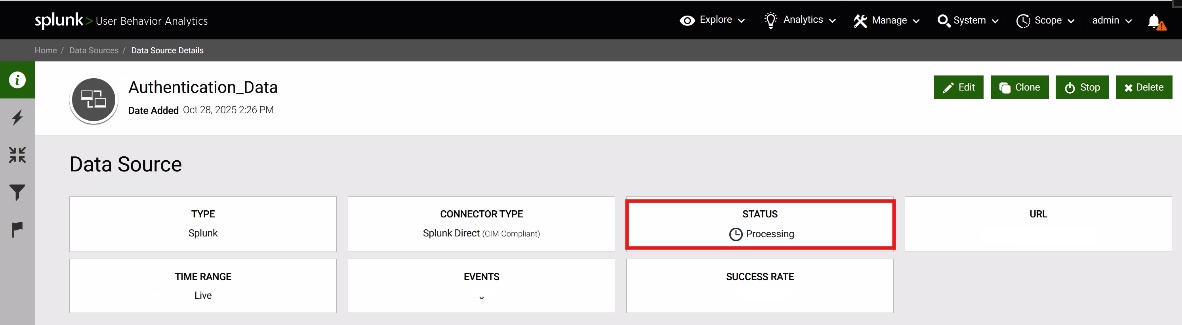
If the datasource issue still persists after completing the above steps, verify the status of the UBA job agents.
Step 1: Check Job Manager Logs
Review the job manager debug log for agent-related errors:
/var/log/caspida/jobmanager-debug.logCheck the log for error messages indicating that "no live job agents" are available, such as the following:
no live agents found, check if job manager/agents are running on:<UBA hostname>
2026-01-29 16:06:10,202 ERROR dw-93 - PUT /datasources/startAll?stoppedFor=ServiceRestart
c.c.j.resources.DataSourceEndpoint: no live agents found2026-01-29 16:06:10,203 ERROR dw-93 - PUT /datasources/startAll?stoppedFor=ServiceRestart
c.c.j.resources.DataSourceEndpoint: unable to get agents from master
Step 2: Restart the Job Agent Service:
If the error indicates that job agents are not running, restart the job agent service on the affected node(s):
sudo service caspida-jobagent restartTo determine where the job agent is running, navigate to "/opt/caspida/conf/deployment/recipes" and open the "deployment-3_node.conf" file for a three-node cluster. This configuration file specifies which node the job agent service is assigned to run on. In a three-node deployment, the job agent is configured to run on Node 2.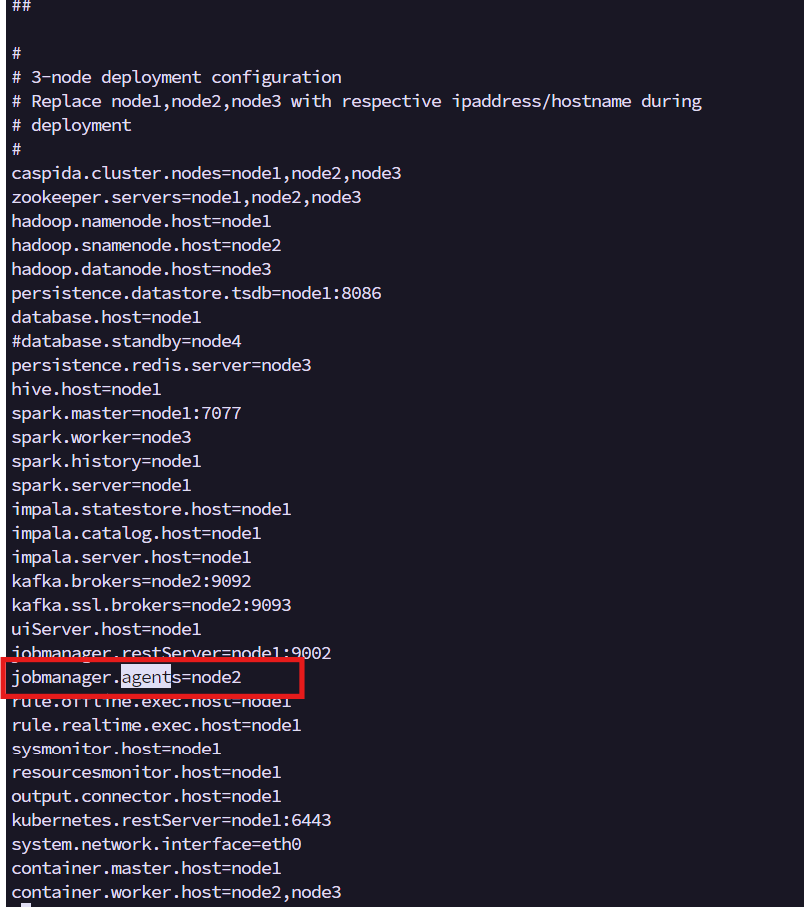
Step 3: Start Datasources from the UBA UI
After restarting the job agent service, log in to the UBA UI and manually start the affected datasource(s).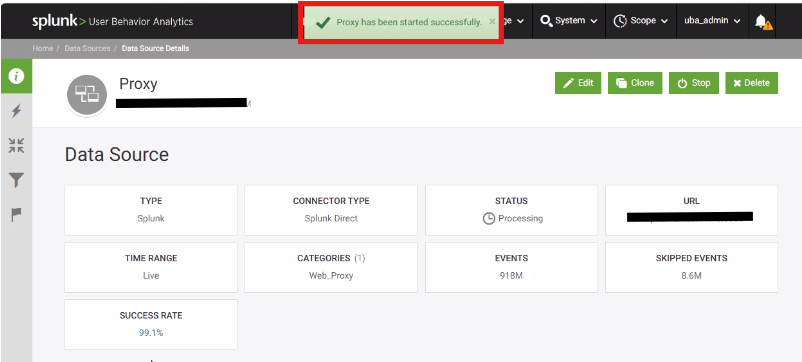
Related Links
Revision History
| Revision | Publish Date | Comments |
|---|---|---|
1.0 |
01-Oct-2026
|
Initial Release |
 Feedback
