Impala Service not running in Splunk User Behavior Analytics (UBA)
Available Languages
Applicability
UBA 5.4.1Description
In Splunk UBA, the Impala service is not running, and manual start attempts return a "No such container" error. This typically occurs after a server reboot, where restarting UBA services fails to load the Impala Docker image. As a result, the Impala container is not created, leading to the service being unavailable and dependent analytics and queries failing.
This issue occurs when the Impala container is missing or multiple conflicting Impala images exist. The problem usually originates from incomplete container removal, interrupted upgrades, or multiple setup runs without proper cleanup.
Error Message when trying to start the impala service manually:
sudo docker start impala
UBA Health Monitor Error: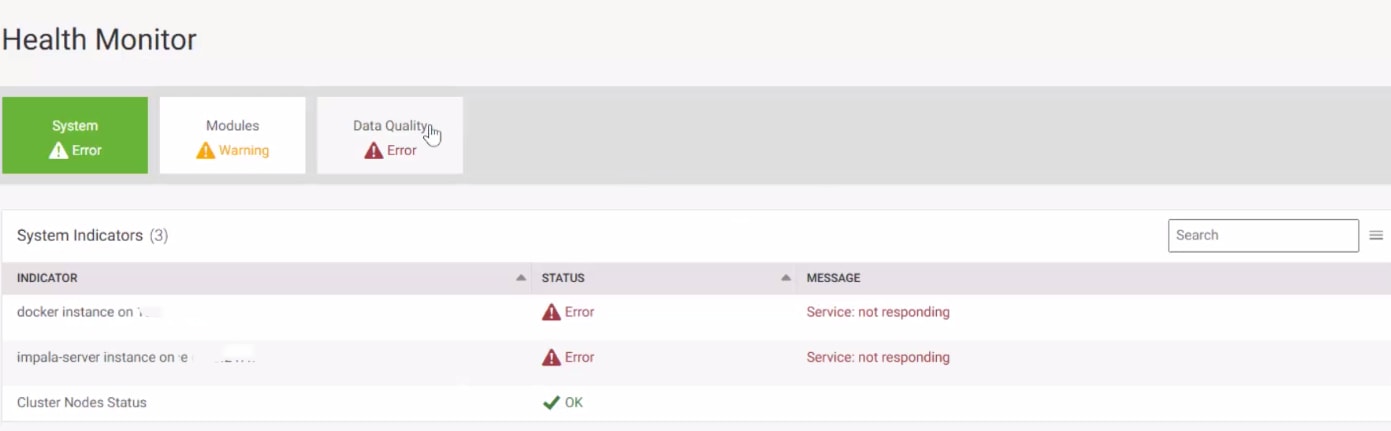
Investigation
During investigation, the Health Monitor showed “Impala services not running”, and manual start attempts returned "No such container". Docker checks revealed no running Impala containers but multiple duplicate images, indicating improper container cleanup after a reboot or setup. This led UBA to fail loading the correct Impala image at startup, leaving the service down.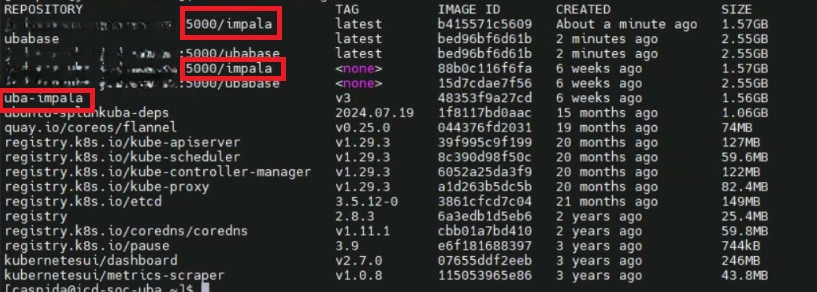
Resolution
To resolve the issue follow the below steps in the management node of cluster environment:
Step 1: Stop All UBA Services
/opt/caspida/bin/Caspida stop-all
Step 2: Remove Existing Containers
/opt/caspida/bin/Caspida remove-containerization
Step 3: Install Containers
/opt/caspida/upgrade/utils/install_containerization.sh -i /home/caspida/Splunk-UBA-5.4.1-Packages-RHEL-8/extra_packages/Note: If the errors below occur, ensure that all leftover containers are stopped and removed manually, then reinstall the containers before proceeding.
/opt/caspida/bin/Caspida stop-containers

Step 4: Rebuild UBA Images
/opt/caspida/bin/Caspida rebuild-uba-images
Step 5: Start All UBA Services
/opt/caspida/bin/Caspida start-all
Step 6: Manually Start Impala
/opt/caspida/bin/Caspida start-impala
Step 7: Verify Impala Container Status
sudo docker ps -f name=impala
Expected Output:
After following the above steps, the Impala issue will be resolved, and the error will no longer appear in the UBA Health Monitor.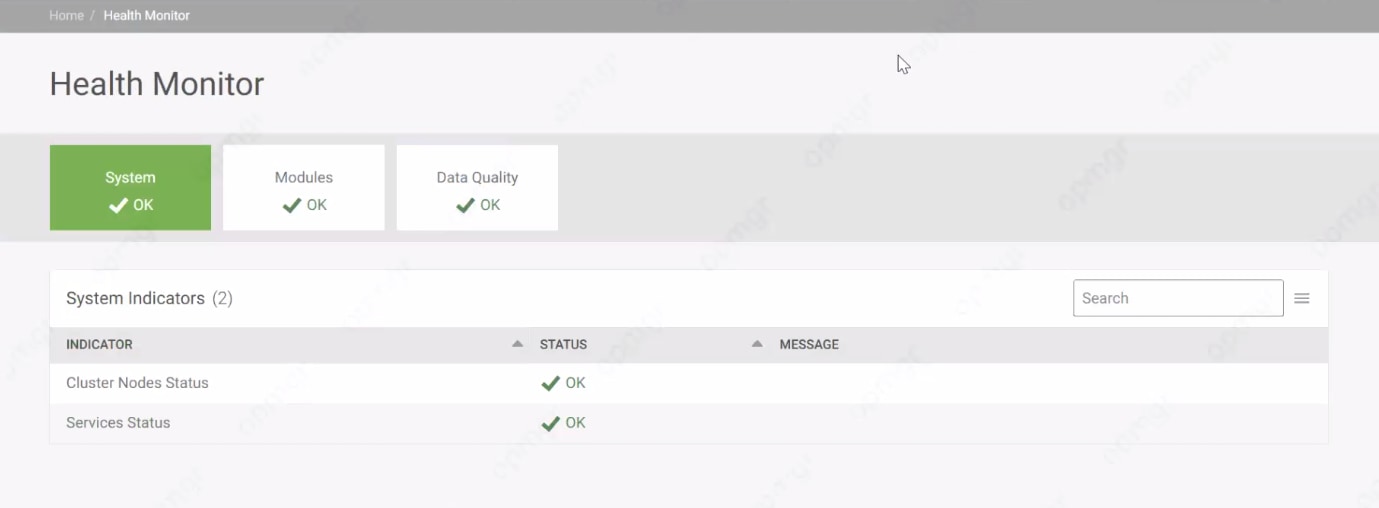
Revision History
| Revision | Publish Date | Comments |
|---|---|---|
1.0 |
01-Oct-2026
|
Initial Release |
 Feedback
