Unable to start outputconnector on Splunk User Behavior Analytics (UBA)
Available Languages
Applicability
Splunk User Behavior Analytics (UBA) - 5.4.xDescription
In Splunk UBA UI, an alert triggered in a Health Monitor as the "outputconnector" service not responding. Backend logs typically show an authentication failure (“Unauthorized”) when the connector attempts to send data to Splunk.
Investigation
To investigate the outputconnector “Service not responding” Health Monitor alert, first confirm the alert details in the UBA UI and then validate the Output Connector service state and related log errors on the management node.
- Health Monitor Alert
In the UBA UI, navigate to System → Health Monitor. See an error:"caspida-outputconector instance on *.*.*.* - Service not responding"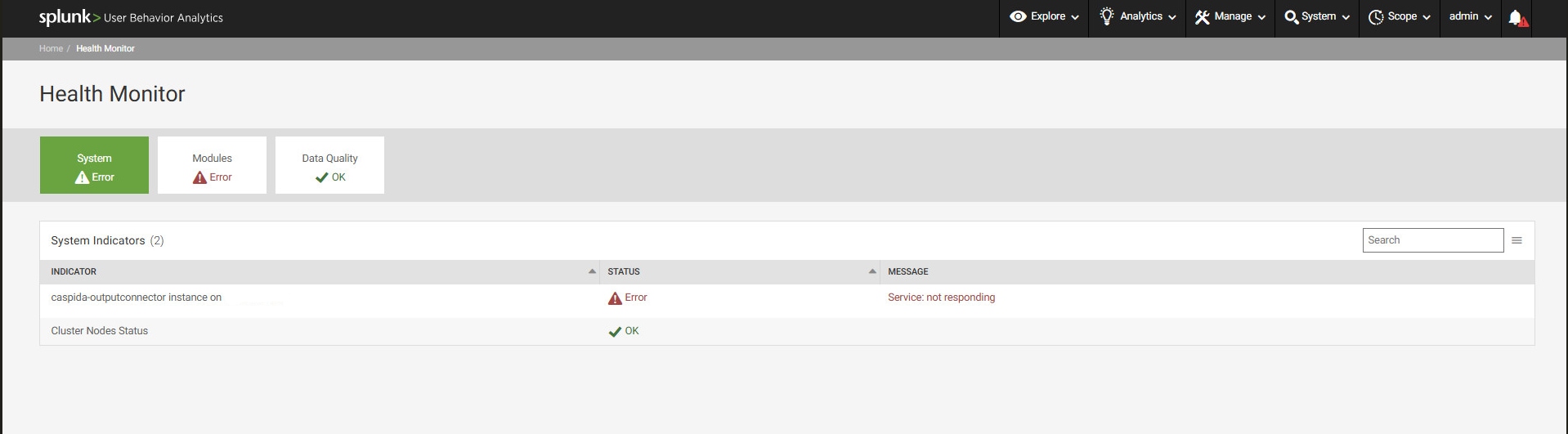
- Review Output Connector Logs
On the UBA management node CLI, check the following log file:/var/log/caspida/outputconnector.logLook for errors such as:
OCS failed to initialize. Exiting...
Splunk Error: Unauthorized
- Check Service Status and Attempt Restart
Run the following commands to validate the service status and attempt a restart:sudo service caspida-outputconnector status sudo service caspida-outputconnector restartThe restart fails and the following error occurs:
outputconnector is dead and pid file exists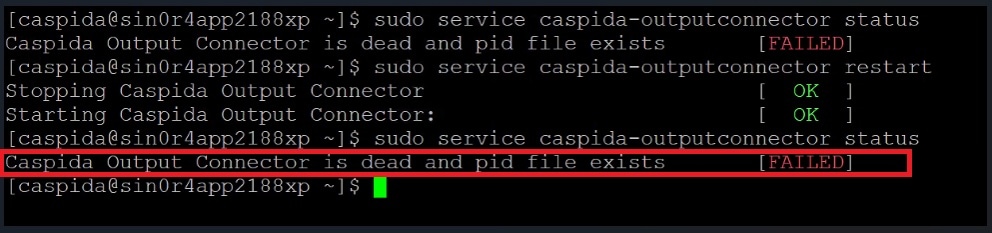
The “Unauthorized” error may persist in the log and the Health Monitor alert may remain active.
Resolution
To resolve the “Unauthorized” error, verify whether the Splunk password has recently changed. UBA will continue to fail authentication until the updated credentials are applied to the Output Connector configuration.
- If the Splunk password has changed, follow these steps:
Update Output Connector Credentials
In the UBA UI, go to Manage → Output Connector: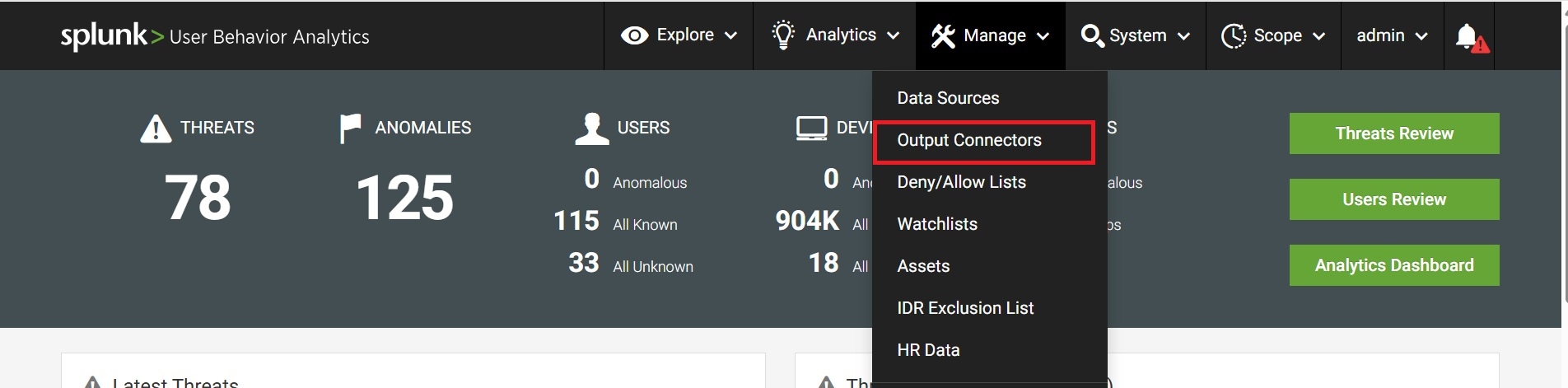
Select the relevant Splunk output connector: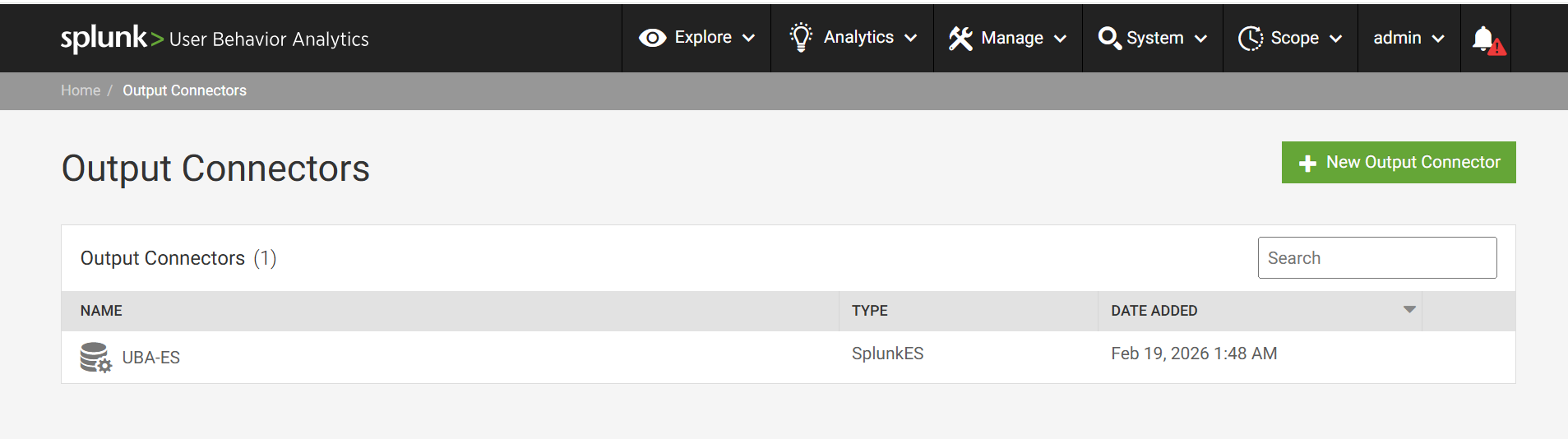
Update the password with the current Splunk credentials: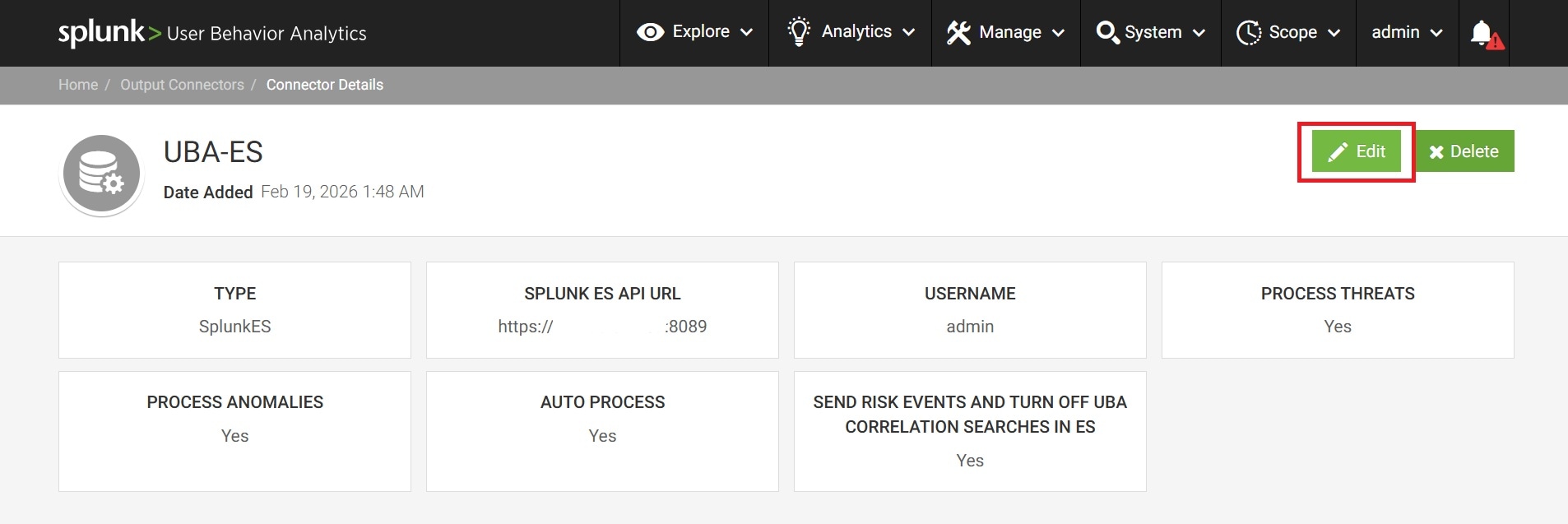
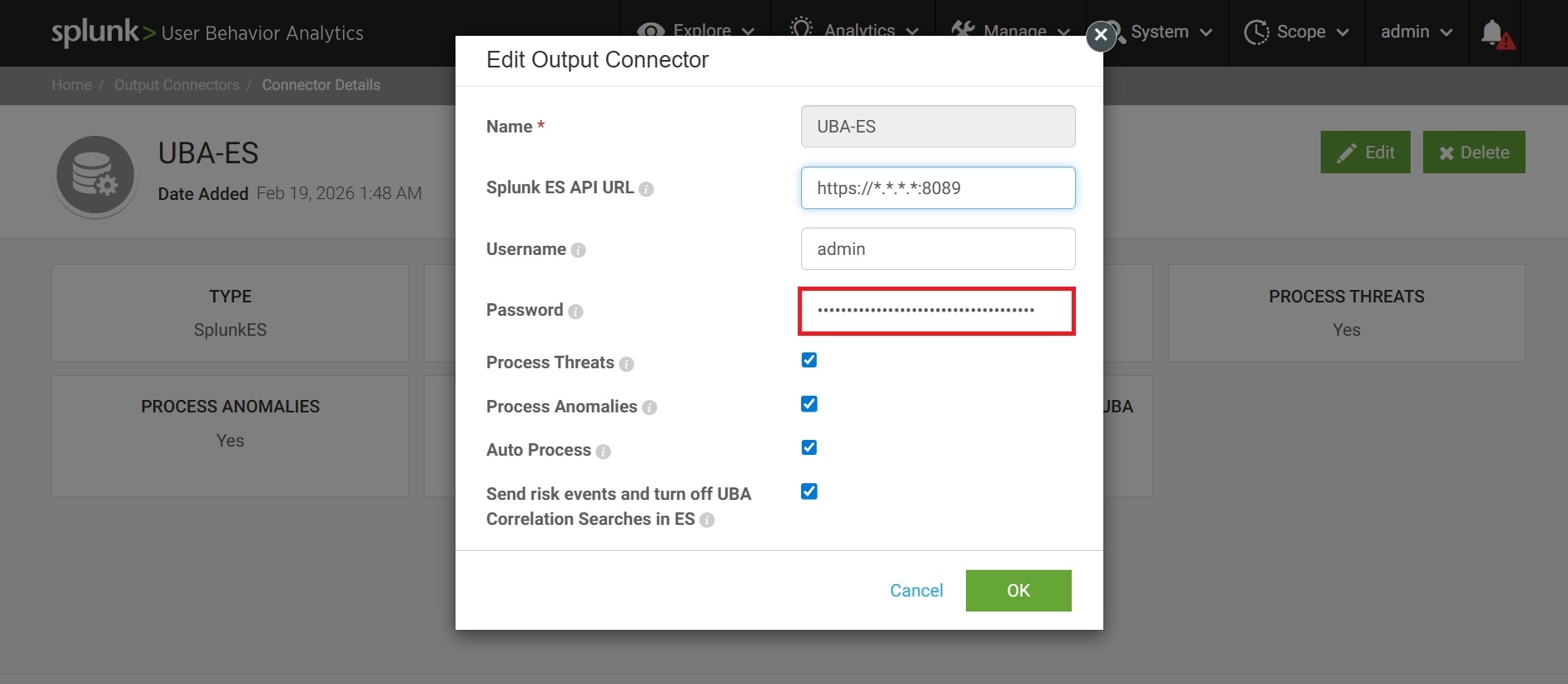
- Restart UBA Services
After updating the password, restart UBA services to apply the changes:/opt/caspida/bin/Caspida stop-all /opt/caspida/bin/Caspida start-all - Verify Resolution
Confirm that the Health Monitor alert is cleared and check outputconnector.log to ensure the “Splunk Error: Unauthorized” message no longer appears.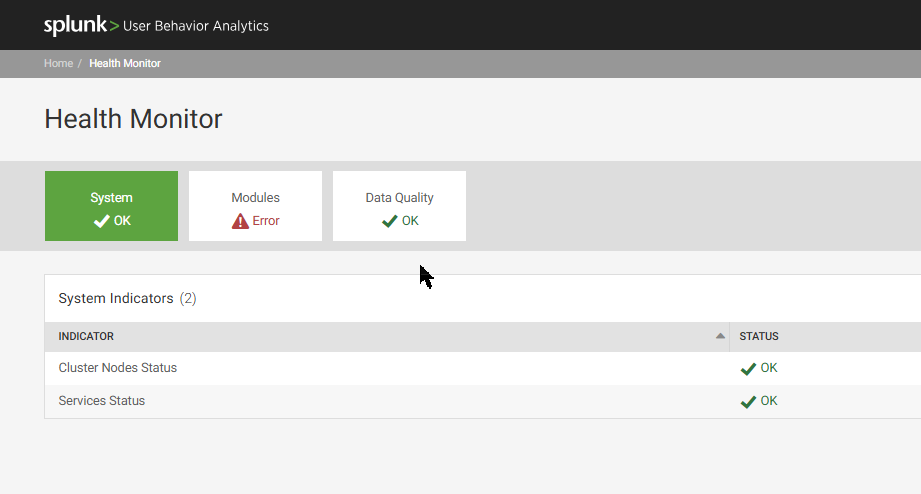
Related Links
Splunk Documentation - Add an output connector in Splunk UBA
Revision History
| Revision | Publish Date | Comments |
|---|---|---|
1.0 |
01-Oct-2026
|
Initial Release |
 Feedback
