Users assigned a custom role in Splunk Enterprise Security cannot see Findings or Investigations
Available Languages
Applicability
Splunk Enterprise SecurityDescription
When a custom role is created in Splunk Enterprise Security (ES) and assigned capabilities equivalent to built-in roles such as ess_user or ess_analyst, users may still be unable to view Findings and Investigations in the Analyst Queue dashboard.
Common symptoms include:
-
Analyst Queue displays “Waiting for data…”
-
Message “Search did not return any findings or investigations”
-
No results displayed despite existing Findings/Investigations

In Splunk ES, the Analyst Queue relies on underlying searches i.e. Incident Review - Main that read and enrich data from KV Store collections, including:
-
mc_incidents -
ers_lookup
By default, only ES out-of-the-box roles (such as ess_user, ess_analyst) are explicitly granted read access to these KV Store collections.
Custom roles are not automatically added to the access control lists (ACLs) for these collections, even if:
-
The custom role inherits from
ess_useroress_analyst -
The role is added to the
enforce_es_permissionssetting
As a result, users assigned only the custom role cannot retrieve the required data and see empty results in the Analyst Queue.
Resolution
Steps to grant read access to the required KV Store collections for the custom role.:
-
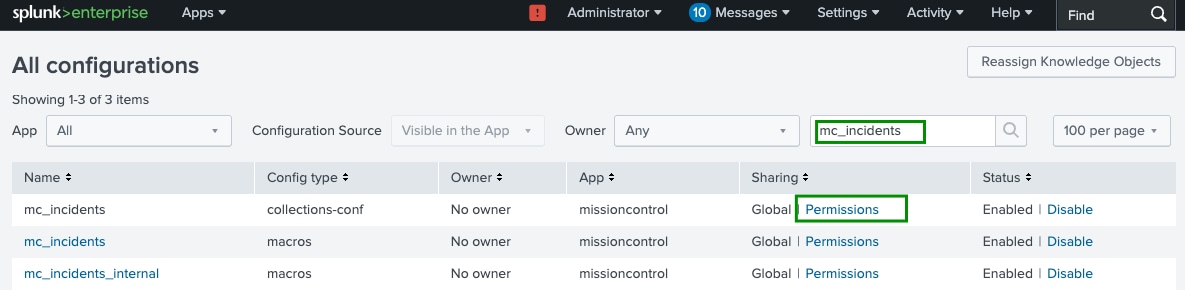
Navigate to Settings → All configuration
-
Search for mc_incident Collection
- Click Permissions for mc_incidents (collections-conf config type)
-
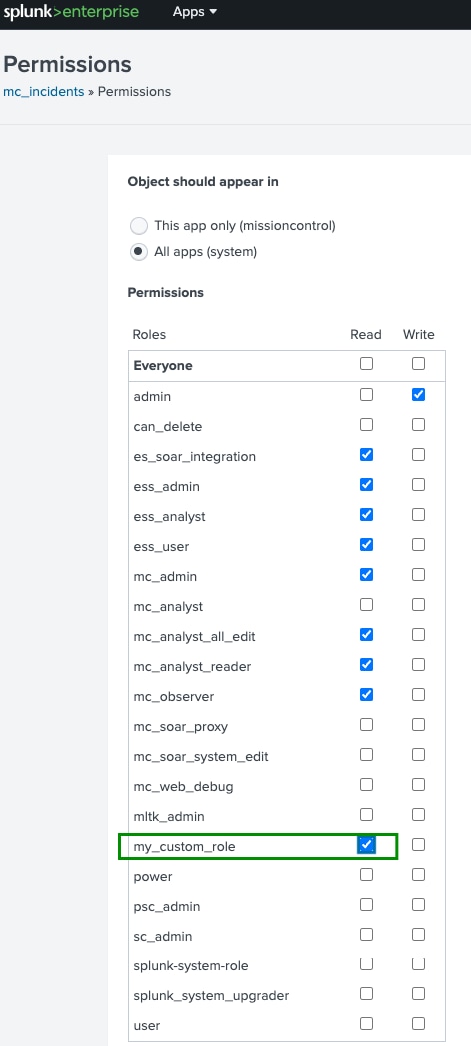
Grant Read permission to the custom role and save:
-
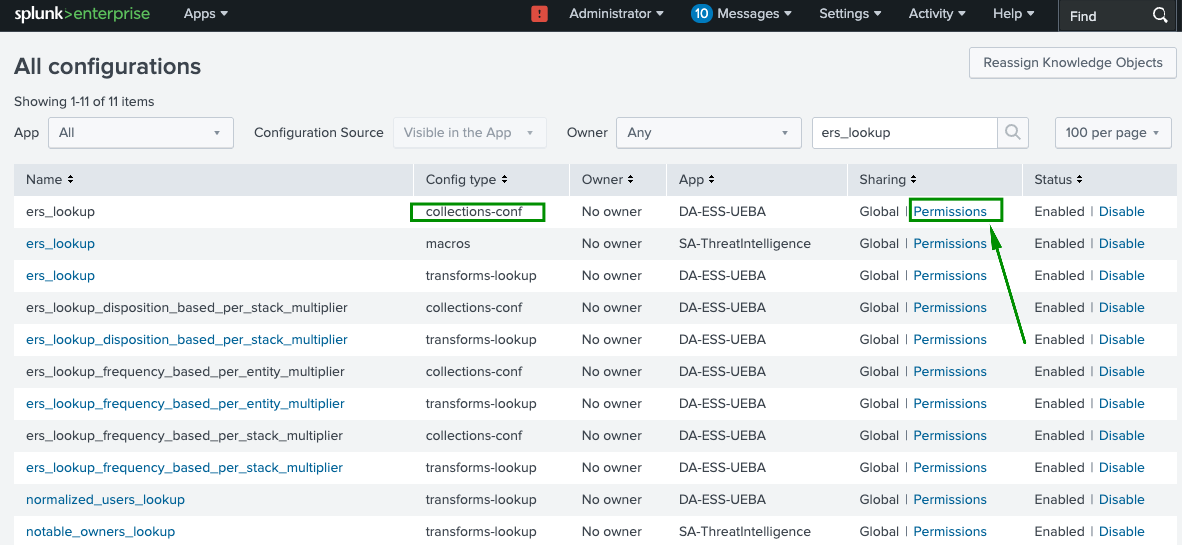
Return to Settings → All configuration
-
Search for ers_lookup Collection
- Click Permissions for mc_incidents (collections-conf config type)
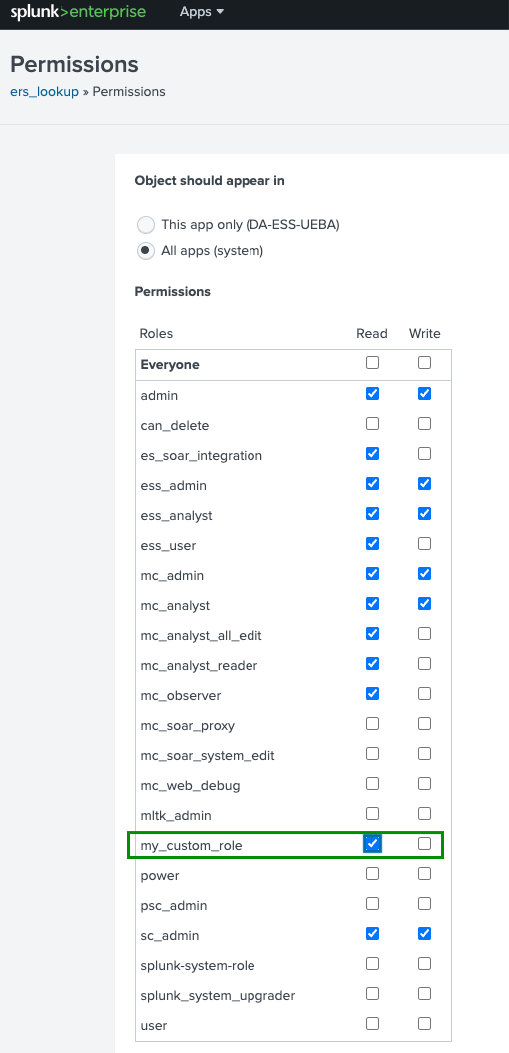
- Grant Read permission to the custom role and save:
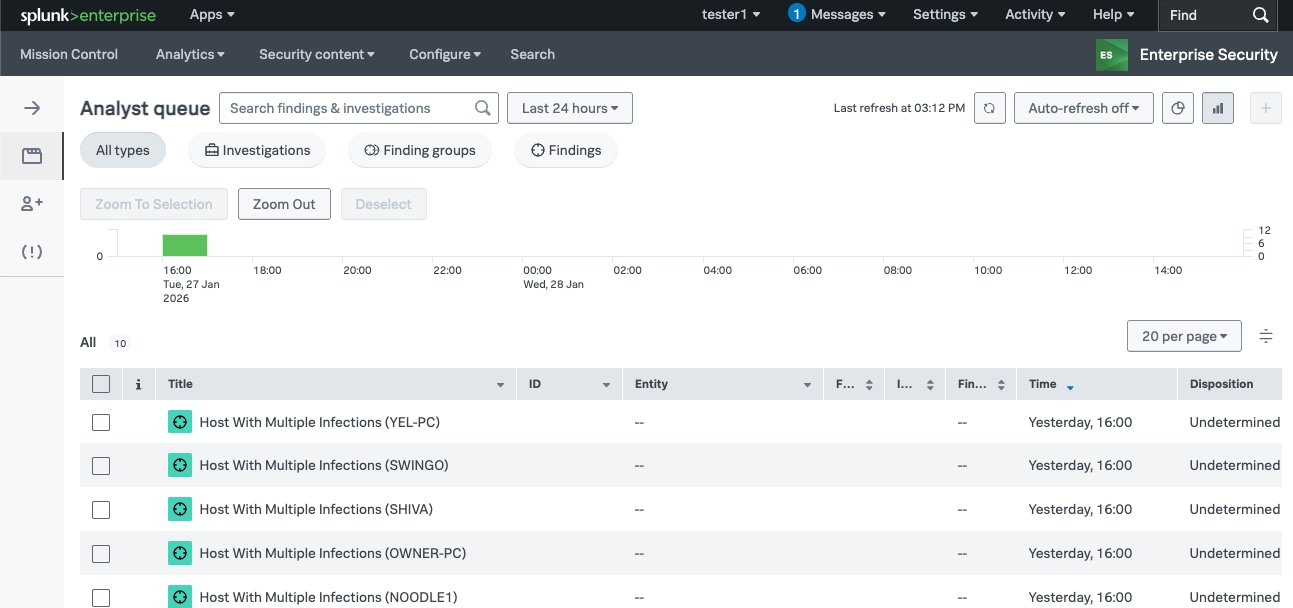
- Log in as a user assigned to the custom role and navigate to Enterprise Security → Analyst Queue. Confirm that Findings and Investigations are displayed as expected.
Revision History
| Revision | Publish Date | Comments |
|---|---|---|
1.0 |
01-Oct-2026
|
Initial Release |
 Feedback
Contact Cisco
- Open a Support Case

- (Requires a Cisco Service Contract)
Related Articles
- Unable to see any findings or investigations in Analyst queue on the Mission Control page
- Restoring default navigation after upgrading to Splunk Enterprise Security 8.x
- Unable to edit correlation searches with ess_admin role in Splunk Enterprise Security
- SOAR execute playbooks for suppressed Findings in Splunk Enterprise Security 8.x