Unable to edit correlation searches with ess_admin role in Splunk Enterprise Security
Available Languages
Applicability
Splunk Enterprise SecurityDescription
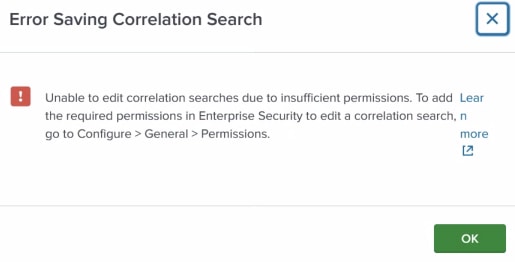
The user assigned with ess_admin role is unable to edit, create, or clone correlation searches in Splunk Enterprise Security. The following error appears:
“Unable to edit correlation searches due to insufficient permissions.”
Investigation
During the investigation, the below steps were performed to identify the cause of the issue:
- An attempt was made to edit a correlation search while assigned the "ess_admin" role.
- The action failed despite the ess_admin role including the edit_correlation_searches capability.

The Enterprise Security interface displayed the following message:To add the required permission in Enterprise Security to edit a correlation search – go to Configure > General > Permissions. - Navigated to Configure > General > Permissions to verify role listings.
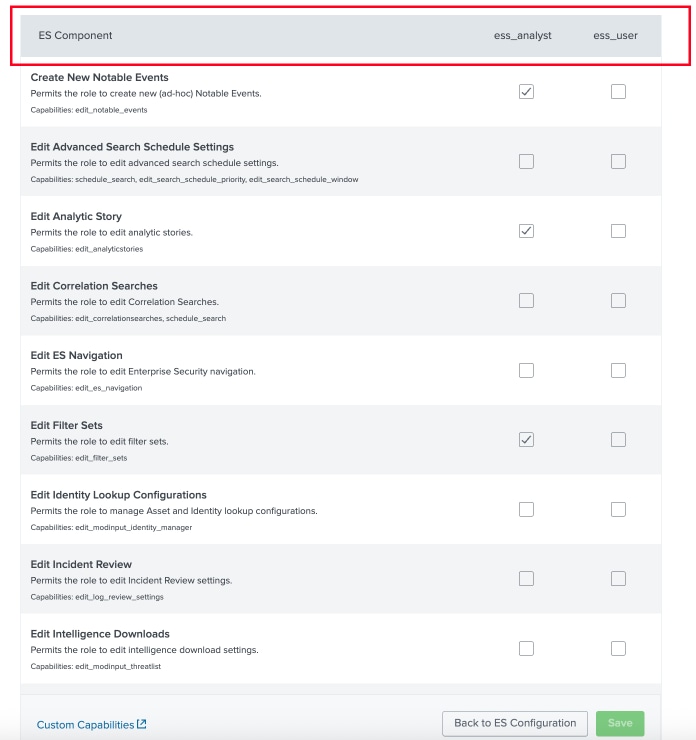
- "ess_admin" is not listed in the permission matrix in ES components.
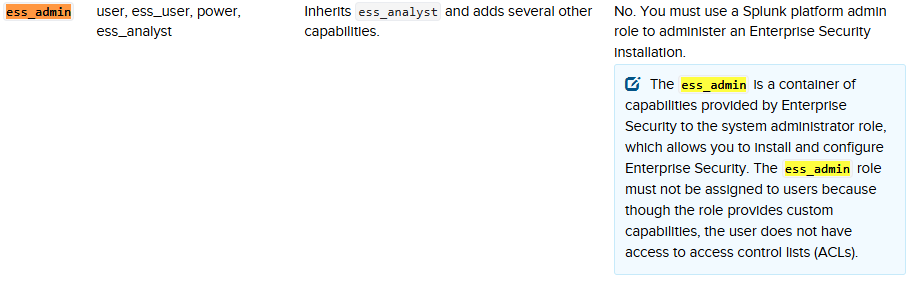
- Based on the Splunk documentation and design review, granting daily correlation search editing privileges to ess_admin was determined to be outside of recommended practice, as the role is reserved for ES application operations such as installation and upgrading.
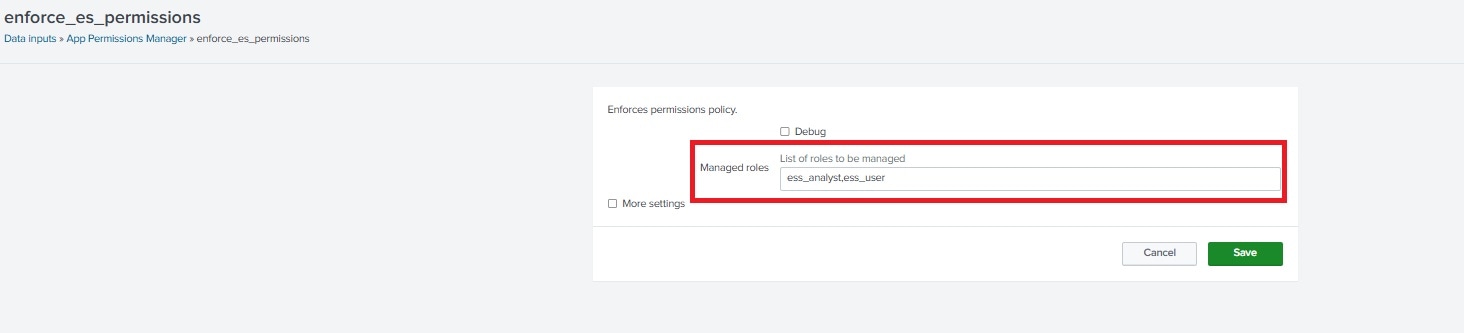
- Investigation confirmed the absence of ess_admin in the Settings > Data Inputs > App Permissions Manager > Enforce_es_permissions managed roles configuration as the blocking mechanism.
Resolution
Enable the ess_admin role to edit correlation searches in Splunk Enterprise Security by adding the role to the managed_roles list in enforce_es_permissions.
1.For Single Search Head Environments
- To enable: Navigate to Settings > Data Inputs > App Permissions Manager > Enforce_es_permissions.
In the Managed roles field, add ess_admin to the existing list, ensuring comma separation:ess_analyst,ess_user,ess_admin- Navigate to Configure > General > Permissions and enable Edit Correlation Searches for ess_admin
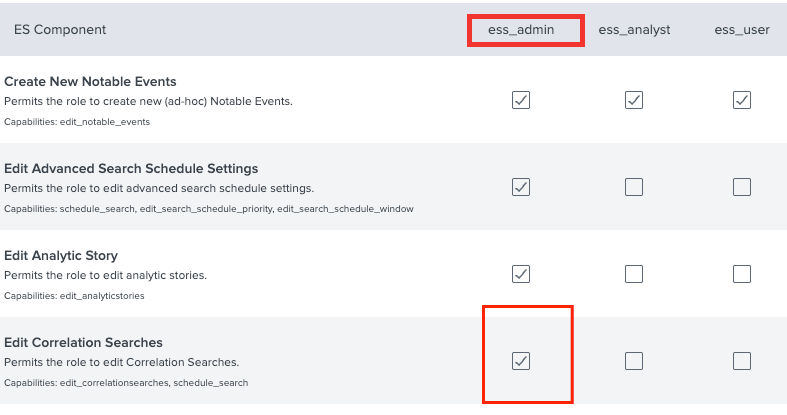
- Verify by performing edit, clone, and create operations on correlation searches.
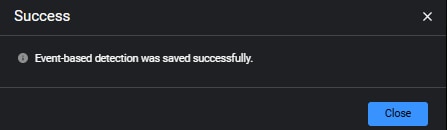
2.For Search Head Cluster Environments
-
To enable: On the deployer node, open (or create) the $SPLUNK_HOME/etc/shcluster/apps/SplunkEnterpriseSecuritySuite/local/inputs.conf configuration file with the following stanza:
[app_permissions_manager://enforce_es_permissions]
 managed_roles = ess_analyst,ess_user,ess_admin
Push the updated configuration to all search heads from the deployer.
-
On any search head, navigate to Configure > General > Permissions and enable Edit Correlation Searches for ess_admin. Verify by performing edit, clone, and create operations on correlation searches.
Note: Allowing ess_admin to perform correlation search editing is not aligned with recommended best practices, as the role is designed for routine administrative operations.
Related Links
Splunk document: Configure users and roles
Revision History
| Revision | Publish Date | Comments |
|---|---|---|
1.0 |
01-Oct-2026
|
Initial Release |
 Feedback