SOAR execute playbooks for suppressed Findings in Splunk Enterprise Security 8.x
Available Languages
Applicability
Splunk Enterprise Security 8.xDescription
In Splunk Enterprise Security 8.x, all findings (previously known as notables in ES 7.x) can be forwarded to Splunk SOAR for automated investigations using the automation rules feature.
When a finding is suppressed, it does not appear in the analyst queue (also known as the Incident Review Dashboard in ES 7.x), but it is still stored in the notable index. As a result, SOAR continues to receive these suppressed findings and executes the associated playbooks.
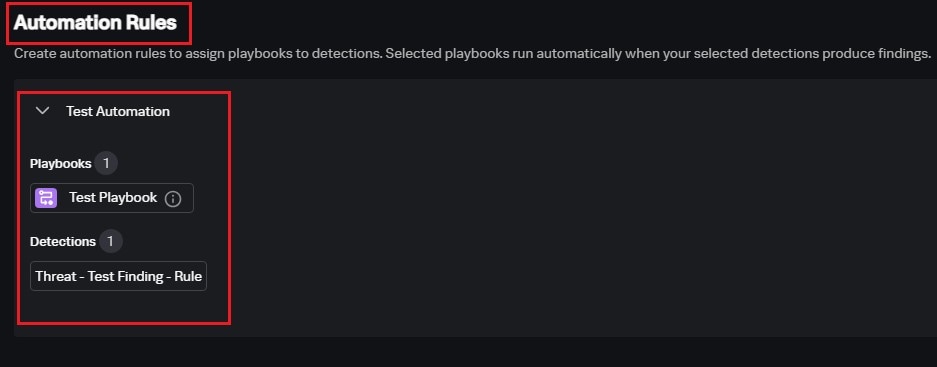
Investigation
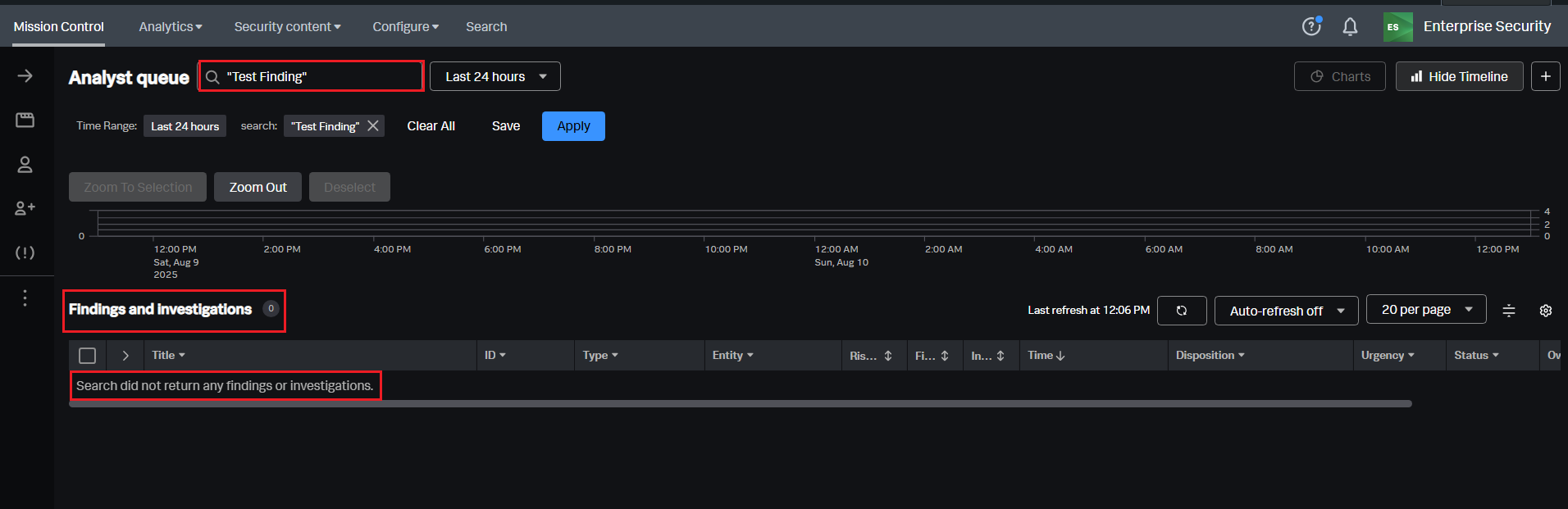
- Checked the analyst queue for the specified time range; no findings events were present.
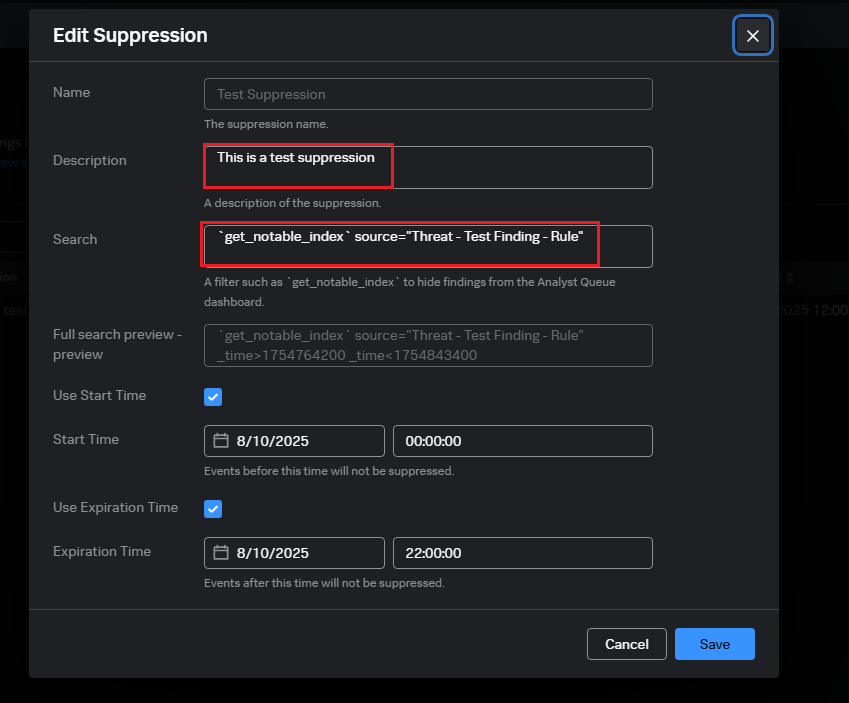
- Verified suppression rules by navigating to Splunk Enterprise Security > Configure > All Configurations > Suppressions. Confirmed that suppression rule was active for a specific "Threat - Test Finding - Rule" detection .
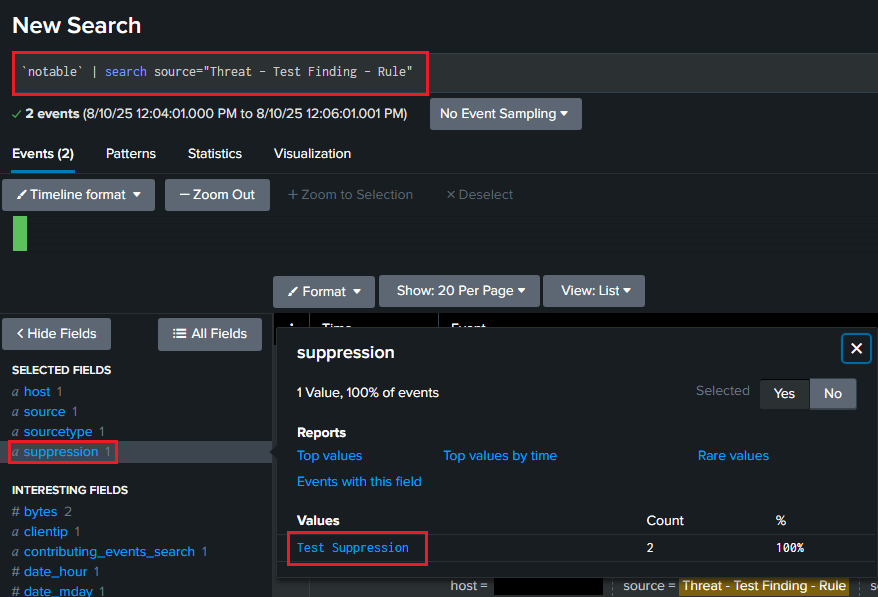
- Ran the following SPL query to identify suppressed findings:
`notable` | search source="Threat - Test Finding - Rule" - The results showed the suppression field, confirming that suppression was applied.
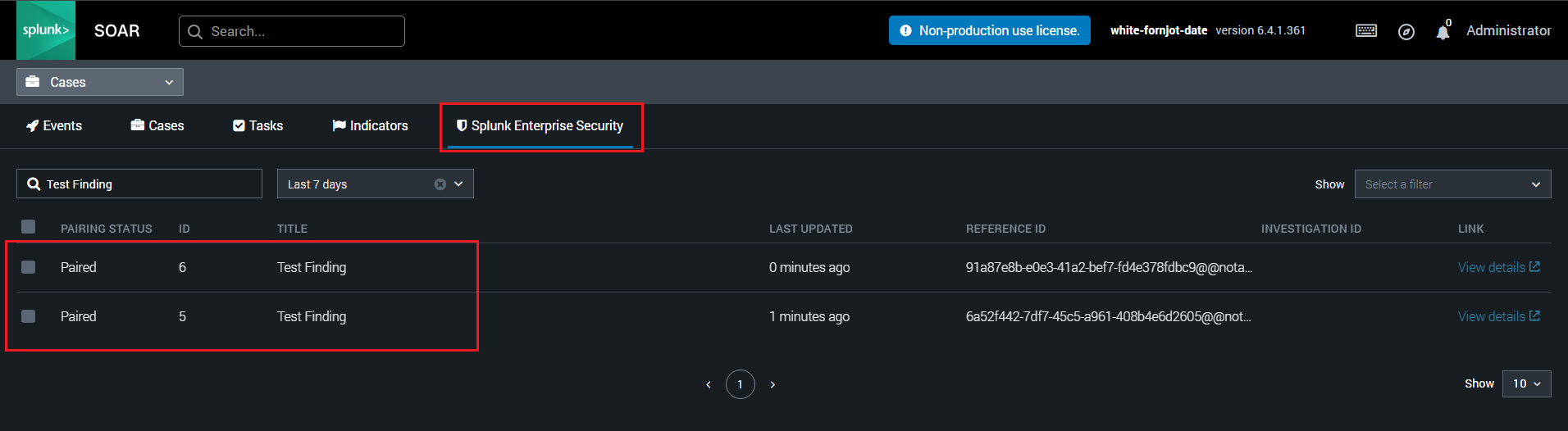
- Reviewed the Splunk SOAR events page and confirmed that playbooks were triggered for these suppressed findings.
Resolution
This is the expected functionality. Suppressed findings are hidden from the analyst queue but remain in the notable index.
Since SOAR triggers playbooks based on entries in the notable index, playbooks are executed for both visible and suppressed findings.
Therefore, it is expected behavior for Splunk SOAR to execute playbooks for suppressed findings, as notables are still stored in the notable index.
Related Links
Create suppression rules for findings in Splunk Enterprise Security
Configure automation rules to run playbooks based on findings in Splunk Enterprise Security
Revision History
| Revision | Publish Date | Comments |
|---|---|---|
1.0 |
01-Oct-2026
|
Initial Release |
 Feedback
Contact Cisco
- Open a Support Case

- (Requires a Cisco Service Contract)
Related Articles
- Restoring default navigation after upgrading to Splunk Enterprise Security 8.x
- Investigations are not visible in the Mission Control Panel in Splunk Enterprise Security 8.x
- Drilldown Search Uses "All Time" Range in Splunk Enterprise Security 8.x
- Identity Manager Error for KV Store Lookups in Splunk Enterprise Security 8.x