Drilldown Search Uses "All Time" Range in Splunk Enterprise Security 8.x
Available Languages
Applicability
Splunk Enterprise Security 8.xDescription
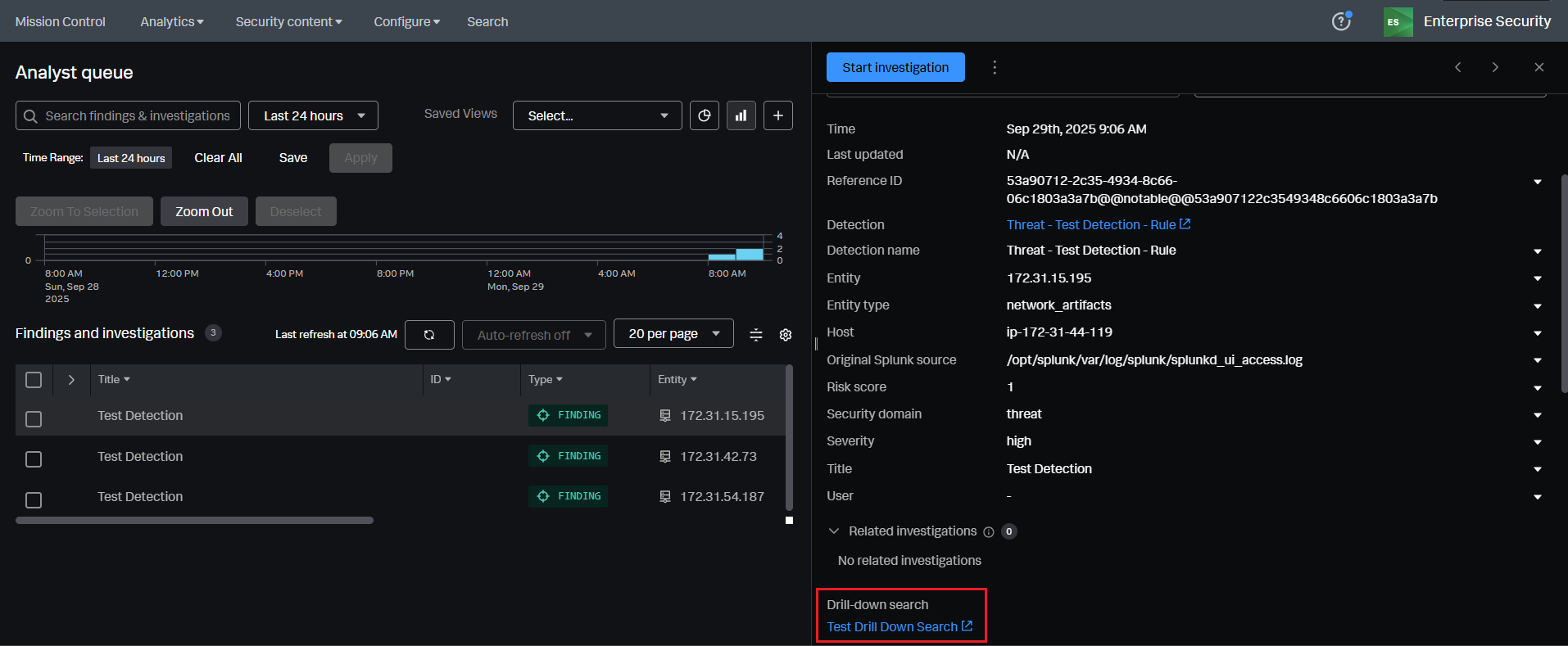
When security analysts click the drilldown search button in any finding, the drill down search runs for the "All Time" range rather than the specified time range configured in the detection’s drilldown search settings.

Investigation
This issue is due to the removal of time tokenization in drilldown searches starting in Splunk Enterprise Security version 8.0.x. As a result, the correct time range is not passed to the drilldown search, and the UI defaults to "All Time" regardless of the intended configuration.
Resolution
To resolve the drilldown search time range issue in Splunk Enterprise Security 8.x, the following solutions are available:
Upgrade to Enterprise Security 8.2.3: The issue is fully resolved in ES 8.2.3. Drilldown searches will use the configured time range, regardless of whether detections are based on event time or index time. For a complete and permanent fix, upgrading to ES 8.2.3 is strongly recommended.
Upgrade to Enterprise Security 8.1.1: In this version, the issue is partially resolved. Drilldown searches for detections based on event time will correctly use the configured time range. However, detections based on index time will still default to "All Time." If majority of the detections are event time based, upgrading to ES 8.1.1 is recommended for improved accuracy in drilldown searches.
Workaround
Manually including a time modifier in the SPL query within the drilldown search will remediate the issue.
For Example:
index=<index_name> earliest=$info_min_time$ latest=$info_max_time$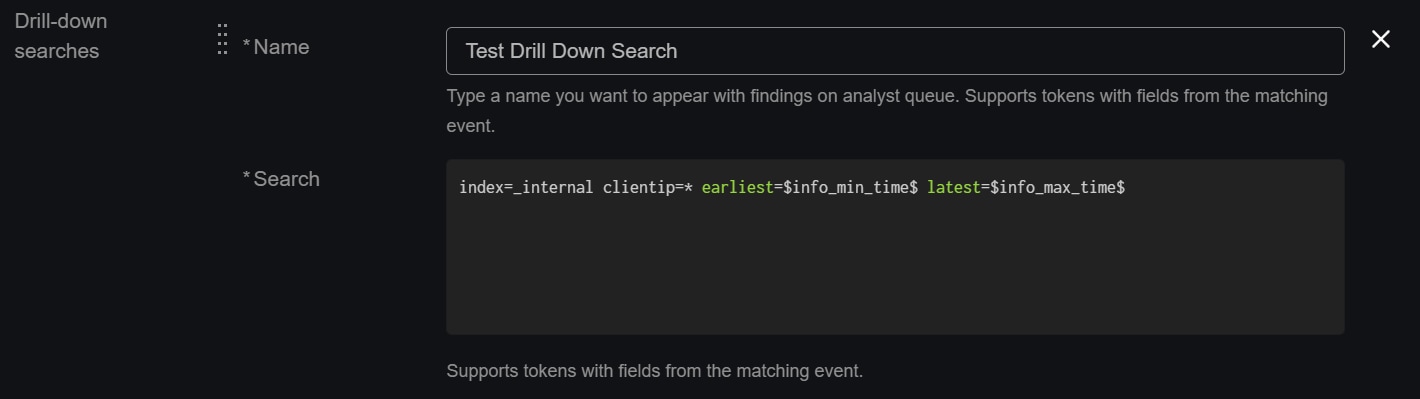
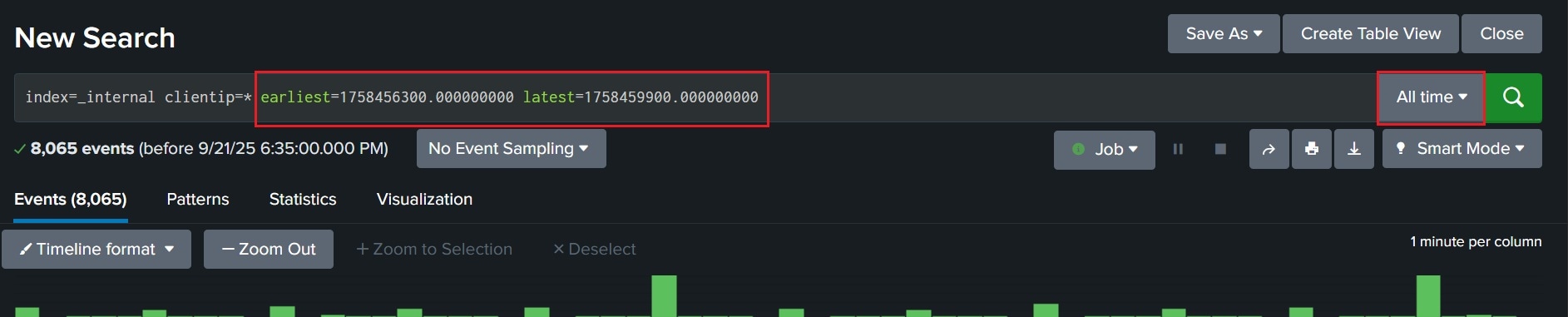 Even if "All Time" appears in the UI, the SPL query will use the explicitly defined time range.
For more information on time modifiers in SPL, refer to the documentation: Time Modifiers
Related Links
Splunk Enterprise Security 8.x Fixed Issues
Revision History
| Revision | Publish Date | Comments |
|---|---|---|
1.0 |
01-Oct-2026
|
Initial Release |
 Feedback