Investigations are not visible in the Mission Control Panel in Splunk Enterprise Security 8.x
Available Languages
Applicability
Splunk Enterprise Security 8.xDescription
In Splunk Enterprise Security 8.x, alerts are referred to as "findings" When SOC analysts review an alert and click the "Start Investigation" button, the alert status changes from "Findings" to "Investigation" type.
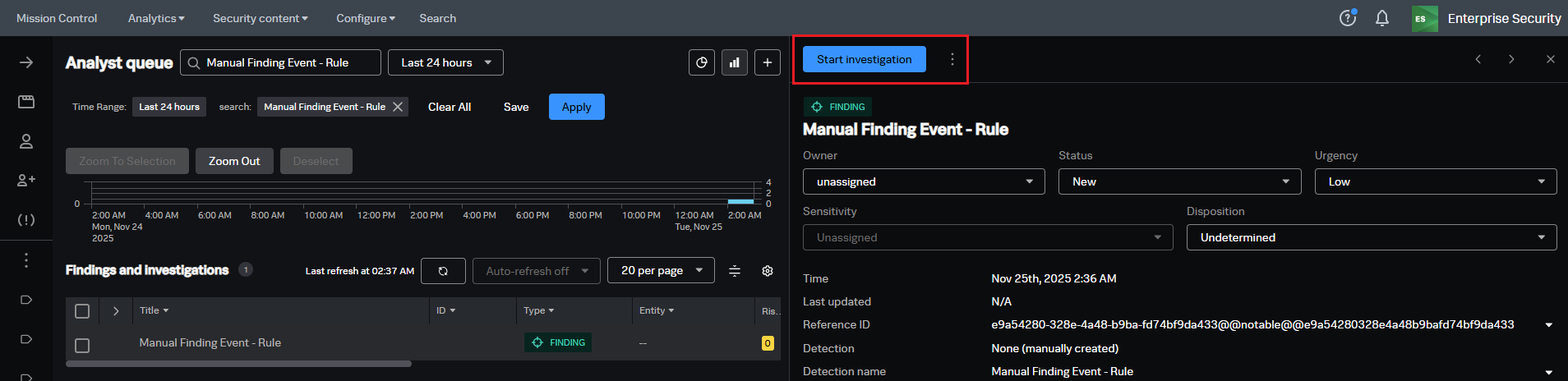

Investigation
The Mission Control Analyst Queue features a "Type" filter with two options: "Findings" and "Investigations" However, when selecting the "Investigations" filter, no results appear, even though investigations have been created.
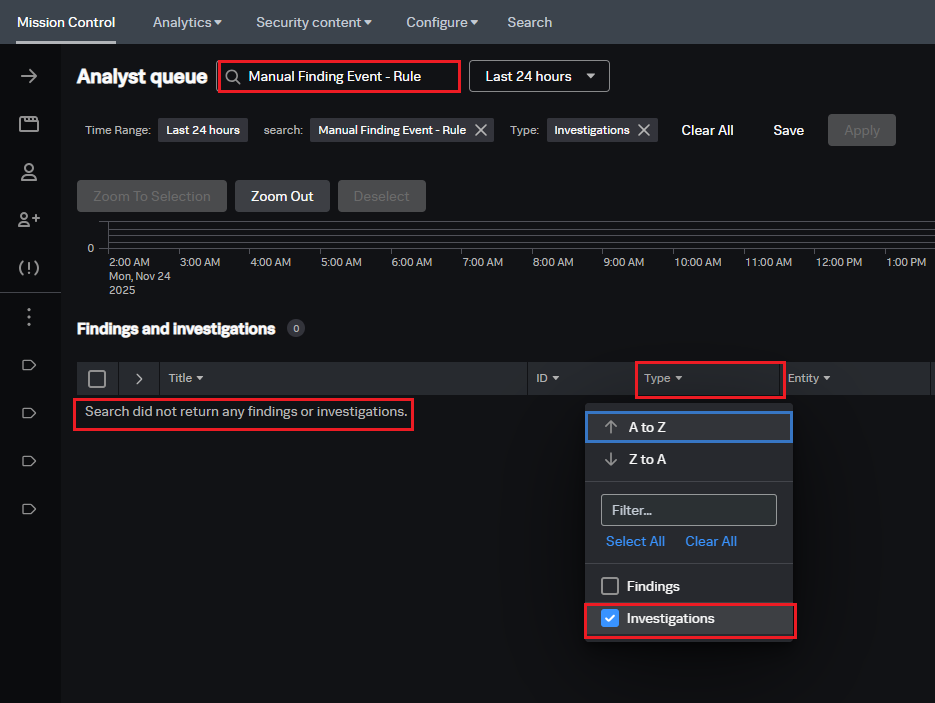
The Incident Review - Main saved search was reviewed. This saved search is responsible for populating the Mission Control Dashboard in Splunk ES 8.x. The search uses a macro in its SPL called get_notable_index. By default, this macro is set to "index=notable", but it had been modified to "index=notable NOT qa=1", which caused investigations to not be visible.
Macro's default value

Macro's modified value

Resolution
Steps to resolve the issue:
- Navigate to Splunk Enterprise.
- Go to Settings > Advanced Search > Search Macros.
- Set the app context to All and search for the
`get_notable_index macro` - Click on the get_notable_index macro.
- Change the macro value back to its default:
index=notable - Save the changes.
After restoring the macro to its default value, investigations should become visible again in the Mission Control Analyst Queue and Investigation Dashboard.

Related Links
Start Investigation In Splunk Enterprise Security
Revision History
| Revision | Publish Date | Comments |
|---|---|---|
1.0 |
30-Sep-2026
|
Initial Release |
 Feedback