Restoring default navigation after upgrading to Splunk Enterprise Security 8.x
Available Languages
Applicability
Splunk Enterprise Security 8.xDescription
After upgrading from Splunk Enterprise Security 7.x to ES 8.x, navigation menus from the previous version may continue to appear.
ES 7.x Navigation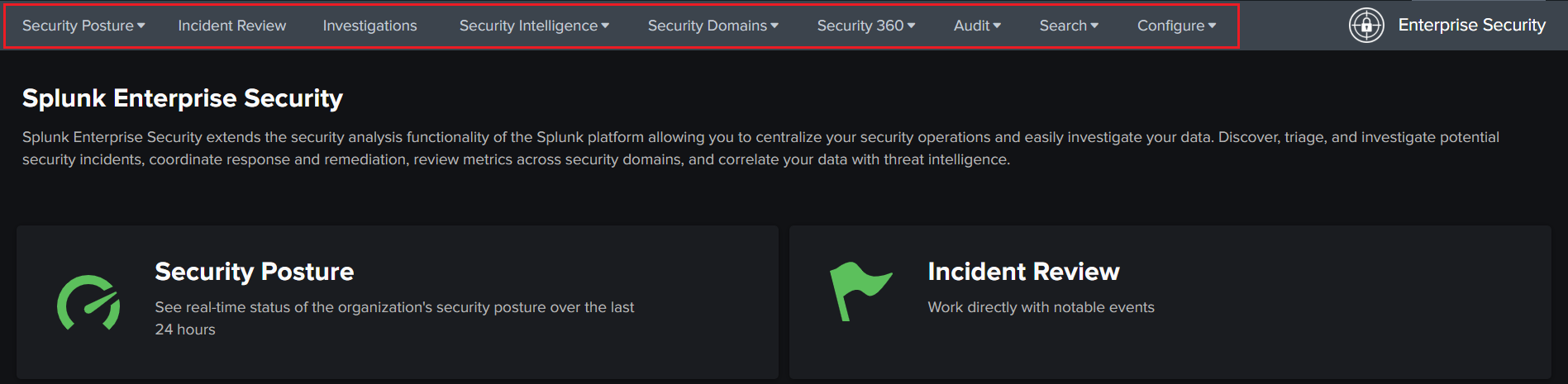
Navigation after upgrading to ES 8.x
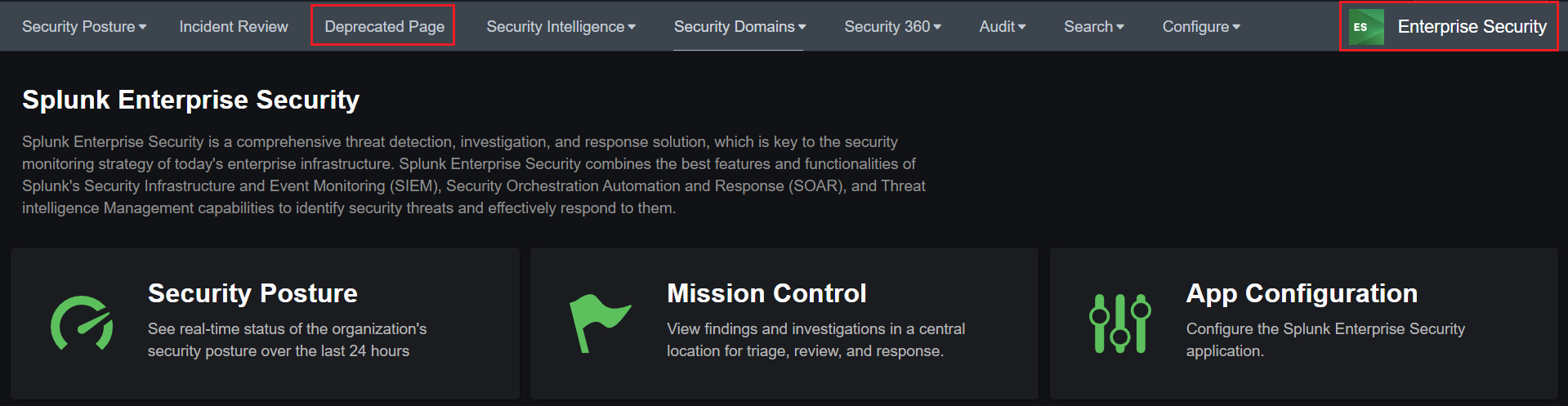
This issue occurs because custom navigation configurations from ES 7.x are still being used, which can cause outdated or deprecated pages such as "Incident Review" to remain visible instead of the updated pages like "Mission Control" introduced in ES 8.x.
The navigation structure in ES 8.x has significant changes compared to earlier versions.
Investigation
During the investigation, it was found that in Splunk Enterprise Security version 7.x, navigation menus were customized and these customizations were saved in the following location:
$SPLUNK_HOME/etc/apps/SplunkEnterpriseSecuritySuite/local/data/ui/nav/default.xmlWhen upgrading to ES 8.x, a new default navigation configuration is installed in the default directory. However, Splunk is designed to give priority to custom files located in the local directory over those in the default directory.
As a result, if a custom navigation file from ES 7.x remains in the local directory after the upgrade, it will override the new default navigation provided by ES 8.x. This causes the system to display the older navigation menus instead of the updated ES 8.x navigation structure.
Resolution
To restore the default navigation in ES 8.x, follow these steps:
- In Splunk Enterprise Security, go to Configure > General > Navigation.
- Click Restore Default Navigation.
- Click Save to apply the changes.
After these steps, the navigation will be updated to the ES 8.x default configuration, and all new navigation options will be available.
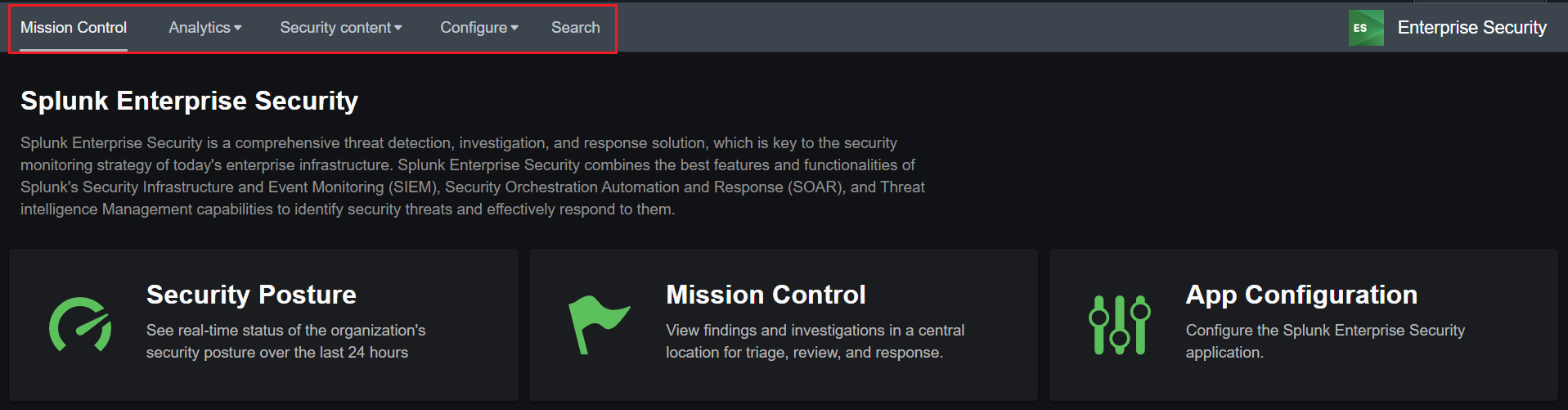
Note: Previous custom navigation settings from ES 7.x will be removed after restoring the default navigation. And, old ES 7.x custom navigation settings are not compatible with ES 8.x.
Related Links
Customize The Menu Bar In Splunk Enterprise Security
Revision History
| Revision | Publish Date | Comments |
|---|---|---|
1.0 |
29-Sep-2026
|
Initial Release |
 Feedback