Splunk O11y Dashboard panel shows no data or 0 due to MTS limit
Available Languages
Applicability
Splunk Application Performance Monitoring Splunk Infrastructure MonitoringDescription
A dashboard panel fails to display data or shows 0 despite other views showing active traffic. The issue is triggered when high cardinality dimensions (such as operation, host, or custom tags) multiply into tens of thousands of time series, exceeding the hard cap of 50,000 Metric Time Series (MTS) in the analytics engine. Once the limit is reached, the engine cannot compute accurately, and the plot collapses to 0.
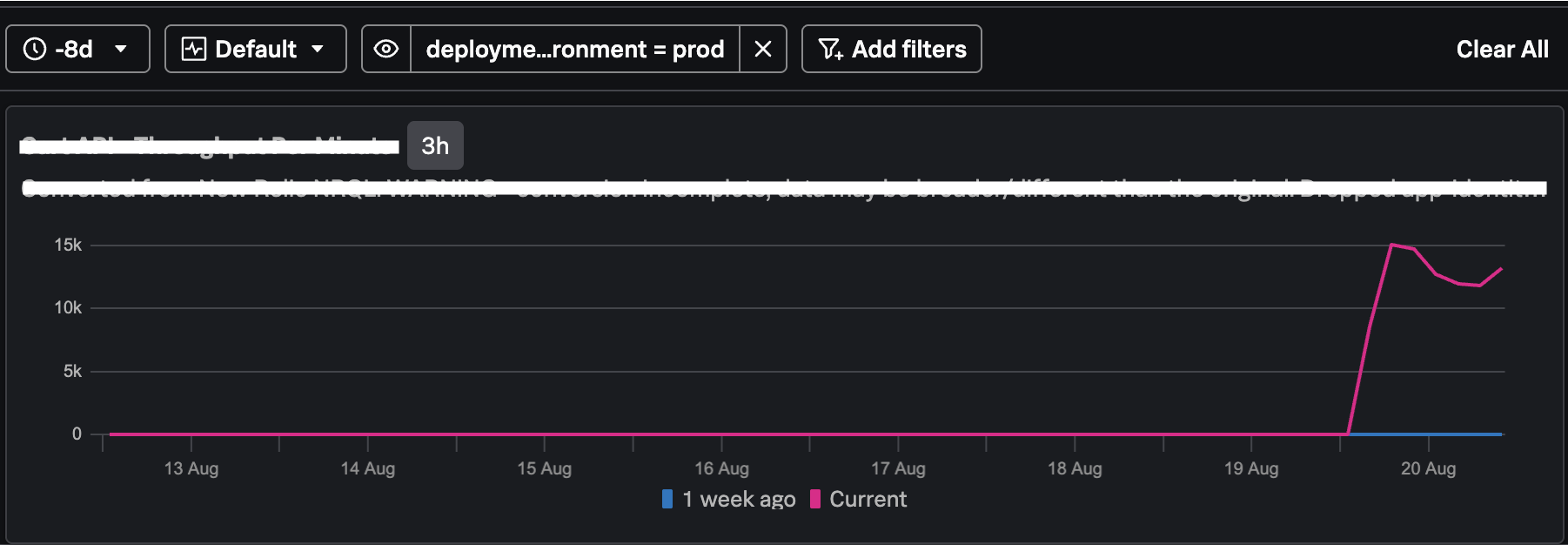
Although there is sufficient data/MTS available, the above dashboard has been showing 0 for the past few days, which may be misleading since data is still flowing in.
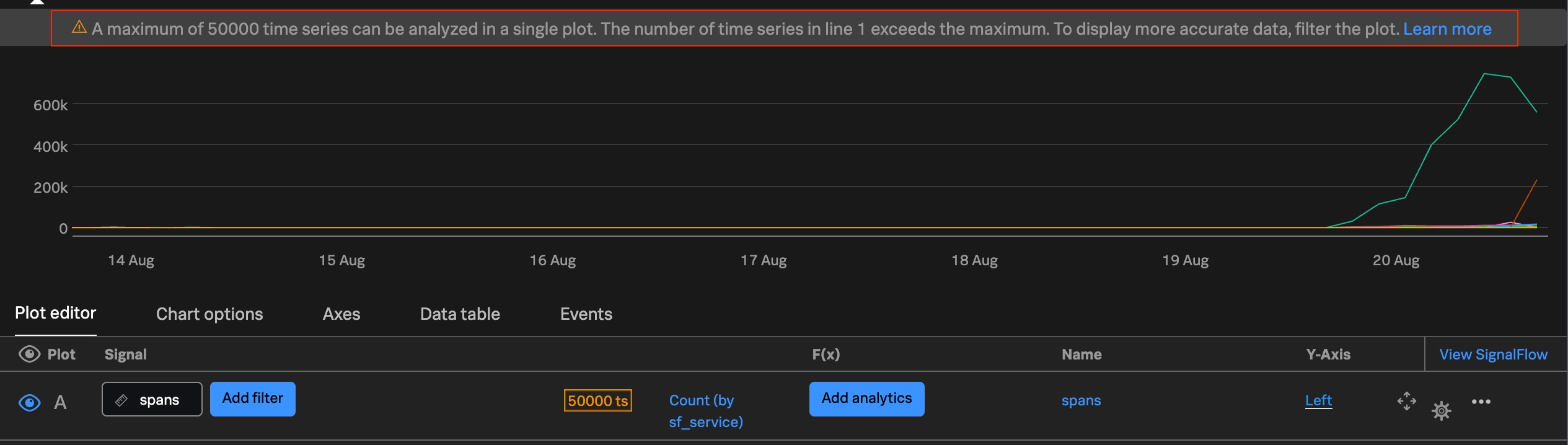
When the same SignalFlow used in this dashboard is applied to a Classic Chart, the following warning message appears, which helps explain this behavior:
“A maximum of 50,000 time series can be analysed in a single plot. The number of time series in line 1 exceeds the maximum.”
Investigation
- Navigate to the affected Dashboard.
- Identify the panel showing 0 or no data.
- Open the panel in Classic Chart to check for engine warnings.
- Verify if the following warning is present: "A maximum of 50,000 time series can be analysed in a single plot."
- Reduce the time range to a very small window (e.g., 15 minutes). If data appears, the issue is confirmed as a cardinality limit hit.
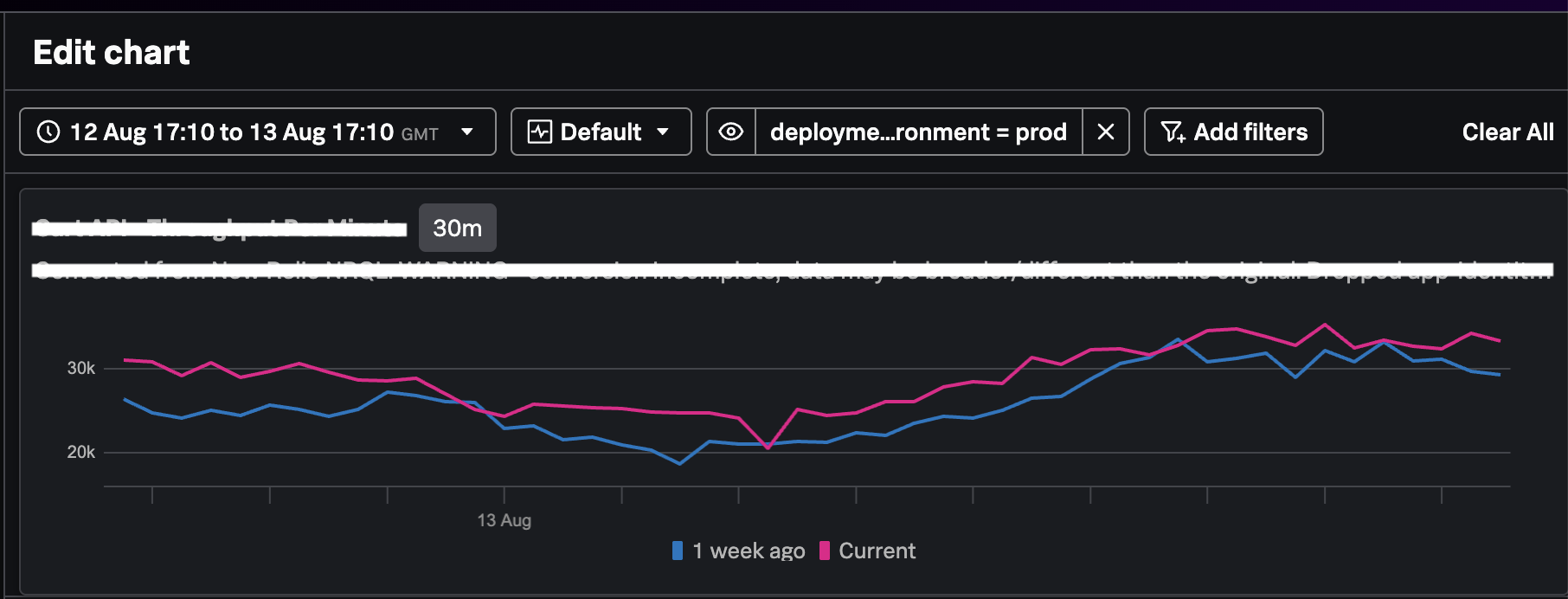
In the dashboard above, when the time range is reduced to one day, the chart displays data because the number of MTS falls within the 50,000 limit.
Resolution
- Open the affected panel in the Dashboard editor.
- Modify the SignalFlow query to apply more granular filters, such as
sf_operationor specific tags, to reduce the number of scanned MTS. - Use a smaller time range for the dashboard view to stay under the 50,000 MTS limit.
- If the issue persists due to short-lived MTS, reduce the MTS inactivity window to deactivate inactive series more quickly.
Related Links
Max_Number_Of_MetricTimeSeries_Processed_In_A_Signal
System_limits_details_for_Splunk_Infrastructure
Revision History
| Revision | Publish Date | Comments |
|---|---|---|
1.0 |
01-Oct-2026
|
Initial Release |
 Feedback
Contact Cisco
- Open a Support Case

- (Requires a Cisco Service Contract)
Related Articles
- Dashboard Studio Panel shows "Set token value to render visualization"
- No data in the historic license usage dashboard panels in Monitoring console.
- Upgrade Readiness App 4.3.0 shows false alerts for splunk-visual-exporter and splunk_app_for_splunk_o11y_cloud app
- O11y IM - Dashboard/Chart Error Message: ANALYTICS_JOB_MTS_LIMIT_HIT