No data in the historic license usage dashboard panels in Monitoring console.
Available Languages
Applicability
Splunk Enterprise.Description
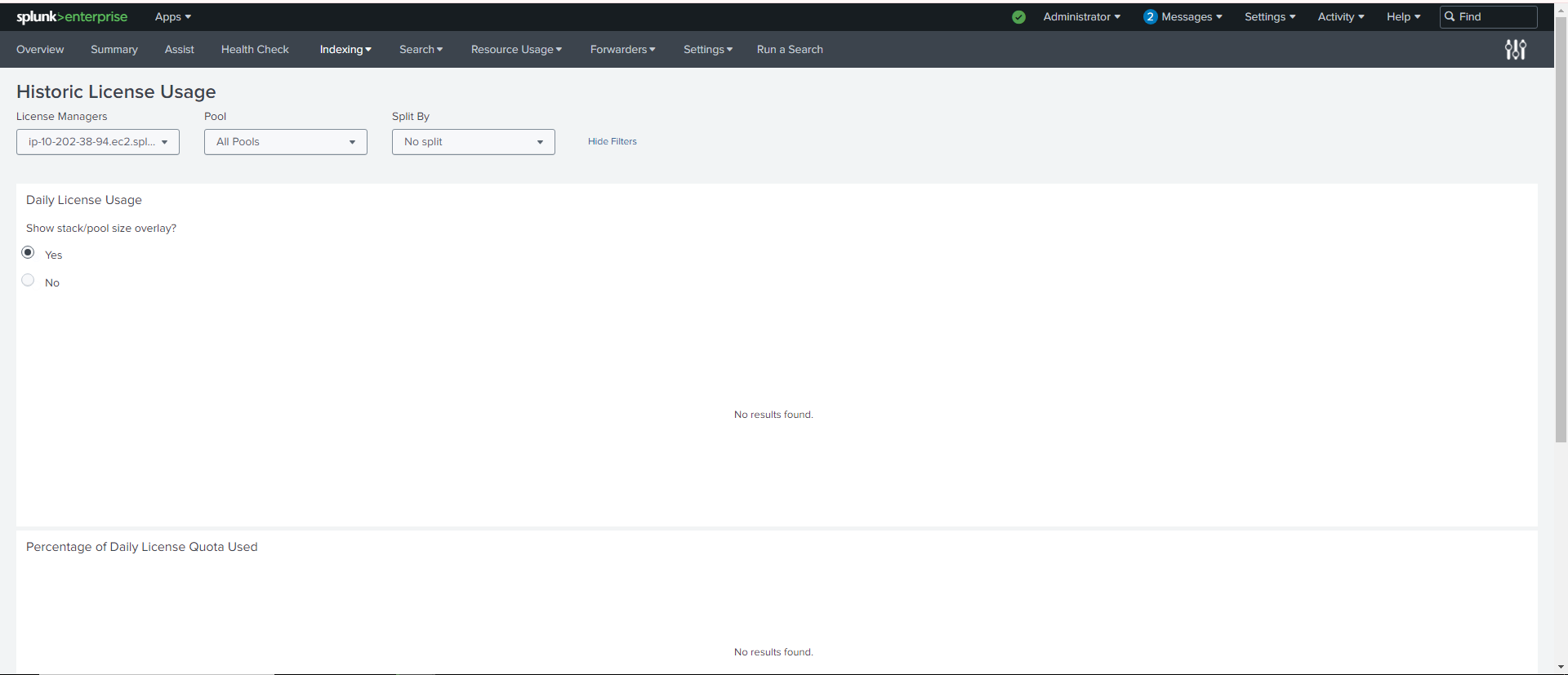
When opening the Historic License Usage dashboard from the Monitoring console: Indexing -> License Usage.
The user cannot see any results for all panels in this Historic License Usage dashboard.
Investigation
Step 1: Open the search window for one dashboard panel to see if any results show up or not.
Step 2: Run the following query on License Manager to see if any historical data is available if no results are returned.
index=_internal sourcetype=splunkd license_usage*
Verify the License Manager node has license_usage.log, the issue is with the searches under Monitoring Console Dashboard not returning any data.
Resolution
This is a known issue with 9.1.x version. For some on-prem environments this issue still persists on 9.2.0 or 9.2.1 versions. (Splunk's internal Jira reference: SPL-251683)
Workaround for this issue:
Step 1. Edit the underlying macro used in the Monitoring Console dashboard:
(Note: Need admin permissions)
- Open the Settings menu and select Advanced Search
- Next, select Macros
- Search for dmc_licensing_base_summary. The app must be monitoring the console or All. You won't find the macro otherwise.
- Click on the macro to edit it.
- In the definition box, remove "pool=" from the search query, changing the value from pool="$pool_clause$" to "$pool_clause$".
- Save the macro and reload the Historic License Usage dashboard in the monitoring console. It may take up to 24 hours for the data to re-populate in the dashboard.
If the this fix does not resolve the issue, proceed to the next step.
Step 2. Remove the token referring to 'dmc_license_non_itsi_pools' from the Dashboard Views.
- The searches used in the Monitoring Console dashboards are saved under $SPLUNK_HOME/etc/apps/splunk_monitoring_console/default/data/ui/views.
- The macro 'dmc_license_non_itsi_pools'will cause the search failure for some on-prem environments.
- Copy these two XML files license_usage_today.xml and license_usage_historic.xml to a local directory, for example: $SPLUNK_HOME/etc/apps/splunk_monitoring_console/local/data/ui/views.
- Make the following changes:
(1) license_usage_today.xml
- Remove from the search `dmc_license_non_itsi_pools`, and then save the change.
(2) license_usage_historic.xml
- Remove from the search `dmc_license_non_itsi_pools`
- Remove any reference to non_itsi_pools from set tokens or anywhere in the XML file, save the change.
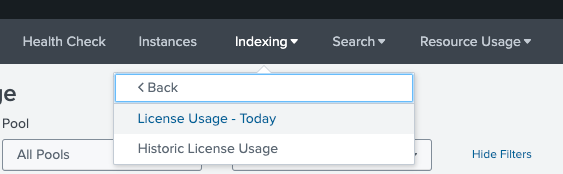
After making these changes, restart splunkd. Observed that both these dashboards got repopulated again:
Revision History
| Revision | Publish Date | Comments |
|---|---|---|
1.0 |
30-Sep-2026
|
Initial Release |
 Feedback
Contact Cisco
- Open a Support Case

- (Requires a Cisco Service Contract)