Dashboard Studio Panel shows "Set token value to render visualization"
Available Languages
Applicability
Splunk CloudDescription
When ingesting observability(o11y) data such as metrics, logs, or traces into a dashboard panel within Splunk Dashboard studio, users encountering the error message "set token value to render visualization".
Investigation
When creating a panel to ingest o11y data by navigating to "Add chart > single value > Add o11y data. The dashboard panel shows message "Set token value to render visualization" .
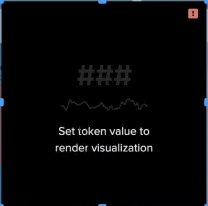
This issue typically arises when a dashboard panel fails to render due to problems related to token configuration, token evaluation, or the interaction between tokens and the underlying data sources. The error indicates that a required token, used to dynamically control the visualization or query, is either undefined, incorrectly set, or not properly evaluated, preventing the panel from rendering the intended observability data.
Resolution
The "Set token value to render visualization" error in Splunk Dashboard Studio occurs when a dashboard panel references a token in its configuration (e.g., in a search query or visualization settings) that is not properly set or resolved at runtime. Here are two possible causes:
1. The error could stem from the default global time range picker tokens—$global_time.earliest$ and $global_time.latest$—being referenced in the dashboard's data source code.
Removing these tokens from the source code of the dashboard resolves the issue by eliminating the dependency on unset tokens, allowing the panel to render the visualization without requiring token evaluation. This resolution is particularly relevant when the global time range picker has been deleted or is not intended to be used, but remnants of its configuration linger in the dashboard definition.
2. The panels will display an error if the user viewing them does not have the 'read_o11y_content' capability, which is required for dashboards that ingest Observability data. To resolve this, grant the user the 'read_o11y_content' capability through your platform’s user or role management settings, then have the user log out and log back in. After this, the panels should display correctly.
Related Links
Add-dashboard-interactions/time-range
Revision History
| Revision | Publish Date | Comments |
|---|---|---|
1.0 |
01-Oct-2026
|
Initial Release |
 Feedback
Contact Cisco
- Open a Support Case

- (Requires a Cisco Service Contract)