Agent Management page is blank after upgrading to Splunk Enterprise 10.0.2 in FIPS 140-only environments
Available Languages
Applicability
Splunk Enterprise 10.0.2, 10.0.3, 10.2.0 Windows Server 2022 Linux FIPS 140 mode enabled (SPLUNK_FIPS=1)Description
After upgrading Splunk Enterprise from version 9.4.x to 10.0.2 (affected in 10.03 & 10.2), navigating to Settings > Agent management results in a blank page. While most Splunk Web features remain functional, the Agent Management UI fails to render.
This behavior is caused by the SidecarThread or associated supervisor packages failing due to cryptographic restrictions in FIPS 140-only mode.
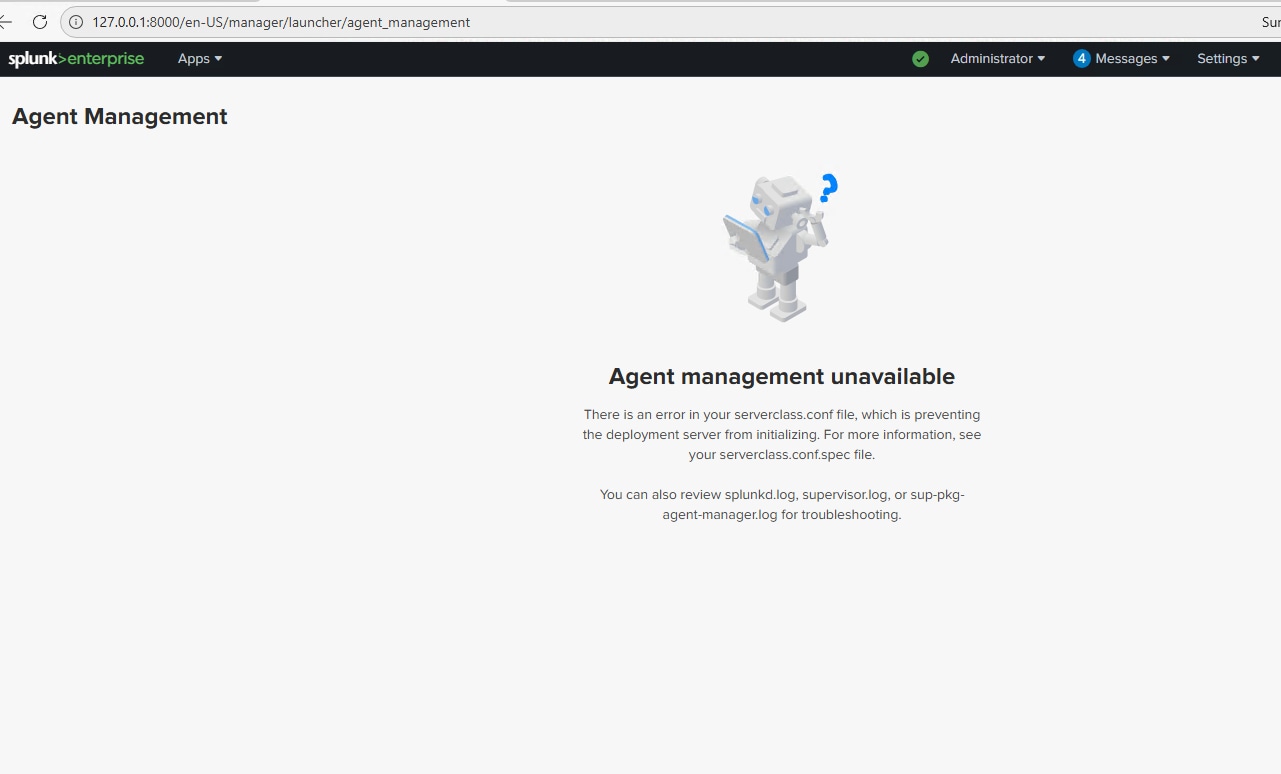
There are two distinct error scenarios based on the version:
Version 10.0.2: The process panics when attempting to use the SHA-1 algorithm.
Version 10.0.3 and 10.2.0: A TLS handshake error occurs when attempting to use the X25519 ECDH key algorithm.
Investigation
To determine if the environment is affected by this issue, perform the following steps in:
$SPLUNK_HOME\Splunk\var\log\splunk\- In Splunk 10.0.2, review the
splunkd.logfor the following error message:
02-10-2026 15:29:59.016 +0000 ERROR SidecarThread [3320 MainThread] - panic: crypto/sha1: use of SHA-1 is not allowed in FIPS 140-only mode - Verify the current GODEBUG Splunk variable configuration by checking
splunk-launch.conf:
$SPLUNK_HOME\Splunk\etc\splunk-launch.confGODEBUG=fips140=only,tlsmlkem=0 - In Splunk 10.0.3 and 10.2 review the
sup-pkg-spotlight-collector.log&sup-pkg-agent-manager.logcontains the following log:
2026/02/10 08:47:37 http: TLS handshake error from 127.0.0.1:51953: crypto/ecdh: use of X25519 is not allowed in FIPS 140-only mode - Verify the GODEBUG Splunk variable::
$SPLUNK_HOME\Splunk\etc\splunk-launch.confGODEBUG=fips140=on,tlsmlkem=0 Resolution
The Splunk development team is working on a permanent fix for this issue in later versions.
To restore the Agent Management page functionality in version 10.0.2, apply the following workaround to allow FIPS-compliant operation with the "on" restriction (example below):
$SPLUNK_HOME\Splunk\etc\splunk-launch.conf#   Version 10.0.2# Modify the following line to suit the location of your Splunk install.
# If unset, Splunk will use the parent of the directory containing the splunk
# CLI executable.
#
# SPLUNK_HOME=C:\Program Files\Splunk# By default, Splunk stores its indexes under SPLUNK_HOME in the
# var\lib\splunk subdirectory.  This can be overridden
# here:
#
# SPLUNK_DB=C:\builds\splcore\main\build_home\splunk\var\lib\splunk
# Splunkd service name
SPLUNK_SERVER_NAME=Splunkd
PYTHONHTTPSVERIFY=0
PYTHONUTF8=1
SPLUNK_FIPS=1
GODEBUG=fips140=on,tlsmlkem=0
Restart the Splunk Enterprise service.
Verify functionality by navigating to Settings > Agent management.
The fix is in 10.0.3+ & 10.2.2+.
Related Links
Go FIPS 140 Environment Variables
Revision History
| Revision | Publish Date | Comments |
|---|---|---|
1.0 |
01-Oct-2026
|
Initial Release |
 Feedback
Contact Cisco
- Open a Support Case

- (Requires a Cisco Service Contract)
This Document Applies to These Products
Related Articles
- The Agent Management page fails to load after upgrading to 10.0.3 in FIPS mode
- Deployment Server Agent Management page fails to load after upgrading to Splunk Enterprise 10.2
- Agent Management page on Deployment Server not loading after Splunk Enterprise 10.2 upgrade
- Restoring default navigation after upgrading to Splunk Enterprise Security 8.x